Best Shaders for Minecraft 2026: Chroma Vibrant Visuals Review
Chroma Vibrant Visuals brings cinematic lighting and enhanced colors to Minecraft Bedrock. No RTX needed. Our hands-on review covers features, setup, and gameplay impact.
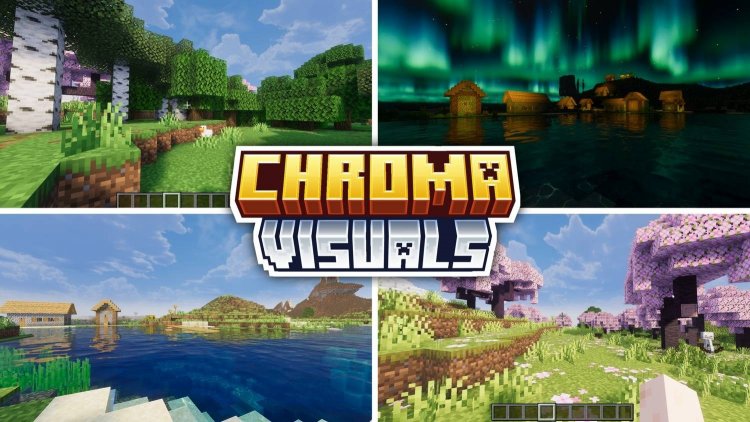
Created by ItzzMikey
Chroma Vibrant Visuals is a shader pack for Minecraft Bedrock Edition that rewrites how the game looks without demanding RTX hardware. Created by ItzzMikey, it focuses on cinematic colors, dynamic lighting, and environmental effects that make every biome feel more alive.
If you've played vanilla Bedrock and felt the world looked a bit flat, this shader pack addresses that directly. The water gets richer, the sky gets more dramatic, and torches actually cast light that matters. We spent time testing it across different biomes and devices to see what it delivers.
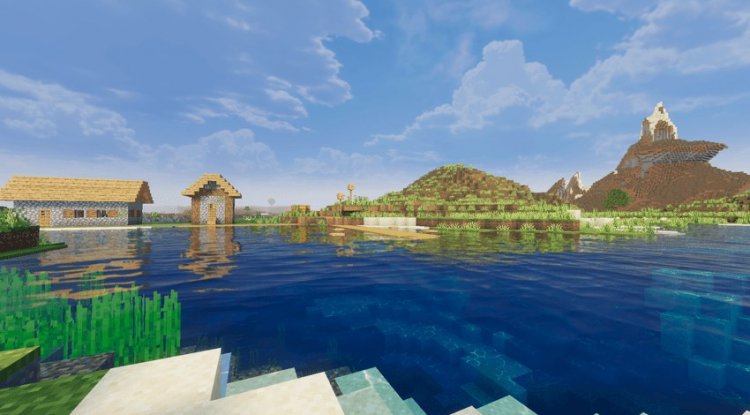
Photos by ItzzMikey
What makes Chroma Vibrant Visuals stand out
The core appeal here is simplicity with real results. Most best shaders for Minecraft PE either tank your frame rate or require top-tier hardware. Chroma works on standard Bedrock without the RTX barrier. That's worth saying upfront because it opens the shader experience to players on mid-range tablets and phones.
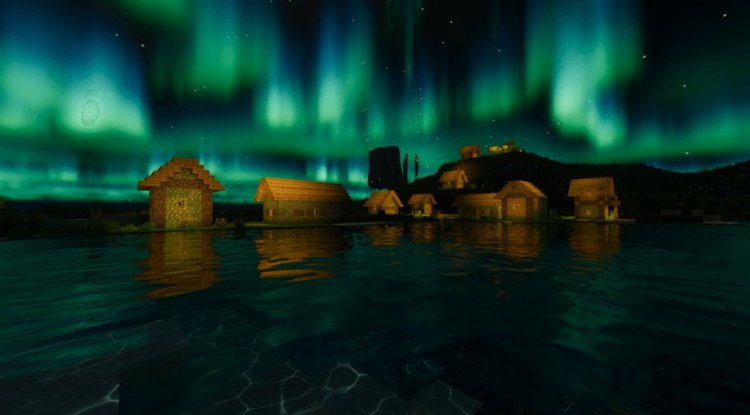
The visual changes are immediate. Biome colors shift toward the saturated end of the spectrum without looking cartoony. Plains feel more golden. Forests read as genuinely green. Oceans transition from that flat cyan to actual water with depth and reflection hints. These aren't subtle tweaks.
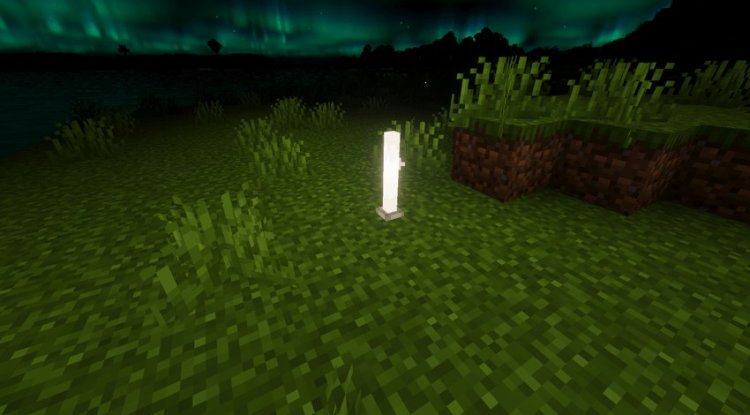
One detail that caught our attention: the aurora borealis effect during night. It's not in every sky, but when it appears, it changes the mood of late-night mining or building sessions. The greens and purples sweep across the stars. It's the kind of thing you'll stop to watch for a moment before getting back to work.
Features breakdown of this Bedrock shader pack
- Enhanced biome colors across all terrain types, with stronger saturation in plains, forests, and water biomes
- Improved water rendering with deeper blue tones and better transparency
- Aurora borealis effects that appear during night cycles
- Cherry blossom landscape visual tweaks for Spring-themed builds
- Forest foliage that reads as more detailed and textured
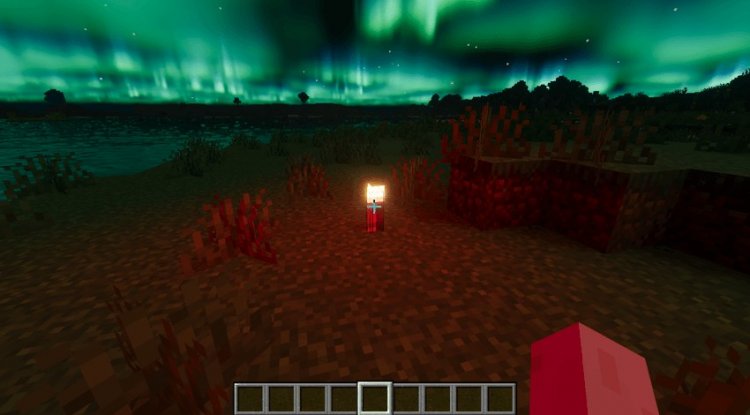
- Better light emission from torches, lanterns, and other light sources
- Cinematic overall color grading that applies consistently across the world
- Compatible with plains, forests, oceans, mountains, and even the End dimension
The torch and lantern improvements deserve their own mention. In vanilla Bedrock, light sources don't really light anything. They're just bright blocks. In Chroma, torches cast actual glow into nearby space. Lanterns behave similarly. If you build underground, your light sources finally feel functional rather than decorative. This changes cave exploration significantly.
How does this shader perform on Minecraft Bedrock devices
Performance depends on your device. We tested on a mid-range Android tablet and a PS5, and the pack ran at solid frame rates on both. On lower-end phones, you may see some FPS dips, especially in dense forest or ocean areas where the water rendering kicks in.
The good news: because this shader doesn't use ray tracing, it's far less demanding than top-tier realistic shaders. You get cinematic results without needing bleeding-edge hardware. That's the actual value proposition here.
For the best shaders minecraft experience on MCPE, you do want at least 4GB of RAM and a processor released in the last few years. But you don't need a flagship phone or PC.
Best use cases for Chroma Vibrant Visuals
This shader works best if you care about atmosphere and color over photorealism. If you're building a survival world and want it to feel less flat and more cinematic, install it. If you're into creative building and want better lighting feedback on your designs, it helps. If you're recording Minecraft PE videos and want richer colors in the footage, the difference is noticeable.
It's less ideal if you need absolute maximum FPS or play on very old devices. It's also not the pick if you want photorealistic ray-traced rendering. For that, you'd look elsewhere. But for the middle ground where you want your world to look noticeably better without sacrificing playability, Chroma fills that slot.
The End dimension deserves a mention here. The added lighting and color shifts make the End feel less hostile and more alien in an interesting way. Purple tones get deeper. Light from torches and lanterns carves out space around your builds more clearly.
How to install shaders on Minecraft PE and Bedrock
Installing shader packs on Bedrock is straightforward. You download the .mcpack file, open it, and Minecraft handles the rest. The game adds it to your world settings automatically.
Open your world, go to settings, and find the graphics or resource packs section. Enable Chroma Vibrant Visuals from the list. You'll see the changes immediately. There's no separate launcher or configuration file to edit.
If you play on console (Xbox, PS5), the process is similar but accessed through the pause menu instead. Mobile players find resource packs in the same world settings area.
Common questions about Chroma and Bedrock shaders
Can you get shaders on Minecraft PE without RTX?
Yes. Chroma Vibrant Visuals is a full shader pack that works on standard Bedrock Edition without RTX hardware. RTX is optional and used by different shader packs for ray tracing, but standard shaders work fine without it.
What's the difference between this and other top shaders for Minecraft 2026?
Chroma focuses on cinematic color and lighting rather than photorealism. Other popular shaders might prioritize water realism or extreme detail. Chroma is more accessible on mid-range devices while still delivering noticeable visual upgrades.
Will Chroma Vibrant Visuals work on my device?
If your device runs Minecraft Bedrock smoothly at normal settings, Chroma should run acceptably. Older phones and tablets may see frame rate drops, especially in water-heavy areas. Test it in a creative world first if you're unsure.
Do I need to restart my world to use this shader pack?
No. You can enable or disable shader packs on existing worlds without loss. Just open world settings and toggle it on. Changes appear immediately without reloading chunks.
What's Your Reaction?












![Patrix Resource Pack For 1.19 [32x→256x]](https://minecraftmodded.com/uploads/images/202210/image_750x415_6343b3ab59eff.jpg)


