Best Minecraft Addons 2026: Damage Indicator by BAKUTHEBUILDER
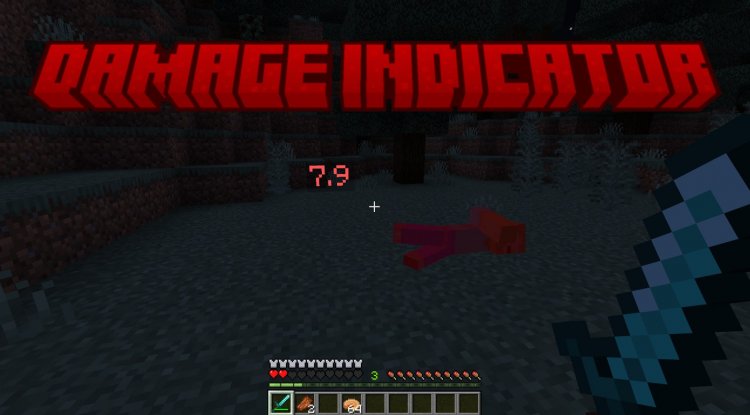
Damage Indicator addon displays real-time numerical damage values during combat in Minecraft Bedrock. Perfect for PvP training and weapon testing.
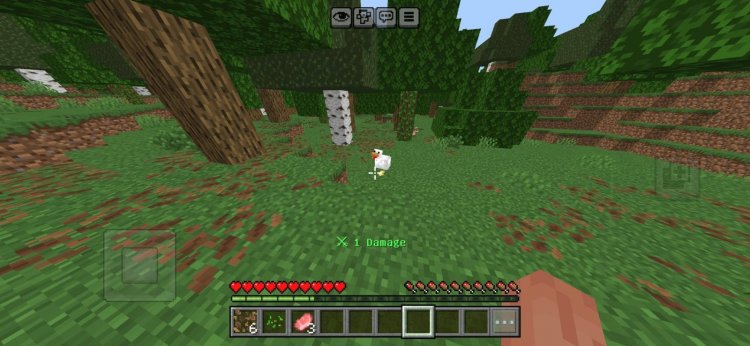
Created by BAKUTHEBUILDER
Damage Indicator: One of the Best MCPE Addons for Tracking Combat Performance
The Damage Indicator addon by BAKUTHEBUILDER is a Bedrock Edition add-on that displays exact numerical damage values on your screen in real-time whenever you attack any entity—whether it's a zombie, a player, or a custom boss. If you've ever wanted to know precisely how much damage your enchanted sword is dealing or whether that potion effect is actually making a difference, this addon eliminates the guesswork from Minecraft combat.
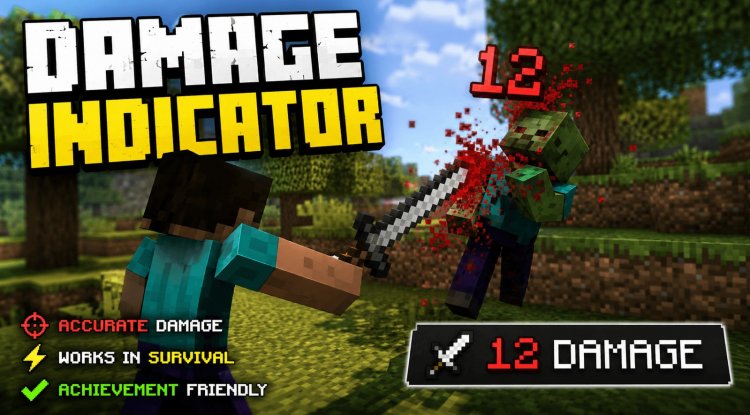
What Makes This One of the Best Minecraft Addons for Combat Players
Among the best minecraft addons available today, Damage Indicator stands out because it solves a fundamental problem that vanilla Minecraft doesn't address: visual feedback on damage output. In standard gameplay, you swing a sword and watch a health bar shrink, but you never see the actual numbers. This addon changes that instantly.
Whether you're a PvP enthusiast trying to optimize your combat strategy, a content creator needing clear footage for your audience, or someone testing custom weapons and enchantments, this addon gives you the transparency you need. The real-time display transforms how you approach combat, letting you make instant decisions about your tactics based on concrete data rather than guesses.
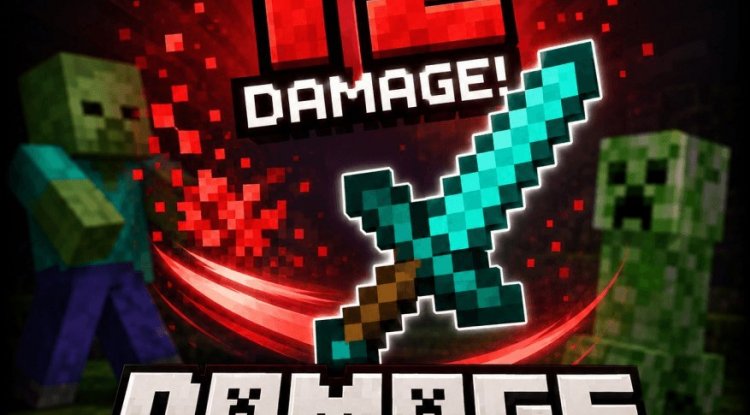
Photos by BAKUTHEBUILDER
Color-Coded Damage Display: Understanding Your Impact at a Glance
One of the smartest design choices in this addon is its color-coded damage system. When you strike an entity, the damage number that appears on screen uses a three-tier color system:
- Green indicates low damage output—useful for identifying weak hits or when your weapon needs better enchantments
- Yellow signals medium damage—solid performance that doesn't demand immediate attention
- Red shows high damage—your strongest hits, perfect for understanding when critical strikes land or when enchantments proc their full potential
This visual hierarchy means you don't have to read every number. At a glance, you can see whether your current attack pattern is effective or if you need to switch weapons, apply buffs, or adjust your approach.
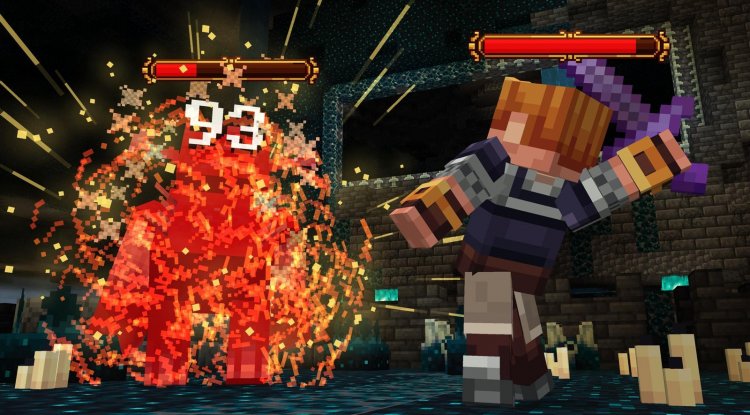
Perfect for PvP Training, Weapon Testing, and Mob Farming
The Damage Indicator addon is built specifically for players who care about optimization. Here's where it shines across different gameplay scenarios:
- PvP Training: See exactly how much damage each weapon deals, helping you understand which tools work best against specific opponents and playstyles
- Weapon Testing: When you're comparing enchantments or crafting custom weapons, numerical feedback tells you which setup wins
- Mob Farming: Understand your farm efficiency by tracking damage per hit—essential for optimizing mob grinder performance
- Custom Maps and Game Modes: Map creators can use this addon to balance combat difficulty, ensuring challenges feel fair
- Content Creation: Viewers appreciate seeing damage numbers during gameplay videos, adding clarity and entertainment value
- Survival Gameplay: Even casual players benefit from knowing if their gear is performing well enough for their current challenges
Multiplayer Compatibility and Performance Optimization
A common concern with combat-focused addons is whether they work smoothly in multiplayer environments and on mobile devices. The Damage Indicator addon was specifically optimized for Bedrock Edition's unique demands, which means it functions perfectly in both single-player survival and multiplayer realms.
Performance is genuinely impressive here. The addon uses Bedrock's scripting system efficiently, keeping frame rates stable even during intense combat sequences with multiple entities. On mobile devices like phones and tablets, the addon maintains minimal impact on FPS—you're getting detailed combat information without the stuttering or lag you might expect from more resource-heavy mods.
Best MCPE Addons 2026: Why Damage Indicator Deserves Your Attention
When evaluating what are the best minecraft addons for your playstyle, consider what problems you're actually trying to solve. If you've ever felt uncertain about your weapon's effectiveness, wondered whether enchantments are working as advertised, or wanted to optimize your combat approach, Damage Indicator directly addresses those concerns.
The addon doesn't change Minecraft's core mechanics or feel. It simply lifts the veil on information that's been hidden since vanilla Minecraft's launch. You're still fighting the same mobs and players—you're just seeing the impact of every swing with crystal clarity. For survival players, PvP competitors, mob farmers, and content creators, that clarity is genuinely game-changing.
How to Install Damage Indicator on Your Bedrock World
Installing this addon follows Bedrock's standard process and takes just a few minutes:
- Download the addon file in .mcpack format
- Import it into Minecraft by opening the file—Bedrock will recognize it automatically
- Create a new world or open an existing one where you want to use the addon
- Access world settings and navigate to the add-ons section
- Enable the Behavior Pack in your available add-ons list
- Save and enter the world—damage numbers should appear immediately on your first hit
The addon requires no additional configuration. Once enabled, damage displays activate automatically during combat with no setup required.
Frequently Asked Questions About Damage Indicator
Will Damage Indicator work in multiplayer and realm worlds?
Yes, the addon is fully compatible with multiplayer environments. All players connected to a realm or server where the addon is enabled will see damage numbers for their own attacks in real-time.
Does this addon work on mobile devices like phones and tablets?
Absolutely. The addon was optimized specifically for MCPE (Minecraft Pocket Edition) performance. You'll see minimal FPS impact even on lower-end mobile hardware.
Can I use Damage Indicator alongside other addons?
Generally yes, but performance depends on how many other addons you're running. Since this addon uses Bedrock's scripting system efficiently, it plays well with most standard behavior packs. Avoid stacking too many script-heavy addons simultaneously.
Does the color coding (green/yellow/red) mean my damage is too low?
No—the colors simply categorize your damage output for quick visual reference. What counts as "low," "medium," or "high" depends entirely on the weapon, enchantments, and target you're using. Green damage on a wooden sword is expected; green damage on a netherite sword suggests you need better enchantments.
What's Your Reaction?













![Patrix Resource Pack For 1.19 [32x→256x]](https://minecraftmodded.com/uploads/images/202210/image_750x415_6343b3ab59eff.jpg)


