Foreboding Project Minecraft Bedrock: Psychological Horror Addon
Foreboding Project is a psychological horror addon for Minecraft Bedrock that introduces atmospheric events and anomalies. Discover how this immersive mod changes gameplay.

Created by Kolveman
Foreboding Project is a behavior and resource pack addon created by Kolveman that transforms your Minecraft Bedrock world into an unsettling experience through psychological horror elements. Rather than relying on cheap scares and instant death mechanics, this addon gradually unfolds a chilling atmosphere using environmental anomalies, atmospheric shifts, and mysterious in-game events.
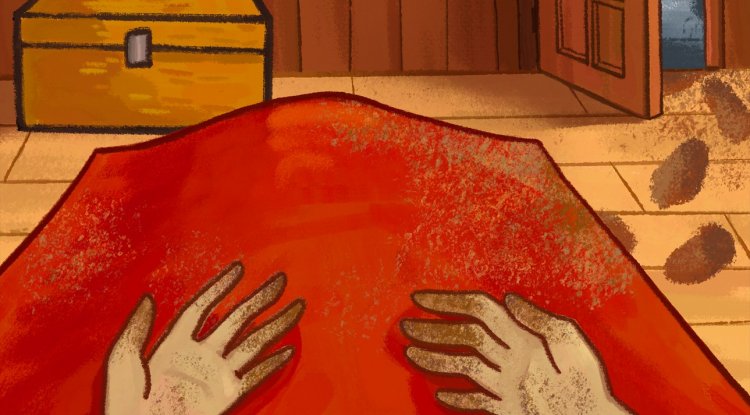
Photos by Kolveman
What Makes Foreboding Project Different From Standard Minecraft Addons
If you've explored cool projects to do in Minecraft, you've probably experienced plenty of gameplay overhauls—new mobs, weapons, and building mechanics. Foreboding Project takes a completely different approach. Instead of adding flashy content, it modifies the very feeling of your world through subtle psychological manipulation. The addon maintains vanilla aesthetics perfectly, meaning your favorite texture packs and shaders work without conflict. More importantly, you can still earn all standard Minecraft achievements while playing, so you're not sacrificing progression for atmosphere.
The genius of this design is that the horror feels organic to Minecraft itself. You won't encounter sudden jump scares or unfair deaths punishing exploration. Instead, events trigger based on your actual gameplay progress—traveling far from spawn, reaching deep caves, gaining experience, or equipping diamond gear. This creates a narrative that feels personal to your journey rather than scripted.
How Foreboding Project's Psychological Horror Progression Works
Unlike standard addons, Foreboding Project doesn't activate immediately. When you first install it, your world appears completely normal. The addon lies dormant until you meet specific triggering conditions. This delayed activation is crucial to the experience—the horror creeps in gradually rather than overwhelming you at spawn.
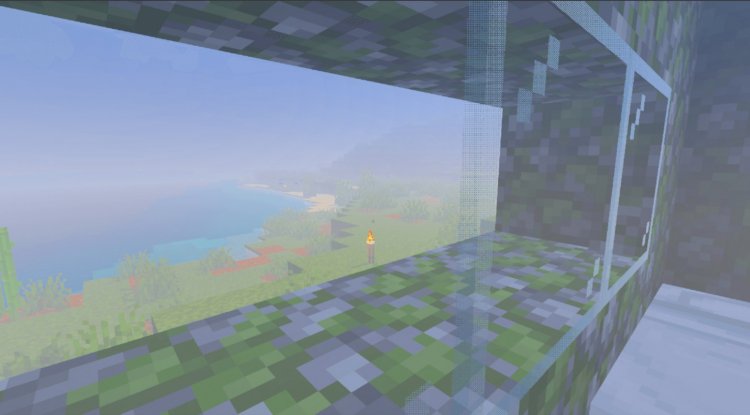
The progression unfolds across four distinct stages, each more intense than the last. Early stages might introduce subtle environmental changes: fog appearing in unusual places, familiar sounds shifting into something unsettling, or objects mysteriously displaced from where you left them. As you advance through the stages, these anomalies compound and intensify. Over 100 unique events are coded into the addon, meaning repeated playthroughs reveal different horror scenarios depending on your actions and world state.
What's particularly clever is the tick speed manipulation. By subtly altering game speed, the addon creates a persistent sense of unease without being obvious enough to break immersion. You might not consciously notice the change, but you'll feel that something is fundamentally wrong with your world.

Triggering Conditions: When Foreboding Project Activates
Understanding when the horror begins helps you prepare mentally and practically. Foreboding Project's events activate once you meet any of these conditions:
- Reaching Y-coordinate -55 (deep underground exploration)
- Traveling 8,000 blocks away from your world origin
- Achieving experience level 31
- Playing for 15+ in-game days with a daily random chance
- Equipping sufficient diamond armor and tools
This design means casual builders and creative players might never trigger events if they stay near home. But active explorers, cave divers, and survival-focused players will definitely encounter the full experience. The flexibility makes Foreboding Project suitable for any playstyle—you control your own exposure to the horror.
Features That Make This One of the Best MCPE Addons for Atmosphere
- Psychological horror that unfolds gradually over time rather than shocking you immediately
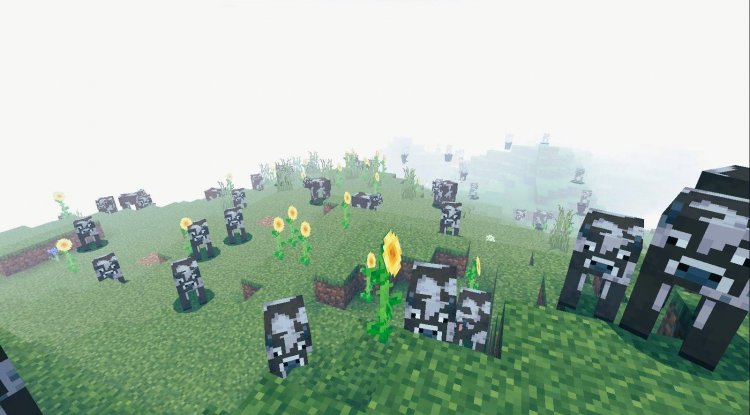
- Over 100 unique environmental anomalies including unusual fog, altered audio, and object displacement
- Four-stage progression system with increasing intensity and complexity
- Vanilla compatibility maintains Minecraft's core aesthetics and achievement system
- No unfair deaths or malicious jump scares—horror respects player agency
- Custom operator settings menu lets world administrators fine-tune the experience
- Full multiplayer support with exclusive events for cooperative worlds
- Seamless world integration works with existing saves without resetting progress
- Intentional unease through audio and visual cues rather than mechanical punishment
Multiplayer Considerations and Compatibility
When exploring cool projects to do in Minecraft with friends, Foreboding Project scales perfectly to group play. The addon includes exclusive multiplayer events that trigger differently than single-player scenarios, creating shared moments of dread that strengthen community servers. However, both the behavior pack and resource pack must be installed on every client for full functionality.
The addon also respects server settings. Operators can access a custom configuration menu by constructing a Herobrine-style altar (specific block arrangement) and igniting it. From here, you control intensity levels, enable/disable certain event types, and manage gamerules without reinstalling. This flexibility makes Foreboding Project perfect for communities with varying horror tolerance levels.
Why Foreboding Project Stands Out Among Minecraft Horror Mods
The foreboding project minecraft mod philosophy differs fundamentally from jump-scare horror games. Most horror addons rely on sudden pop-ups, screaming audio, or instant danger. Kolveman's creation understands that true psychological horror emerges from uncertainty and slow dread. You'll never be certain what's coming next because the 100+ events create unpredictable scenarios. Will the fog get thicker today? Will sounds continue degrading? When exactly will the next anomaly occur?
This uncertainty, combined with vanilla game mechanics, creates horror that feels existential rather than theatrical. Your Minecraft world—the place where you've built, explored, and invested hours—gradually becomes alien. That's significantly more unsettling than any mod that simply spawns scary mobs.
How to Install Foreboding Project on Minecraft Bedrock
Installing Foreboding Project requires applying both the behavior pack and resource pack to your world. Here's the process:
- Download the Foreboding Project addon files (both packs included)
- Extract the files if necessary
- Import both the behavior pack and resource pack into Minecraft
- Create a new world or select an existing world
- In world settings, activate both Foreboding Project packs
- Start playing—remember that events won't trigger immediately
Important installation notes: Both packs must be applied for the addon to function properly. When updating to a new version, replace both packs entirely rather than mixing versions. If you experience minecraft addons not working issues, verify that both behavior and resource packs are enabled in world settings. To properly uninstall, either wait for the experience to complete or use the configuration menu to restore default gamerules before removing the packs.
Frequently Asked Questions About Foreboding Project
Is Foreboding Project compatible with my existing world?
Yes, Foreboding Project integrates seamlessly with existing worlds without resetting progress or structure. However, activation conditions still apply—you won't experience events until you meet one of the triggering criteria like reaching specific coordinates or playtime thresholds.
Can I still earn achievements while playing with this addon?
Absolutely. Kolveman designed Foreboding Project to maintain vanilla game mechanics and achievement compatibility. You'll earn achievements normally while experiencing the psychological horror elements simultaneously.
Does Foreboding Project work on servers, or is it single-player only?
Foreboding Project fully supports multiplayer gameplay with exclusive multiplayer-specific events. All players must have both the behavior pack and resource pack installed. Server operators can customize settings through the altar configuration menu.
What happens if I don't want the addon anymore—will my world be ruined?
No, your world will return to normal. Before removing the addon, use the configuration menu to restore default gamerules, or simply wait for the experience cycle to complete naturally. After uninstalling both packs, your world functions as standard Minecraft.
Does this addon require specific Minecraft versions?
Foreboding Project is designed for Minecraft Bedrock Edition. Check the specific version requirements on the download page, as addon support varies across different Bedrock builds.
What's Your Reaction?












![Patrix Resource Pack For 1.19 [32x→256x]](https://minecraftmodded.com/uploads/images/202210/image_750x415_6343b3ab59eff.jpg)


