Horizon Natural Addon MCPE: RTG-Style Terrain for Bedrock
Horizon Natural is a Bedrock addon that brings realistic RTG-style terrain generation to MCPE with enhanced biomes, better trees, and optimized performance.
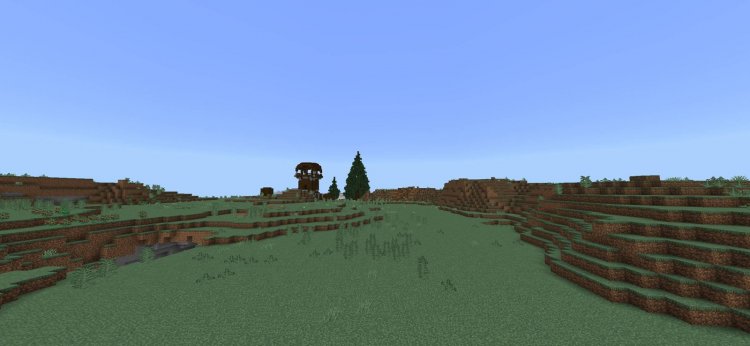
Created by PROMO_ADDON
Horizon Natural Addon MCPE: RTG-Style Terrain for Bedrock Edition
Horizon Natural is a Bedrock Edition addon that brings realistic terrain generation similar to Java Edition's RTG system directly to your Minecraft Pocket Edition worlds. Created by PROMO_ADDON, this addon fundamentally changes how your terrain generates, delivering larger mountains, denser forests, and visually complex biomes while maintaining solid performance even on mobile devices.
If you've ever played Java Edition with RTG (Realistic Terrain Generation) and wished Bedrock had that same natural, immersive world-building feel, Horizon Natural fills that gap. Whether you're planning a long-term survival series, creating cinematic content, or simply want your exploration to feel less repetitive and more rewarding, this addon deserves a place in your load order.
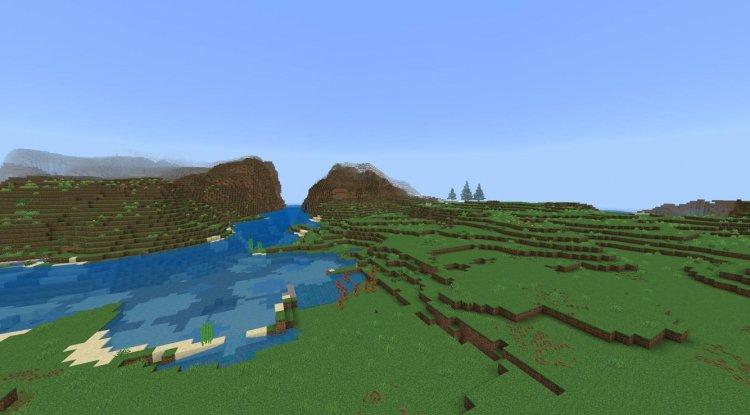
Photos by PROMO_ADDON
What Makes Horizon Natural One of the Best MCPE Addons for 2026
Among the crowded field of what are the best minecraft addons available today, Horizon Natural stands out because it doesn't add creatures, items, or flashy mechanics—it rewires the fundamental way your world grows. This is a "less is more" approach that appeals to builders, explorers, and survival players who want immersion without clutter.
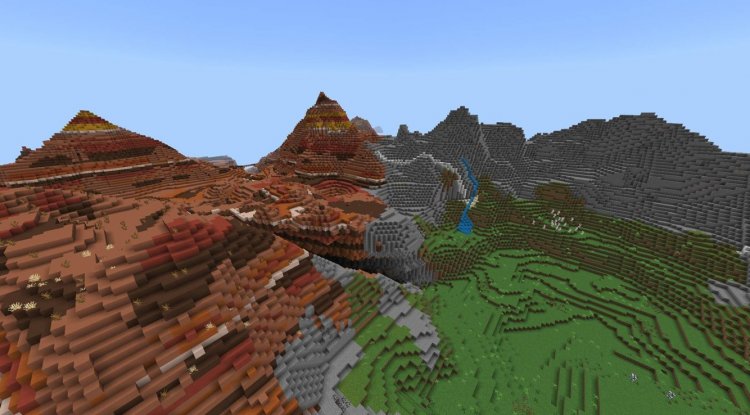
The addon uses custom feature rules to override Bedrock's default terrain generation, meaning you're not just getting tweaked settings. You're getting a complete rethinking of how biomes should look and feel. Mountains rise higher with more dramatic slopes. Forests feel thick and lived-in. Plains roll naturally instead of feeling flat and artificial. This level of terrain sophistication is exactly what separates the best minecraft addons from the forgettable ones.
Performance optimization is baked in, so you won't sacrifice your FPS for beauty—a critical consideration for anyone playing on a phone or tablet where every frame matters.
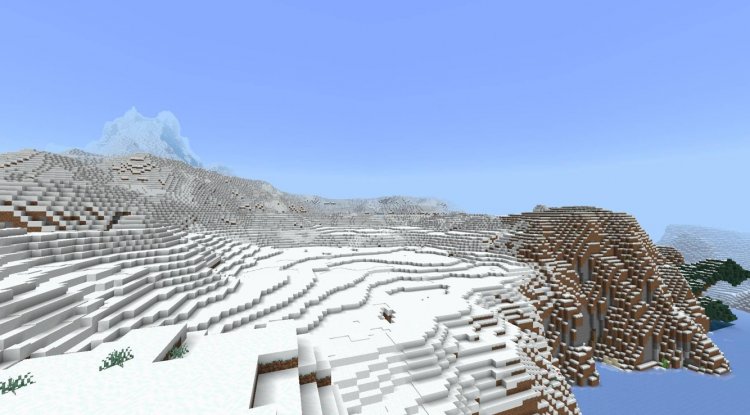
Horizon Natural Addon MCPE: Biome-by-Biome Transformation
The real magic happens when you actually generate new chunks and witness how Horizon Natural reshapes your familiar biomes. The addon introduces custom biome variants including rtg_giant_taiga, bt_dark_oak, and rtg_mountain_trees—these aren't just name changes, they're entirely new generation patterns.
Oak, Dark Oak, and Acacia trees grow significantly larger and structurally more complex. Instead of those oddly-uniform vanilla trees, you'll see towering trunks with sprawling canopies that actually look like they've been growing for years. In forests, the density increases noticeably—no more walking through three trees and hitting open plains. Biomes feel genuinely lush.
Mountains transform into imposing landmarks with varied elevations and natural-looking slopes rather than the jagged, blocky peaks you're used to. Plains roll with subtle height variation, making even grassland exploration feel purposeful.
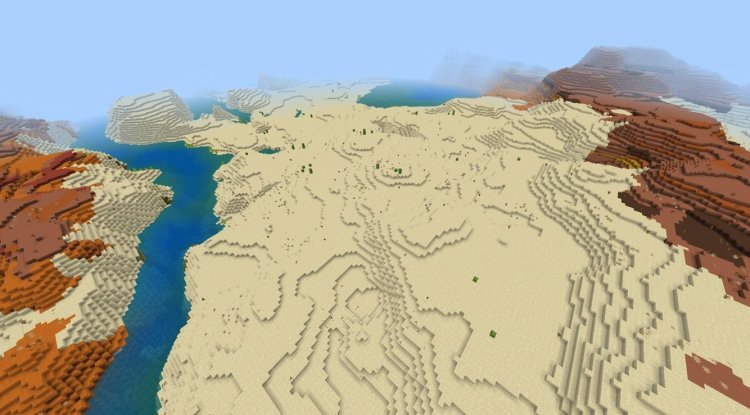
Aquatic areas receive enhanced seagrass and clay generation, making underwater exploration richer. You'll spot mossy boulders scattered throughout forests and caves, and mushrooms appear more organically, adding visual storytelling to your world.
How to Add Modifications with Horizon Natural: Installation & Setup
Getting Horizon Natural up and running is straightforward, though there's a critical step many players miss. The addon comes as a .mcaddon file, which acts as a container bundling both a Resource Pack and Behavior Pack together.
Here's the process:
- Download the Horizon Natural .mcaddon file
- Open the file on your device—Minecraft will automatically recognize it and prompt you to import
- Accept the import, which will add both the Resource Pack and Behavior Pack to your profiles
- Create a new world or edit an existing one and enter world settings
- Under "Packs," activate both the Horizon Natural Resource Pack and Behavior Pack in that order
- Scroll down and enable Experimental Gameplay, specifically the "Custom Biomes & Features" toggle—this is essential for the addon's custom generation to function
- Save and generate your world
One note: this addon works best on newly generated worlds. Existing terrain won't be affected, but any new chunks you explore will reflect Horizon Natural's generation rules. If you want the full experience, start fresh.
Best MCPE Addons for Content Creation & Survival
The addon's creator specifically designed Horizon Natural with video content creators and long-term survival players in mind. If you're running a YouTube series or planning a serious survival world, this addon provides the visual foundation that makes exploration inherently exciting.
When terrain feels naturally varied and visually compelling, your content feels more immersive without you having to do anything extra. Mountains give you dramatic vistas for cinematic shots. Dense forests create natural hiding spots and survival challenges. The generated world tells a story that vanilla Bedrock just doesn't.
For survival players specifically, enhanced terrain generation means meaningful progression—you're not just finding resources, you're discovering them in a world that feels genuinely different from every other Minecraft world you've played.
Performance Optimization: Why Horizon Natural Works on Mobile
A common complaint about ambitious addons is performance degradation, especially on mobile. Horizon Natural breaks that pattern through deliberate optimization. The addon was engineered to maintain stable performance even at high render distances and with increased world complexity.
This means you don't have to choose between a beautiful world and a playable one. Whether you're on a flagship phone or an older tablet, Horizon Natural's terrain generation system is designed to respect your hardware's limitations while still delivering significant visual improvements over vanilla generation.
Horizon Natural Addon MCPE: Key Features & Highlights
- RTG-Style Terrain Generation – Realistic, naturally-varied mountain and plains generation inspired by Java Edition's acclaimed RTG mod
- Enhanced Tree Structures – Larger, more complex Oak, Dark Oak, and Acacia trees that feel organically grown
- Biome Density Increases – Forests, taigas, and other biomes feel significantly lusher and more populated with natural features
- Custom Biome Variants – New biome generation patterns including rtg_giant_taiga and rtg_mountain_trees for unique visual identity
- Mossy Boulders & Scattered Mushrooms – Additional environmental storytelling details throughout caves and forests
- Adjusted Ore Distribution – Realistic cave and forest ore placements that feel less artificial
- Enhanced Aquatic Generation – Richer seagrass and clay deposits for underwater exploration
- Mobile-Optimized Performance – Maintains stable FPS across devices without sacrificing visual quality
Installation FAQ
Do I need to enable Experimental Gameplay for Horizon Natural to work?
Yes. You must enable the "Custom Biomes & Features" experimental toggle in world settings for the addon's terrain generation rules to activate. Without it, you'll only get the visual changes from the Resource Pack.
Will Horizon Natural work on existing worlds?
The addon will only affect newly generated chunks. Existing terrain won't change, so starting a fresh world gives you the full experience.
Is Horizon Natural compatible with other addons?
Since it modifies core terrain generation through the Behavior Pack, compatibility depends on whether other addons also modify biome features. Test with one addon at a time initially.
What devices is Horizon Natural optimized for?
The addon is designed for all Bedrock devices—phones, tablets, Windows 10/11, and consoles—with particular attention to mobile performance to ensure playability even on lower-end hardware.
What's Your Reaction?












![Patrix Resource Pack For 1.19 [32x→256x]](https://minecraftmodded.com/uploads/images/202210/image_750x415_6343b3ab59eff.jpg)


