Minecraft World Copies Everything Addon: How It Works
The World Copies Everything addon duplicates your block placements across all chunks as you travel. Learn how this MCPE addon works, installation steps, and performance tips.
Created by TheLake
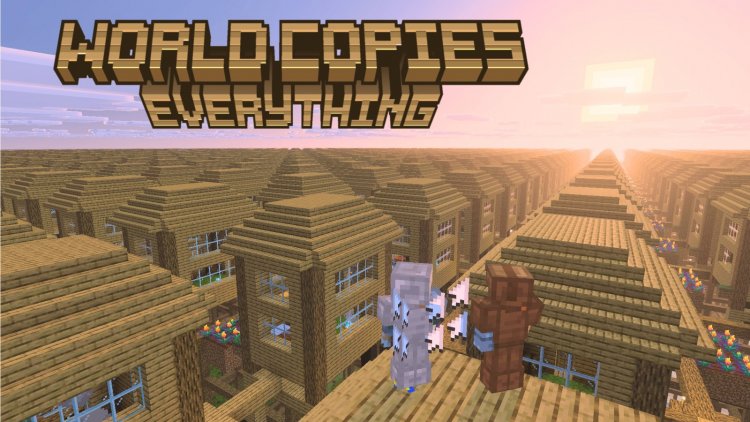
The World Copies Everything addon, created by TheLake, is a Minecraft Bedrock tool that automatically duplicates your block placements and terrain modifications across every chunk in your world at regular intervals. Instead of manually building the same structure 16 blocks away, this addon mirrors your actions across the entire map as you travel.
If you've ever wondered whether there's a way to copy a world or duplicate your work in Minecraft without tedious repetition, this addon offers a creative solution that changes how you approach large-scale building projects.
Photos by TheLake
What exactly does the world copies everything addon do?
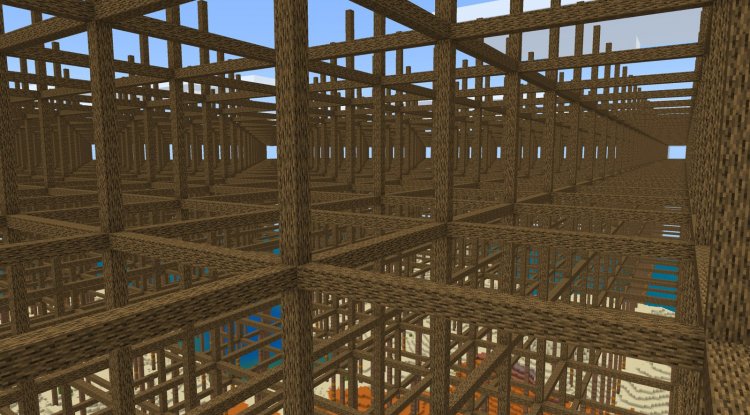
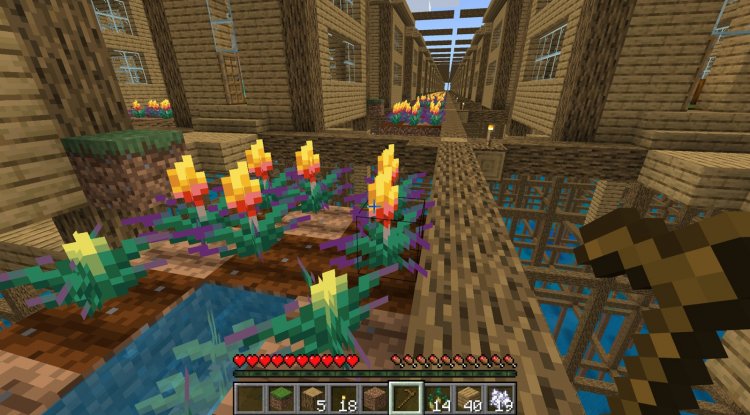
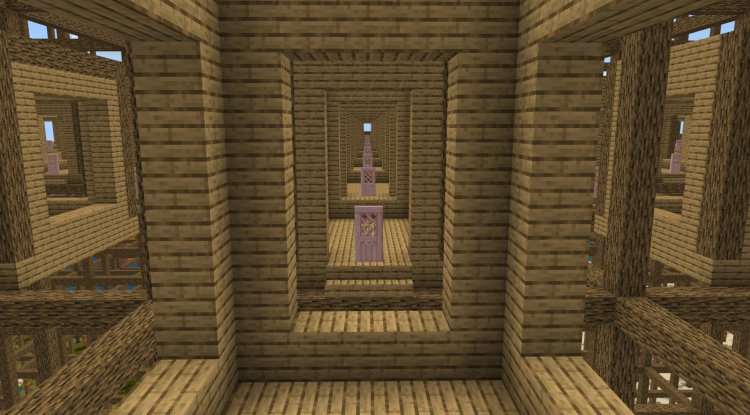
This addon works by tracking every block you place, break, or modify. When you build something in your current chunk, the system records that action and replicates it across chunks in a grid pattern. Every 16 blocks in all directions becomes a copy of your original work.
Think of it like this: you place a single stone brick tower. That same tower then appears in the next chunk over, and the next one, and the one after that. The addon keeps working as you travel, continuously duplicating your modifications to new areas you explore.
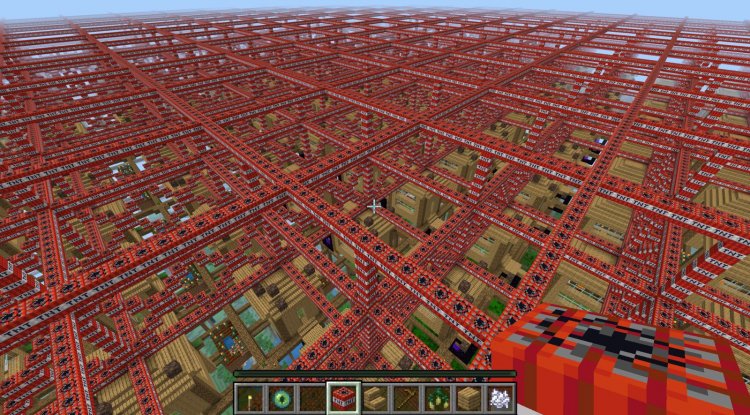
Terrain changes work too. If you detonate TNT and create a crater, that explosion pattern repeats across your world. The system stores up to 12,000 recent changes, which means older modifications eventually fade away once the buffer fills up.
Key features and how they work
- Block placements and removals replicate across all chunks every 16 blocks in every direction
- Terrain explosions and environmental damage duplicate automatically
- Simulation distance controls how many copies exist simultaneously (8-12 recommended)
- Continuous propagation as you move and explore
- Built-in commands to pause, resume, check status, or reset the system
- Only player-modified blocks copy, not naturally generated terrain
- Chests replicate as empty blocks to prevent item duplication exploits
- Entities like paintings and armor stands stay local to their original location
One important limitation: you can only harvest blocks in your current chunk. This prevents players from exploiting the system to gather resources infinitely. Naturally generated structures and original chest contents do not sync across copies either.
Performance and simulation distance settings
The addon's behavior depends heavily on your simulation distance setting, which controls how many chunks load around you at once. A setting of 8 to 12 chunks offers the best balance between seeing your duplicated work and maintaining stable FPS.
Higher simulation distances create more simultaneous copies and load more data into memory. On lower-end devices like older phones or tablets, pushing simulation distance beyond 12 can cause lag or frame drops. If you're experiencing stuttering, reduce this setting first.
The addon loads copies as you travel rather than pre-generating them everywhere. This means distant copies only appear when you get close enough, which helps keep performance reasonable even on Bedrock Edition where rendering is more demanding than Java.
Commands for control and troubleshooting
Cheats must be enabled in your world to use any of the addon's commands. Once activated, you can pause the duplication system mid-project, resume it when you're ready, check what the system is currently doing, or wipe all stored changes and start fresh.
These commands give you precise control over when duplication happens. If you want to build something unique in one area without it spreading, pause the addon first, finish your build, then resume. This flexibility makes the addon work for mixed creative and normal building sessions.
Best MCPE addons 2026: is this one worth installing?
Among the best Minecraft addons available for Bedrock, the World Copies Everything addon fits a specific playstyle. It's perfect for players who want to create massive symmetrical projects, test building patterns across an entire world, or see what their creations look like when repeated infinitely.
Speedrunners and map makers find it useful for creating patterned terrain or procedurally-inspired landscapes. Content creators often use it to generate visually interesting worlds for videos, though proper attribution to TheLake is required.
It's not ideal if you want complete creative freedom with no automation, or if you're building intricate custom structures that shouldn't repeat. The addon shines when you're okay with or actively want duplication to happen.
How to install the world copies everything addon
Download the .mcpack file and open it with Minecraft Bedrock Edition. The game will import it automatically and add it to your world options. Create a new world or edit an existing one, then scroll to the addons section and enable the World Copies Everything addon.
Important setup steps: turn on cheats before entering the world so commands work. Set your simulation distance between 8 and 12 for best results. On phones, 8 is safer. On tablets or Windows, you can try 12 if your device has good specs.
Once in-world, test a simple action like placing a few blocks. Walk to the next chunk and confirm you see duplicates. If nothing appears, check that cheats are on and the addon is active in the world settings.
FAQ about the world copies everything addon
Can you copy a world in Minecraft without this addon?
You can manually copy a world through the settings menu, but that creates a separate world file. This addon duplicates your actions within a single world in real time, which is different.
How do you make a copy of a world in Minecraft using this addon?
Enable the addon, build something, then travel to nearby chunks. Your creation automatically repeats based on the grid pattern. Use the pause command if you need to stop duplication temporarily.
What is the best addon for Minecraft Bedrock if I want automatic duplication?
This addon is the best choice for that specific feature. Other popular MCPE addons add mobs, blocks, or mechanics, but none replicate your actions world-wide like this one does.
Does simulation distance affect how many copies appear?
Yes. Higher simulation distance loads more chunks, so you see more copies simultaneously. Lower settings reduce lag but limit how far you can see your duplicated structures.
What's Your Reaction?












![Patrix Resource Pack For 1.19 [32x→256x]](https://minecraftmodded.com/uploads/images/202210/image_750x415_6343b3ab59eff.jpg)


