Best Minecraft Addons 2026: Ryzen Glowing Ores Review
Ryzen Glowing Ores is one of the best MCPE addons that makes ore blocks emit light in caves. Read our hands-on review of this Bedrock addon for 2026.
Created by RyzenMc696
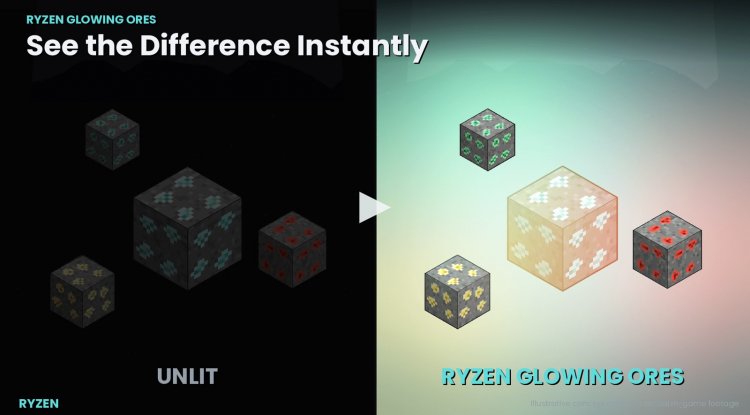
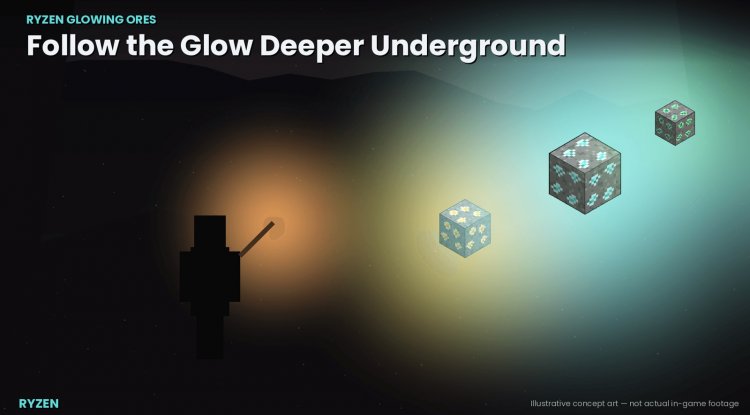
Ryzen Glowing Ores is a Bedrock Edition addon that makes ore blocks emit light whenever they're exposed to air. It's a simple quality-of-life tweak that solves one of vanilla cave mining's biggest frustrations: squinting at dark tunnels to spot valuable deposits.
Created by Doom under the RyzenMc696 brand, this addon improves cave visibility without crossing into gameplay changes. Your ore drops, tool requirements, and mining speeds stay exactly the same. The lighting is genuine too, using Minecraft's native light-block system instead of visual filters that'd make everything look washed out.
Photos by RyzenMc696
What ores does this addon light up?
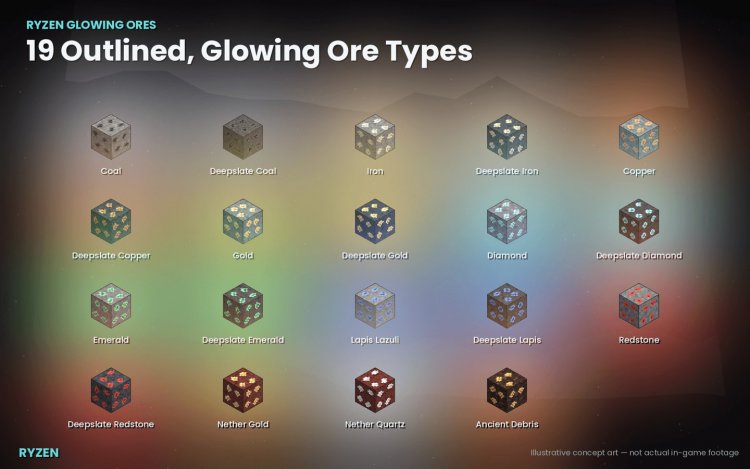
The addon covers 19 ore types across the Overworld and Nether. You're looking at coal, copper, iron, gold, lapis, redstone, diamond, and emerald in the Overworld, plus nether gold, ancient debris, and everything else you'd expect to mine. Each ore gets a custom textured treatment with subtle pixel-art outlines that keeps them feeling like part of the Minecraft world rather than a mod injection.
One smart design choice: ancient debris lighting is turned off by default. The Nether is meant to be dangerous, and spotting rare ores in pitch-black caves is part of that risk-reward. You can flip this on yourself if you want the Nether less hostile, but it respects Vanilla balance out of the box.
How the light system actually works
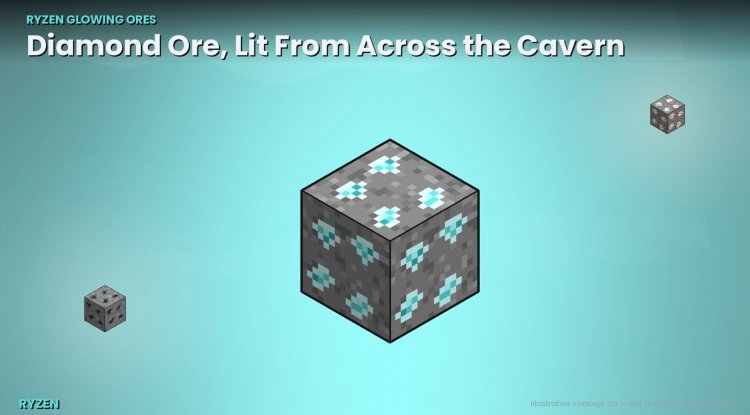
This isn't a simple color overlay. The addon uses Minecraft's light-block system to create real local illumination on ore faces that touch air. If an ore is completely buried in stone or dirt, it won't glow. The moment you mine the block next to it or expose it another way, light appears instantly.
Water doesn't get replaced or drained either. Flooded caves keep their water while ores light up around it. After you reload your world, the lighting persists without duplicating or breaking. The addon even has automatic conflict detection and repair if your world data has light issues from other sources.
Performance on Bedrock and MCPE devices
Performance scaling is built in. The addon spreads its scanning work across multiple game ticks instead of hammering your frame rate on load, and it shares results between nearby players in multiplayer. This matters on phones and tablets where every FPS counts.
Terrain changes from natural sources (like sand falling or mobs destroying blocks) take up to 10 seconds to register lighting updates. This is a deliberate trade-off to keep performance stable. Player-mined blocks update instantly, so the impact on actual mining is zero.
Multiplayer and Realms support
This addon was designed with multiplayer in mind. It works on Realms and regular multiplayer servers without causing sync issues or lighting corruption. Multiple players mining in the same area won't create lighting conflicts.
You can also control ore lighting per ore type through in-game chat commands if you want to turn off specific ores or adjust behavior without reinstalling.
Installation and compatibility
You need Minecraft Bedrock 1.26.20 or newer to use this addon. Installation is straightforward for a Bedrock addon: download the .mcaddon file (or the individual .mcpack files if you prefer), double-click to import into Minecraft, then enable both the Behavior Pack and Resource Pack in your world settings. No experimental toggles or cheats required.
The addon doesn't modify any Mojang textures or files. All custom artwork is original, so it won't conflict with other texture packs or addons that change ore appearance.
Who should try this addon?
If cave mining frustrates you because you keep missing ore in dark tunnels, this is the addon for you. Survival players benefit most. Creative mode and structure mining don't need it since lighting and searching aren't obstacles there.
Multiplayer servers and Realms benefit from it too. Shared visibility makes mining more fun and less tedious when you're playing with friends. The performance optimizations mean it runs smoothly even on lower-end devices where groups often lag.
Feature checklist
- 19 ore types including Overworld ores, Nether ores, and ancient debris
- Real light-block illumination, not visual filters
- Light only appears on ore faces exposed to air
- Instant updates when ore is mined or newly exposed
- Custom textured ore blocks with pixel-art details
- Multiplayer and Realms compatible
- Load-adaptive performance scaling for phones and tablets
- Configurable per-ore type via chat commands
- Ancient debris lighting disabled by default
- Ore drops, tool requirements, and mining speed unchanged
How to install Ryzen Glowing Ores
Download the addon file and double-click it. Minecraft will open and ask to import the pack. Confirm the import. Open your world settings, scroll to Behavior Packs, add the pack, then do the same for Resource Packs. Save and load the world. The addon is live immediately.
If you download the individual .mcpack files instead of the .mcaddon, repeat the import step for each pack separately.
Frequently asked questions
Does this addon change how ores drop or how fast I mine them?
No. Ore drops, tool requirements, and mining speed stay completely vanilla. The addon only adds light to ore blocks when they're exposed to air.
Will glowing ores work with other texture packs or addons?
Yes, as long as those packs don't replace the Resource Pack slot. The addon uses custom artwork, not edited Mojang textures, so conflicts are unlikely. If you use multiple texture packs, load Ryzen Glowing Ores after the others for best results.
Can I turn off glowing ores for specific ore types?
Yes. The addon includes per-ore chat commands to toggle lighting on or off for any ore type without uninstalling. Ancient debris is off by default, but you can enable it if you want.
Is this addon optimized for MCPE on mobile devices?
Yes. The addon spreads its light-scanning work across multiple ticks to avoid frame rate drops, and it scales based on your device's load. Phones and tablets should handle it smoothly.
What's Your Reaction?













![Patrix Resource Pack For 1.19 [32x→256x]](https://minecraftmodded.com/uploads/images/202210/image_750x415_6343b3ab59eff.jpg)


