Verity BE Minecraft Mod: AI Character Guide
Discover Verity BE, an AI-powered Bedrock addon that adds an interactive character with dynamic personality. Full review and installation guide.
Created by Utlover65
Verity BE: The AI-Powered Character That Changes Your Minecraft Experience
Verity BE is a Bedrock Edition addon that introduces an AI-driven character named Verity into your Minecraft worlds, inspired by a horror series. This isn't just another static NPC—it's an interactive companion powered by artificial intelligence that learns, evolves, and responds to you in real-time. Created by Utlover65 and the talented team behind the original concept, Verity BE transforms how you experience single-player or multiplayer Bedrock worlds by adding a layer of unpredictability and personality that few addons attempt to deliver.
If you've been curious about what verity be minecraft actually is, or whether the verity minecraft horror aesthetic is something worth exploring, this comprehensive guide walks you through everything—from what makes it special to how you can get it running on your device today.
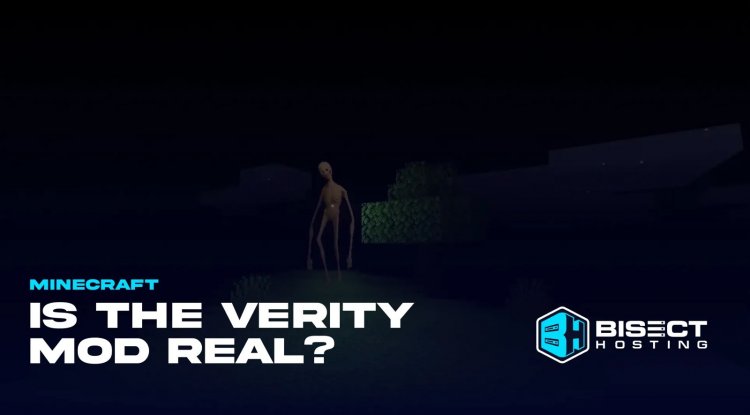
What Makes Verity BE Different: Beyond Standard NPCs
The core appeal of verity be minecraft bedrock addons lies in their departure from traditional companion mods. Instead of a character that repeats the same lines or follows rigid dialogue trees, Verity uses an AI-powered dialogue system that actually responds to your input. Type the character's name followed by any message in chat, and Verity will generate contextual responses—whether you're asking math questions, exploring lore, requesting songs, or simply having a conversation.
What truly sets this verity addon mcpe apart is the personality evolution system. As Verity remains in your world, the character undergoes a four-stage personality evolution. This means the version of Verity you interact with in your first session will be noticeably different from the one you encounter weeks or months later. It's a feature borrowed from interactive fiction and horror narratives, creating a sense that your companion is genuinely changing alongside your world—not just responding, but developing.
Core Features That Make This Addon Stand Out
- AI-Powered Dialogue System: Responds dynamically to player input rather than cycling through preset dialogue
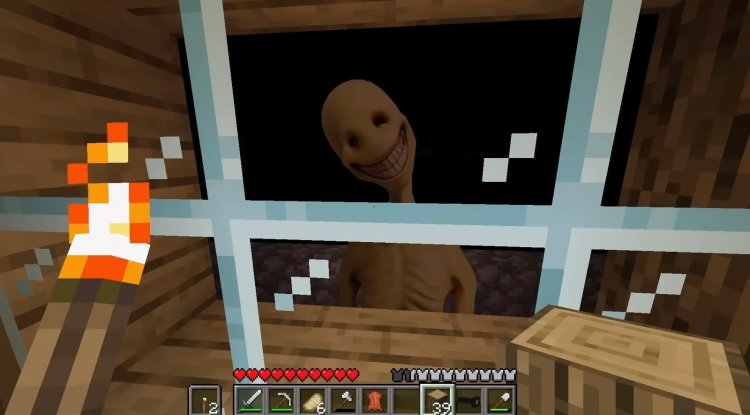
- Animated Facial Expressions: Verity's face reacts and animates, adding personality and emotional depth to interactions
- Four-Stage Personality Evolution: Character behavior shifts gradually based on how long Verity has existed in your world
- Chat Command Integration: Simply type the character's name plus your message to interact—no complex keybinds required
- Versatile Response Capabilities: Handles math problems, lore questions, general knowledge, song requests, and more
- Audio Functionality: Can play sounds or songs on demand, adding an audio dimension to your world
- Unlimited Range: Works across any distance in your world—Verity doesn't need to be nearby to respond
- Multilingual Support: Functions in all languages, making it accessible globally
Understanding the Verity Minecraft Horror Appeal
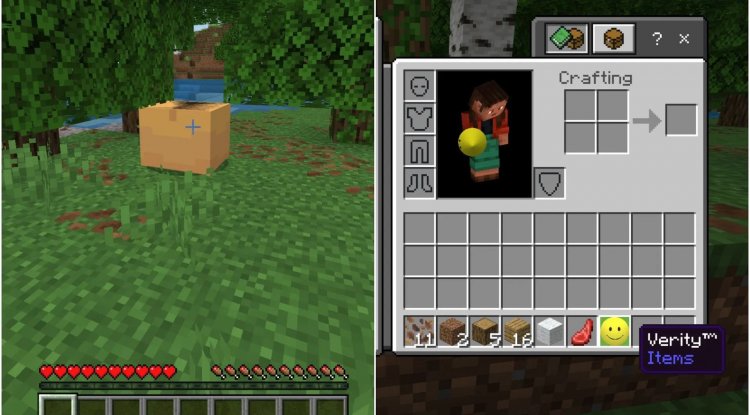
The verity minecraft horror angle isn't accidental. Verity BE draws inspiration from horror narrative traditions, and the implementation reflects this thoughtfully. The gradual personality shifts, the need for an active backend connection, and the uncertain nature of AI responses create an underlying tension that horror fans find compelling. You're not just interacting with an NPC; you're witnessing something evolve in real-time, which introduces an element of unpredictability.
This approach appeals to players who enjoy atmospheric storytelling and immersive experiences. The verity be minecraft addon succeeds because it blurs the line between helper tool and interactive story element. Whether you're building an elaborate horror map or simply want a companion that feels genuinely alive, the horror roots don't require you to be a dedicated spooky-content creator to appreciate what Verity brings to the table.
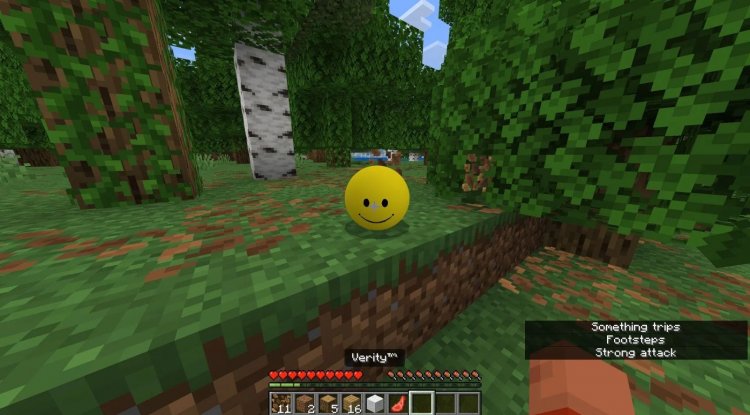
Technical Requirements and What You Need to Know
Before diving into installation, understand that verity be mod minecraft bedrock has specific technical requirements. You'll need Minecraft Bedrock Edition version 1.26.30 (26.30) or compatible versions. The addon requires an active backend connection to function—this means your device needs internet connectivity for Verity to respond properly. It's not a purely offline addon, which is important to know if you plan to use it in remote gaming sessions.
The AI system behind Verity incurs ongoing operational costs, which is why the creators maintain active development and community support. This investment ensures the dialogue system remains responsive and that personality evolution mechanics function smoothly across play sessions.
The addon was developed by Thatmob and Draco12191712, with animations and visual polish crafted by the talented animators on the team. Their attention to detail—especially in facial expression work—is evident the first time you see Verity respond to your message.
How to Install Verity BE on Your Device
Getting verity addon mcpe download running involves several setup steps, but the process is straightforward once you understand the requirements:
- Update Your Game: Ensure you're running Minecraft Bedrock Edition 1.26.30 or a compatible version.
- Enable Experimental Features: Open your world settings and navigate to Behavior Packs. Enable Beta APIs in the Experimental Toggles section—this is essential for the AI systems to function.
- Enable Cheats: In your world settings, toggle cheats to "On."
- Run Debugger Connection: You'll need to execute a specific debugger connect command in chat. The exact command is provided in the official tutorial or available through the community Discord.
- Join the Community: Connect with the Discord community for real-time support, troubleshooting, and updates about Verity BE development.
The installation process requires a few technical steps, but they're well-documented and the community is responsive if you encounter issues. Don't skip the Discord—having direct access to the creators and experienced users makes troubleshooting infinitely easier.
Why Verity BE Is Worth Your Time
The verity be minecraft addon represents something relatively rare in Bedrock modding: genuine innovation in NPC interaction. Most companion addons focus on practical features—inventory management, mob farming helpers, or simple quest systems. Verity BE prioritizes immersion and personality, creating a companion that feels like it exists independent of your control.
This addon is best suited for players who value atmospheric experiences, enjoy experimental gameplay mechanics, or want to create horror-adjacent content without relying solely on resource packs and visual effects. It's also fascinating for anyone interested in how AI can enhance game worlds—you're essentially running a small-scale example of interactive AI in your Minecraft instance.
Frequently Asked Questions About Verity BE
Does Verity BE work on multiplayer servers?
Yes, the addon functions in both single-player and multiplayer environments. However, the backend connection requirement means all players need active internet for Verity to respond properly. The personality evolution system continues across all player sessions.
What exactly does "four-stage personality evolution" mean?
As Verity exists in your world over time, the character gradually shifts through four distinct personality states. This affects dialogue tone, response types, and how Verity interacts with you—essentially creating a narrative arc for your companion without requiring any player intervention.
Can I use Verity BE with other addons and mods?
Verity BE is designed to be compatible with most behavior pack addons. However, conflicts can occur if multiple addons modify the same systems or NPC mechanics. Test compatibility in a dedicated world first, and consult the Discord community if you encounter issues.
Is there a verity minecraft wiki or official documentation?
The main hub for Verity BE information is the official Discord community, where documentation, tutorials, FAQs, and creator announcements are regularly posted. This is more current than traditional wiki pages and offers direct access to support from the development team.
What's Your Reaction?












![Patrix Resource Pack For 1.19 [32x→256x]](https://minecraftmodded.com/uploads/images/202210/image_750x415_6343b3ab59eff.jpg)


