Best Shaders for Minecraft PE: Animated Menu Crystal Lake
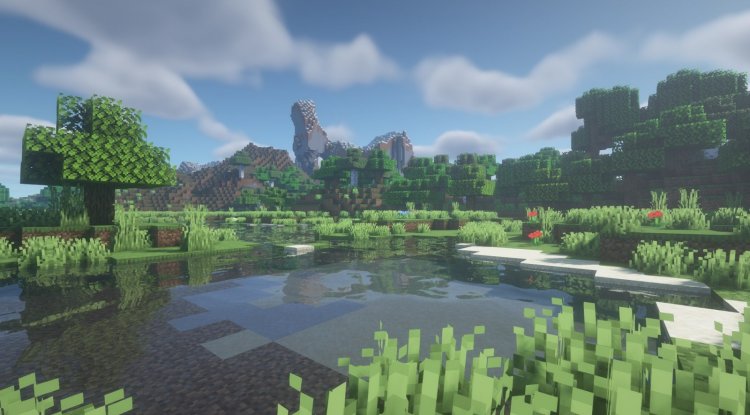
Discover the best shaders for Minecraft PE with this stunning animated lakeside menu shader. Realistic water reflections and continuous looping animation.
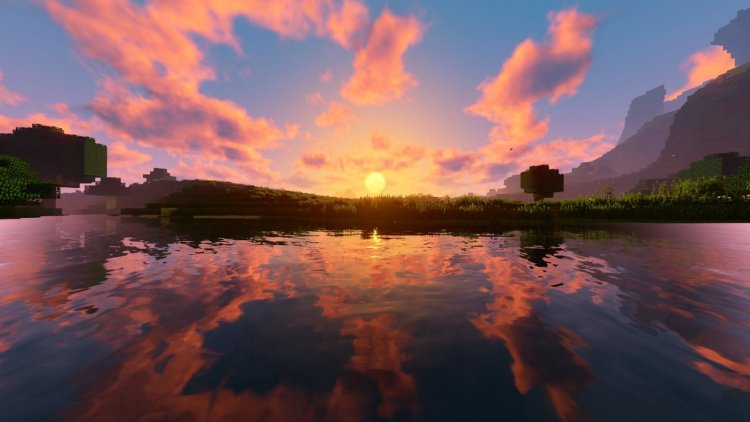
Created by Buxy
The Animated Menu: Crystal Lake shader is a specialized visual enhancement that replaces your Minecraft main menu background with a beautiful, continuously-looping animated lakeside scene. Created by shader expert Buxy, this pack brings cinematic flair to the moment you load up the game—transforming that static menu into a window onto a serene waterside environment complete with dynamic water reflections and lush vegetation.
What Makes This One of the Best Shaders for Minecraft 2026?
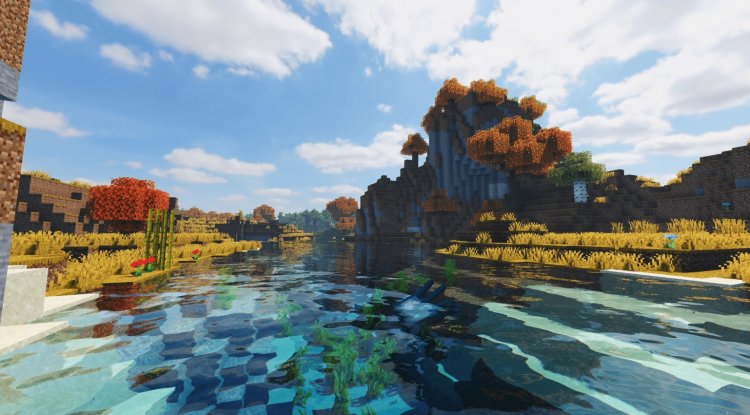
When we talk about the best shaders for Minecraft 2026, most players think about in-world enhancements—better lighting, shadow depth, water mechanics. But Animated Menu: Crystal Lake takes a different, equally valuable approach. Instead of overhauling your gameplay visuals, it elevates the entire experience from the moment the launcher opens. This is the kind of polish that separates a good modded setup from a truly immersive one.
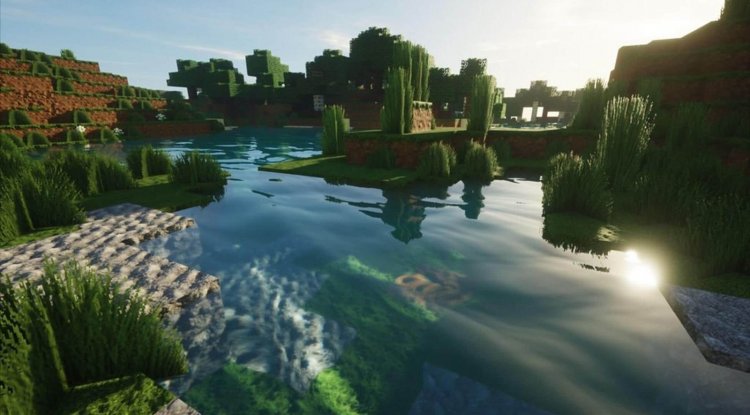
The shader doesn't just slap a static image behind the menu buttons. Buxy's design uses actual shader technology to render water with real-time reflection effects, meaning the sky and vegetation mirror dynamically across the lake surface. This is the same technical approach that powers the most realistic shaders for Minecraft PE—just applied in an unexpected place.
Visual Features That Set It Apart
- Animated lakeside environment with continuous looping
- Water rendering featuring sky and vegetation reflections
- Dynamic vegetation including trees and flowers
- Shader-based construction using Minecraft blocks for authenticity
- Zero performance impact—activates immediately upon installation
- Seamless integration with your menu experience
Can You Get Shaders on Minecraft PE? Absolutely—Here's Why This One Works
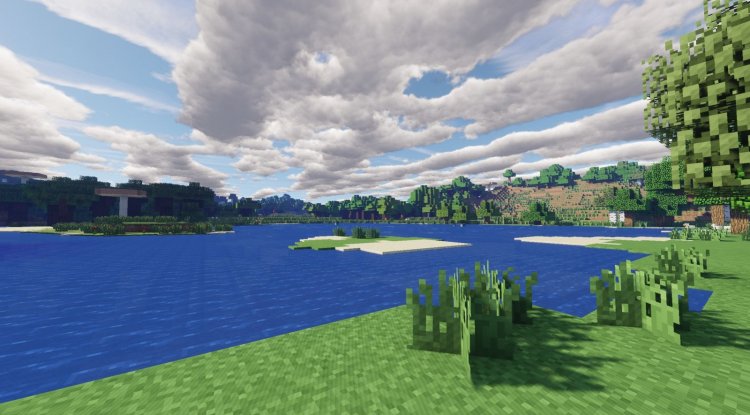
A common question in Minecraft PE communities is: "Can you get shaders on Minecraft PE?" The answer is yes, though the process differs slightly from Java Edition. Bedrock Edition has native support for shader packs through resource packs and behavior packs, and Animated Menu: Crystal Lake takes full advantage of this system.
What's special about this particular shader is its focus. Rather than trying to transform your entire rendering pipeline—which can drain performance on mobile devices—it targets just the menu environment. This means you get that high-end visual flair without worrying about frame drops during actual gameplay. It's shader implementation done smartly, designed specifically with MCPE players in mind.
Is This the Most Realistic Shaders for Minecraft PE?
Realistic doesn't always mean "complex" or "demanding." When evaluating the most realistic shaders for Minecraft PE, we should consider both technical accuracy and practical implementation. Animated Menu: Crystal Lake nails this balance. The water reflections aren't just pretty—they're physically plausible, bouncing light and environmental details exactly as they would in real water.
The scene construction using Minecraft blocks as the base geometry means the reflections, lighting, and vegetation placement all follow the game's own logic. You're not watching pre-rendered video; you're experiencing a shader-enhanced version of the Minecraft world itself. That distinction matters, especially if you're comparing this to other top shaders for Minecraft 2026 that might feel more stylized or artificial.
Best Shaders for Minecraft PE 2026: Who Should Try This?
You should install Animated Menu: Crystal Lake if:
- You spend time in the menu planning your gaming session and want something beautiful to look at
- You're running on mobile or tablet and want shader effects without gameplay performance hits
- You appreciate the little details that make a modded setup feel polished
- You want to impress friends or stream your menu without lag
- You're exploring the best mcpe shaders 2026 but worried about device compatibility
If you're already running intensive shaders during gameplay, this menu shader actually complements that setup perfectly—no conflicts, just visual enhancement at the launcher stage.
Best Shader Packs for Minecraft PE: Installation Guide
Installing Animated Menu: Crystal Lake is refreshingly straightforward. Unlike some shader packs that require configuration files or additional setup steps, this one from Buxy activates immediately upon installation.
Installation steps:
- Download the shader pack file (typically a .mcpack file)
- Open the file with Minecraft Bedrock Edition
- Accept the prompt to import the shader
- Launch Minecraft and view your new animated menu
No additional configuration needed. No textures to manually place. No settings to tweak. Just install and enjoy. This "it just works" philosophy is exactly what makes it one of the best shader packs for Minecraft PE—it respects your time.
FAQ: Animated Menu Crystal Lake Shader
Will this shader affect my gameplay performance?
No. Since the shader only affects the menu background, your in-world performance remains completely unchanged. The shader is active only when you're viewing the main menu.
Is Animated Menu: Crystal Lake compatible with other resource packs?
Yes, it works alongside most resource packs and behavior packs without conflicts. However, if another pack also modifies the menu, you may need to choose one or the other.
Can I use this on both Bedrock and Pocket Edition?
This shader is designed for Minecraft Bedrock Edition across all platforms (Windows 10/11, consoles, mobile). MCPE players on compatible devices can absolutely enjoy it.
How does this compare to other menu shaders?
Buxy's focus on water reflection technology and the continuous looping animation makes this shader stand out. It's less about flashy effects and more about creating a genuinely serene, realistic environment that makes you want to spend time in the menu.
What's Your Reaction?













![Patrix Resource Pack For 1.19 [32x→256x]](https://minecraftmodded.com/uploads/images/202210/image_750x415_6343b3ab59eff.jpg)


