Auto Enchantment Pro: Best MCPE Addon for 1.21
Auto Enchantment Pro automatically applies high-level enchantments to your tools and armor. This achievement-friendly addon for Minecraft 1.21 includes customizable settings and supports 34 enchantment types.
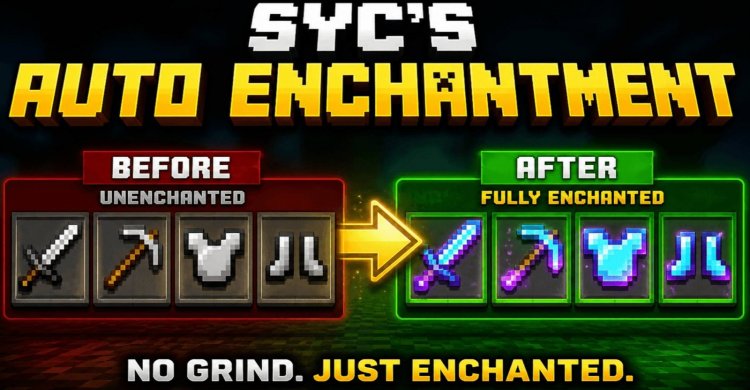
Created by Sycure_Gaming
Auto Enchantment Pro is a quality-of-life addon that automatically applies high-level enchantments to the tools, weapons, and armor you're holding. Created by Sycure_Gaming, this Minecraft 1.21 addon eliminates the tedious grind of manually enchanting every piece of gear while respecting your world's integrity with achievement-friendly mechanics.
If you've ever found yourself at an enchanting table for the hundredth time, cycling through RNG hoping to land Unbreaking III and Mending on your pickaxe, this addon speaks directly to that frustration. But here's the catch: it does so without breaking your world or forcing you into creative mode—a balance that surprisingly few quality-of-life mods manage to strike.
What Makes This One of the Best Minecraft Addons for Convenience
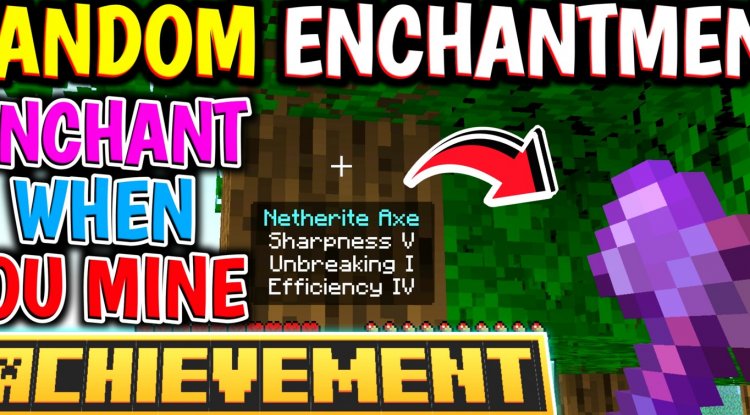
When we talk about what are the best Minecraft addons, we're usually weighing two extremes: game-breaking power fantasies or cosmetic tweaks that barely matter. Auto Enchantment Pro finds intelligent middle ground. The moment you pick up a tool or weapon, the addon checks what enchantments are applicable and applies maximum-level versions automatically. We're talking Unbreaking III, Mending I, Efficiency V, and more—all without a single visit to an enchanting table.
What sets this apart from simpler automation mods is the control layer built in. You're not just getting every possible enchantment slapped onto everything. The addon respects conflicting enchantment rules (you can't have both Fortune and Silk Touch, for example) and lets you decide which takes priority through an intuitive settings menu.
For survival players who want to focus on building, exploring, and combat rather than enchantment RNG, this addon reclaims dozens of hours that would otherwise vanish into the grindstone and lapis lazuli costs.
Customization Features That Give You Control
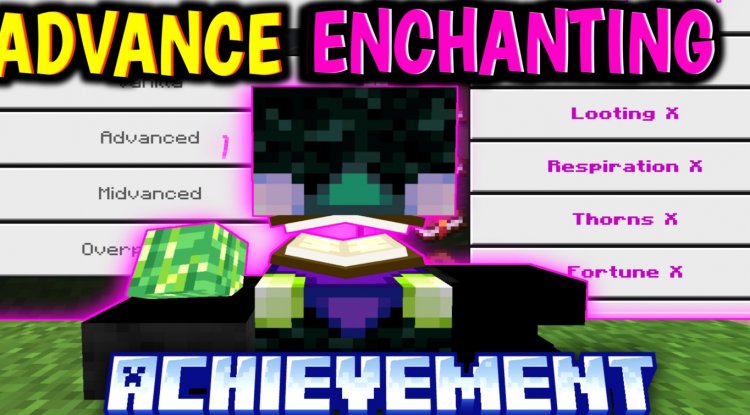
Auto Enchantment Pro doesn't force a one-size-fits-all approach. Access the settings menu by holding a Carrot on a Stick item and using it (right-click on PC, long-press on mobile, or left trigger on controller). This opens a customization panel where you can tailor enchantment preferences for different tool categories.
The real power emerges when you encounter enchantment conflicts. On a pickaxe, do you want Fortune for drops or Silk Touch to preserve ores for smelting later? The addon lets you specify your preference once, and from that moment forward, every pickaxe you pick up receives your chosen enchantment profile. This personalization extends across 34 different enchantment types, covering:
- Melee weapons (Sharpness, Knockback, Fire Aspect, Looting)
- Mining tools (Efficiency, Unbreaking, Mending, Fortune/Silk Touch choice)
- Armor pieces (Protection, Thorns, Unbreaking, Mending)
- Ranged weapons (Power, Punch, Flame, Infinity)
- Specialized tools including Mace and Spears (newly added for 1.21)
After adjusting settings, scroll to the bottom and click Submit to save. Don't skip this step—changes only apply to items held after saving preferences.

Best MCPE Addons 2026: Why Achievement-Friendly Matters
One of the smartest decisions in Auto Enchantment Pro's design is its achievement compatibility. This addon works without requiring Beta APIs or experimental toggles, meaning your world remains vanilla-adjacent for the purposes of achievements and advancement tracking. You won't accidentally lock yourself out of that "How Did We Get Here?" achievement just because you wanted better tools.
Additionally, the addon includes safeguards against common enchantment glitches. It automatically skips re-enchanting items that already have Unbreaking, preventing the cascade failures that can sometimes occur when mods apply enchantments carelessly. This stability-first approach is why it deserves consideration when evaluating the best Minecraft addons for reliability.
Installing and Managing Auto Enchantment Pro
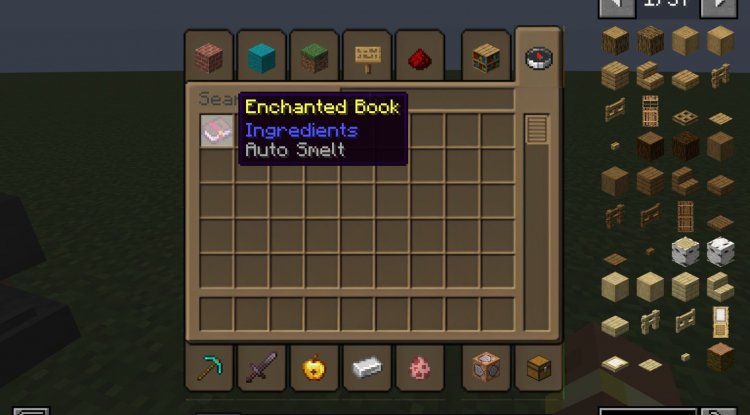
Setup follows standard Minecraft Bedrock addon installation: download the .mcpack file, open it with Minecraft, and let the launcher import it into your world or profile. The addon activates immediately upon world load with default settings pre-configured. No experimental toggles. No command setup. No breaking changes to how Minecraft behaves.
One workflow note: if you want to change an item's enchantment preferences mid-game, you'll need to remove its existing enchantments first using a Grindstone. Once cleared, hold your Carrot on a Stick, update the settings for that item type, submit, then re-equip the item. The addon will apply fresh enchantments matching your new preferences.
Features Breakdown: What You're Actually Getting
- Automatic enchanting on item pickup — grab any tool and it's ready for action
- Maximum-level enchantments applied by default — Unbreaking III, Mending, Efficiency V, etc.
- Customizable settings menu — accessed via Carrot on a Stick with no command blocks required
- Conflict resolution — choose Fortune or Silk Touch, Sharpness or Knockback priority
- 34 enchantment types supported — covers every common tool, weapon, and armor piece
- No beta APIs or experimental features — works on standard Minecraft 1.21
- Glitch prevention — automatically protects against re-enchantment failures
- 1.21 item support — includes Mace and Spear enchantment profiles
FAQ: Common Questions About Auto Enchantment Pro
Will using this addon disable achievements?
No. Auto Enchantment Pro works without requiring Beta APIs or experimental toggles, so achievements remain fully enabled. Your world stays vanilla-adjacent for progression tracking.
Can I undo or change enchantments on items I already have?
Yes, but you'll need to use a Grindstone to fully remove existing enchantments first. Once cleared, update your preferences in the settings menu (via Carrot on a Stick), submit the changes, and re-equip the item to receive new enchantments.
What if I want different enchantment preferences for different items?
The customization menu lets you set preferences for each tool and weapon type separately. For example, you can have pickaxes default to Fortune while shovels use Silk Touch. Changes apply automatically to subsequently held items after you submit.
Does this work with the newest 1.21 items like the Mace?
Yes. Auto Enchantment Pro includes enchantment profiles for newer items added in 1.21, including the Mace and Spears, with appropriate enchantment selections for each.
What's Your Reaction?














![Patrix Resource Pack For 1.19 [32x→256x]](https://minecraftmodded.com/uploads/images/202210/image_750x415_6343b3ab59eff.jpg)


