Better Enchant Icons Texture Pack for Minecraft Bedrock
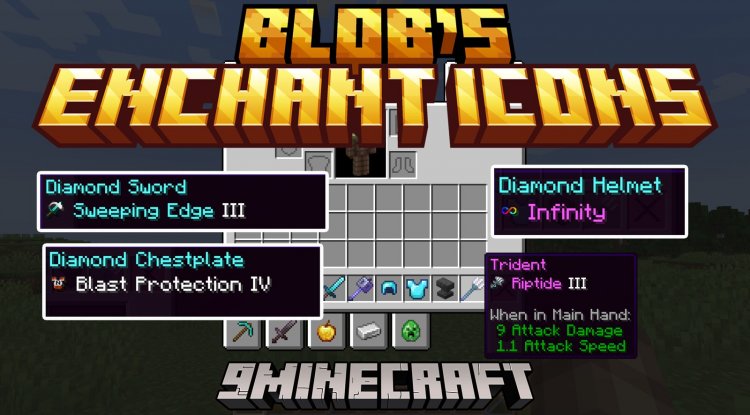
Better Enchant Icons adds colored pixel-art icons next to enchantment names in tooltips. Fast visual identification for Minecraft Bedrock and MCPE.
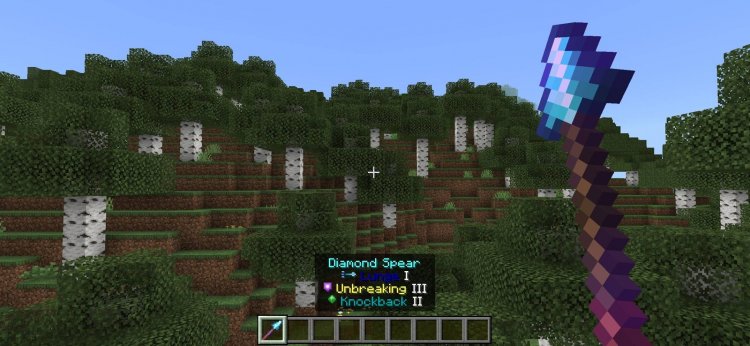
Created by Sulfur Studios
Better Enchant Icons is a texture pack that replaces the default enchantment tooltips with a vibrant, icon-based system that displays colored pixel-art symbols alongside enchantment names in your inventory. Created by Sulfur Studios, this lightweight visual enhancement transforms how you interact with enchanted gear by letting you identify what's in your inventory at a glance rather than reading through text descriptions.
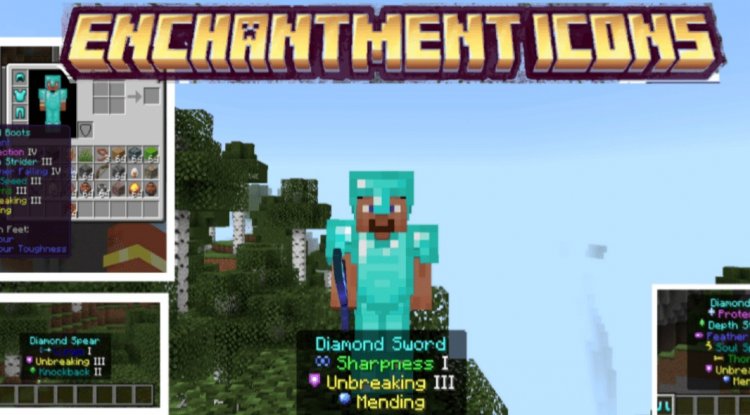
Why Visual Enchantment Icons Matter in Minecraft Bedrock
If you've ever stood in front of your chest with a dozen enchanted tools, trying to figure out which pickaxe has Efficiency V and which one has Unbreaking III, you've felt the friction that Better Enchant Icons solves. In Bedrock and MCPE, managing enchantments can feel tedious when every tooltip forces you to read multiple lines of small text. This is where the enchant icons texture pack becomes genuinely useful—not just visually appealing, but functionally practical.
The core problem it addresses is simple: text-based tooltips require active reading, but icons enable instant visual recognition. This matters more than you might think during active gameplay, especially when you're sorting through loot, organizing storage, or quickly deciding which tool to grab before heading into a cave.
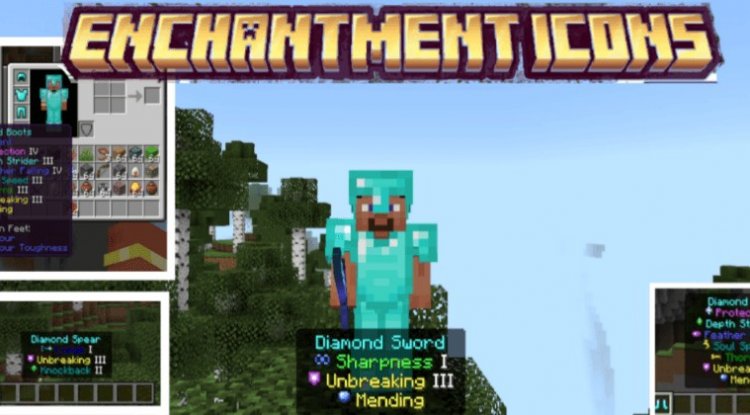
Photos by Sulfur Studios
What Is the Best Minecraft Bedrock Texture Pack for Quick Identification?
When evaluating what texture pack is the best for minecraft, the criteria usually falls into three categories: visual appeal, performance impact, and practical functionality. Better Enchant Icons excels in the latter two. Unlike aesthetic overhauls that transform your entire world's appearance, this pack focuses on solving a specific UX problem: making enchantment data more scannable.
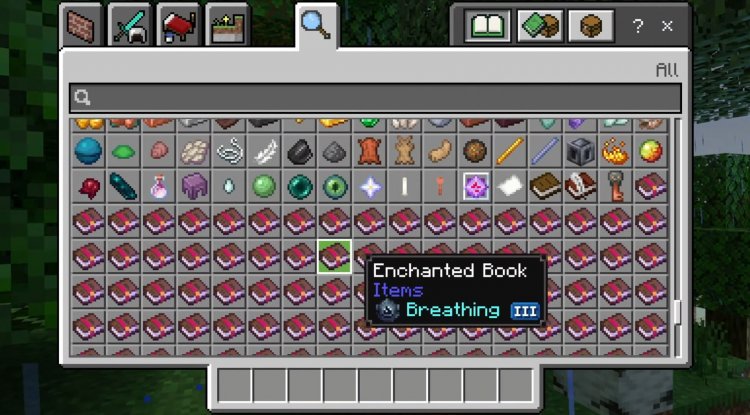
The pack achieves this through distinct colored icons that sit directly in your tooltip interface. Each enchantment receives its own recognizable symbol rendered in pixel-art style, consistent with Minecraft's retro aesthetic. The color differentiation means you're not just seeing new images—you're building visual muscle memory. After a few hours of play, you'll instinctively know that the green icon means one thing and the purple icon means another, without needing to read a single word.
This approach makes it one of the best texture pack options for players who care about inventory management efficiency, which is a significant portion of Bedrock players who engage in survival mode, skyblock challenges, or long-term world building.
Key Features and Visual Improvements
- Colored Pixel-Art Icons: Each enchantment receives a unique, colorful icon displayed directly in tooltips for instant visual differentiation
- Quick Visual Identification: Recognize enchantments at a glance without reading tooltip text, saving time during inventory management
- Reduced Text Dependency: Minimizes the need to parse full enchantment descriptions, especially helpful on smaller phone screens where text can be cramped
- Consistent Minecraft Aesthetics: Icons maintain the game's classic pixel-art style rather than introducing jarring modern designs
- Lightweight Installation: Works as a standard texture pack with no performance impact on MCPE devices
- Active Creator Support: Sulfur Studios continues releasing updates and additional texture pack creations for the community
Enchant Icons Texture Pack for Android: Mobile Gaming Benefits
Mobile Minecraft players face unique challenges that desktop players don't experience. Screen real estate is limited, fingers can obscure text, and reading small tooltip information while managing touch controls divides attention. This makes Better Enchant Icons particularly valuable as a texture pack for android devices.
On a phone screen, even medium-sized text becomes harder to scan quickly. When you're holding the device, tapping items, and trying to manage your inventory in a dungeon, every second counts. Icons solve this elegantly. Your brain processes visual symbols faster than it reads words, especially when your attention is split between multiple tasks.
Android players using MCPE will appreciate that this pack doesn't require any special mods or resource-intensive features. It's a straightforward .mcpack installation that works immediately without affecting game performance on lower-end devices.
Installation and Compatibility
Better Enchant Icons installs like any standard Minecraft Bedrock texture pack. You'll download the .mcpack file and open it directly in Minecraft, which automatically recognizes it as a texture pack and adds it to your world settings. From there, you enable it by toggling it on in your world's resource pack menu.
The pack works across all Bedrock platforms—Windows 10/11, Nintendo Switch, PlayStation, Xbox, and of course MCPE on Android and iOS devices. There are no version restrictions or dependencies to manage; if you're running modern Bedrock Edition, you're ready to install.
For players who use multiple texture packs simultaneously, Better Enchant Icons plays nicely with others since it only modifies enchantment tooltip icons and doesn't alter block textures, entity appearances, or GUI elements beyond the tooltip interface.
How to Install Better Enchant Icons on Your Device
- Locate and open the downloaded Better Enchant Icons .mcpack file on your device
- Minecraft Bedrock will automatically recognize it and prompt you to import it as a texture pack
- Confirm the installation when prompted
- Open any Minecraft world or create a new one
- Access world settings and navigate to resource packs
- Find Better Enchant Icons in the available packs list and toggle it on
- Click confirm and load your world—icons will appear in all enchantment tooltips immediately
Frequently Asked Questions About Better Enchant Icons
Does Better Enchant Icons work on all Bedrock platforms?
Yes, the pack is compatible with Windows Bedrock, mobile MCPE (Android and iOS), Nintendo Switch, PlayStation, and Xbox. Any device running current Bedrock Edition supports it without additional configuration.
Will this texture pack affect my world's appearance beyond enchantment tooltips?
No. Better Enchant Icons only modifies the visual representation of enchantment icons in inventory tooltips and doesn't change blocks, mobs, items, or other GUI elements.
Is there a performance impact when using this pack?
None. Texture packs are lightweight client-side modifications that don't impact frame rate or gameplay performance, even on lower-end Android devices.
Can I use Better Enchant Icons alongside other texture packs?
Yes, you can stack multiple texture packs in Bedrock. Better Enchant Icons works well with aesthetic packs since it only affects enchantment icon rendering.
Who created Better Enchant Icons and are there updates?
Sulfur Studios developed this pack and actively maintains it with updates. The creator also releases additional texture packs regularly for the community.
What's Your Reaction?












![Patrix Resource Pack For 1.19 [32x→256x]](https://minecraftmodded.com/uploads/images/202210/image_750x415_6343b3ab59eff.jpg)


