Colorful Coords & Days Pack for Minecraft Bedrock
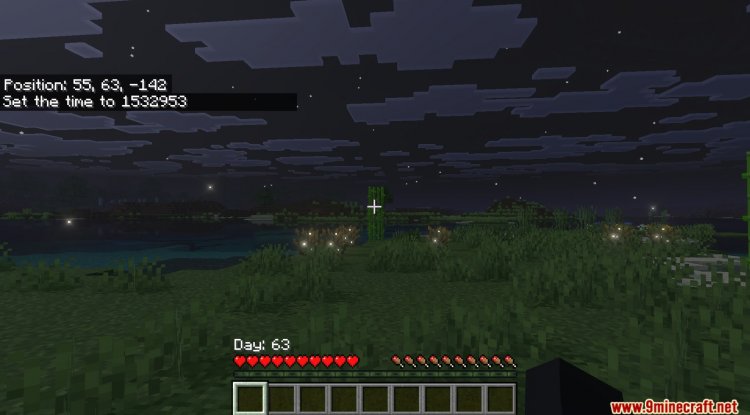
Discover this lightweight resource pack that adds vibrant styling to your coordinates and days played HUD. Perfect for Bedrock players.
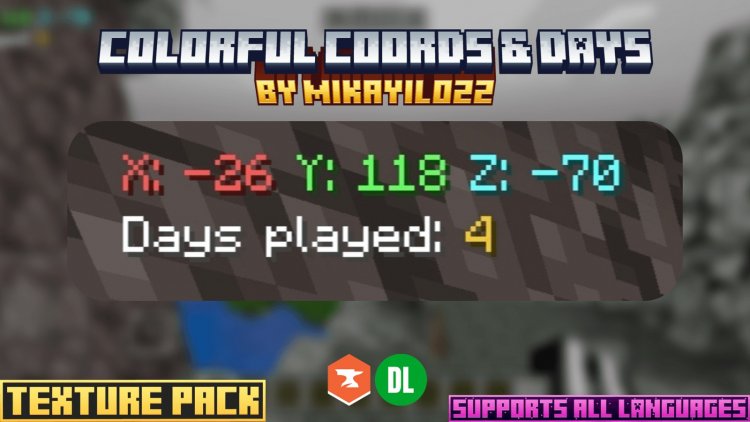
Created by MikayiL022
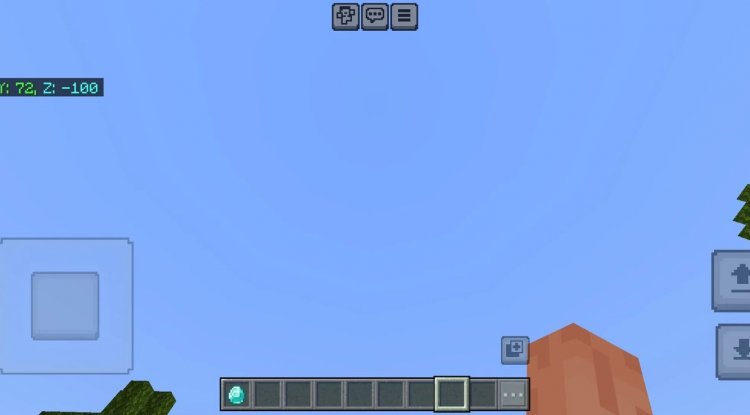
What Is the Colorful Coords & Days Resource Pack?
The Colorful Coords & Days pack is a lightweight resource pack designed for Minecraft Bedrock Edition that transforms the visual appearance of two crucial HUD elements: your coordinate display and days played counter. Created by MikayiL022, this pack injects vibrant, colorful styling into these otherwise utilitarian interface elements without touching a single gameplay mechanic.
If you've ever felt that your coordinate readout looked a bit bland, or wanted your days played display to pop a little more, this is the kind of subtle-but-satisfying enhancement that makes your daily Bedrock experience feel fresh and personalized.
Why This Pack Stands Out for Bedrock Players
Bedrock Edition players often fly under the radar when it comes to quality-of-life texture packs. While Java Edition enjoys an enormous mod ecosystem, Bedrock users have to be more selective about what they install—partly because resource pack compatibility can be finicky, and partly because we're all conscious of that precious performance budget on mobile and console devices.
The Colorful Coords & Days pack nails the sweet spot: it's lightweight enough that you'll never notice a performance hit, yet visually impactful enough to make your HUD feel custom-tailored. This is perfect if you're someone who likes playing with coordinates visible (whether you're planning builds, marking waypoints, or just staying aware of your position), or if you're tracking survival progress and want that days played stat to feel like part of your world rather than an afterthought.
Key Features & What It Actually Changes
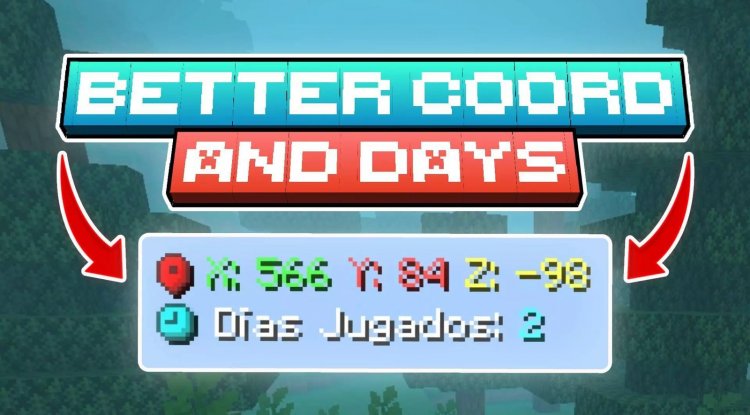
- Colorful Coordinates Styling — Your X, Y, Z display receives vibrant visual treatment that stands out against the standard interface
- Enhanced Days Played Display — The days played counter gets matching colorful styling for visual consistency
- Vanilla-Friendly Design — All styling maintains Minecraft's iconic art direction and pixel-perfect aesthetic
- Universal Language Support — Works seamlessly with every in-game language setting you choose
- Zero Gameplay Impact — This is pure visual enhancement—no mechanics, no balance changes, just better-looking HUD elements
- Lightweight Installation — Minimal file size means easy installation and no stuttering on any device
Who Should Install This Pack?
This resource pack is ideal for a few specific Bedrock player archetypes. Builders will appreciate the enhanced coordinate display when they're placing detailed structures and need precise positioning feedback. Survival mode enthusiasts who enjoy watching their days played counter climb will get a kick out of seeing that stat presented in vibrant style—it transforms a dry number into something you actually want to look at.
Content creators and streamers also benefit here: if you're streaming or recording Bedrock gameplay and want your HUD elements to feel intentional and polished rather than generic, this pack gives your visuals that extra touch of personality without requiring heavy modifications.
Even casual players who just want their world to feel slightly more "theirs" will appreciate how a small visual tweak like this can make repeated gameplay sessions feel fresh.
Installation & Compatibility
Getting the Colorful Coords & Days pack running on your Bedrock world is straightforward. Like any .mcpack resource pack, you'll download the file, open it on your device (phone, tablet, console, or Windows), and select the world you want to apply it to. Bedrock's built-in resource pack system will handle the rest—your pack will load alongside any other packs you're using.
Since this pack only modifies HUD elements and maintains Minecraft's standard art style, it plays well with other resource packs and addons. You won't run into conflicts with gameplay-altering mods or other visual enhancements. The universal language compatibility means your interface will look great whether you're playing in English, Spanish, Chinese, or any of Minecraft's supported languages.
Performance & What to Expect
One of the biggest advantages of this pack is what it doesn't do. Because it's classified as lightweight and only affects HUD visual appearance, you won't see any framerate dips, increased memory usage, or loading time extensions. Whether you're playing on a high-end PC, a Nintendo Switch, or a budget Android phone, this pack will install and run without strain.
What you will notice immediately is how much more vibrant your coordinate information looks. That's the entire point—a purely visual upgrade that costs almost nothing in terms of system resources.
How to Install Colorful Coords & Days
Step-by-Step Installation
- Download the Colorful Coords & Days .mcpack file to your device
- Open the file directly (most devices will automatically open it in Minecraft)
- Minecraft will prompt you to import the resource pack—confirm and wait for the import to complete
- Open or create a Bedrock world and enter the world settings
- Navigate to Resource Packs and select "Add Pack"
- Find Colorful Coords & Days in your available packs and activate it
- Move it to the active side and reorder if needed (it can go above or below other packs)
- Save and load into your world—your HUD should now display with the new colorful styling
That's it. No command blocks, no complex setup, no technical knowledge required.
Frequently Asked Questions
Will this pack work with other resource packs?
Yes, it integrates well with other packs since it only modifies specific HUD elements. If another pack also modifies coordinates or days played displays, you may see minor visual conflicts, but the pack is designed to be compatible with most other enhancements.
Does this change gameplay or give any competitive advantage?
Absolutely not. This is purely cosmetic and affects only how your HUD elements look. Your coordinates are displayed the same way, your days played are calculated identically—only the visual styling changes. No gameplay mechanics are touched.
Can I use this on multiplayer servers?
Resource packs are client-side, meaning they only affect what you see on your own device. You can use this pack on multiplayer servers, in Realms, or in any multiplayer world without issue. Other players won't see the changes—only you will.
What if I want to remove the pack later?
Simply go back into your world's resource pack settings and deactivate or remove Colorful Coords & Days. Your world will revert to the default HUD appearance instantly with no lasting changes.
What's Your Reaction?













![Patrix Resource Pack For 1.19 [32x→256x]](https://minecraftmodded.com/uploads/images/202210/image_750x415_6343b3ab59eff.jpg)


