CubeVisage UI Minecraft: Complete Review & Setup Guide
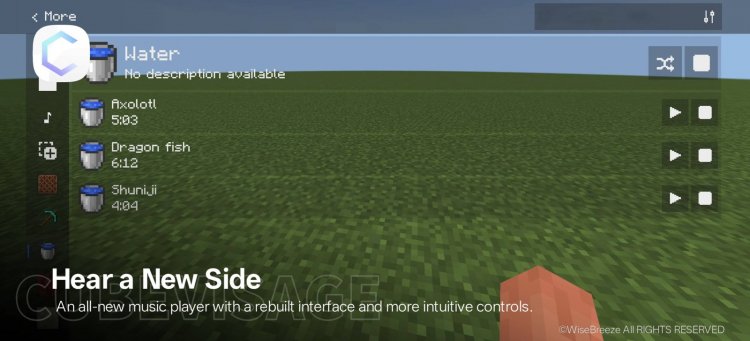
CubeVisage UI is a Minecraft Bedrock texture pack that redesigns menus with 500 customizable options, advanced features, and accessibility tools.
Created by WiseBreeze
CubeVisage UI is a comprehensive user interface texture pack designed exclusively for Minecraft Bedrock Edition that completely overhauls your menus and in-game screens with functional enhancements and customization options. Created by WiseBreeze, this pack transforms how you interact with Minecraft's interface while adding productivity features you didn't know you needed.
Photos by WiseBreeze
What Is UI in Minecraft and Why You Should Care
When players ask "what is UI in Minecraft," they're really asking about the visual layer that sits between you and the game—the menus, buttons, icons, and displays that handle everything from inventory management to world settings. While vanilla Minecraft serves up a functional interface, it's far from optimized for efficiency or personal preference. This is where CubeVisage UI steps in.
The difference between a standard UI and a well-designed one might seem cosmetic at first glance, but spend an hour organizing chests or tweaking command blocks with an inferior interface, and you'll understand why texture pack creators like WiseBreeze focus on this often-overlooked aspect of gameplay. A thoughtful UI redesign can reduce clicks, clarify information, and make repetitive tasks genuinely enjoyable rather than tedious.
CubeVisage UI Minecraft: First Impressions and Design Philosophy
Installing cube visage ui minecraft bedrock immediately signals that something different is happening. Rather than feeling like a jarring overhaul, the redesigned menus maintain Minecraft's familiar structure while introducing subtle polish and clarity. The visual hierarchy improves across all screens—text is easier to parse, buttons feel more responsive, and the overall aesthetic leans toward professionalism without abandoning the blocky charm we love.
The pack includes multiple ore-themed color schemes, so whether you prefer the warmth of gold accents, the cool tones of diamond-inspired blues, or the earthy browns of copper, you can tailor the interface to match your personality. This attention to individual preference reflects WiseBreeze's philosophy: a great UI doesn't impose a single vision—it offers choices.
Key Features That Actually Change How You Play
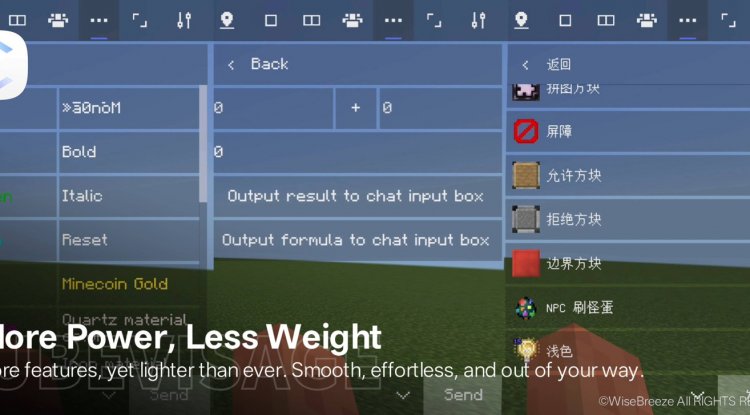
- One-Click Command Block Configuration – Set delays without navigating nested menus
- Instant Chest Organization – Single-click restocking and stack management that saves precious seconds
- Built-In Recipe Displays – Furnace and brewing recipes baked into the interface with support for the latest Minecraft versions
- Summon Command Icons – Visual feedback showing what entities your /summon commands will produce
- Bundle Capacity Indicators – Never wonder how much space is left in your bundles again
- Advanced World Configuration – Access deep settings through an intuitive interface rather than hunting through menus
- 500 Customizable Options – Granular control over virtually every visual and functional element
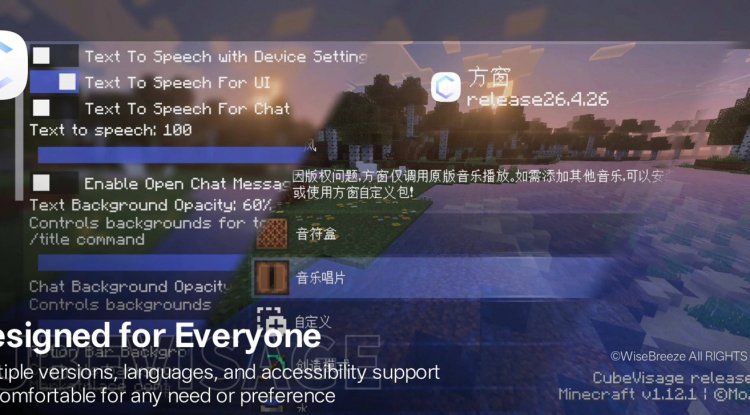
- Multi-Language Support – Play in your preferred language with full interface localization
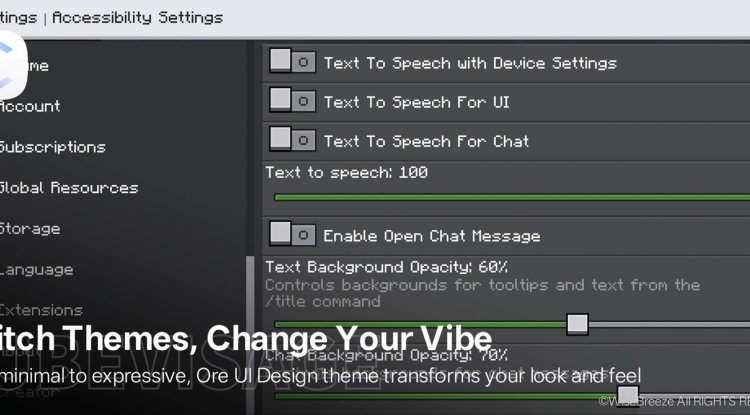
- Accessibility Features – High contrast modes and readable text options for players with visual needs
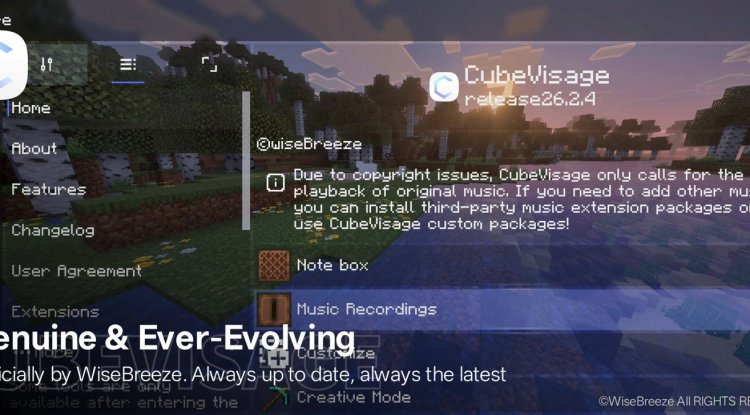
Customization Depth: 500 Options to Make It Yours
Here's where CubeVisage UI transcends typical texture packs. While most interface packs offer maybe a handful of color options, this pack opens a legitimate 500-option customization menu. Color schemes, font sizes, button layouts, icon styles—you're not just changing appearance, you're rebuilding your interface from the ground up.
The learning curve could intimidate newcomers, but WiseBreeze anticipated this. An in-game walkthrough tucked into the More > Features menu guides you through customization without overwhelming. Start with preset themes if you're not sure what you want, then explore individual settings once you're comfortable. The pack supports multiple Minecraft versions simultaneously, so your customizations persist as updates roll out.
How to Install Cube Visage UI Minecraft Bedrock
Installing this pack follows standard .mcpack procedures for Bedrock Edition. Download the file from the provided source, open it (your device will likely prompt you to open it with Minecraft), and select "Import" when the launcher appears. The pack will appear in your resource packs menu, where you can activate it for existing worlds or new games.
Once activated, launch a world and navigate to More > Features in your settings menu to access the in-game tutorial and customization options. WiseBreeze includes a README.md file within the pack detailing license terms and any version-specific notes—worth checking if you're running an older or pre-release Minecraft version.
Who Should Try CubeVisage UI?
Casual players focused on survival mode will appreciate the visual improvements and ore-themed aesthetics. Redstone engineers and command block enthusiasts will love the streamlined configuration options that eliminate repetitive menu navigation. Creative mode players managing massive projects benefit enormously from the chest organization and world configuration enhancements. Builders and decorators appreciate how the cleaner interface reduces visual noise, keeping focus on the world itself.
Players seeking accessibility improvements—whether due to visual processing differences, motor control needs, or simply preferring high-contrast displays—will find thoughtful accommodation here. The multi-language support means non-English speakers get a native interface experience, not a patched translation.
Frequently Asked Questions
Will CubeVisage UI work with my existing world and other texture packs?
Yes. This is a UI-focused texture pack that doesn't modify blocks or entities, so it layers cleanly over your existing builds. However, stacking multiple UI-altering packs may cause conflicts—deactivate others before enabling this one.
Does CubeVisage UI slow down Minecraft or affect performance?
No. Texture packs don't add processing overhead; they simply replace visual assets. You'll notice no performance impact on any device capable of running standard Minecraft Bedrock.
Can I customize the interface if I don't like the default look?
Absolutely. That's the entire point of having 500 customization options. Access these through the in-game menu system, and WiseBreeze's built-in walkthrough explains each category of options clearly.
What happens to my customizations when Minecraft updates?
The pack supports multiple Minecraft versions simultaneously, so your settings typically carry over. If a major update changes interface structure, WiseBreeze usually updates the pack quickly, and your preferences remain intact where possible.
What's Your Reaction?








![How to Download Lyrian [32x] PvP Texture Pack for Minecraft Bedrock Edition](https://minecraftmodded.com/uploads/images/202502/image_650x433_67bd158a7d520.jpg)




![Patrix Resource Pack For 1.19 [32x→256x]](https://minecraftmodded.com/uploads/images/202210/image_750x415_6343b3ab59eff.jpg)


