Free Look Texture Pack: Best MCPE Addons for Cinema Mode
Discover the Free Look Texture Pack by Mod MCPE—one of the best MCPE addons for independent camera movement in third-person view. Perfect for creators.
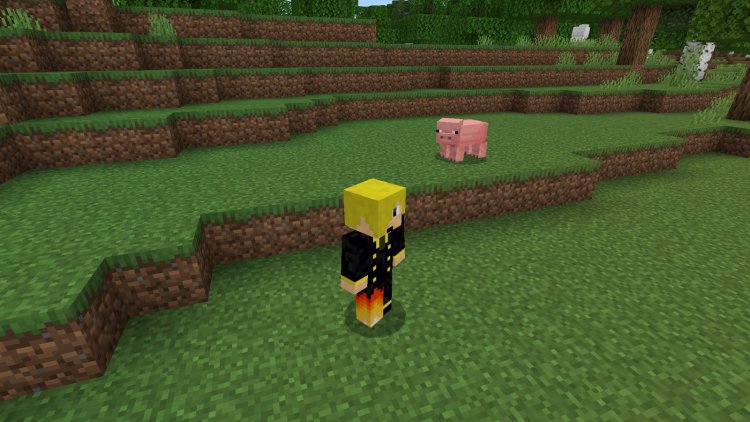
Created by Mod MCPE
The Free Look Texture Pack is a resource pack that enables independent camera rotation in third-person view, allowing your camera to move freely around your player model without the player's head following your viewpoint. Created by Mod MCPE, this addon transforms how you can frame and capture moments in Minecraft Bedrock Edition by decoupling your viewing angle from your character's orientation.
If you've ever wanted to create cinematic screenshots, film dynamic thumbnails, or simply enjoy exploring your world from unique camera angles without constantly turning your character, this pack offers exactly that functionality. It's become one of the standout entries in the conversation about what are the best Minecraft addons for content creators, and for good reason.
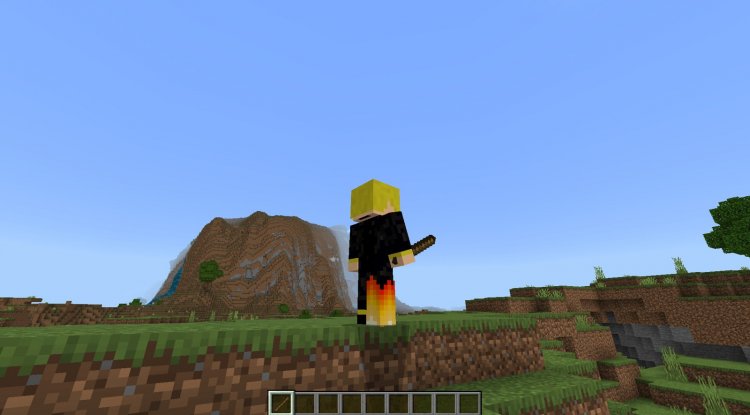
Photos by Mod MCPE
Why Third-Person Camera Freedom Changes Everything
Traditional third-person mode in Minecraft locks your camera perspective to your player's facing direction. This limitation means creative players have always had to compromise between the angle they want to show and the direction their character is actually facing. The Free Look Texture Pack eliminates that compromise entirely.
What makes this addon particularly valuable is its simplicity. It doesn't require complex configuration, additional mods, or shader compilation. You activate it, switch to third-person view, and suddenly you're operating a cinema-style camera system. Your player model stays grounded and stationary while your viewpoint orbits around them independently. This is the kind of fundamental quality-of-life improvement that makes you wonder why it isn't a vanilla feature.
For Minecraft creators who produce content, this changes the game. Thumbnail creation becomes infinitely more flexible. Scenic shots can be framed perfectly. Building walkthroughs gain cinematic potential. Even casual players benefit from the freedom to explore while maintaining a fixed visual perspective on their character.
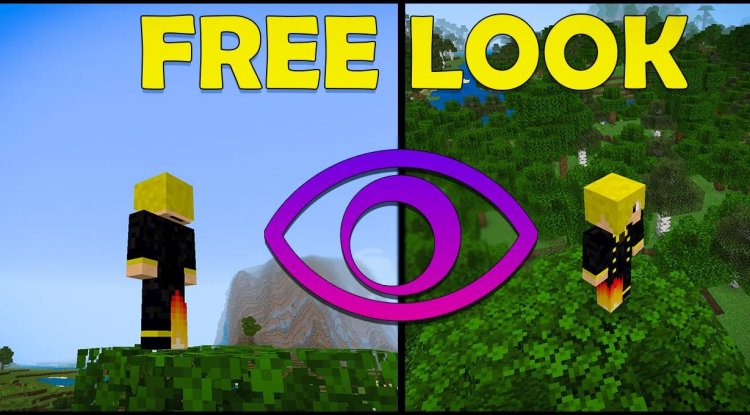
Key Features That Make This One of the Best Minecraft Addons 2026
The feature set is lean but laser-focused on solving one problem exceptionally well. Here's what you get:
- Fully Independent Camera Rotation — Rotate your viewpoint 360 degrees around your player without any head tracking
- Stationary Player Model — Your character remains in place while you circle around them, perfect for cinematic framing
- Cinematic-Quality Screenshot Capability — Frame the exact shot you want with professional-looking angles and composition
- Texture Pack Compatibility — Works seamlessly with your existing resource packs when properly ordered in the load sequence
- Zero Performance Impact — Requires no additional system resources or processing power; runs smoothly even on lower-end devices
- Cross-Platform Support — Functions identically on Android, iOS, and Windows Bedrock Edition
- Instant Activation — No complex setup or additional installation steps beyond adding the pack
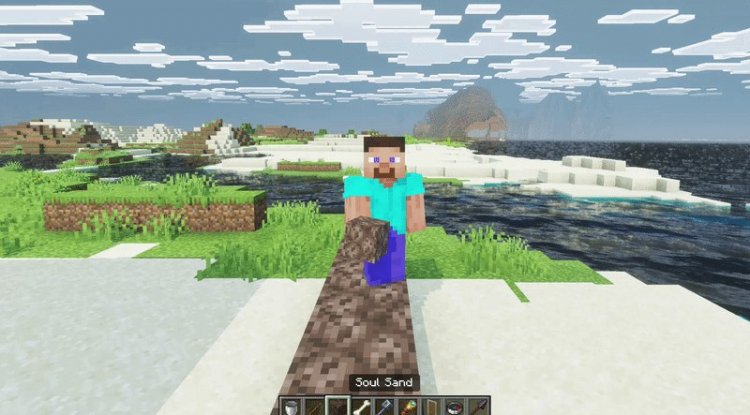
Who Should Be Using This Pack Right Now
This addon isn't for everyone—but it's absolutely essential for specific audiences. If you create any form of Minecraft content—YouTube videos, TikToks, Instagram Reels, or Twitch streams—the Free Look Texture Pack should already be in your toolkit. The production value improvement is immediately visible.
Builders benefit significantly too. Showcasing your creations with dynamic camera movements and unique angles makes them far more impressive than static first-person tours. Architectural details, landscaping, and structural complexity all look better when presented with cinematic freedom.
Even players who purely enjoy Bedrock Edition for exploration and adventure find value here. The ability to maintain your perspective while moving freely around your character adds a new dimension to how you experience the game.
How to Install and Start Using Free Look
Installation is remarkably straightforward, which is one of this pack's strongest points. Here's the process:
- Download the Free Look Texture Pack file
- Open Minecraft Bedrock Edition
- Navigate to Settings → Global Resources → Resource Packs
- Select "Import" and choose the downloaded pack file
- Activate the pack by moving it to the "Active" section
- If you use multiple resource packs, position Free Look above other packs in the load order to ensure compatibility
- Launch or reload your world, switch to third-person view, and test the free camera movement
That's genuinely all there is to it. The pack activates immediately with no additional configuration required. If you experience visual conflicts with other resource packs, simply adjust the load order by placing Free Look higher in the priority list.
Comparing Free Look to Other Best MCPE Addons
When evaluating the best MCPE addons for 2026, you're comparing solutions across very different categories—gameplay mechanics, visual enhancements, automation tools, and creative utilities. What makes the Free Look Texture Pack stand out is its singular, exceptional focus.
Unlike shader packs that modify lighting and visual rendering, or gameplay addons that alter mechanics, Free Look does one thing and does it perfectly. It's a precision tool for a specific creative purpose. You don't use it because it completely overhauls your game; you use it because it unlocks a specific creative capability that vanilla Bedrock Edition doesn't offer.
This focused approach means minimal conflicts, maximal compatibility, and universal utility across device platforms. When you're researching among quality addons, sometimes the specialist tool outperforms the generalist one.
Important Usage and Licensing Information
Before you dive in, understand the terms set by creator Mod MCPE. This pack is free to use personally, but there are important restrictions if you're creating content with it:
Video Content: You must credit Mod MCPE in your video description when using this pack in published content. This is a reasonable ask that supports the creator and acknowledges their work.
Commercial or Project Use: If you plan to use this pack in commercial projects, monetized content, or professional work, you need explicit permission from Mod MCPE first. Reach out via Discord username grumm7613 to request authorization.
Redistribution: You cannot republish, modify, or redistribute this pack on other sites or platforms. Always direct people to the original source.
These terms exist to protect the creator's work while keeping the pack accessible for the community. Respecting them is essential and ensures the resource remains available.
Frequently Asked Questions About Free Look
Does Free Look work with my existing texture packs and shaders?
Yes, it's fully compatible with other resource packs and shader packs. If you encounter visual conflicts, simply move Free Look higher in your resource pack load order to prioritize it over other packs.
Will this pack slow down my game or drain battery on mobile?
No. The Free Look Texture Pack requires zero additional processing power and has no performance impact on any device, whether you're playing on Android, iOS, or Windows. It's purely a visual/control modification.
Can I use Free Look for commercial YouTube videos or streaming?
For personal content, simply credit Mod MCPE in your description. For commercial use or monetized projects, you must contact the creator (Discord: grumm7613) for explicit permission first.
What's the difference between Free Look and Spectator Mode?
Spectator Mode lets you fly freely but makes you invisible. Free Look keeps your player model visible and stationary while allowing independent camera rotation—perfect for cinematic shots where you want your character in frame.
What's Your Reaction?












![Patrix Resource Pack For 1.19 [32x→256x]](https://minecraftmodded.com/uploads/images/202210/image_750x415_6343b3ab59eff.jpg)


