Deathswap Advanced: Best MCPE Addon for Trap Duels
Deathswap Advanced is a competitive Bedrock addon featuring trap-based elimination, spectator mode, and customizable settings. Experience intense multiplayer gameplay.
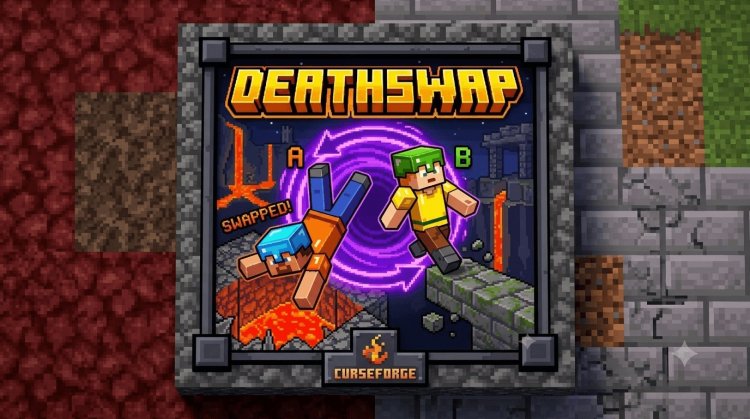
Created by AnsonDev
Deathswap Advanced: The Trap-Based Combat Addon Redefining Bedrock Multiplayer
Deathswap Advanced is a Bedrock Edition addon that remakes the classic Deathswap minigame, where players strategically eliminate each other using creatively designed traps. This is one of the best minecraft addons for competitive players who want fast-paced, skill-based gameplay that rewards planning and quick reflexes over raw combat ability.
Created by AnsonDev, this addon transforms how you approach PvP in Minecraft Bedrock. Rather than traditional sword-fighting, Deathswap Advanced forces you and your opponents to navigate increasingly dangerous environments, turning the map itself into a weapon. Whether you're hosting a tournament between friends or testing your survival instincts, this addon delivers the intensity and unpredictability that keeps matches fresh.
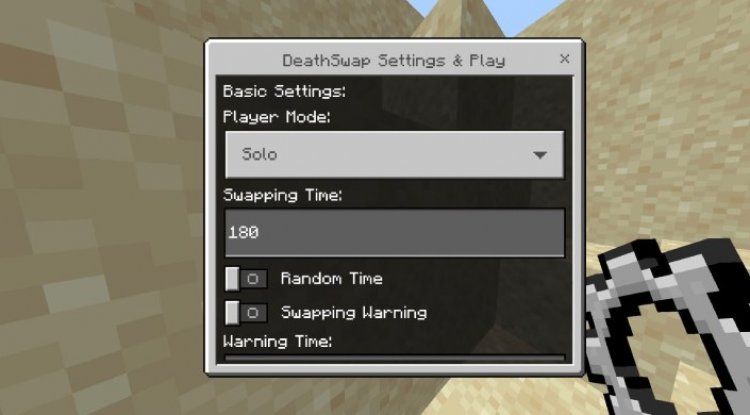
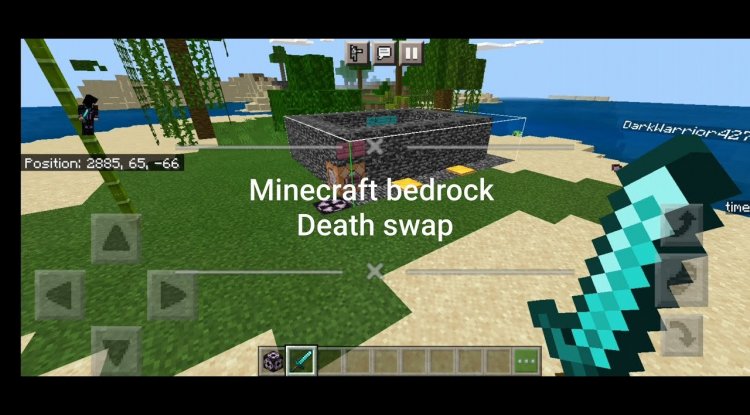
Photos by AnsonDev
What Makes Deathswap Advanced Stand Out Among Best MCPE Addons 2026
When evaluating what are the best minecraft addons currently available, Deathswap Advanced earns recognition through its thoughtful design philosophy. Unlike basic PvP mods that simply add weapons or blocks, this addon reimagines the entire gameplay loop. The core mechanic—swapping players between arenas filled with traps—creates natural tension and prevents matches from becoming predictable slugfests.
The addon's strength lies in its balance between chaos and control. Random swaps keep everyone on their toes, yet skilled players can still manipulate their environment and predict opponent movements. This blend makes Deathswap Advanced appealing to casual players seeking entertainment and competitive players hunting for tactical depth.
The current version (V1.0.6) shows AnsonDev's commitment to refinement. Recent updates have squashed spectator menu bugs, fixed team mode winner display issues, and resolved reset glitches—evidence that the addon is actively maintained and responsive to user feedback, a quality that separates polished addons from abandoned ones.
Key Features: Customization and Control Built Into Gameplay
Deathswap Advanced provides the features you need to shape matches exactly how you want them. Here's what makes this addon a compelling addition to your collection:
- Adjustable Swap Intervals: Control how frequently players switch arenas, from rapid-fire chaos to methodical mind games
- Randomization Settings: Determine whether swaps are predictable or completely unpredictable
- Team-Based Gameplay: Play solo duels, team matches, or free-for-all formats
- Spectator Mode: Eliminated players watch the action unfold without leaving the game session
- Modifier System: Apply gameplay variations to shift meta strategies and prevent staleness
- User-Friendly Interface: Intuitive menus mean you spend less time configuring and more time playing
- Quick Setup Process: Get a match running in seconds, not minutes
Trap Design and Environmental Gameplay: Where Strategy Meets Survival
The heart of Deathswap Advanced is environmental storytelling through danger. Rather than abstract arenas, each trap tells a story—lava pits surrounded by narrow walkways, falling sand contraptions, redstone pressure-plate triggers that collapse platforms. Surviving isn't just about escaping; it's about understanding the arena's logic and exploiting it before your opponent does.
This mechanic shifts the skill floor compared to traditional PvP addons. Combat experience helps, but map knowledge becomes equally valuable. A player familiar with every trap's trigger can set it off deliberately to funnel enemies into danger. Meanwhile, an opponent who doesn't understand the arena's layout becomes a sitting duck the moment they spawn.
The randomization system ensures that even familiar maps feel fresh. Knowing a trap's location doesn't guarantee you'll remember the optimal escape route when you're panicking under pressure.
Spectator Mode and Social Features That Keep Everyone Engaged
One of the best minecraft addons recognize that multiplayer fun extends beyond active players. Deathswap Advanced's spectator mode lets eliminated players remain invested in the outcome. Rather than sitting in a lobby waiting for the next round, spectators can watch dramatic finishes, celebrate friends' victories, and even interact with other spectators by touching them—a small feature that keeps the community feeling connected.
This is particularly valuable for tournament or series play. In a best-of-five match, you're never truly sidelined; you're analyzing opponents' strategies, cheering allies, and building anticipation for your return.
System Requirements and Compatibility: What You Need to Run Deathswap Advanced
Deathswap Advanced requires Minecraft Bedrock Edition version 1.26.3 or compatible iterations. The addon is designed to work seamlessly within vanilla Bedrock, though AnsonDev notes that beta-apis is optional—meaning you can run the addon without experimental features enabled if you prefer stability.
For optimal performance, disable command feedbacks and command block output in your world settings. This prevents console spam and reduces potential lag, especially important during rapid swap sequences when multiple commands fire simultaneously. The addon is in early development, so performance optimizations continue, but current builds are stable enough for serious play.
Importantly, Deathswap Advanced runs on standard survival-mode mechanics—no exotic features, no game-breaking exploits. If vanilla Bedrock performs smoothly on your device, this addon will too.
How to Install Deathswap Advanced
Installing Deathswap Advanced is straightforward. Download the .mcpack file and open it; Minecraft Bedrock automatically detects and imports addon content. The addon applies to new worlds you create, and you can toggle it on or off per-world.
Once installed, create a new world with the addon enabled. You'll need to configure the settings before your first match. Obtain the settings item either by typing the command /give @s deathswap:setting into the chat or by finding it in the creative inventory. This item opens a menu where you adjust swap intervals, randomization, team configurations, and modifiers.
To reset the addon and clear all previous configurations, use /function DSreset. This is useful if you encounter an issue or want to start fresh with different settings.
The entire setup process takes under five minutes from download to first match.
Frequently Asked Questions About Deathswap Advanced
Can I play Deathswap Advanced in singleplayer mode?
No—Deathswap Advanced is designed for multiplayer matches. The core mechanic of swapping between players requires at least two participants. However, you can host a local multiplayer session on the same device or over a local network.
Does the addon work with Realms?
Deathswap Advanced is compatible with Realms, allowing you to host persistent multiplayer worlds where friends can drop in for matches. Check your Realm settings to ensure addons are enabled.
What happens if a spectator interacts with an active player?
Spectators can touch active players to interact with them, but they cannot affect gameplay directly. Touching is a social mechanic rather than a mechanical one—useful for celebrating a teammate's trap activation or taunting a rival.
Are traps customizable, or are they fixed?
Current builds include pre-designed trap arenas, though the modifier system allows you to adjust difficulty and gameplay patterns. Custom trap creation would require map-building skills and structural changes beyond the addon interface—that's a community project rather than a built-in feature.
What's Your Reaction?













![Patrix Resource Pack For 1.19 [32x→256x]](https://minecraftmodded.com/uploads/images/202210/image_750x415_6343b3ab59eff.jpg)


