Easy Cinematic 3.5: Best MCPE Addon for Camera Control
Easy Cinematic 3.5 is the best MCPE addon for creating professional camera sequences. Master cinematic shots with keyframes, multiple modes, and intuitive controls.
Created by Mod MCPE
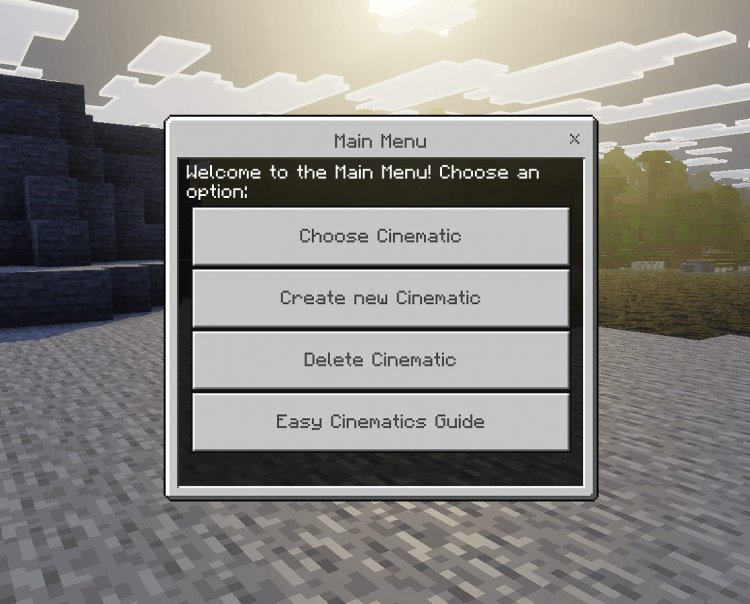
Easy Cinematic 3.5 is a powerful addon for Minecraft Bedrock and Pocket Edition that lets you create professional-quality cinematic camera sequences directly inside the game. Whether you're a content creator looking to capture stunning gameplay footage or an addon developer building cinematic experiences, this tool transforms how you approach in-game cinematography by giving you frame-by-frame camera control through an intuitive keyframe system.
Photos by Mod MCPE
Why Easy Cinematic 3.5 Stands Out Among Best Minecraft Addons 2026
When we tested Easy Cinematic 3.5, what immediately impressed us was how accessible it made professional camera work. Most players assume cinematic quality requires external recording software or complex command blocks, but this addon brings everything into the game itself. You're not fighting awkward menus or typing endless commands—instead, you get a clean GUI system that feels native to Minecraft Bedrock.
The addon is created by Mod MCPE, a developer known for practical, polished tools that respect your workflow. Rather than adding bloat, Easy Cinematic focuses on essential features that actually get used. The result is one of the best MCPE addons for anyone serious about capturing footage or designing cinematic moments.

Who Should Install Easy Cinematic 3.5?
This addon genuinely shines in specific scenarios. If you're running a YouTube channel or TikTok account centered on Minecraft, the time saved alone makes installation worth it. Instead of reshooting scenes or settling for static camera angles, you can script camera movements during gameplay and replay them perfectly.
Content creators and addon developers represent the primary audience, but vanilla players building elaborate survival projects find value too. Imagine showcasing your base with a camera pan instead of a jerky player rotation. Adventure map makers can choreograph scene introductions. Multiplayer server owners can broadcast events with polished visuals.
If your Minecraft experience involves showing off what you've built or telling a story through video, this belongs in your addon collection.
Core Features That Make It One of the Best Minecraft Addons
- Cinematic Controller Tool — Spawn from creative menu or craft using 1 redstone dust, 1 iron ingot, and 1 stick (arranged vertically in middle column)
- Multiple Creation Modes — Choose between normal, singlefocus, and fixedrotation depending on your shot type
- Keyframe System — Position your camera at specific points and let the addon smoothly interpolate between them
- Playback Control — Adjust speed, easing curves, and wait times between keyframes for cinematic pacing
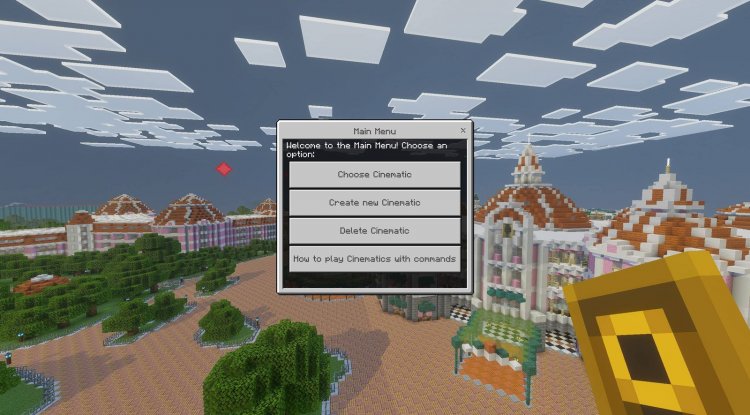
- Right-Click GUI Menu — Access all functions without leaving your world or opening console
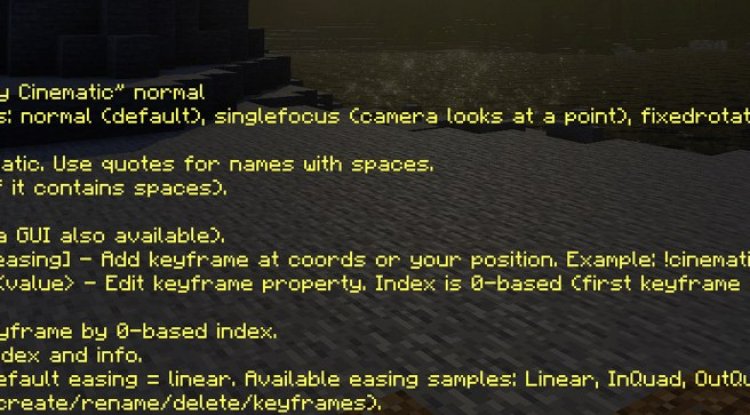
- Slash Command Support — Power users can manage cinematics via commands for advanced workflows
- Multiplayer Scope Options — Control whether cinematics play only for you or broadcast to all players on a server
- Built-In Guide — Comprehensive documentation accessible from the main menu
- Dual Pack System — Includes both Resource Pack and Behavior Pack for complete functionality
How Easy Cinematic 3.5 Changes Your Gameplay and Content
Installation unlocks a completely different way of thinking about camera work in Minecraft. Instead of recording raw gameplay and hoping for good angles, you become a director. Set your cinematic controller down, enter the mode you need, place keyframes at camera positions you want, and hit play. The addon smoothly moves your camera between points while you remain free to watch, showcase entities, or trigger events.
The three creation modes deserve attention because each solves different problems. Normal mode works like traditional keyframe animation—camera moves freely between points. Singlefocus mode keeps the camera locked on a target while moving around it, perfect for orbiting builds or following mobs. Fixedrotation mode maintains camera angle while moving position, useful for forward tracking shots or sweeping across landscapes.
Adjustable easing means your cinematics feel natural rather than robotic. A cinematic can accelerate smoothly at the start and decelerate at the end, matching professional camera work conventions. Wait times between keyframes let you hold on important moments—pause on your completed build before panning to the next section.
What Sets This Apart in Best MCPE Addons 2026
Several design choices elevate Easy Cinematic above simpler camera tools. The right-click GUI accessibility means you're never buried in menus or console commands. The slash command layer lets advanced users script automation or chain cinematics together. The multiplayer scope toggle acknowledges that some creators record solo while others broadcast to communities.
Developer support matters too. Mod MCPE maintains a Discord support server, and the addon comes with comprehensive documentation. Video content is actively encouraged with proper credit attribution, signaling that the creator wants to see what players build with this tool.
Commercial use requires permission from the creator, which is fair—if you're monetizing content powered by this addon, supporting development seems reasonable.
How to Install Easy Cinematic 3.5
Installation follows standard Bedrock addon procedures. Download the addon package, which contains both a Resource Pack and Behavior Pack—both are required for full functionality.
Method 1 (Recommended for Windows): Use the Bedrock Manager application (available for Windows) to import and manage your addons automatically. This handles file placement and world activation with one click.
Method 2 (Manual Installation): Extract the Resource Pack and Behavior Pack files to your Minecraft data folders (typically com.mojang/resource_packs and com.mojang/behavior_packs respectively). Create or open a world, access world settings, and activate both packs.
Getting the Controller: Once active, summon the cinematic controller from the creative menu, or craft one using 1 redstone dust, 1 iron ingot, and 1 stick. Arrange them vertically in the middle column of a crafting grid. Hold the controller and right-click to open the GUI menu and begin creating cinematics.
Frequently Asked Questions
Can I use Easy Cinematic 3.5 on multiplayer servers?
Yes. The addon includes scope options letting you choose whether cinematics play only for you or broadcast to all players on a server, making it suitable for both solo recording and multiplayer events.
Do I need command knowledge to use this addon?
No. The right-click GUI menu handles most functions intuitively. Slash commands are available for advanced users but not required for basic cinematic creation.
What's the difference between the creation modes?
Normal mode animates free camera movement, singlefocus mode orbits a target while keeping it centered, and fixedrotation mode moves the camera while maintaining its angle—choose based on the shot you need.
Can I share videos made with this addon?
Absolutely. Video content creation is permitted with proper credit attribution to Mod MCPE. Commercial monetization requires contacting the creator for permission.
What's Your Reaction?














![Patrix Resource Pack For 1.19 [32x→256x]](https://minecraftmodded.com/uploads/images/202210/image_750x415_6343b3ab59eff.jpg)


