End Visual Dimension Texture Pack for Minecraft Bedrock
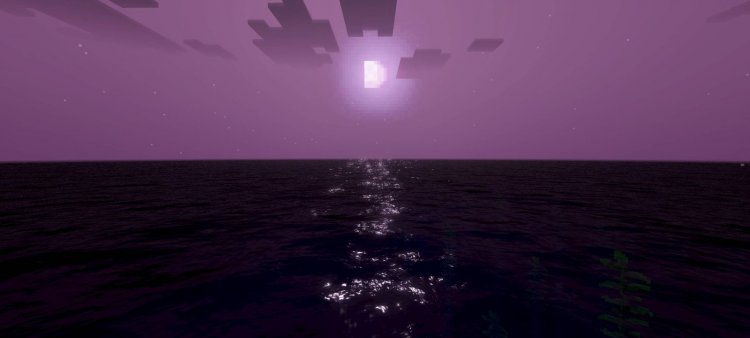
Transform your Minecraft world with End Visual Dimension, a texture pack that applies surreal End Dimension aesthetics. Experience purple skies, enhanced lighting, and cinematic visuals.
Created by Ferous Chara
Photos by Ferous Chara
What is End Visual Dimension?
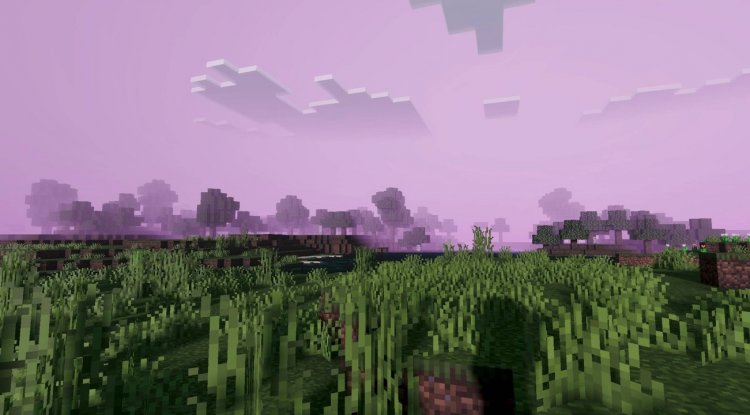
End Visual Dimension is a texture pack for Minecraft Bedrock that reimagines your entire world through the eerie, otherworldly lens of the End dimension. Created by Ferous Chara, this pack transforms familiar biomes—from sprawling plains to deep oceans—into surreal, alien landscapes by applying End-inspired visual styling across every environment you explore.
Rather than replacing block textures in the traditional sense, this pack works primarily through advanced rendering techniques and color grading to fundamentally shift how your world looks and feels. It's designed for players who want their vanilla survival or adventure worlds to feel less like classic Minecraft and more like stepping into a cinematic, otherworldly experience.
The Visual Philosophy: Making Minecraft Feel Alien
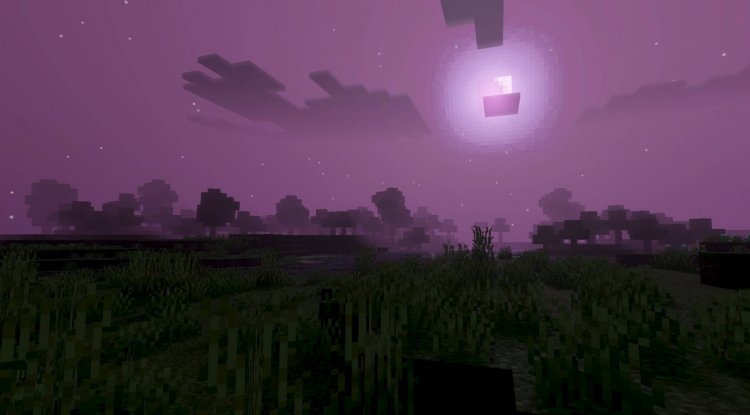
The core appeal of End Visual Dimension lies in its ambition to blur the line between familiar and fantastical. Every biome you visit—whether it's a lush forest, a snow-covered mountain, or a tranquil beach—gets recontextualized through a purple-tinted, ethereal filter. The pack doesn't completely overhaul your world's color palette in a jarring way; instead, it applies thoughtful color transitions that shift throughout the day, maintaining the natural cycle of sunrise and sunset while infusing everything with that distinct End dimension atmosphere.
This approach works particularly well if you're building structures with an otherworldly or fantasy theme, or if you simply want exploration to feel more immersive and strange. The pack excels at making ordinary Minecraft locations feel like you've discovered alien biomes worth documenting and exploring with fresh eyes.
Key Features That Make This Pack Stand Out
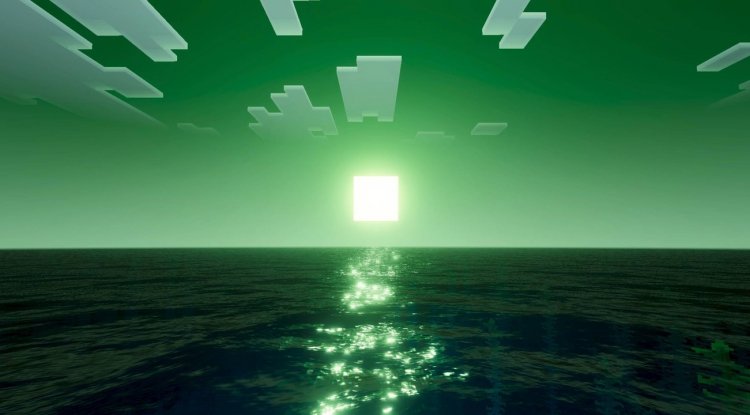
- Purple-Toned Sky System: A signature purple coloration that defines the End aesthetic, applied intelligently to your sky without making the world feel overly dark
- Enhanced Glow Effects: Light sources like torches, lanterns, and glowstone emit more prominent, atmospheric glows that illuminate surroundings more dynamically
- Advanced Sunlight & Moonlight Rendering: Improved how sunlight and moonlight interact with the environment, creating more dramatic lighting contrasts
- High-Quality Water Reflections: Water surfaces now reflect the sky and surroundings with greater clarity and visual depth
- Smooth Fog Transitions: Atmospheric fog effects with gradual transitions that enhance depth perception without feeling claustrophobic
- Dynamic Time-of-Day Color Shifts: Seamless color transitions as you move through day-night cycles, keeping the experience cinematic
- PBR Materials: Physically Based Rendering for more realistic surface properties and material interactions with light
- ACE Tone Mapping: Advanced color and exposure mapping that keeps highlights and shadows balanced and visually pleasing
- White Balance Adjustments: Temperature tuning that gives different times of day distinct feels—warm sunsets, cool moonlight
- Complex Midtone Processing: Sophisticated mid-range color processing that prevents the pack from looking oversaturated or washed out
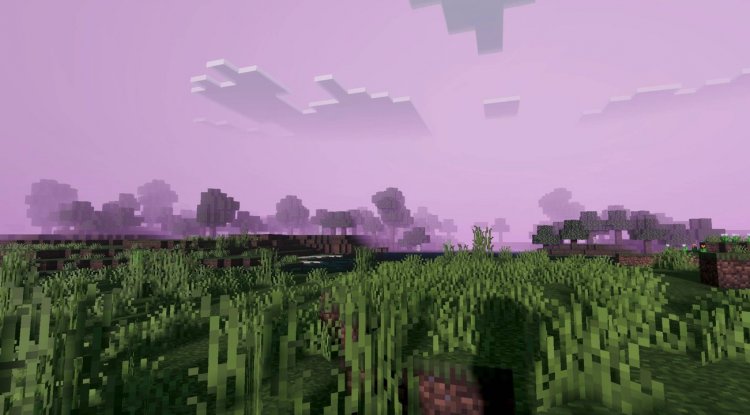
Biomes Transformed: What to Expect
End Visual Dimension shines brightest in biomes where atmosphere matters most. Oceans become haunting, with purple-tinted water that reflects an alien sky. Plains transform into sprawling otherworldly fields. Forests take on a dreamlike quality, with enhanced lighting making the canopy feel more mysterious.
Because the pack uses advanced rendering rather than just texture replacements, every biome benefits from the unified visual language. You won't find jarring inconsistencies between different areas of your world. Instead, the entire landscape feels cohesive, as if you've teleported your entire Minecraft realm into the End dimension itself.
The surreal visual effects are applied thoughtfully—they enhance rather than obstruct gameplay. You can still see mobs clearly, read your hotbar, and navigate caves without struggling against the aesthetics.
Performance and Compatibility Considerations
As with any advanced texture pack utilizing PBR materials and complex tone mapping, End Visual Dimension will have some impact on performance compared to vanilla Minecraft Bedrock. The extent depends on your device. On modern phones and tablets, you should see smooth performance with these visual enhancements enabled. On older hardware or low-end devices, you may want to test before committing to a long play session.
The pack is designed for Minecraft Bedrock Edition (including MCPE, Windows 10/11, and consoles). Make sure you're running a reasonably up-to-date version of the game for full compatibility with the rendering features this pack utilizes. If you're playing vanilla survival on your main world, creating a test world to preview the pack before applying it permanently is always a smart move.
Who Should Install This Pack?
End Visual Dimension appeals to a specific type of Minecraft player. If you love atmosphere and immersion, this pack is for you. Creative builders will find it especially useful for projects with sci-fi, fantasy, or otherworldly themes. Players who want their long exploration sessions and adventure maps to feel more cinematic will appreciate the visual polish.
Conversely, if you prefer vanilla Minecraft's bright, cheerful aesthetic, or if you're playing on heavily resource-constrained hardware, this pack may not be the best fit. It's a transformative pack designed to make your world feel dramatically different—not a subtle enhancement.
How to Install End Visual Dimension
Installing End Visual Dimension on Minecraft Bedrock is straightforward. Download the .mcpack file from your source. On most devices, simply tapping the file will launch Minecraft and prompt you to import the texture pack into your world or profile. Alternatively, you can manually place the pack file into your resource packs folder if you're familiar with that process.
Once imported, navigate to your world settings, go to the Resource Packs section, and activate End Visual Dimension. You'll need to be in a world (creative or survival) to apply it. The changes take effect immediately. It's recommended to pause and reload your world once for optimal rendering setup.
If you ever want to remove the pack, simply deactivate it in your world settings—no files need to be deleted, and your world data remains completely intact.
Frequently Asked Questions
Will this pack work on my console or mobile device?
End Visual Dimension is designed for Minecraft Bedrock Edition, which includes mobile (MCPE), Windows 10/11, and console versions. Compatibility depends on your device's rendering capabilities—modern devices should work fine, while older hardware may experience performance drops.
Can I use this pack with shader packs or other mods?
Since End Visual Dimension itself employs advanced rendering techniques, combining it with heavy shader packs may cause visual conflicts or performance issues. Test carefully if you plan to layer multiple visual enhancements.
Does this pack work with multiplayer worlds?
Yes, texture packs are client-side, so you can use End Visual Dimension on multiplayer servers or shared worlds. Other players won't need the pack installed—they'll see your world normally while you experience the surreal End dimension aesthetic.
Can I preview the pack before installing it on my main world?
Absolutely. Create a new creative world or duplicate your current world, then test End Visual Dimension there first. This way you can decide if you love the aesthetic before applying it to your primary save.
What's Your Reaction?












![Patrix Resource Pack For 1.19 [32x→256x]](https://minecraftmodded.com/uploads/images/202210/image_750x415_6343b3ab59eff.jpg)


