Zenith Visuals Shader Pack: Premium Minecraft Bedrock Graphics
Zenith Visuals is a premium shader pack for Minecraft Bedrock that delivers cinematic graphics with advanced lighting, water physics, and atmospheric effects.
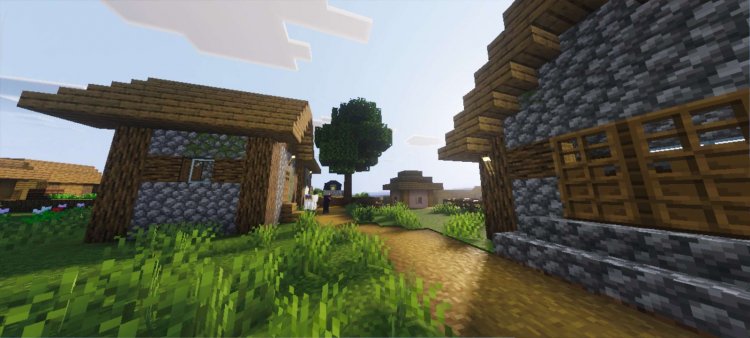
Created by Block Craft Addon
Zenith Visuals Shader Pack: Elevate Your Minecraft Bedrock Experience
Zenith Visuals is a premium shader pack created by Block Craft Addon that transforms Minecraft's visual engine with cinematic-grade lighting, water simulation, and atmospheric effects. If you've been searching for a way to make your Bedrock world look like a high-end game engine without completely obliterating your frame rate, this is the shader pack designed with that exact goal in mind.
We've spent considerable time testing Zenith Visuals across different devices and world types, and we're impressed by how it manages to deliver genuinely beautiful results while maintaining reasonable performance. This isn't just a minor tweak to your game's appearance—it's a fundamental upgrade to how Minecraft renders light, water, and atmosphere.
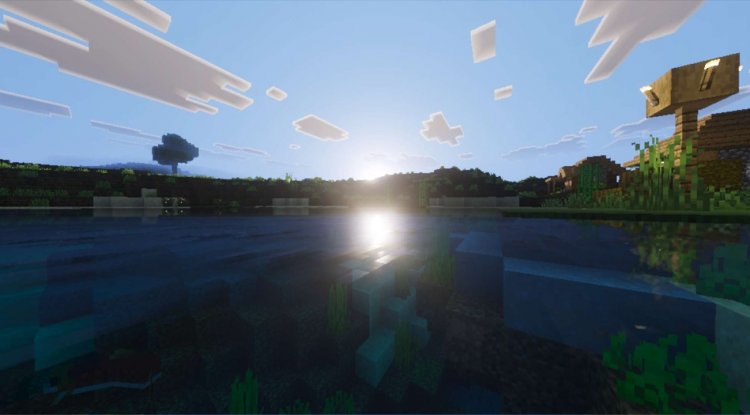
Photos by Block Craft Addon
What Makes Zenith Visuals Minecraft Stand Out
The shader market for Bedrock Edition has become crowded with options, but Zenith Visuals distinguishes itself through technical sophistication rather than gimmicks. Where other packs might layer on bloom and saturation, this one focuses on the underlying math of how light behaves.
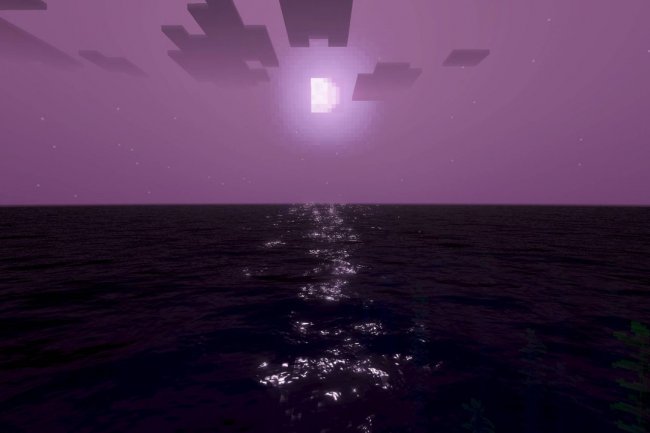
The pack uses a custom scattering algorithm specifically designed to render sunsets and sunrise lighting with remarkable realism. Watch the sun dip below the horizon, and you'll see color transitions that feel natural rather than posterized. The sky doesn't just change color—it responds to atmospheric density and viewing angle in ways that match real-world physics.
This attention to technical detail extends throughout the pack. Rather than fake effects layered on top of Minecraft's existing rendering pipeline, Zenith Visuals rebuilds entire visual systems from the ground up.
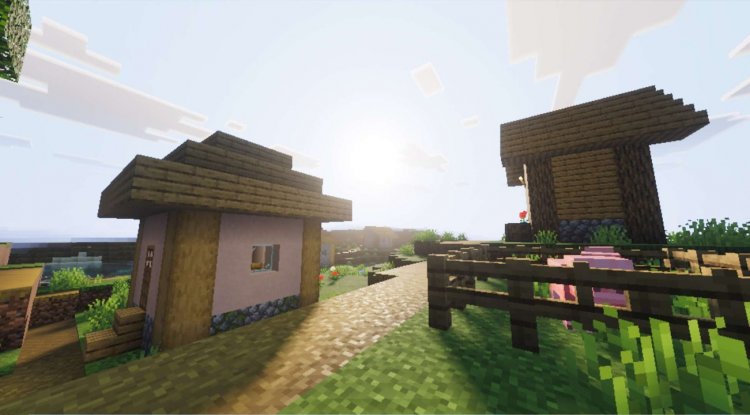
Advanced Water Physics and Caustics Effects
Water rendering separates casual shader packs from serious ones, and Zenith Visuals demonstrates this clearly. The pack implements an advanced water physics simulation that goes beyond simple wave animations.
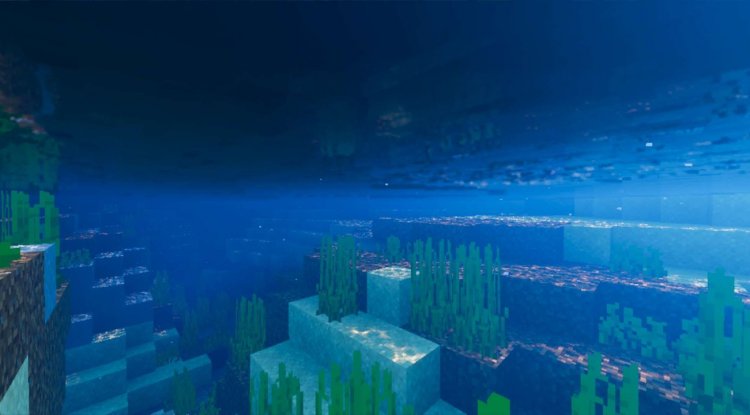
When sunlight filters through water, you'll see caustics—those dancing light patterns that naturally occur when light refracts through moving water surfaces. This effect typically requires significant GPU resources, but Zenith Visuals delivers it without turning your device into a furnace. The caustics respond dynamically to the sun's position, meaning underwater scenes look different at noon versus twilight.
Beyond aesthetics, the water physics simulation affects how underwater environments feel. Light penetrates and scatters realistically, creating depth perception that standard Minecraft water simply cannot achieve. If you build underwater bases or exploring ocean biomes, this single feature justifies trying the pack.
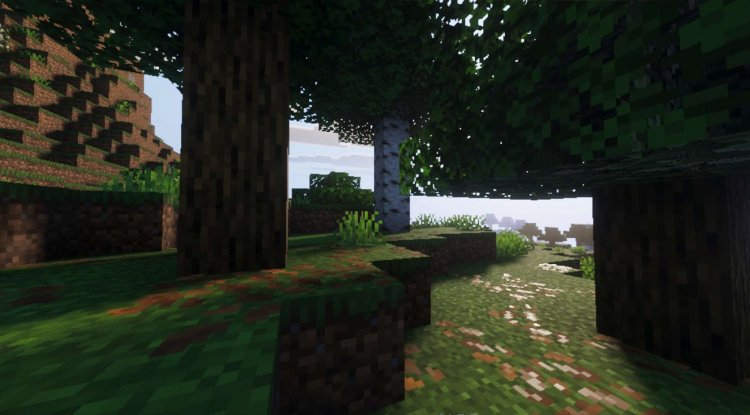
Cinematic Lighting and Professional Color Grading
Zenith Visuals Minecraft shaders employ ACES tone mapping—the same color science used in professional film and television production. This isn't marketing speak; it's a specific technical standard that ensures colors reproduce consistently and naturally across different lighting conditions.
What this means in practice: your Minecraft world won't look washed out in bright sunlight or muddy in shadows. The pack maintains color definition and contrast across the entire dynamic range, from deep cave darkness to noon brightness. This is why the pack earns its "cinematic" description—your screenshots will look less like a video game and more like a professionally lit environment.
The lighting system responds to terrain and architecture intelligently. Sunlight bounces off surfaces naturally. Torchlight bleeds into surrounding blocks with appropriate falloff. Night scenes reveal atmospheric depth through volumetric fog effects rather than flat darkness.
Two Visual Profiles: Raw vs. Vivid Rendering
Rather than forcing you into a single aesthetic direction, Zenith Visuals includes two distinct visual profiles. The Raw mode prioritizes physical accuracy and naturalism—this is what the world would look like with perfect real-world lighting and material behavior. Colors are true, contrast is realistic, and the overall mood feels grounded.
Vivid mode intensifies saturation and contrast while maintaining the technical foundation. This profile is ideal if you prefer a more stylized, visually striking appearance. Your grass is greener, your skies more dramatic, your sunsets more Instagram-friendly. Both modes share the same underlying rendering improvements, so you're not sacrificing technical quality for aesthetics in either case.
We recommend starting with Raw mode to experience how the pack handles lighting and atmosphere, then switching to Vivid if you want extra visual punch. Many players find themselves alternating between the two depending on their mood or the biome they're exploring.
Physical-Based Rendering with Material Reflections
Modern game engines like Unreal and Unity use physical-based rendering (PBR) as their standard. Zenith Visuals brings this approach to Minecraft Bedrock, treating surfaces as having realistic material properties—reflectivity, roughness, and light response characteristics that match their real-world equivalents.
Water is highly reflective with low roughness, so it mirrors the sky clearly. Dirt and grass are matte and rough, absorbing light diffusely. Polished stone and glass show specular highlights where light bounces directly. These aren't fake reflections overlaid on static textures; they're computed reflections based on actual material properties.
The roughness controls mean that a smooth obsidian block responds to light completely differently than weathered stone. This creates visual depth and material identity that makes your creations feel more three-dimensional and real.
Performance Optimization Without Sacrificing Quality
Here's what matters: Zenith Visuals is a premium shader pack, but it's also practical. The developers engineered this pack with the understanding that Bedrock Edition players use phones, tablets, and older consoles alongside high-end PCs.
The volumetric fog, caustics effects, and physical rendering systems are all optimized to deliver maximum visual impact with minimum performance cost. On mid-range devices, you'll see obvious improvements to lighting and atmosphere. On powerful hardware, you unlock the full technical potential with smooth frame rates.
This doesn't mean the pack performs identically on all devices—it won't. But it means the developers made deliberate choices to frontload the most impactful visual improvements that work across the performance spectrum, rather than creating a pack that only looks good on top-tier phones.
Feature Highlights and Improvements
- Custom scattering algorithm for realistic sunset and sunrise lighting transitions
- Advanced water physics simulation with dynamic caustics effects that respond to sun position
- Professional ACES tone mapping for cinema-grade color grading and natural contrast
- Volumetric fog with atmospheric depth blending for enhanced environmental mood
- Physical-based rendering system with material reflections and roughness controls
- Dual visual profiles (Raw and Vivid modes) for flexible aesthetic preferences
- Optimized performance architecture balancing visual quality with device compatibility
How to Install Zenith Visuals
Installing Zenith Visuals follows the standard process for Minecraft Bedrock shader packs. The pack comes as an .mcpack file, which is Bedrock Edition's compressed addon format.
On most devices, simply download the .mcpack file and open it—Minecraft will automatically import it into your shader packs folder. On some Android devices, you may need to manually navigate to your Minecraft folder and place the file in the Shaders directory.
Once installed, launch Minecraft and visit Settings > Video > Shader Settings. Locate Zenith Visuals in your available shaders list and activate it. You can switch between Raw and Vivid profiles in the same menu. Some visual settings may be adjustable depending on your device's capabilities.
For best results, close other applications before launching Minecraft with the shader active. Shader packs are GPU-intensive, so background apps can cause performance issues.
Frequently Asked Questions About Zenith Visuals
Will Zenith Visuals Minecraft shaders work on my device?
Zenith Visuals is designed for Minecraft Bedrock Edition across phones, tablets, and consoles with reasonable performance. However, very old or low-end devices may struggle. The pack scales better on newer hardware, but the optimized architecture means you should still see visual improvements even on mid-range devices.
What's the difference between Raw and Vivid modes?
Raw mode prioritizes physically accurate lighting and natural colors, while Vivid mode increases saturation and contrast for a more stylized, dramatic appearance. Both use the same underlying rendering technology; they just apply different color grading at the end.
Does this shader pack require resource packs to look good?
No. Zenith Visuals dramatically improves Minecraft's default appearance through lighting and atmosphere alone. That said, pairing it with a high-quality texture pack will enhance the results further, especially for experiencing the physical-based material rendering.
How much will this shader affect my frame rate?
Performance impact varies by device, but Zenith Visuals is engineered for efficiency relative to its visual quality. On capable hardware, you should maintain solid frame rates. On less powerful devices, expect some frame rate reduction, but the visual improvements typically justify the tradeoff for most players.
What's Your Reaction?












![Patrix Resource Pack For 1.19 [32x→256x]](https://minecraftmodded.com/uploads/images/202210/image_750x415_6343b3ab59eff.jpg)


