Java Hitbox Texture Pack for Bedrock PvP Combat
Master PvP combat with this texture pack that shows hitboxes in Minecraft Bedrock. Get Java Edition visuals and improved aiming accuracy.
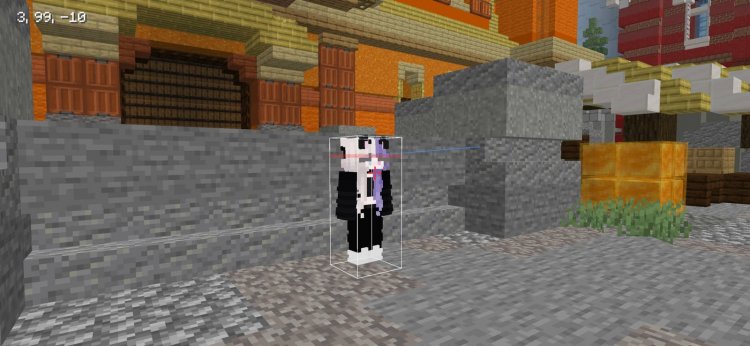
Created by BAKUTHEBUILDER
Java Hitbox: The PvP Texture Pack That Brings Java Combat Clarity to Bedrock Edition
A hitbox texture pack is a resource designed to visualize the invisible collision boundaries that determine where players and mobs can be hit during combat. The Java Hitbox pack, created by BAKUTHEBUILDER, brings this essential PvP tool to Minecraft Bedrock Edition with a clean, Java Edition-inspired aesthetic that makes tracking enemy positions and landing accurate hits significantly easier.
If you've ever found yourself struggling to land consistent hits in Bedrock PvP or felt like you were swinging at ghosts, this texture pack addresses one of the biggest quality-of-life gaps between Java and Bedrock gameplay. Let's explore what makes this resource pack a game-changer for competitive players.
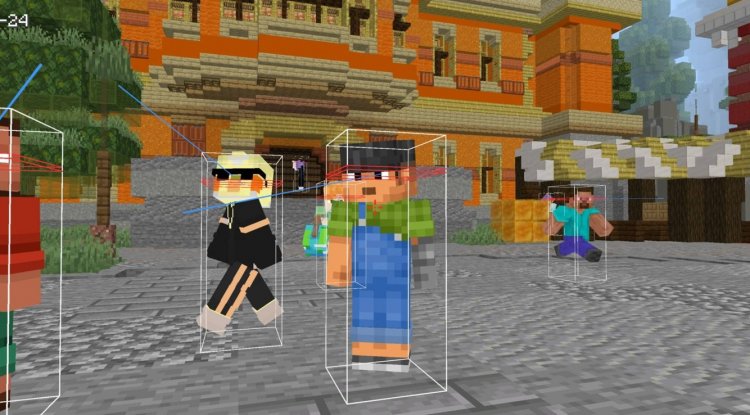
Photos by BAKUTHEBUILDER
What Is a Hitbox in Minecraft and Why It Matters for PvP
Before diving into this pack, let's clarify the fundamentals: what is a hitbox in minecraft? A hitbox is an invisible rectangular collision box that surrounds every entity—players, mobs, and even some blocks. When you swing your sword, pickaxe, or fist, you're not actually hitting the visible player model; you're hitting this invisible boundary. In vanilla Minecraft, these hitboxes remain completely hidden, which means PvP combat relies heavily on muscle memory and prediction rather than visual feedback.
This becomes especially problematic in Bedrock Edition, where hitbox behavior differs slightly from Java. Players accustomed to Java Edition's combat mechanics often feel disoriented because they can't visually confirm where they need to aim. The Java Hitbox pack solves this problem by making these boundaries visible without requiring debug commands or complex workarounds.
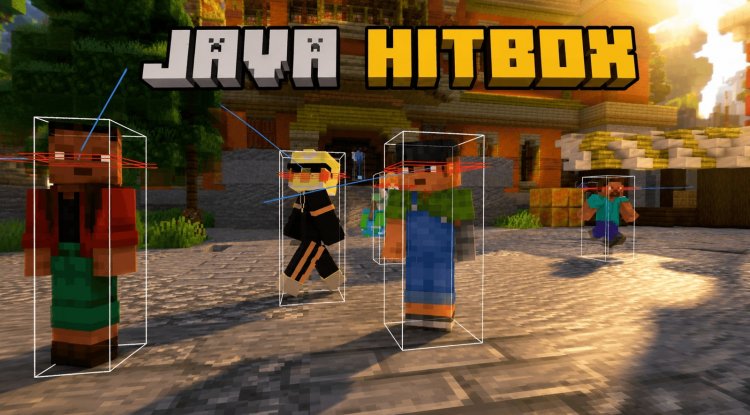
How to See Hitboxes in Minecraft Bedrock with This Texture Pack
Many players ask themselves: how to see hitboxes in minecraft java—and similar questions apply to Bedrock. In Java Edition, you'd typically press F3+B to toggle hitbox visibility, but Bedrock Edition doesn't have this built-in feature. That's precisely why BAKUTHEBUILDER designed this texture pack.
Instead of requiring special keybinds or console commands, the Java Hitbox pack accomplishes hitbox visibility through texture replacements. It overlays subtle visual indicators on player models that outline where their hitboxes are located. The design philosophy prioritizes clarity without visual noise—you'll see exactly where to aim without the interface becoming cluttered or distracting.
This approach means the pack works seamlessly in survival mode, creative mode, and multiplayer servers without triggering anti-cheat systems or requiring administrative permissions. It's a purely client-side visual enhancement that only affects your personal view.
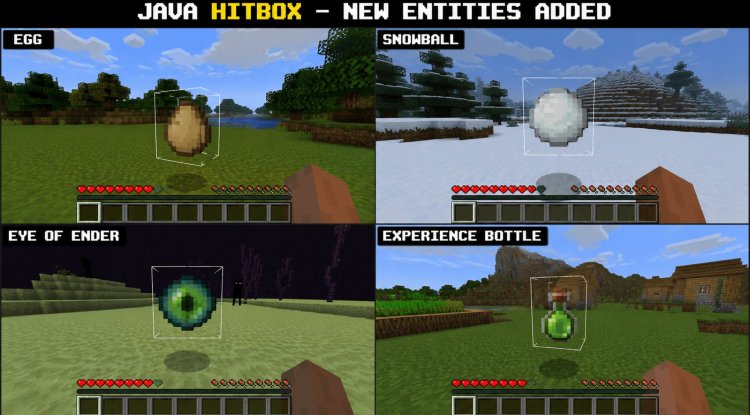
Java Edition Aesthetic Meets Bedrock Edition Performance
One of the pack's most appealing aspects is its dual mission: it brings the visual clarity of Java Edition combat to Bedrock while maintaining the lightweight performance that Bedrock is known for. Java Edition players who've switched to Bedrock often miss the precision and feedback Java PvP provides. This texture pack bridges that gap.
The hitbox indicators use a minimal design that echoes Java Edition's style—clean outlines, minimal texturing, and colors that pop without overwhelming your screen. Whether you're playing on a high-end device or a lower-spec phone or tablet, the pack won't tank your framerate. This is crucial for competitive players who need every millisecond of responsiveness during intense PvP sessions.
The design also reduces interface clutter compared to other PvP resource packs. You won't find flashy particle effects, intrusive crosshairs, or unnecessary visual modifications. Everything is focused on one goal: showing you where to hit and nothing else.
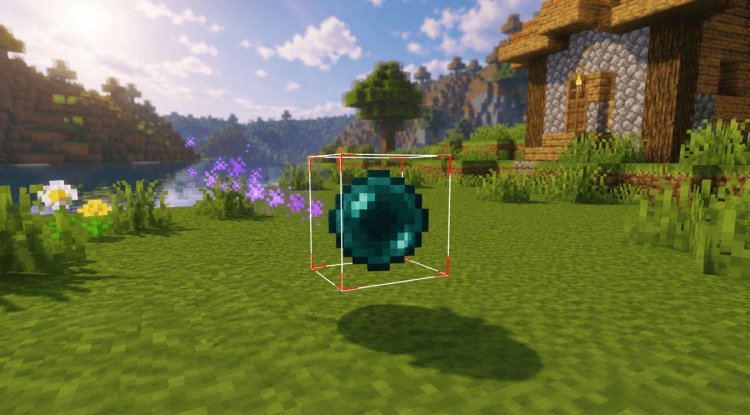
Improving Aiming Accuracy and Enemy Tracking in Combat
The primary benefit of show hitboxes minecraft resources is improved combat accuracy, and this pack excels in that regard. When hitboxes are visible, your muscle memory develops differently. Instead of swinging and hoping, you're making informed decisions based on visual feedback. You'll notice immediate improvements in:
- Sword hit consistency—fewer missed swings on moving targets
- Knockback prediction—knowing exactly where an opponent's hitbox will be after knockback
- Multi-target engagements—tracking multiple players' positions simultaneously
- Bow aiming—understanding where arrows will connect relative to player models
- Axe and trident combat—these weapons have different hitbox interactions that become clear with visibility
BAKUTHEBUILDER specifically designed this pack to make tracking enemy movement easier by ensuring hitbox outlines remain visible even as players move. The visual system accounts for the delay between client and server, helping you aim where opponents are heading rather than where they appear to be.
Key Features and Performance Highlights
- Visible Player Hitboxes—See exactly where you can land hits without debug commands
- Java-Inspired Visual Design—Clean, professional aesthetic familiar to Java players
- Lightweight and Optimized—Minimal performance impact on any device
- Reduced Visual Clutter—Only shows what's essential for PvP
- Server-Friendly—Works on most multiplayer servers as a client-side resource
- Mob Hitbox Visibility—Also displays hitboxes for hostile and neutral mobs
How to Install Java Hitbox on Bedrock Edition
Installing this texture pack follows the standard Bedrock resource pack process. The file comes as a .mcpack, which is the native format for Bedrock Edition resources.
On Windows 10/11, Xbox, or PlayStation: Download the pack file and open it—Minecraft Bedrock will automatically recognize it and prompt you to import it into your resource packs folder. Accept the prompt, and it will be ready to use.
On Android (MCPE): Download the file to your device, then open it with Minecraft. The app will import it automatically.
On iOS: Use the Files app to navigate to the downloaded pack, then open it with Minecraft.
Once imported, activate the pack in your world settings under "Resource Packs." You can apply it to existing worlds or new ones. The pack is compatible with most Bedrock versions and shouldn't conflict with other texture packs, though you may want to test compatibility if you're using multiple packs.
Frequently Asked Questions About Java Hitbox
What's the difference between this pack and using F3+B in Java Edition?
This texture pack achieves a similar visual result for Bedrock, which lacks Java's debug hitbox toggle. Instead of an overlay command, it modifies textures to outline hitboxes, making it compatible with servers and multiplayer without requiring commands.
Will this texture pack get me banned on multiplayer servers?
No. Since it's purely a client-side visual modification that doesn't alter gameplay mechanics or provide unfair advantages beyond visual clarity (which Java players have access to natively), it's allowed on nearly all servers. However, always check your specific server's rules to be certain.
Does the pack work with other texture packs?
It can, but resource pack order matters. Place the Java Hitbox pack above other packs in your resource list so its hitbox textures remain visible. Some packs may visually conflict depending on what textures they modify.
Will this affect my FPS or cause lag?
No. BAKUTHEBUILDER optimized this pack specifically for lightweight performance. It adds negligible overhead and should work smoothly even on lower-end devices running Bedrock Edition.
What's Your Reaction?








![Patrix Resource Pack For 1.19 [32x→256x]](https://minecraftmodded.com/uploads/images/202210/image_650x433_6343b3aba7bac.jpg)




![Patrix Resource Pack For 1.19 [32x→256x]](https://minecraftmodded.com/uploads/images/202210/image_750x415_6343b3ab59eff.jpg)


