Gojo Purple Edition 2 UI Inventory Texture Pack for MCPE
Transform your Minecraft Bedrock inventory with the Gojo Purple Edition 2 texture pack. Features sleek Black and White edition variants.
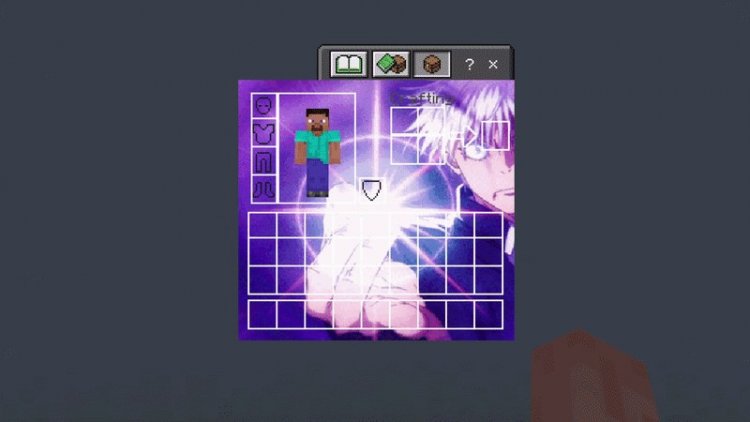
Created by TaxFraudTeam
Gojo Purple Edition 2 UI Inventory Texture Pack: Complete Review & Installation Guide
The Gojo Purple Edition 2 UI Inventory texture pack is a custom interface overhaul that completely reimagines your Minecraft Bedrock inventory screen with a sleek, anime-inspired aesthetic. Created by TaxFraudTeam, this pack swaps out the vanilla inventory interface for a visually striking design inspired by the Gojo Purple Edition 2 theme, giving your UI an instant facelift while maintaining full functionality.
If you're tired of staring at the default inventory grid and want something with personality, this texture pack delivers a fresh visual experience without touching your actual gameplay mechanics. Whether you're a fan of the anime aesthetic or just want your Bedrock edition to look more polished, we'll break down what makes this pack worth trying.
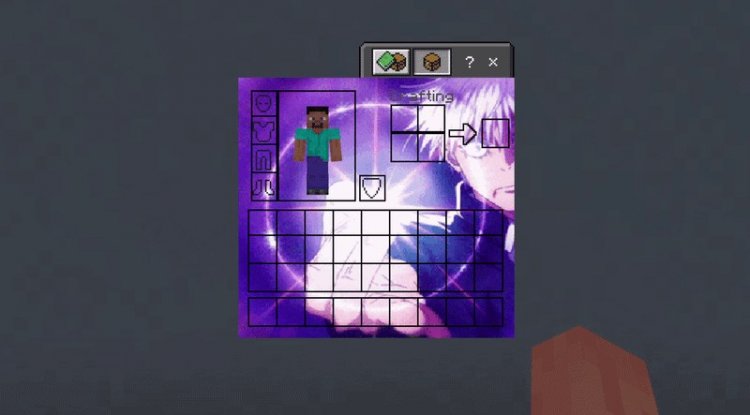
Photos by TaxFraudTeam
What Makes Gojo Purple Edition 2 Stand Out in Custom UI Packs
Most texture packs focus on updating blocks, mobs, and the environment—but interface design often gets overlooked. The Gojo Purple Edition 2 pack takes a different approach by zeroing in entirely on the inventory UI, which is something you interact with constantly while playing.
The design philosophy here isn't about making things harder to find or more confusing. Instead, TaxFraudTeam has created a cohesive visual language that makes your inventory feel like a dedicated tool rather than a basic menu. The aesthetic leans heavily into modern, minimalist design principles while maintaining the purple-themed branding that defines the Gojo Purple Edition 2 series. This is ideal for players who want their UI to feel intentional and polished without being distracting or overly ornate.
Unlike some flashy UI packs that prioritize style over clarity, this one manages to be both beautiful and functional—your item slots are still easy to read, your hotbar is obvious, and navigation remains intuitive.
Black Edition vs. White Edition: Which Variant Should You Choose?
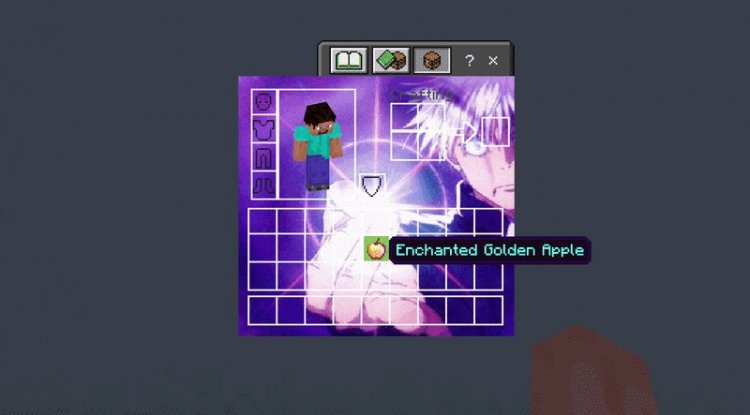
One of the standout features of this pack is the dual-variant system. You're not locked into one design—TaxFraudTeam included two distinct color options: the Black Edition and the White Edition. This flexibility is genuinely useful because your preference might depend on your monitor's brightness, your playstyle, or simply what mood you're in.
The Black Edition suits players who prefer darker, high-contrast interfaces. It's easier on the eyes during long gaming sessions, creates a sleek, premium feel, and works beautifully if you use darker texture packs or shaders in your world. The black background makes icons and text pop without strain.
The White Edition offers a cleaner, more minimalist aesthetic. It's brighter and airier, working well if you prefer lighter texture packs or play in brightly lit environments. Some players find light themes easier to scan quickly when managing large inventories during combat or building sessions.
You can test both versions and decide which feels better for your playstyle. Many players keep both installed and swap between them depending on their current world's overall aesthetic.
Key Features & What You're Actually Getting
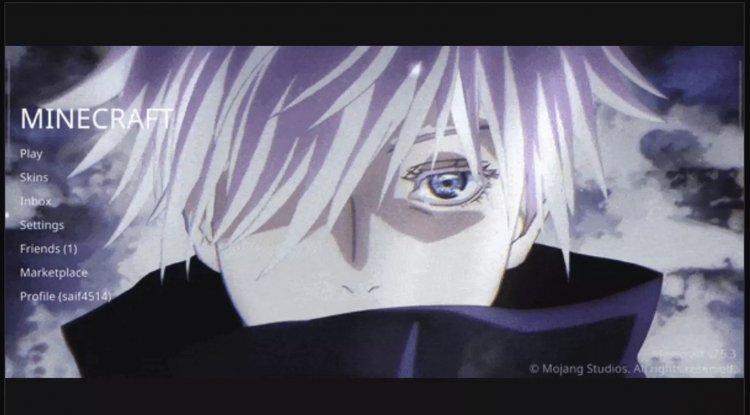
- Complete Inventory Interface Redesign – The entire default inventory screen is replaced with the Gojo Purple Edition 2 visual style, affecting how you see your items, crafting grid, and equipment slots
- Two Color Variant Options – Switch between a sleek Black Edition and a clean White Edition depending on your preference
- Dark and Light Themed Variants – Both editions provide distinctly different moods while maintaining the core design language
- Seamless MCPE Compatibility – Designed specifically for Minecraft Bedrock and Pocket Edition, so it installs and works without conflicts
- Maintained Readability – Despite the visual overhaul, all inventory functions remain crystal clear and easy to navigate
- Lightweight Installation – As a pure texture pack (not a full mod), it loads quickly and doesn't impact your FPS
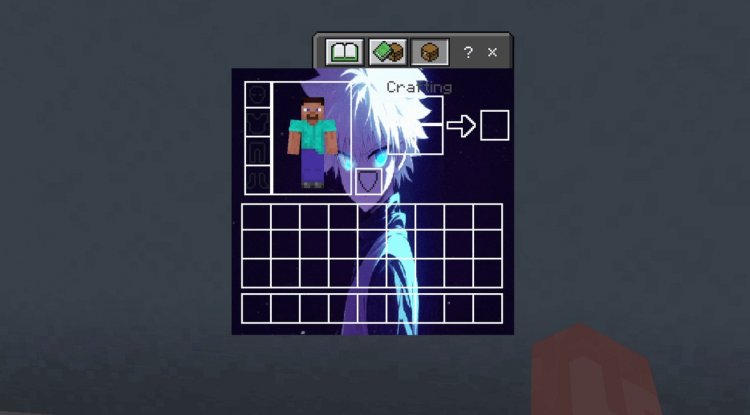
How the Pack Changes Your Everyday Gameplay Experience
You might be wondering: "Does a texture pack for the inventory really matter?" The answer is more significant than you'd think. Your inventory screen is where you spend a surprising amount of time—organizing loot, crafting tools, managing hotbars, and comparing gear. When you open that menu dozens of times per play session, the visual design becomes part of your overall experience.
With the Gojo Purple Edition 2 pack active, every inventory interaction feels intentional and stylish. The purple-themed aesthetic creates visual cohesion if you're using complementary texture packs or shaders elsewhere in your game. It also makes streaming or recording content feel more polished and intentional—viewers will immediately notice that your UI looks custom and refined.
From a practical standpoint, the improved visual hierarchy in both the Black and White editions makes it faster to locate items, especially when your inventory is cluttered. The design prioritizes clarity without sacrificing aesthetics.
Perfect For These Types of Players
Creative and Build-Focused Players – If you spend hours building and frequently opening your inventory to grab blocks, a polished UI makes the experience more enjoyable.
Content Creators – Streamers and YouTubers benefit from custom UI elements that make their content look more professional and branded.
Anime and Aesthetic Enthusiasts – If you love the Gojo Purple Edition 2 aesthetic, this pack extends that theme directly into your interface.
Players Who Care About Visual Polish – Some players optimize every visual element of their setup. This pack is perfect for those who think the details matter.
Survival and Adventure Players – Even in hardcore survival, a beautiful inventory can make your experience feel less like a chore and more like an adventure.
How to Install the Gojo Purple Edition 2 UI Inventory Pack
Installing this texture pack on Minecraft Bedrock Edition is straightforward:
- Download the pack – The .mcpack file will be ready from the download source.
- Open the file – Tap or double-click the .mcpack file. Minecraft Bedrock should automatically recognize it and prompt you to import it.
- Confirm import – Accept the import dialog. The pack is now installed and available in your resource packs list.
- Activate the pack – Open any world, go to Settings → Resource Packs, find "Gojo Purple Edition 2," and move it to the "Active" section.
- Choose your variant – If you want to switch between Black and White editions, you may need to redownload the alternate version or check if both are bundled. Follow the same activation process.
- Restart your world – Close and reopen your world. Your inventory should now display the new UI design.
The pack is lightweight, so you won't notice any performance impact on any device. It works on phones, tablets, and Windows 10/11 Bedrock Edition equally well.
Frequently Asked Questions
Will this pack work with other texture packs?
Yes! Since this pack only modifies the inventory interface, it won't conflict with block or mob texture packs. You can stack it with other packs—just make sure the Gojo Purple Edition 2 pack is activated in your resource pack list.
Does it work on all Minecraft Bedrock platforms?
The pack is designed for Minecraft Bedrock Edition and Pocket Edition (MCPE). It should work on Windows 10/11, mobile devices, and Nintendo Switch versions of Bedrock.
Can I switch between Black and White editions easily?
Yes, both variants are separate packs. You can download both versions and activate whichever you prefer in your Resource Packs menu. Switch between them anytime without reinstalling.
Will this affect my world's save data or gameplay?
Not at all. Texture packs only change visuals. Your world, items, progress, and game mechanics remain completely unchanged. You can remove the pack anytime and your world will be exactly as you left it.
What's Your Reaction?












![Patrix Resource Pack For 1.19 [32x→256x]](https://minecraftmodded.com/uploads/images/202210/image_750x415_6343b3ab59eff.jpg)


