Luminance Shaders for Minecraft PE: Best 2026 Guide
Discover Luminance Shaders by Block Craft Addon—the best MCPE shaders 2026 for cinematic visuals without sacrificing performance on lower-end devices.
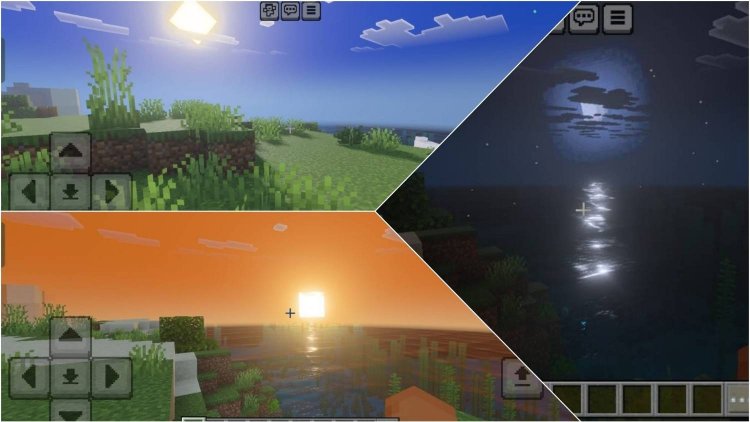
Created by Block Craft Addon
Luminance Shaders for Minecraft PE: Cinematic Visuals Without the Performance Hit
Luminance Shaders is a meticulously crafted shader pack designed to transform Minecraft's visual presentation into something genuinely cinematic, all while respecting the hardware limitations of lower and mid-range devices. Created by Block Craft Addon, this shader pack proves that stunning graphics don't require a gaming PC—they just require the right optimization approach.
Whether you're playing on a budget smartphone, an older tablet, or a mid-range device, Luminance Shaders delivers that coveted visual upgrade that makes your blocky world feel alive without tanking your frame rate. In this deep-dive guide, we'll explore what makes this shader pack stand out among the crowded field of best MCPE shaders 2026.
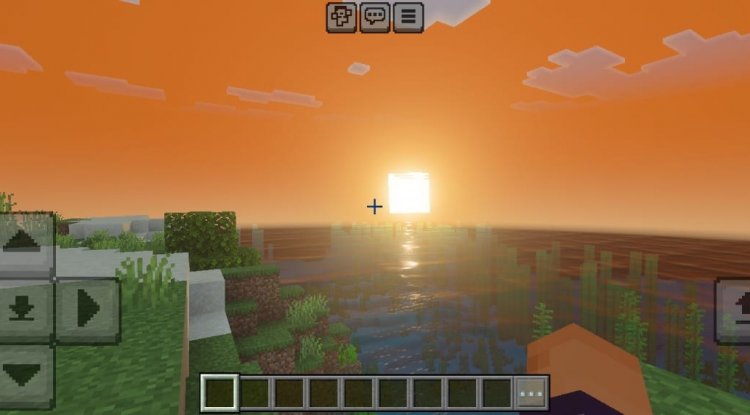
Photos by Block Craft Addon
What Are Luminance Shaders and Why Should You Care About Brightness Shaders in Minecraft?
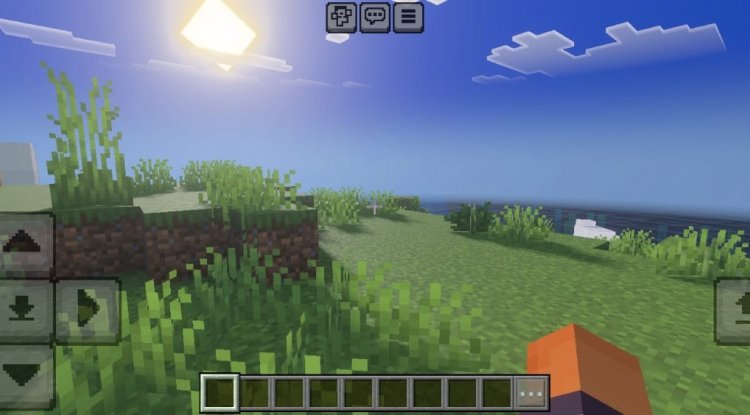
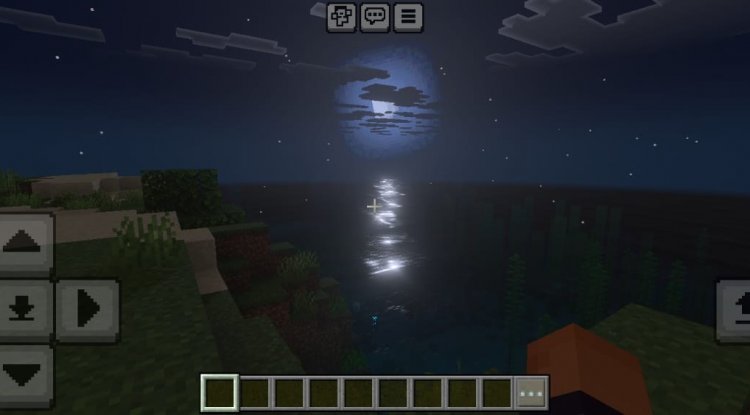
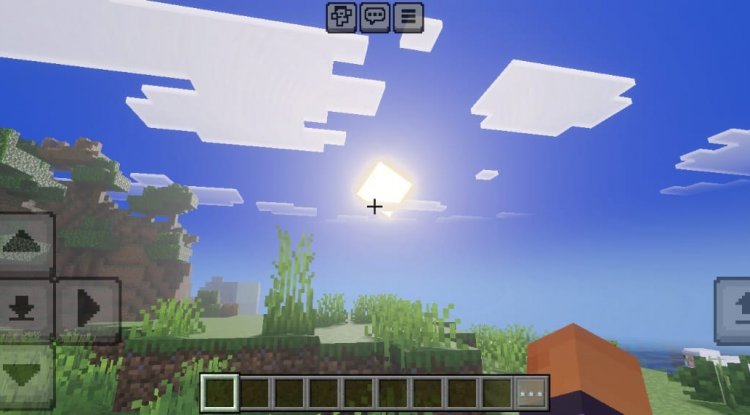
At its core, Luminance Shaders reimagines how light behaves in your Minecraft world. Rather than the somewhat flat, uniform lighting of vanilla Minecraft PE, this shader pack introduces sophisticated lighting calculations that mirror how light actually works in the real world. The sun and moon no longer feel like static light sources—they cast dynamic, directional light that changes the mood of your world throughout the day-night cycle.
For many players, the appeal of brightness shaders in Minecraft goes beyond mere aesthetics. Better lighting fundamentally changes how you perceive the game world. Shadows become meaningful. Water glimmers with genuine reflection. Fog layers create atmospheric depth that draws you deeper into your builds. Luminance Shaders delivers all of this while maintaining the approachable, blocky art style that makes Minecraft uniquely charming.
Key Features That Make Luminance One of the Best Shaders for Minecraft PE
- Natural Sun and Moon Lighting: Balanced brightness levels that adapt throughout the day cycle, eliminating the harsh, artificial look of unshaded Minecraft
- Atmospheric Fog Effects: Layered depth rendering that transforms distant landscapes into misty, immersive vistas
- Enhanced Water Rendering: Improved reflections and transparency that make water feel like actual liquid rather than a textured block
- Color Grading System: Sophisticated color calibration that increases vibrancy and visual pop while keeping everything feeling natural and photorealistic
- Performance Optimization: Built from the ground up for low to mid-range devices, proving that great visuals and smooth gameplay aren't mutually exclusive
- Cinematic Aesthetic: Overall design philosophy that prioritizes that "movie-like" presentation everyone chases with shaders
Do You Have to Pay for Shaders in Minecraft, and Is Luminance Worth the Investment?
One of the most common questions we see in the Minecraft PE community is whether quality shaders cost money. The short answer: many of the best shaders for Minecraft PE are completely free, and Luminance Shaders falls into that category. There's no paywall, no premium tier, no "upgrade to pro" scheme. You download it, you install it, you enjoy it.
That said, some shader creators do offer optional donations or premium versions with additional features. What matters with Luminance is that the core experience—the one that fundamentally changes your game—is accessible to everyone. For a completely free shader pack that ranks among the most realistic shaders for Minecraft PE, this represents exceptional value.
The real question isn't whether it costs money, but whether it's worth your device's resources. We'd argue yes. Since it's specifically optimized for lower-end hardware, you're unlikely to experience the stuttering or battery drain that can plague heavier shader implementations.
What Do You Need for Shaders in Minecraft and How Luminance Compares to Other Top Shaders 2026
Before diving into Luminance specifically, let's clarify what you actually need to run any shader pack on Minecraft PE. First, you'll need a device running modern Bedrock Edition—smartphone, tablet, or Windows 10/11. You'll also need enough storage space for the shader files themselves (usually 20-50 MB). The most important factor, however, is device compatibility: older devices may struggle, while newer ones will run everything smoothly.
Comparing Luminance to other top Minecraft shaders 2026 available on reddit and beyond, several distinctions emerge. Many premium shader packs sacrifice stability on budget hardware for maximum visual fidelity. Luminance refuses that compromise. It doesn't deliver ray-tracing level realism—that's simply not possible on MCPE—but what it does deliver is a beautiful, performant middle ground that looks dramatically better than vanilla while remaining playable on the devices most people actually own.
When searching "best shaders Minecraft 2026 reddit," you'll see Luminance mentioned consistently by players who specifically value the stability-to-visuals ratio. It's not the absolute most extreme makeover, but it's the one that actually runs.
The Cinematic Lighting Philosophy Behind Luminance Shaders
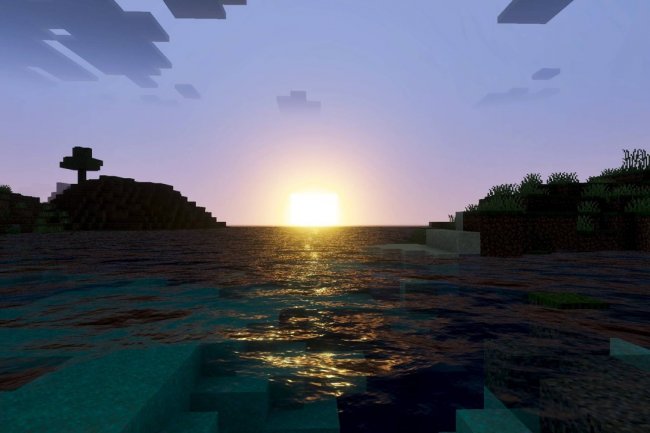
What separates Luminance from generic brightness shader attempts is its deliberate design philosophy. The color grading isn't about making everything oversaturated or washed out—it's about enhancing what's already there while maintaining authenticity. Sunsets actually look like sunsets. Snow actually looks cold. Grass feels alive.
The fog effects deserve special mention. Rather than feeling like a performance compromise, atmospheric fog in Luminance becomes a compositional tool. It draws the eye toward foreground details and creates the sense of a genuinely massive world extending beyond the horizon. This is what separates a shader that changes your Minecraft PE visuals from one that transforms your Minecraft PE experience.
The water enhancement demonstrates this philosophy too. Instead of just reflecting the sky (which many shaders do), Luminance's water system considers transparency, depth, and realistic refraction. You can see into water properly, which sounds minor until you realize how dramatically it changes how you interact with aquatic environments.
Community Support and Ongoing Development
One factor that distinguishes Luminance Shaders in the crowded field of best MCPE shaders 2026 is the active community backing it. Block Craft Addon maintains a Discord channel where players share their experiences, report issues, and contribute suggestions. This kind of community infrastructure matters because shader packs need maintenance as Minecraft PE updates. Luminance has that ongoing attention.
If something breaks with a new Minecraft update, or if you have questions about optimization settings for your specific device, there are real people in that community ready to help. This transforms Luminance from a one-off download into an ongoing relationship with active developers.
How to Put Shaders On in Minecraft PE: Installing Luminance Shaders
Step 1: Download the Shader Pack - Obtain the Luminance Shaders .mcpack file from the official source. Most shader packs come as .mcpack files, which are essentially compressed folders with a special file extension that Minecraft PE recognizes.
Step 2: Locate and Open the File - After downloading, find the .mcpack file in your device's file manager or downloads folder. Tap or double-click it to open.
Step 3: Import to Minecraft PE - Your device will prompt you to open the file with Minecraft PE. Confirm this action, and the game will automatically import the shader pack into your resource packs library.
Step 4: Activate the Shader Pack - Launch Minecraft PE, go to Settings, navigate to Resource Packs, and locate Luminance Shaders in the available list. Move it to the "Active" column.
Step 5: Create or Load a World - Start a new world or load an existing save. Give the shader a moment to initialize, and you'll immediately notice the enhanced lighting and atmospheric effects.
The entire process takes roughly two minutes. If you've ever wondered "how do you put shaders on in Minecraft," this is genuinely how simple modern shader installation has become.
Frequently Asked Questions About Luminance Shaders and Minecraft PE Shaders
Can you get shaders on Minecraft PE, and is it difficult?
Absolutely—you can absolutely get shaders on Minecraft PE through official means like shader packs (resource packs with shader code). The process is straightforward and takes just minutes. Luminance makes this accessible to anyone willing to follow a few simple steps.
Which is the best shaders for Minecraft PE in 2026?
That depends on your device and priorities. For players seeking the best balance of visual quality and performance on lower-end hardware, Luminance Shaders consistently ranks at the top. For maximum realism on high-end devices, other options exist, but Luminance excels at what it's designed to do.
Will Luminance Shaders significantly drain my battery or slow down my device?
Unlike some shader packs, Luminance is specifically optimized for low to mid-range devices. Most players report minimal performance impact—often just a few FPS reduction on devices that can handle it well. Battery drain is likewise modest, though it depends on how long you play and your device's baseline efficiency.
Are Luminance Shaders compatible with my existing worlds and other add-ons?
Yes. Shader packs work alongside your existing worlds and are compatible with most other add-ons. You can layer Luminance Shaders on top of your current setup without issues. If you experience any incompatibilities, the community Discord is the place to troubleshoot.
What's Your Reaction?












![Patrix Resource Pack For 1.19 [32x→256x]](https://minecraftmodded.com/uploads/images/202210/image_750x415_6343b3ab59eff.jpg)


