Leafy Azalea Bushes Texture Pack for Minecraft
Leafy Azalea Bushes texture pack transforms azalea plants with matching leaf textures for visual consistency. Create seamless azalea structures in your world.
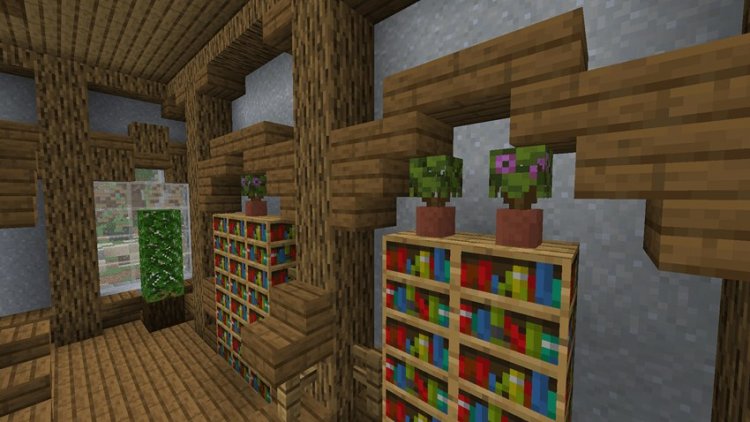
Created by GotATrashCan
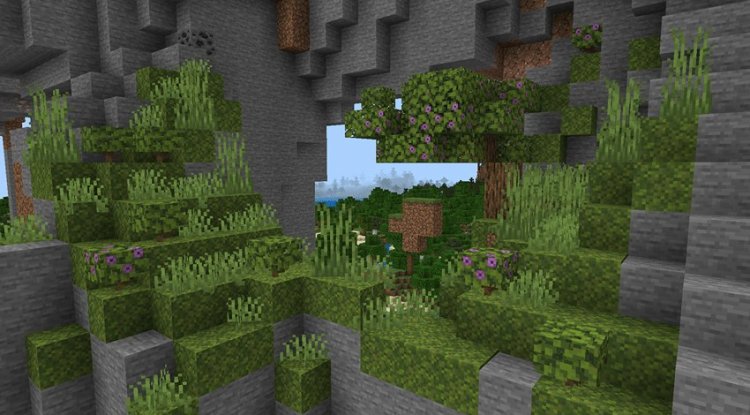
Photos by GotATrashCan
What Is the Leafy Azalea Bushes Texture Pack?
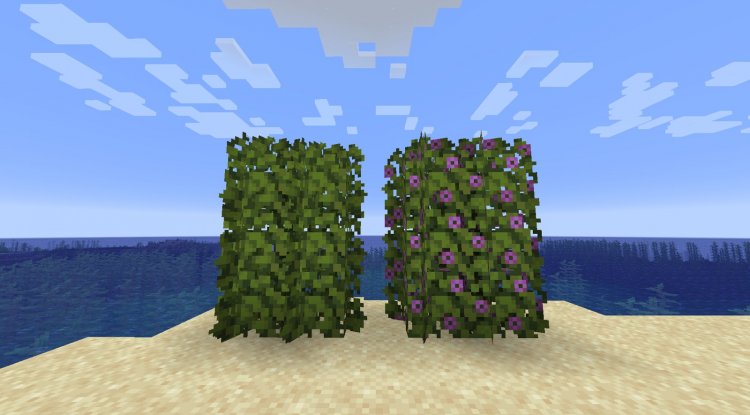
The Leafy Azalea Bushes texture pack is a visual modification created by GotATrashCan that redesigns how azalea bushes appear in your Minecraft world. Instead of their standard blocky appearance, azalea bushes now render with leaf textures that perfectly match the azalea leaves found elsewhere in the game, creating a cohesive and naturalistic look throughout your builds.
If you've ever noticed the visual disconnect between azalea bushes and azalea leaves in vanilla Minecraft, this pack solves that problem with a straightforward but effective texture swap.
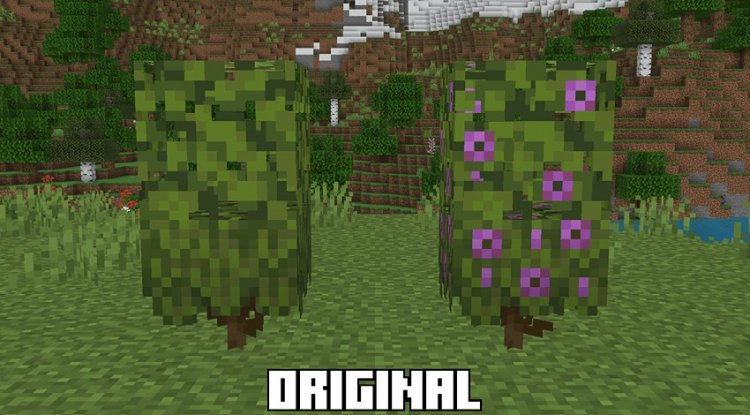
Why This Texture Pack Changes Your Building Game
Minecraft's azalea trees are one of the game's most beautiful plant features, but builders often encounter a frustrating inconsistency: the bush blocks don't visually align with the leaf blocks they're placed next to. This texture pack eliminates that mismatch entirely.
The real magic happens when you start designing custom tall azalea bush structures. Previously, achieving a natural-looking dense azalea formation meant relying on moss blocks to fill gaps and create height variation. Now you can construct tall, lush azalea bush arrangements using only bush blocks, giving you more creative freedom and authentic appearance. Your terraforming projects, custom trees, and landscape designs suddenly feel more cohesive and intentional.
For builders focused on aesthetic detail and consistency, this is the kind of texture pack that doesn't dramatically reinvent Minecraft—it simply makes what already exists look better. It's a quality-of-life improvement that has a surprising impact on overall world polish.
Who Should Install This Pack?
This texture pack is ideal for several types of players. Creative builders and terraformers will appreciate the visual consistency it brings to landscape projects. If you regularly use azalea trees in your builds, you've probably already felt the frustration of the mismatched textures—this pack fixes that immediately.
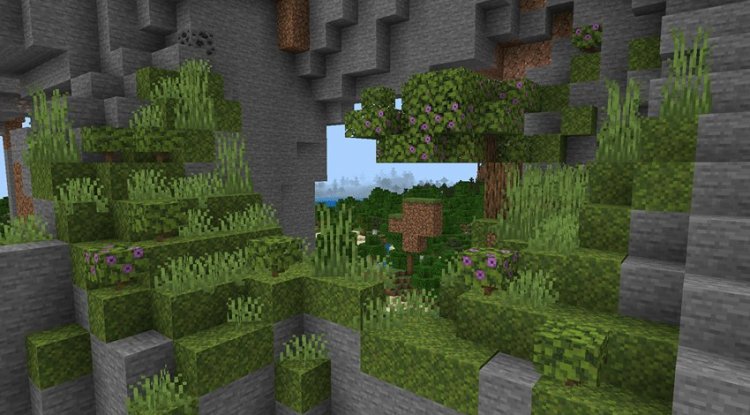
Survival mode players who care about aesthetics will find value here too. Even if you're not actively building, having your natural terrain look cohesive is satisfying when exploring the Lush Caves biome.
Content creators and streamers will notice the improved visual clarity when showcasing azalea-heavy builds. The texture pack includes permissions for video content, so you can feature it in your channel without concerns.
Players seeking subtle, practical improvements over dramatic visual overhauls will especially appreciate this pack's focused approach. It does one thing and does it well.
Key Features and What's Included
- Matched leaf textures on azalea bushes — Azalea bushes now visually coordinate with azalea leaves for seamless blending
- Improved tall bush building — Create custom tall azalea structures without relying on moss blocks for filler
- 16x resolution — Currently available in 16x, matching Minecraft Bedrock's standard texture resolution
- Higher resolution support planned — Future updates will expand resolution options for players using higher-resolution texture packs
- Permissive usage rights — Create videos, stream, and modify the pack for personal use with creator permission
- Creator support available — Direct feedback and support through Discord or comments section
How to Install Leafy Azalea Bushes on Minecraft Bedrock
Installing this texture pack on Minecraft Bedrock Edition (MCPE) is straightforward. First, download the .mcpack file—Bedrock Edition will recognize this format automatically. Once downloaded, open the file directly, and Bedrock Edition will prompt you to import it into your game. Select your world or create a new one, then activate the texture pack in your world settings under "Resource Packs." Move it to the active side, ensure it's positioned above any conflicting packs, and join your world. The azalea bushes will immediately display their new leaf textures.
If you're using multiple texture packs, remember that resolution priority matters—higher-resolution packs should sit above lower ones in your stack to prevent conflicts.
When Future Updates Might Matter
The current version supports 16x resolution, which works perfectly on most devices and aligns with Minecraft's native textures. However, creator GotATrashCan has indicated that higher resolution versions are planned for future updates. If you use 32x, 64x, or ultra-resolution texture packs in your setup, keep an eye out for updated versions of this pack that will match those scales.
The roadmap suggests the pack will evolve based on community feedback and technical improvements, so staying connected through the creator's Discord is worthwhile if you want to be among the first to try new features.
Frequently Asked Questions
Can I use this texture pack in survival mode?
Yes, absolutely. While it's particularly valuable for creative builders, there's nothing preventing you from using it in survival mode. Your naturally-generated azalea trees and Lush Caves will simply look more visually consistent.
Is redistribution of this pack allowed?
No. The pack prohibits redistribution and public modification. You can use it personally, modify it for your own games, and create video content featuring it, but you cannot reupload or redistribute it on other sites. Always direct others to the original source.
Will this pack work with shader mods?
Texture packs and shaders are separate modifications. This pack should function alongside most shader mods, though compatibility depends on how the shader handles custom textures. Test it in a creative world first if you're using both simultaneously.
What if I need help or want to report an issue?
Creator GotATrashCan offers support through two channels: reach out via Discord at lionhead07, or leave a comment in the pack's discussion section. The creator actively engages with the community and appreciates feedback for future improvements.
What's Your Reaction?












![Patrix Resource Pack For 1.19 [32x→256x]](https://minecraftmodded.com/uploads/images/202210/image_750x415_6343b3ab59eff.jpg)


