The Randomrooms Texture Pack: Backrooms & Realism for MCPE
The Randomrooms is a Bedrock texture pack that transforms Minecraft with Backrooms-themed and realistic textures. Build eerie environments in MCPE.
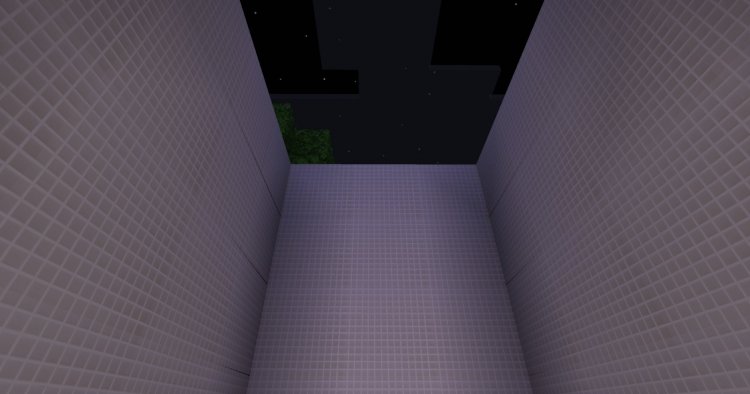
Created by RandomroomsDEV
The Randomrooms is a texture pack for Minecraft Bedrock and MCPE that swaps out vanilla textures for Backrooms-inspired and realistic alternatives. If you've spent time exploring the internet's creepypasta folklore, you know the Backrooms are all about endless hallways, flickering lights, and that unsettling feeling of being lost in a liminal space. This pack lets you recreate that atmosphere in your own world.
Created by RandomroomsDEV, The Randomrooms is still in active development. That means it's not complete yet, but what's here already changes how your Bedrock world looks and feels.
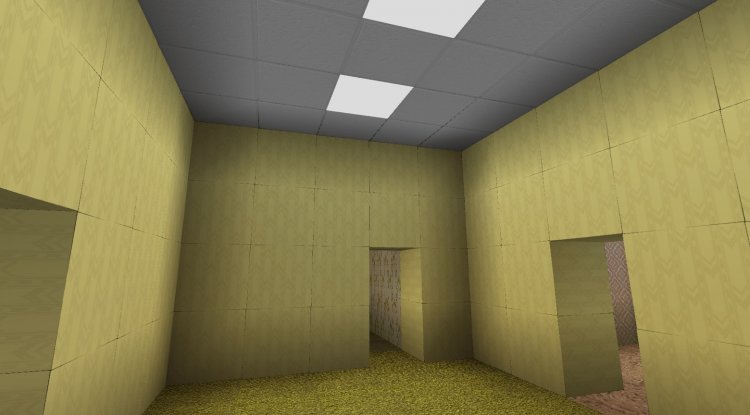
Photos by RandomroomsDEV
What are Backrooms textures in Minecraft?
The Backrooms concept comes from creepypasta fiction. It describes a sprawling, monotonous non-place full of mundane rooms, carpeted floors, buzzing fluorescent lights, and an eerie sense of abandonment. Players who want this vibe in Minecraft typically use resource packs to replace textures with grittier, more atmospheric alternatives.
The Randomrooms leans into that aesthetic. Instead of bright, colorful stone and grass, you get muted colors, worn surfaces, and textures that look decrepit or institutionalized. It's the opposite of the cheerful default look.
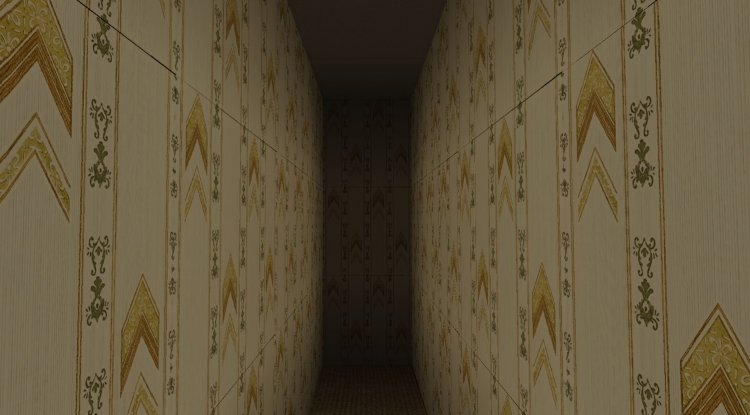
The texture styles in The Randomrooms pack
The pack combines two textural approaches. The Backrooms-themed textures are the main draw, offering that creepy, liminal-space feel. But The Randomrooms also includes realistic texture options that strip away Minecraft's blocky stylization without going full horror mode.
Both styles work on the same blocks, so you can mix them or choose one direction. Blocks like stone, wood, concrete, and wool all get new treatments. The overall effect is darker and more worn than vanilla Minecraft.
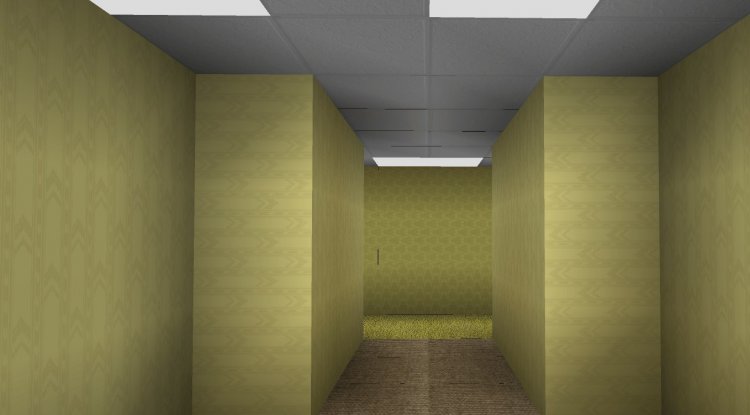
Building Backrooms environments in Bedrock
Once installed, The Randomrooms pack lets you construct spaces that actually feel creepy. Build long corridors with concrete and stone. Use the new textures on wool for that drab institutional carpet look. Fluorescent lights are harder to fake in Minecraft, but the texture changes help create the right mood with minimal effort.
You can use The Randomrooms alongside other Bedrock add-ons and packs, though compatibility depends on what else you're running. Lighting is key to the Backrooms vibe, so consider using a shader pack that adds ambient shadows and better light falloff alongside this texture pack.
Texture features at a glance
- Backrooms-themed textures for a creepy, liminal-space aesthetic
- Realistic texture alternatives for a grittier but less spooky look
- Redesigned stone, wood, concrete, and wool blocks
- Works on Minecraft Bedrock Edition and MCPE
- Currently in beta, with planned future updates
Performance and compatibility on mobile and console
Texture packs are lighter on your device than shader packs, so The Randomrooms should run smoothly on most Bedrock hardware. Performance depends on your device's specs and how many other add-ons you're using. On mid-range phones and tablets, you should see no noticeable FPS drop from textures alone.
Since it's a .mcpack file, installation is straightforward on any Bedrock platform: Windows 10/11, Xbox, Nintendo Switch, or mobile. The pack applies globally to your world, so every loaded chunk uses the new textures immediately.
How to install The Randomrooms texture pack
Installing a texture pack in Bedrock is simple. Download the .mcpack file, then open it on your device. Minecraft will import it automatically and add it to your resource pack list.
In-game, open your world settings, go to Resource Packs, and toggle The Randomrooms to active. You'll see the changes the next time you load in. If you're using multiple packs, order matters: packs higher in the list override those below.
If you're running other resource packs or shaders, test them together first to ensure they don't conflict. Backrooms-themed packs pair well with dark-themed shaders that emphasize shadows and reduce brightness.
The Randomrooms beta status explained
The pack is incomplete and being developed. That's not a deal-breaker if you want to try it now. You get the core Backrooms textures and realistic variants, which are already usable for building. Over time, RandomroomsDEV plans to expand coverage to more blocks and possibly add new textural themes.
If you install it knowing it's in beta, you won't be surprised if textures are missing for some blocks or if updates change things later. Early adopters often enjoy watching a pack evolve.
Frequently asked questions about Backrooms texture packs for Minecraft
How do I get a Backrooms texture pack on Minecraft Bedrock?
Download the .mcpack file and open it on your Bedrock device. Minecraft will import it and add it to your resource pack list. Then activate it in your world settings under Resource Packs.
Can I use The Randomrooms with other texture packs?
Yes, but only one pack can override any given texture. In your resource pack list, whichever pack is higher will take priority. If The Randomrooms doesn't cover a block, another active pack below it will show through.
Will The Randomrooms texture pack slow down my game?
Texture packs alone rarely cause major performance drops. If you're on older hardware or running many add-ons at once, you might see a slight impact, but it's usually minimal compared to shaders or complex behavior packs.
Is The Randomrooms finished or still being updated?
It's still in beta and incomplete. The core Backrooms and realistic textures are playable now, but RandomroomsDEV is planning future updates to expand coverage and refine textures. If you prefer a fully finished pack, this one may not be for you yet.
What's Your Reaction?








![Forrest [32x] Revamp MCPE PvP Texture Pack: A Comprehensive Review](https://minecraftmodded.com/uploads/images/202309/image_650x433_65020ec48de5d.jpg)




![Patrix Resource Pack For 1.19 [32x→256x]](https://minecraftmodded.com/uploads/images/202210/image_750x415_6343b3ab59eff.jpg)


