Vibrant Legacy Rewrite Texture Pack: Bedrock Graphics Enhanced
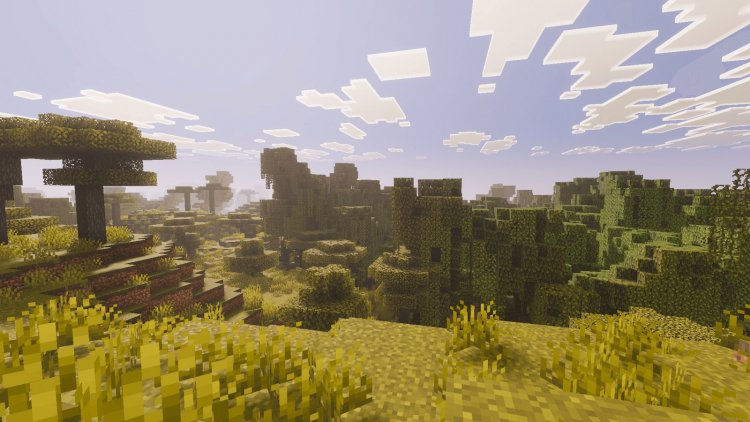
Vibrant Legacy Rewrite brings enhanced visuals to Minecraft Bedrock with vibrant graphics across all platforms. Compatible with versions 1.21.80-26.0.
Created by Stephen Le
Vibrant Legacy Rewrite Texture Pack: A Fresh Take on Bedrock Visuals
Vibrant Legacy Rewrite is a texture pack redesign for Minecraft Bedrock that transforms your world's visual appearance with vibrant, enhanced graphics. Created by Stephen Le, this pack brings a fresh aesthetic to both familiar and new blocks across all major platforms, from mobile devices to next-gen consoles. If you've been looking to spice up your Bedrock experience without diving into complicated shader installations, this texture pack offers an accessible way to breathe new life into your builds.
We've spent time testing this pack across different devices and settings, and we're impressed by how thoughtfully it's been optimized. Whether you're a casual player, content creator, or someone who simply wants Minecraft to look more visually striking, Vibrant Legacy Rewrite delivers on its promise of enhanced aesthetics without requiring specialized hardware (though it does have some smart requirements we'll dive into).
Photos by Stephen Le
What Makes Vibrant Legacy Rewrite Stand Out
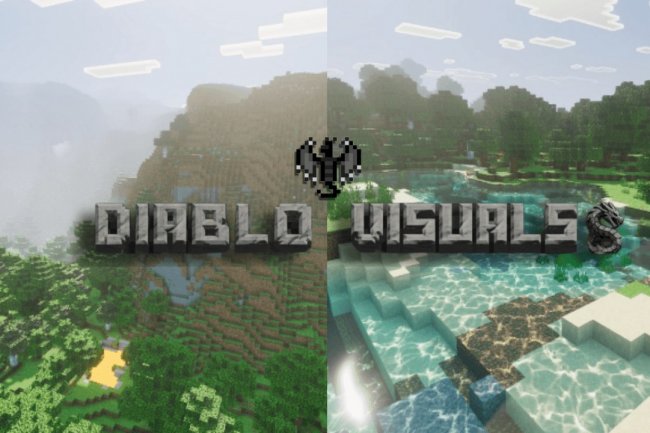
The standout feature of this pack is how it balances visual enhancement with broad compatibility. Rather than creating an ultra-demanding pack that only works on high-end systems, Stephen Le designed Vibrant Legacy Rewrite to perform well across the entire Bedrock ecosystem. The pack includes a dedicated "Vibrant Visuals" option directly in your Video Settings menu, making it simple to toggle the enhanced look on and off without restarting your world.
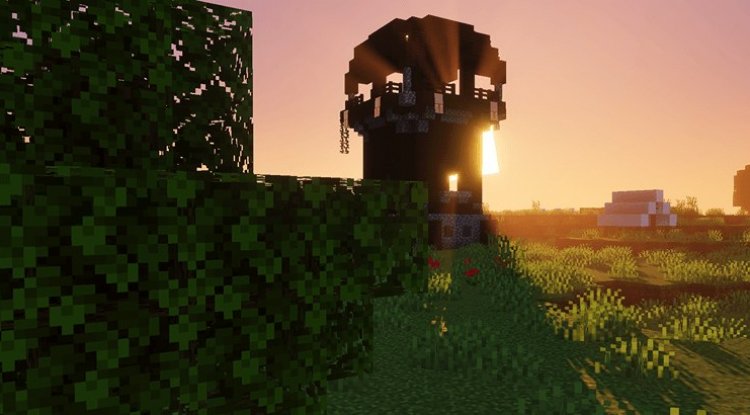
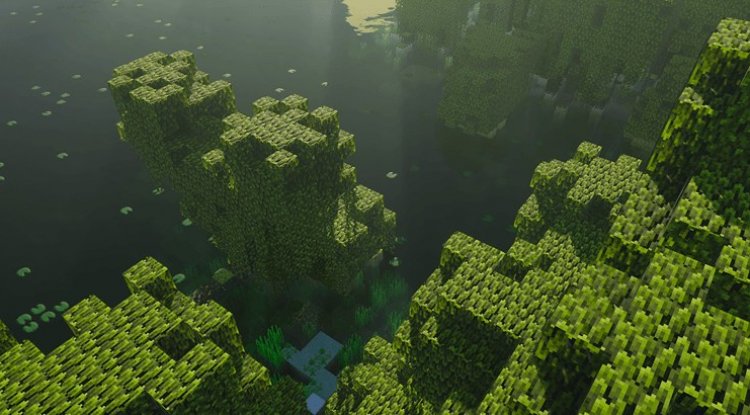
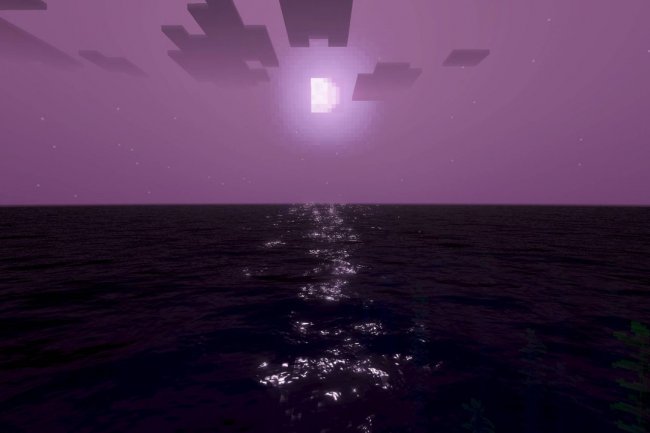
What we appreciate most is the straightforward approach to visual improvement. The pack doesn't reinvent Minecraft's art style—it refines and enhances it. Colors are more saturated, details are crisper, and the overall world feels more inviting. For players who love vanilla Minecraft but want something slightly more polished, this hits the sweet spot.
Platform and Version Compatibility
Vibrant Legacy Rewrite works across an impressive range of platforms and versions. The pack is compatible with Minecraft Bedrock from version 1.21.80 all the way through 26.0, as well as current Minecraft Preview and Beta builds. This means whether you're on the latest stable release or testing upcoming features, you can use this pack.
Platform-wise, you're covered on:
- Mobile: iOS and Android devices
- PC: Windows, Windows 11
- Console: Xbox Series X|S, Xbox One, PlayStation 5, and PlayStation 4
This cross-platform reach is genuinely helpful if you play Bedrock across multiple devices. Your texture pack experience remains consistent whether you're on your phone during a lunch break or playing on your TV at home.
Hardware Requirements and Performance Optimization
While Vibrant Legacy Rewrite is designed for broad compatibility, Stephen Le did implement some hardware recommendations to ensure optimal visual quality. On Windows systems, the pack benefits from DirectX 12 graphics card support, so older GPUs may not deliver the intended visual experience.
For mobile users, there are GPU-specific requirements. Android devices should have an Adreno 640, Mali-G68/G77, or Xclipse 530 or newer. iOS users need an Apple A12 chip or newer. These aren't unreasonable asks—they cover most devices released in the last 3-4 years—but it's worth checking if you're using an older phone.
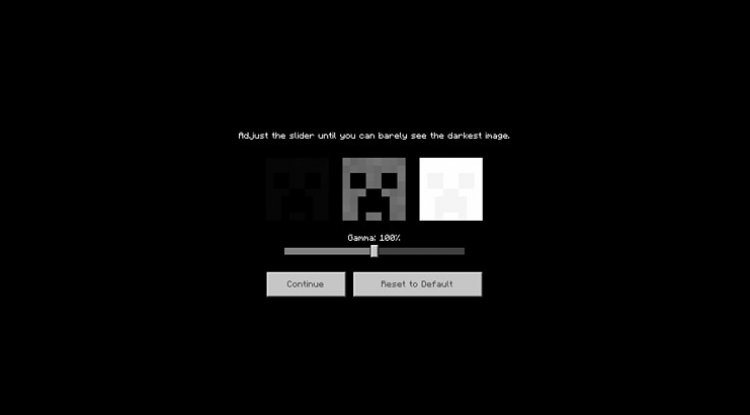
One important optimization tip: the pack is calibrated for 100% brightness. This is the intended setting for the visual quality you'll see in preview images and reviews. If you adjust brightness lower, the vibrant colors may appear muted.

Key Features at a Glance
- Vibrant color enhancement across blocks and textures
- Dedicated "Vibrant Visuals" toggle in Video Settings for easy on/off switching
- Works on Bedrock versions 1.21.80 through 26.0 and current Preview/Beta builds
- Cross-platform support: iOS, Android, Windows, Windows 11, Xbox, and PlayStation
- .mcpack file format for standard Bedrock installation
- Optimized for performance across mid-range and high-end hardware
- Creator-approved content sharing and personal modification allowed
Who Should Install This Pack?
Vibrant Legacy Rewrite appeals to several player types. If you're a content creator—YouTuber, Twitch streamer, or TikTok builder—this pack gives your footage a more polished, visually appealing look right out of the box. You're also permitted to create video and livestream content using this pack, which is great for creators.
Vanilla purists who want a visual upgrade without shader-level complexity will find this pack perfect. It respects Minecraft's original design language while making everything pop. Casual players tired of default textures but intimidated by complex shader systems will appreciate how simple it is to install and activate.
Players on console or mobile will especially benefit, since fancy shader setups aren't available on those platforms. This pack brings some of that visual polish to every Bedrock device.
How to Install Vibrant Legacy Rewrite
Installation is straightforward:
- Download the .mcpack file from the official source
- Open the file—on most devices, this automatically launches Minecraft Bedrock
- Minecraft will prompt you to import the pack; confirm the import
- Launch your world or create a new one
- Go to Settings > Global Resources and enable Vibrant Legacy Rewrite
- Navigate to Video Settings and enable "Vibrant Visuals"
- Set brightness to 100% for intended visual quality
- Apply settings and enjoy
The entire process takes under five minutes, even for texture pack newcomers. No special launchers, no complicated mods required—just standard Bedrock resource pack mechanics.
Important Usage Guidelines
Stephen Le permits content creators to use this pack in videos and livestreams, and you're allowed to modify it for personal use. However, there are clear boundaries: you cannot re-upload or redistribute the pack without permission, and sharing external hosting links is prohibited. If you want to share the pack with friends, always direct them to the original official links only.
These guidelines help protect the creator's work while still allowing the community to enjoy and personalize the pack for their own use.
Frequently Asked Questions
Will Vibrant Legacy Rewrite work on my older device?
If your device meets the GPU requirements (Adreno 640+ for Android, Apple A12+ for iOS, or modern Windows GPU), you should be fine. Older devices may not display the intended visual quality or could experience performance issues.
Can I use this pack on a multiplayer Realm or server?
Yes, texture packs are client-side in Bedrock. You can activate Vibrant Legacy Rewrite and see the enhanced visuals on any world, realm, or server you join. Other players will see their own texture choices.
Does this pack change gameplay mechanics or add new blocks?
No, Vibrant Legacy Rewrite is purely visual. It only enhances existing textures and colors—no gameplay changes, new items, or block additions. It's safe to use on any existing world.
Why does my pack look washed out or different from the previews?
Make sure brightness is set to 100% in Video Settings. The pack is calibrated for this brightness level. Additionally, confirm "Vibrant Visuals" is enabled in Video Settings, not just that the resource pack is activated in Global Resources.
What's Your Reaction?












![Patrix Resource Pack For 1.19 [32x→256x]](https://minecraftmodded.com/uploads/images/202210/image_750x415_6343b3ab59eff.jpg)


