Diablo Visuals Texture Pack: Enhanced Lighting & Water Effects
Diablo Visuals is a texture pack that transforms Minecraft with realistic lighting, water effects, and environmental enhancements. Created by Wind's Scion.
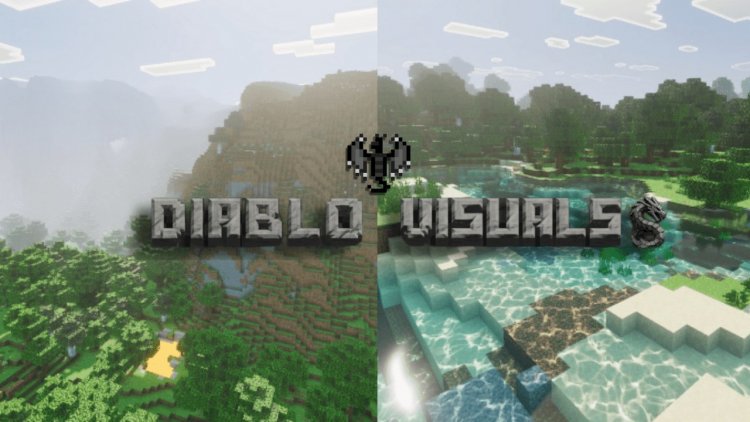
Created by Wind's Scion
Diablo Visuals Texture Pack: A Hands-On Review of Minecraft's Most Atmospheric Enhancement
Diablo Visuals is a texture pack designed to dramatically overhaul Minecraft's default visual appearance by introducing realistic lighting effects, enhanced water mechanics, and environmental details that bring new life to both day and night exploration. Created by Wind's Scion, this pack transforms how light behaves in your world while maintaining a crucial balance between stunning visuals and playable performance on Bedrock Edition devices.
If you've ever felt that vanilla Minecraft's lighting could use more depth, or if you've wished for water that actually looks like it has volume and reflectivity, Diablo Visuals addresses these desires directly. This isn't a radical art style overhaul—it's a focused enhancement pack that respects Minecraft's aesthetic while pushing its visual boundaries.
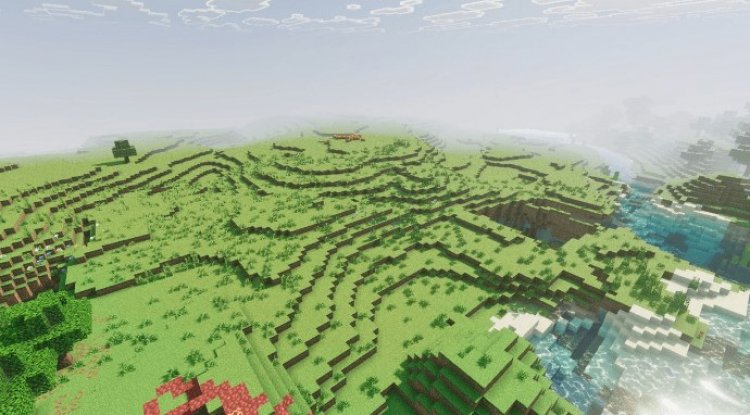
Photos by Wind's Scion
What Makes Diablo Visuals Stand Out From Other Texture Packs
The texture pack market is crowded. You've got cartoony packs, hyper-realistic packs, and everything in between. Diablo Visuals carves its own niche by focusing on lighting and environmental effects rather than complete visual redesigns. The creator understood that sometimes the most impactful changes come from how light interacts with the world, not from replacing every block texture.
What separates this pack from casual texture overhauls is its technical sophistication. By leveraging Minecraft Bedrock's Vibrant Visuals feature, Diablo Visuals applies advanced shader-like effects that would typically require full shader modifications on Java Edition. On Bedrock, this means MCPE and console players finally get access to a level of visual customization that was previously out of reach.
Key Features: Realistic Lighting, Water, and Atmospheric Effects
The real magic of Diablo Visuals happens in its specific feature set. Here's what you'll notice when you activate this pack:
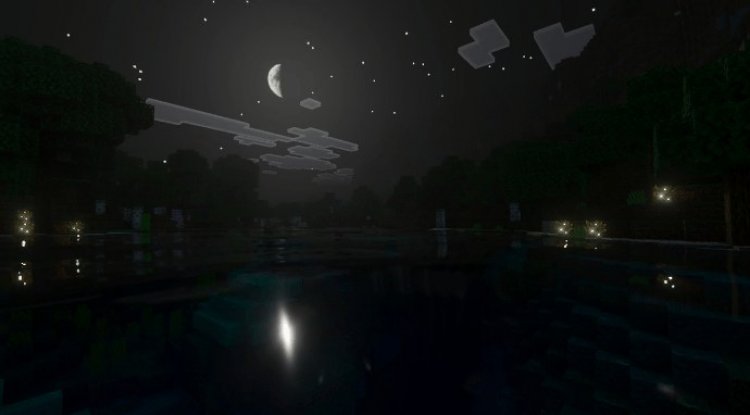
- Realistic night sky rendering with volumetric fog effects — Nighttime no longer looks like a flat darkness. The sky gains depth and atmosphere, with volumetric fog creating layers of visual interest.
- Moon light reflections on water surfaces — Water finally reflects the moonlight, creating a natural shimmer that makes nighttime swimming actually beautiful.
- Glowing plants and emissive flora in forests — Plants emit soft light in heavily forested areas, making dense jungles and forests feel alive rather than just dark green blocks.
- Enhanced water transparency with visible depth gradients — Water clarity now changes based on depth, so shallow areas look different from deep trenches—a visual detail that adds tremendous immersion.
- Animated caustic light patterns on underwater surfaces — Sunlight refracts through water with animated caustic patterns, creating that classic underwater light-dancing effect.
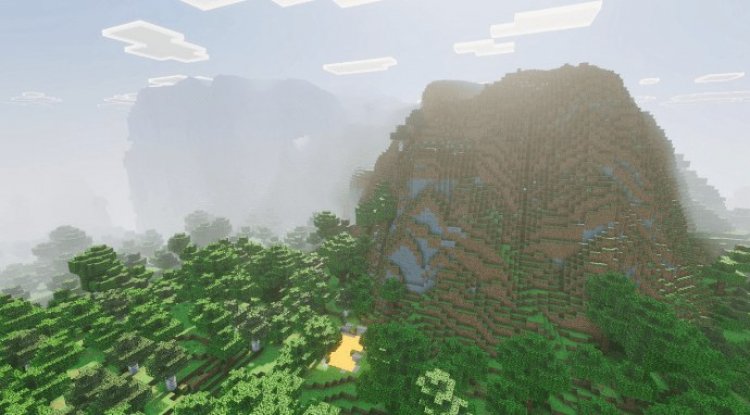
- Volumetric sunbeam effects through tree canopies — When sunlight filters through trees, you see distinct light rays rather than uniform illumination. This single feature alone transforms forest exploration.
- Soft bloom lighting on terrain and vegetation — Certain blocks and plants emit a soft glow with bloom effect, adding warmth and visual cohesion to the landscape.
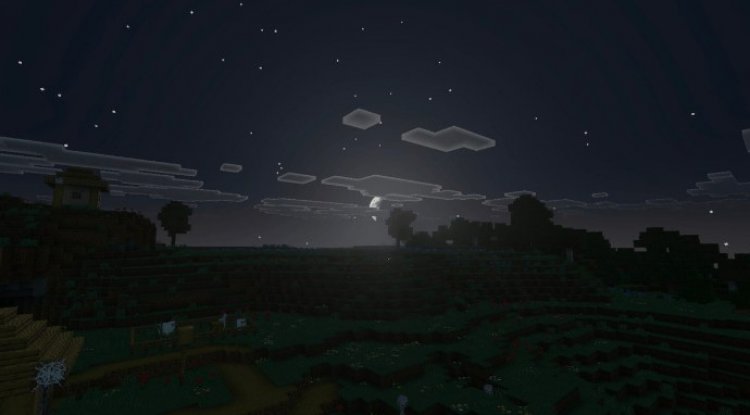
- Day and night cycle visual enhancements — Both sunrise/sunset and full day/night transitions are visually richer, with better color grading throughout the cycle.
Performance vs. Visuals: Does Diablo Visuals Actually Run Smoothly?
Here's where many texture packs fail—they look incredible in screenshots but turn your device into a furnace. Diablo Visuals was built with performance in mind. The creator balanced visual quality against frame rate concerns, meaning you're not making a binary choice between beauty and playability.
That said, the Vibrant Visuals features do add processing overhead. On modern Bedrock devices (newer phones, current-gen consoles, PCs), you'll see minimal impact. On older devices, you might notice slightly reduced frame rates, but the pack is optimized enough that most players report stable gameplay. If you're on an older iPad or budget Android device, you should test it first, but the pack generally scales well.
The smart design here is that individual effects are subtle enough that their combined impact feels natural rather than overwhelming. You're not getting jarring visual changes every frame—instead, you're experiencing refined lighting that becomes more noticeable the longer you explore.
How Diablo Visuals Changes Your Gameplay Experience
Beyond raw visuals, this texture pack actually affects how you experience Minecraft. Nighttime exploration becomes genuinely atmospheric rather than a dark slog. Building near water becomes more rewarding because the water actually looks beautiful. Forests gain character through environmental lighting. Mining at night feels spookier. Swimming feels more immersive.
The enhanced lighting also has practical gameplay implications. Certain light sources become more visually prominent, making navigation easier. The depth gradients in water make it simpler to gauge how deep a body of water is before diving in. These aren't game-breaking changes, but they improve the overall experience in subtle, meaningful ways.
Who Should Download Diablo Visuals?
This pack is perfect for players who:
- Love survival mode exploration and want more visual rewards from discovery
- Build architectural projects and appreciate how lighting affects their creations
- Play on Bedrock Edition and have wanted shader-quality effects without needing Java Edition
- Want better aesthetics without sacrificing Minecraft's core visual identity
- Are tired of vanilla lighting and want more realistic day/night cycles
- Enjoy underwater bases and want water to look less flat and generic
It's less suitable for players on extremely old devices, those who exclusively play in creative mode, or players who strongly prefer vanilla Minecraft's look and want nothing to change.
How to Install Diablo Visuals on Your Device
Installing Diablo Visuals is straightforward if you've installed texture packs before, but here's the complete process:
- Download the Diablo Visuals .mcpack file to your device
- Open the file—Minecraft will automatically recognize it and import it into your resource packs
- Launch Minecraft and open an existing world or create a new one
- Once in-game, pause and navigate to Settings
- Go to Video Settings
- Locate the Graphics option and change it to Vibrant Visuals (instead of Standard)
- Return to the main pause menu and select Resource Packs
- Find Diablo Visuals in your available packs and activate it by moving it to the active packs list
- Apply changes and restart your world
The most important step is changing your graphics settings to Vibrant Visuals—without this, the pack won't display its special effects. Your device must support the Vibrant Visuals feature, which is available on most modern Bedrock devices.
Frequently Asked Questions About Diablo Visuals
Will Diablo Visuals work on my device?
As long as your device supports Minecraft Bedrock's Vibrant Visuals feature (most devices from the last 5-7 years do), Diablo Visuals will work. If you're on an extremely old phone, tablet, or console, you might want to verify Vibrant Visuals support first, but the pack itself is optimized for broad compatibility.
Can I use Diablo Visuals with other texture packs?
You can technically activate multiple packs simultaneously in Minecraft, but Diablo Visuals is best experienced alone. If you layer it with other packs, conflicts may occur, and you'll lose the carefully-balanced visual design. For the best experience, use it as your sole active texture pack.
Does Diablo Visuals change gameplay mechanics or block behavior?
No. This is purely a visual enhancement. All blocks function identically to vanilla Minecraft. Mining speed, crafting, mob behavior, and everything else remains unchanged. It's cosmetic only.
Who created Diablo Visuals?
Diablo Visuals was created by Wind's Scion, a talented texture pack designer focused on atmospheric visual enhancements for Bedrock Edition.
What's Your Reaction?












![Patrix Resource Pack For 1.19 [32x→256x]](https://minecraftmodded.com/uploads/images/202210/image_750x415_6343b3ab59eff.jpg)


