Fence Jumper Addon for Minecraft PE - Jump Over Fences
Fence Jumper mod lets you jump over fences, walls, and gates in Minecraft Bedrock. Clean addon with no experimental toggles needed.

Created by Studio 38
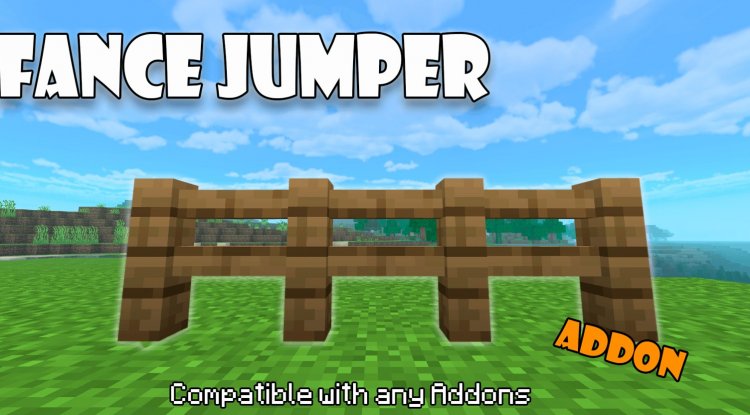
Fence Jumper is a Minecraft Bedrock addon created by Studio 38 that fundamentally changes how players interact with fences, walls, and gates by allowing you to jump directly over them instead of being stopped in your tracks. If you've ever found yourself frustrated by the collision mechanics of these structures, this add-on delivers a simple but satisfying solution that feels surprisingly natural once installed.
Why Fence Jumper Deserves a Spot in Your Addon Collection
When you think about quality-of-life improvements for Minecraft, removing unnecessary friction from movement ranks high on the list. Fences exist for practical reasons—they keep mobs contained, define property boundaries, and look great aesthetically. But they also create an invisible wall that stops players cold, forcing you to navigate around structures or break them down. Fence Jumper elegantly solves this by letting you leap over them like you would in real life, or at least like a Minecraft character reasonably should be able to.
This addon is particularly valuable for players who value exploration and flow over strict survival realism. Whether you're managing a complex farm, exploring custom maps, or building intricate structures, the ability to jump over fences in Minecraft removes a layer of tedium that most players don't realize they've been tolerating until they try it. The difference between constant detours and smooth navigation is more significant than you'd expect.

How to Jump Over Fences in Minecraft with This Addon
The beauty of Fence Jumper is that it requires virtually no learning curve. Once installed, jumping over fences works exactly as you'd hope: approach a fence, activate your jump input, and you'll clear it with a smooth, natural-looking animation. The addon respects Minecraft's standard jump mechanics, meaning you'll still need proper positioning and timing—it's not a free pass through every barrier you encounter.
What makes this particularly elegant is that the addon extends beyond standard fences. Can you jump over fences in Minecraft? Yes, and the addon goes further by also enabling jumps over walls and gates, creating a consistent system for vault-able barriers. This consistency matters more than you'd think when you're in the flow of gameplay.

Does It Work With Animals? Fence Jumper and Mob Behavior
A natural question emerges: if the player can jump over fences, what about the animals behind them? Studio 38's Fence Jumper doesn't fundamentally alter mob pathfinding or capabilities. Can animals jump over fences in Minecraft using this addon? The answer is no—mobs remain unable to jump over barriers, which is actually ideal for gameplay balance. Your livestock, pets, and contained mobs stay put while you gain the freedom to navigate terrain more fluidly.
This distinction is important. Can goats jump over fences in Minecraft with or without this addon? Goats have special jumping abilities in vanilla Minecraft, but Fence Jumper doesn't extend those properties to other animals. The addon targets player movement specifically, preserving the balance between different entities in your world.
Technical Design: What Makes This Addon Stand Out
From a technical standpoint, Studio 38 has built Fence Jumper with clean architecture. The addon does not modify the player.json file, which means it avoids potential conflicts with other behavior packs and keeps your installation clean and compatible. This is a smart design choice that should make Fence Jumper one of the best MCPE addons 2026 has to offer, at least in terms of reliability and compatibility.
Installation requires no experimental toggles, which streamlines the setup process and makes the addon accessible to players of all technical skill levels. You won't need to hunt through experimental features or worry about beta functionality breaking your world. It simply works once you've applied the pack.
Key Features and Highlights
- Jump over fences, walls, and gates with natural animation
- No experimental feature toggles required
- Compatible with achievements—you can earn them while using this addon
- Clean technical implementation that doesn't modify core player files
- Seamless integration with existing gameplay mechanics
- Works across all standard fence variations
Fence Jumper Among the Best Minecraft Addons for 2026
When evaluating what are the best Minecraft addons currently available, Fence Jumper represents a specific category: the focused, well-executed quality-of-life enhancement. It doesn't overhaul entire systems, add new dimensions, or introduce exotic mobs. Instead, it identifies a single friction point in vanilla gameplay and solves it elegantly.
This approach has become increasingly valued in the addon community. Players are learning that they don't always want massive overhauls; sometimes they want a perfectly-crafted solution to an annoyance they didn't know how to articulate. Fence Jumper fills that need admirably. Whether you're building a survival world where movement freedom matters or managing a creative project where unobstructed navigation makes design work faster, this addon justifies its place in your collection.
The fact that it plays nicely with achievements also matters. Some gameplay-altering addons feel like they break the intended experience or trivialize progression. Fence Jumper doesn't; it simply removes one specific frustration while keeping the core Minecraft experience intact.
How to Install Fence Jumper on Your Bedrock World
Installing Fence Jumper follows the standard Bedrock addon process. The addon comes packaged as a .mcpack file, which is the standard format for Minecraft Bedrock behavior and resource packs. Simply download the file, and your device will typically prompt you to open it with Minecraft automatically. Accept the import, and the addon will integrate into your available packs list.
From there, create a new world or edit an existing one, navigate to the "Behavior Packs" section under "Add-ons," and enable Fence Jumper. Make sure it's positioned correctly in your pack order—it should load without conflicts, but if you're using multiple addons, check that there are no overlapping modifications. Once enabled, load your world, and you're ready to start jumping.
The installation process takes roughly two minutes from download to active gameplay. There's no configuration or tweaking required; it works out of the box.
Frequently Asked Questions About Fence Jumper
Will Fence Jumper break my existing world or cause lag?
No. The addon uses clean, lightweight code that doesn't tax performance or corrupt save files. Studio 38 designed it to be maximally compatible and non-intrusive, so you can safely add it to active worlds without concern.
Can I use Fence Jumper with other addons?
Yes, in most cases. Because it doesn't modify the player.json file and uses a focused approach, Fence Jumper typically coexists peacefully with other behavior packs. However, if you're using multiple addons that heavily modify movement or jump mechanics, test compatibility before committing to a long play session.
Does the jump animation look natural, or will it feel jarring?
Studio 38 included natural-looking jump animations, so the movement feels organic and consistent with vanilla Minecraft. You won't feel like you're exploiting a clunky mechanic; it'll feel like an intended feature.
Are there settings I can tweak to adjust jump height or difficulty?
Fence Jumper works with vanilla jump mechanics, so it respects your normal jumping ability. There are no additional difficulty settings or configuration options; the addon integrates seamlessly into existing movement rules.
What's Your Reaction?














![Patrix Resource Pack For 1.19 [32x→256x]](https://minecraftmodded.com/uploads/images/202210/image_750x415_6343b3ab59eff.jpg)


