Glowing Ores Minecraft Bedrock: Find Ore Fast
Glowing ores minecraft bedrock pack makes ores emit light underground. Find diamonds, gold, and redstone faster with colored glow effects in MCPE.
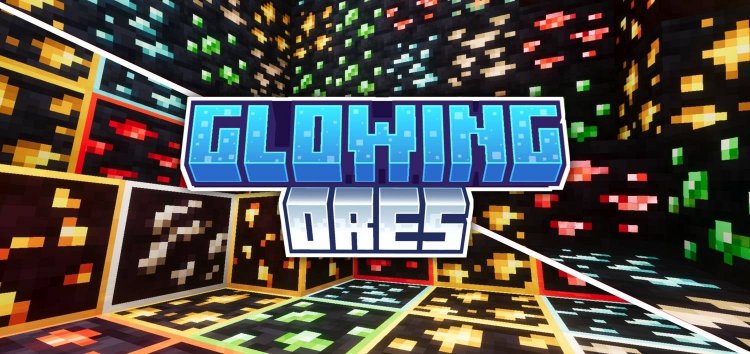
Created by ItzzMikey
Glowy Ores is a resource pack for Minecraft Bedrock that makes ore blocks emit light so you can spot them in dark underground areas. Created by ItzzMikey, it helps you find ores while mining instead of just hoping to stumble across them.
If you've ever mined in near-total darkness and squinted at your screen hoping to catch a glint of diamond, this pack solves that problem. Instead of relying on torches or full brightness, ores light up on their own with distinct colors that match their type.
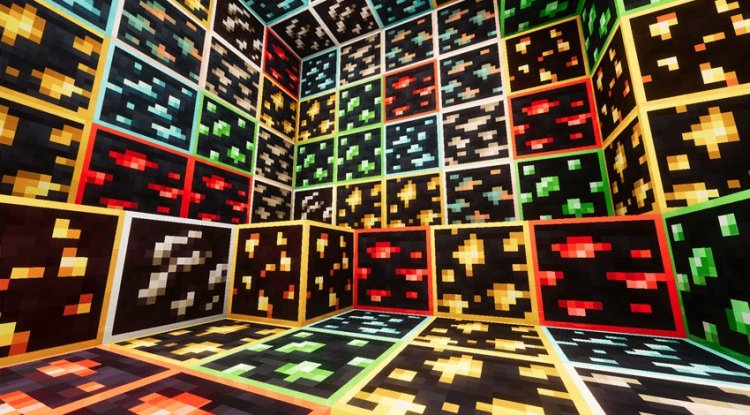
Photos by ItzzMikey
How glowing ores minecraft bedrock actually works
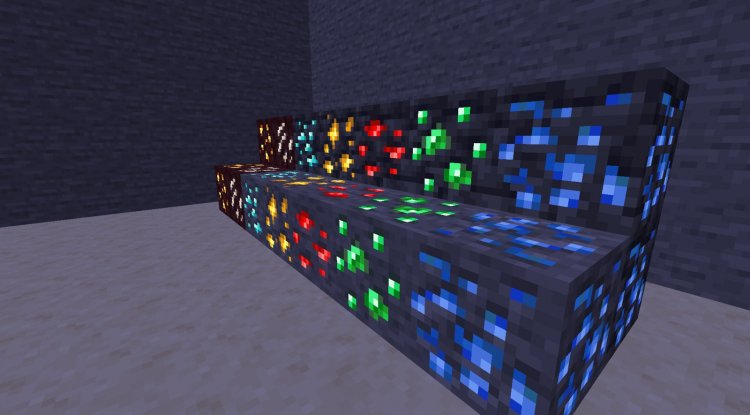
The pack assigns each ore a glowing effect that makes it visible even in low light. This isn't a shader. It's a straightforward texture pack that modifies how ore blocks render. When you're mining deep underground or exploring caves, ores stop blending into the dark stone around them.
Gold ore gets one color. Diamond gets another. Redstone, emerald, and iron each have their own glow so you can tell them apart at a glance. The light they emit brightens nearby blocks too, creating a small halo effect that makes them easier to spot.
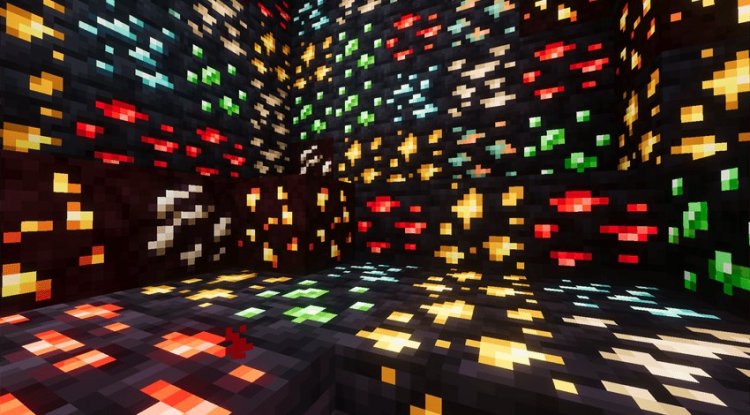
What ores glow in this Minecraft texture pack
The pack covers the main ores you'll hunt for while mining:
- Diamond ore—glows with a cyan or blue tint
- Gold ore—emits a warm yellow glow
- Redstone ore—produces a red or orange light
- Emerald ore—displays a green glow
- Iron ore—glows with a light gray or white tint
Each color is distinct enough that you won't confuse them, even if multiple ore types are visible at once. This makes strip mining or cave exploration faster because you can prioritize which ores to collect based on what you need in your base or crafting queue.
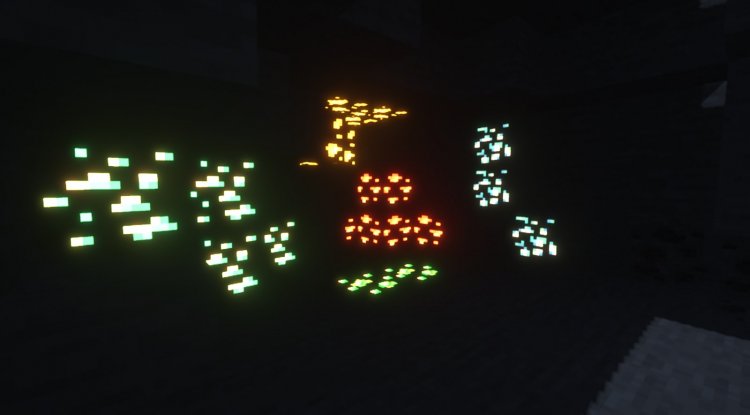
Two style options for different preferences
The pack includes two variants. One adds colored outlines around the ores, making them stand out more. The other removes the outlines and relies purely on the core glow effect for a cleaner look.
Pick whichever fits your playstyle. If you want maximum visibility and don't mind the extra visual emphasis, go with outlines. If you prefer ore detection to feel more natural, the outline-free version blends better with vanilla Minecraft's appearance.
Performance on Minecraft MCPE and Bedrock devices
Resource packs like this one are lightweight compared to shaders or full graphical overhauls. Since the pack only modifies textures and light properties, it won't hurt your frame rate on mobile devices, tablets, or lower-end PCs.
Minecraft Bedrock already handles texture packs efficiently, and Glowy Ores follows that pattern. You'll notice the visibility improvement far more than any performance drop. On phones, tablets, or older hardware, the pack runs smoothly without requiring additional rendering features.
When to use glowing ores minecraft in your world
This pack works well for survival mode where ore spotting matters. During the early game, it helps you find iron and gold without wasting time. In the late game, searching for rare diamonds takes less effort.
It's also useful for players on MCPE (mobile) who struggle with small screens and lighting. Cave exploring gets faster and causes less eye strain. If you run a community server or realm with friends, the pack makes things fair so nobody has a visibility advantage based on their monitor brightness.
Creative mode doesn't really need it, but for hard-core survival or challenge runs, knowing exactly where ore is located can change how your session goes.
How to install this glowing ores resource pack
Installing a texture pack on Bedrock is straightforward. Download the .mcpack file, then open it. Bedrock will ask which world to apply it to. Select your world and confirm. The pack activates immediately.
If you're on mobile or tablet, the file might open directly in Minecraft. On console or Windows, you may need to place the file in your resource packs folder manually, but the game will detect it and make it available in world settings.
You can toggle the pack on or off any time without losing world data. Stack it with other texture packs too. Glowy Ores is designed to work with most other resource packs, though shaders and packs that heavily modify ore appearance might conflict.
FAQ about glowing ores minecraft bedrock
Does glowing ores minecraft work with shaders?
This is a texture pack, not a shader, so it works independently of shader systems. If you use both a shader and Glowy Ores, they should work together without major issues, though the exact look depends on your shader's settings.
Will glowing ores texture pack make the game look weird?
The glowing effect is noticeable but not jarring. Ores look like themselves. They're just lit up. The pack's two style options let you adjust how obvious the effect is, so you can match your preference for subtlety or clarity.
Can I use glowing ores on multiplayer servers?
Yes. Texture packs are client-side, meaning they only affect your view. Other players won't see the glowing ores unless they install the pack too. Servers allow resource packs, so there's no risk of getting flagged or banned for using one.
Does this pack work on all Minecraft Bedrock platforms?
Glowy Ores is designed for Minecraft Bedrock, which includes Windows 10/11, Nintendo Switch, PlayStation, Xbox, and mobile devices running MCPE. As long as your version is current Bedrock edition, the pack will install and work.
What's Your Reaction?












![Patrix Resource Pack For 1.19 [32x→256x]](https://minecraftmodded.com/uploads/images/202210/image_750x415_6343b3ab59eff.jpg)


