Best MCPE Shaders 2026: Mike Visuals Review
Mike Visuals is a top shader pack for Minecraft PE and Bedrock that adds cinematic lighting, colored light sources, and lush vegetation. Works on all devices without ray-tracing.
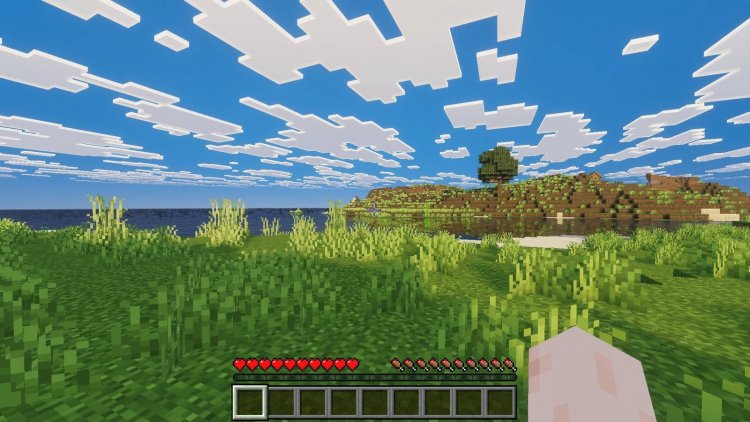
Created by ItzzMikey
Mike Visuals is a shader pack for Minecraft Bedrock that overhauls the game's lighting and color grading without requiring ray-tracing hardware. Created by ItzzMikey, it delivers cinematic visuals through saturated skies, color-coded light sources, and animated vegetation that work across all Bedrock devices.
If you've been searching for best shaders minecraft 2026 options and hit a wall with ray-tracing limitations on your device, this pack offers a middle ground. It looks noticeably better than vanilla without the performance drain of full path-tracing, and it runs on phones, tablets, and consoles alongside PC.
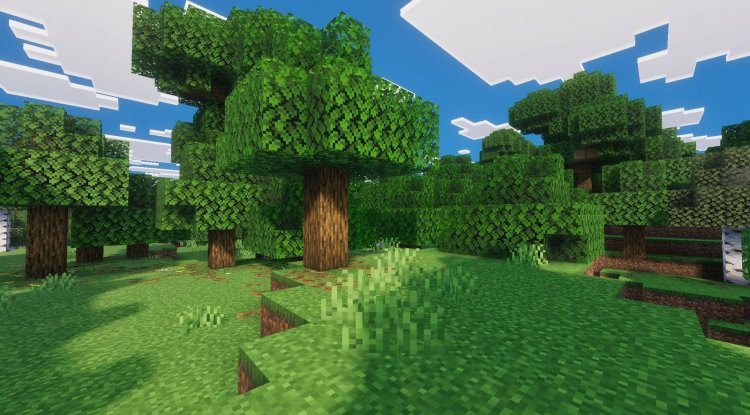
Photos by ItzzMikey
What makes Mike Visuals different from other shader packs
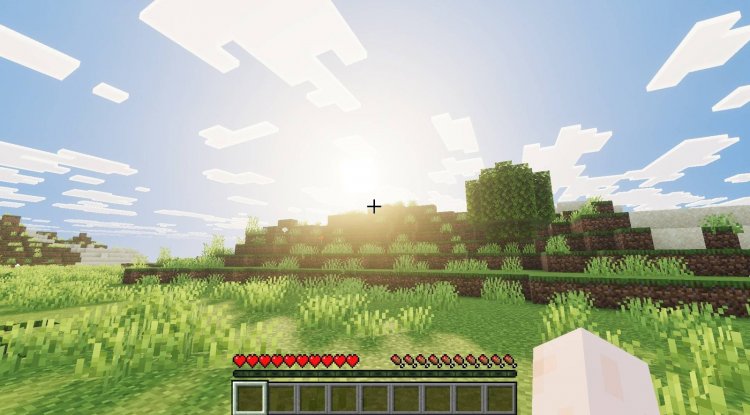
Most shader packs lean hard into either fantasy vibes or hyper-realism. Mike Visuals takes a different approach by prioritizing color and mood over complexity. The sky gets a deep, saturated blue that makes sunrise and sunset feel more cinematic. Clouds render with more detail, catching light in ways that feel less flat than stock Minecraft.
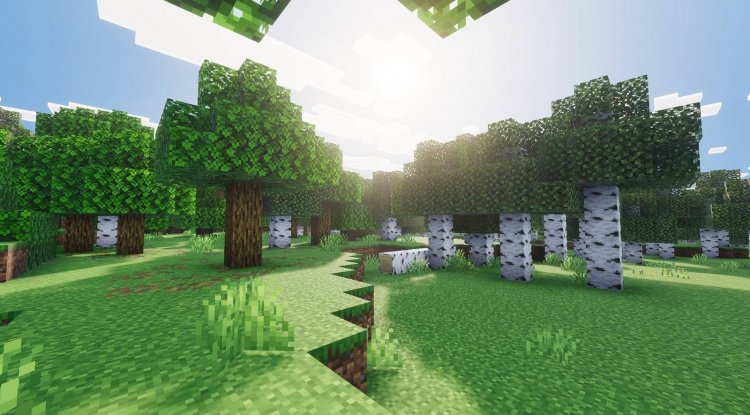
The vegetation overhaul is where the pack really shows its character. Grass, leaves, and crops get deeper green tones. Leaf and plank textures animate subtly, giving the world a sense of life without animation mods. This matters more than it sounds. A moving leaf in the wind reads as "living world" much faster than static geometry ever will.
The light system is the pack's real centerpiece. Every light source in the game emits color-specific glows. Redstone torches burn red. Soul torches glow cyan. Lanterns emit warm orange. Underground mining suddenly feels different when ore blocks produce their own light and the torches around you cast colored shadows. It's not realistic in the photogrammetry sense, but it's more visually interesting than vanilla.
Light sources and colored glow effects
Minecraft's default lighting is functional but boring. Torches light up the dark. That's it. Mike Visuals gives each light type a personality.
- Redstone torches emit red light, making them feel like actual heat sources rather than just placeholder blocks
- Soul torches cast cyan glows, useful for visual navigation in Nether builds
- Lanterns produce warm orange light that complements wood and stone builds
- Ore blocks glow with their own light underground, cutting down on mining fatigue
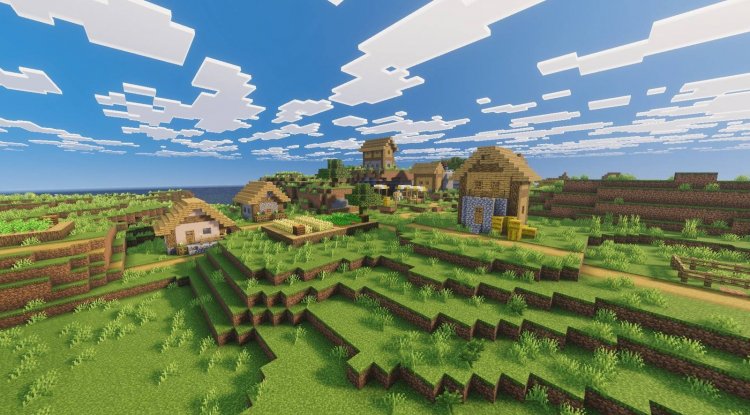
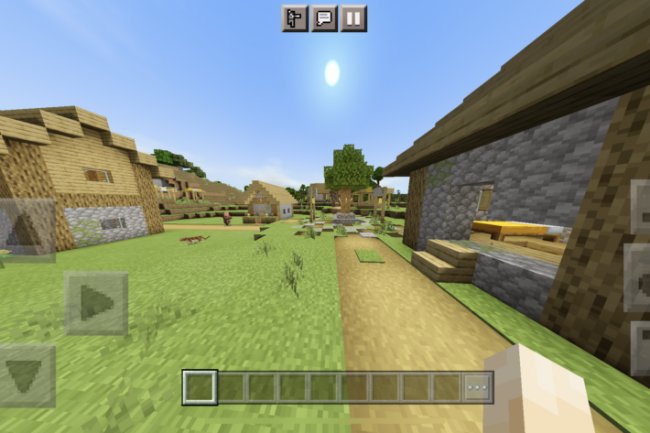
The color grading adapts to location too. Villages and farming areas get warm color treatment that makes them feel cozy and lived-in. This is a small detail, but small details are what separate a shader pack you notice from one you stop seeing after a week.
Performance and device compatibility for Bedrock shaders
The question "can you get shaders on Minecraft PE" used to have a limited answer. Ray-tracing shaders require high-end GPUs. Most phones, older tablets, and last-gen consoles can't handle them. Mike Visuals sidesteps this problem entirely.
The pack doesn't use ray-tracing. It's built on traditional rasterization with smart lighting tweaks and color grading. On a mid-range phone, you'll see a noticeable visual boost without significant frame drops. On a PC or newer console, it runs smooth enough that you can forget it's there.
Compatibility is universal across Bedrock platforms. Windows 10/11, Xbox, PlayStation, Nintendo Switch, iOS, Android. If your device runs Minecraft Bedrock, Mike Visuals works. This matters because most of the best shaders minecraft pe recommendations you'll find on Reddit specify device tiers or require workarounds. This one just works.
Sky, clouds, and atmospheric effects
The sky in vanilla Minecraft is a static gradient. Nice enough, but it doesn't change how you feel about the world. Mike Visuals deepens the blue and adds cloud detail that catches light realistically. Sunrises and sunsets get warmer color shifts. The effect is subtle in screenshots but noticeable when you're actually playing. You start looking up more.
Clouds aren't just visual either. The enhanced rendering makes them feel like solid structures you could theoretically reach, even though you can't. This tricks your brain into accepting the sky as a real part of the space rather than a painted background.
Vegetation and animated textures
Leaves and planks get animated in Mike Visuals. It's not a heavy sway or dramatic movement. The animation is subtle, maybe a few pixel shifts per second. But it compounds. A whole forest of slightly-moving leaves reads as alive. A wooden ship with animated planks looks less like a static model.
The green deepening on grass and crops matters too. Most shader packs make vegetation brighter or more vivid. Mike Visuals goes darker, richer. A field of wheat looks less like a texture and more like something you could harvest.
Installation and setup
Installing Mike Visuals is straightforward if you've ever used a shader pack before. The file comes as an .mcpack, which Minecraft Bedrock automatically recognizes. On Windows or mobile, you typically double-tap the file and select "Open With Minecraft." The game imports it and adds it to your resource packs list.
In-world, you apply the pack by selecting it in the world settings under "Resource Packs." You can apply it to existing worlds or new ones. Performance adjustments are available through standard Bedrock graphics settings, so if the pack runs slower than you want, you can lower render distance or turn off other effects.
Some devices may need a game restart after adding the pack. If you apply it and don't see the changes, closing and reopening Minecraft usually fixes it.
Frequently asked questions about Mike Visuals shaders
Do I need ray-tracing to use Mike Visuals?
No. Mike Visuals doesn't use ray-tracing at all. It achieves its visual improvements through traditional lighting adjustments and color grading, so it works on any device that runs Minecraft Bedrock.
Which is the best shaders for Minecraft PE, and how does Mike Visuals compare?
Best is subjective, but Mike Visuals ranks high for device compatibility and visual impact without performance cost. Other top options like SEUS or BSL require more powerful hardware. If your device can handle ray-tracing, those may look more realistic. For everyone else, Mike Visuals is often the most realistic shaders minecraft pe option available.
Does Mike Visuals work on all Bedrock platforms?
Yes. The pack is compatible with Windows, Xbox, PlayStation, Nintendo Switch, and mobile versions of Minecraft Bedrock.
Can I use Mike Visuals with other resource packs?
Shader packs and resource packs can stack, but conflicts may occur if both packs modify the same textures or lighting. Test them together in a creative world first. If textures look broken or lighting acts strange, one of the packs is overriding the other.
What's Your Reaction?












![Patrix Resource Pack For 1.19 [32x→256x]](https://minecraftmodded.com/uploads/images/202210/image_750x415_6343b3ab59eff.jpg)


