Miles Morales Animated Menu Texture Pack for Minecraft Bedrock
Transform your Minecraft main menu with this animated Miles Morales texture pack featuring neon cityscapes and freefall animations by Buxy.
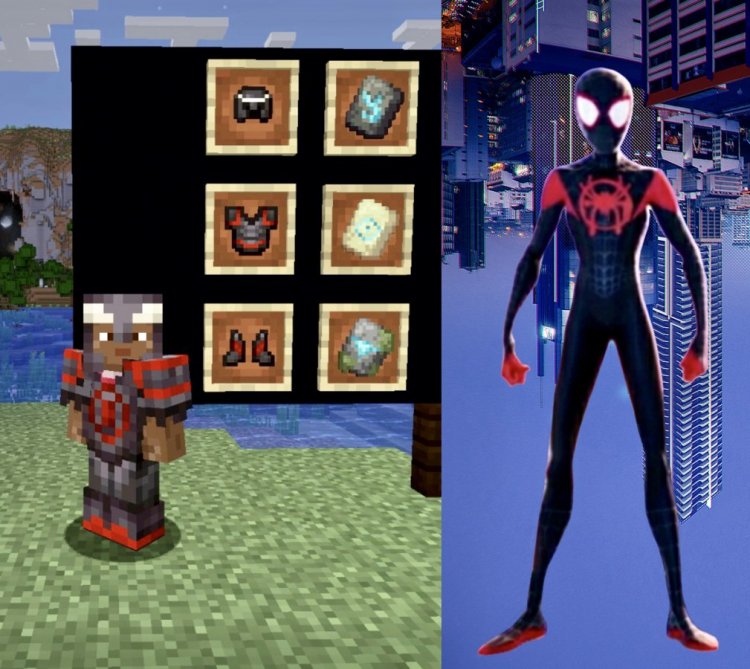
Created by Buxy
The Animated Menu: Miles Morales Freefall texture pack replaces your standard Minecraft main menu with a dynamic animated background featuring Miles Morales in a freefall pose. Created by Buxy, this pack brings the energy and aesthetic of the Spider-Man multiverse directly into your Bedrock Edition launcher, transforming a simple menu screen into an eye-catching visual experience that sets the tone before you even load a world.
If you're tired of staring at the default Minecraft panorama every time you boot up the game, and you're a fan of Spider-Man: Across the Spider-Verse vibes, this texture pack deserves a spot in your Bedrock folder. Let's break down what makes it worth your attention.
What Makes This Menu Pack Special
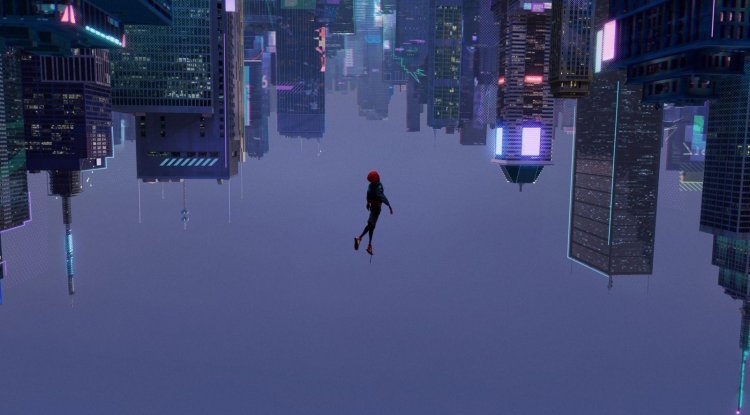
Most Minecraft players overlook the main menu—it's just the loading screen before the real game starts. But Buxy's Miles Morales pack transforms that throwaway moment into something genuinely captivating. The animated background doesn't just sit there; it moves, loops, and immerses you in a cyberpunk-inspired New York City atmosphere the moment you launch the game.
The key appeal here is the animation itself. Rather than a static image or a basic slideshow, you're looking at a continuously looping sequence that features Miles Morales in a dynamic freefall against a neon-lit cityscape. It's the kind of detail that makes your friends ask, "Wait, that's Minecraft?" when they see your launcher.
Neon Aesthetics and Visual Design
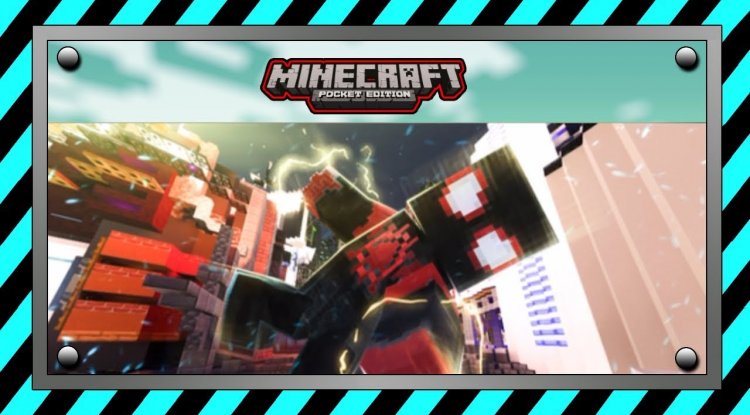
The color palette is instantly recognizable to anyone who's watched the recent Spider-Verse films. Glowing neon blues and purples dominate the background, contrasting beautifully against the silhouettes of towering skyscrapers. The visual effects layer on top—neon glows, light streaks, and atmospheric depth—create a sense of motion and energy that perfectly captures Miles's iconic look and the multiverse aesthetic.
Skyscraper elements form the backdrop, giving you that iconic New York City skyline feeling while maintaining the neon sci-fi vibe that's become synonymous with Miles Morales's character design. The glowing effects aren't overdone; they're balanced enough to be visually striking without causing eye strain or performance issues on your device.
Performance and Optimization
One concern when installing animated texture packs is whether they'll tank your device's performance. Buxy's design thoughtfully addresses this. The looping animation is optimized to run smoothly without noticeable lag or stuttering, even on mid-range mobile devices and older tablets that run Bedrock Edition.
Since this pack only affects the main menu and not in-world textures or rendering, the performance impact is minimal. Your actual gameplay remains completely unaffected; you're only seeing the animation when you're in the launcher, not while you're building, exploring, or fighting mobs. This makes it one of the safest cosmetic packs to install if you're concerned about frame rate drops.
Key Features at a Glance
- Animated main menu background with continuously looping Miles Morales freefall sequence
- Neon blue and purple color scheme inspired by Spider-Verse multiverse aesthetics
- Cityscape setting featuring detailed skyscraper silhouettes and glowing visual effects
- Zero configuration required—apply the pack and your menu instantly transforms
- Optimized animation that runs smoothly without performance penalties
- Multiverse-themed design that captures the energy of the Spider-Man universe
Who Is This Pack For?
This texture pack is ideal for Spider-Man fans, especially those who loved the recent animated films. If you're the type of player who customizes everything about their Minecraft experience—skins, resource packs, shaders—then a themed menu pack is a natural addition to your setup.
It's also great if you're running a Bedrock realm with friends and want to give your server a thematic identity before players even spawn in. Imagine everyone launching your world and being greeted by that Miles Morales animation; it immediately communicates the creative energy of your community.
Even if you're not a die-hard Spider-Man fan, the pack's visual execution is polished enough to appeal to anyone who appreciates slick UI design and animated aesthetic touches. The neon cyberpunk vibe works independent of the franchise connection.
How to Install the Animated Menu Pack
Installation is straightforward and requires no technical knowledge. Download the texture pack file (it will be in .mcpack format for Bedrock Edition). Open the file on your device—most phones and tablets will automatically recognize it as a Minecraft asset.
The game will prompt you to import the pack into your resource packs folder. Accept the import, launch Minecraft, and navigate to Settings > Resource Packs. Enable the Miles Morales pack from your available packs list. Close the settings, return to the main menu, and you'll immediately see the animated background in action.
No world needs to be loaded, no configuration files need tweaking. It's one of the most hassle-free customizations you can make to your Bedrock Edition launcher. The pack applies instantly and persists across all your profiles.
Frequently Asked Questions
Will this pack affect my game's performance or frame rate?
No. Since the animation only appears on the main menu and not during actual gameplay, there's no impact on your FPS or in-world performance. Your actual Minecraft experience remains completely unaffected.
Do I need to configure anything after installing the pack?
Not at all. Once you enable the pack in your Resource Packs settings, the menu background automatically changes. There are no additional settings or customization options to adjust; it works out of the box.
Is this pack compatible with other texture packs?
Yes. Since this pack only modifies the main menu background and doesn't alter block textures, items, or mobs, it plays nicely alongside other resource packs. You can stack it with your favorite visual enhancement packs without conflicts.
Will the animation loop smoothly, or will I notice it restarting?
The animation is designed with a seamless looping structure, so transitions between cycles should be smooth and barely noticeable. Buxy paid attention to animation flow, making it feel like a continuous, polished motion rather than a jarring reset.
What's Your Reaction?








![Forever Dreaming [16x] by Chilly | MCPE PVP TEXTURE PACK](https://minecraftmodded.com/uploads/images/202302/image_650x433_63f7da1ecff56.jpg)





![Patrix Resource Pack For 1.19 [32x→256x]](https://minecraftmodded.com/uploads/images/202210/image_750x415_6343b3ab59eff.jpg)


