PandaMine's 3D Skin Layer Texture Pack Review & Setup Guide
Transform your flat 2D skins into stunning 3D layered characters with PandaMine's texture pack. Compatible with Actions & Stuff mod, 40% performance boost included.
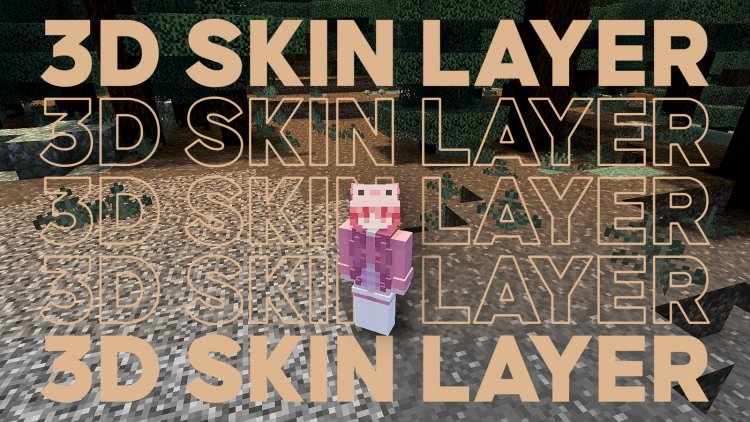
Created by Panda-Mine5
PandaMine's 3D Skin Layer Texture Pack: Bring Your Character to Life
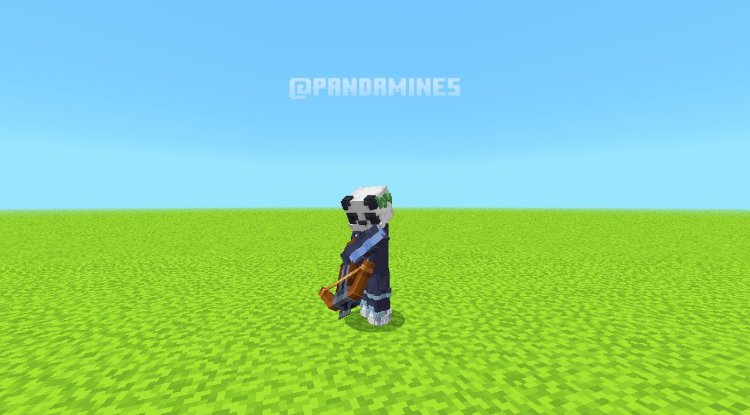
PandaMine's 3D Skin Layer is a texture pack that converts your standard flat 2D character skins into three-dimensional layered skins, giving your Minecraft avatar depth and visual complexity you never knew you needed. Created by Panda-Mine5, this pack doesn't just make your character look better—it fundamentally changes how your skin appears in-game while maintaining smooth performance on most devices.
If you've ever felt that vanilla Minecraft skins looked a bit too... flat, this pack addresses that limitation head-on. Whether you're running a heavily modded instance or keeping things relatively vanilla, this texture pack offers a compelling visual upgrade that's worth exploring.
Photos by Panda-Mine5
What Makes This Texture Pack Different From Other 3D Skin Solutions
The core appeal of PandaMine's 3D Skin Layer lies in its approach to layering. Rather than replacing your entire skin system or requiring you to use special skin formats, this pack works with your existing 2D skins and intelligently adds depth through texture manipulation and visual layering techniques. This means you don't need to rebuild your favorite skins from scratch—just load the pack and watch your character transform.
The pack achieves this through clever use of texture mapping and Minecraft Bedrock's rendering capabilities. What you're seeing isn't a model replacement or geometry modification in the traditional sense; instead, it's a sophisticated texture overlay system that creates the illusion and functional reality of three-dimensional skin layers. This is especially impressive because it works across different skin resolutions without requiring separate versions for each one.
The creator has also engineered this pack to work seamlessly with modded gameplay, which is crucial for anyone running popular cosmetic mods like Actions & Stuff. Most texture packs struggle in modded environments, but this one was built with compatibility in mind from the ground up.
Resolution Support: 64x and 128x Skins Fully Compatible
One of the standout features is dual resolution support. Whether your skins are the standard 64x64 texture or the higher-definition 128x128 variant, PandaMine's 3D Skin Layer handles both without any degradation in quality. This flexibility means you don't need to convert or re-export your skin collection—everything works as-is.
For players with high-end devices running 128x skins, the 3D effect is particularly striking. The higher resolution gives the layering system more pixels to work with, resulting in smoother transitions and more refined depth perception. However, even 64x skins receive a noticeable upgrade, making this pack universally applicable across your skin library.
Performance Optimization: 40% Faster Than Previous Versions
Performance is often the elephant in the room when discussing fancy texture packs. Panda-Mine5 addressed this head-on by redesigning the pack for efficiency. The current version claims a 40% performance improvement over previous iterations, which is a substantial leap. On most mid-range and high-end devices, you shouldn't notice any frame rate degradation when using this pack.
The optimization comes from several technical improvements, including invisible geometry removal—basically, the pack strips out any visual elements that don't contribute to what you actually see on screen. This reduces the computational load without sacrificing the visual quality you're paying for.
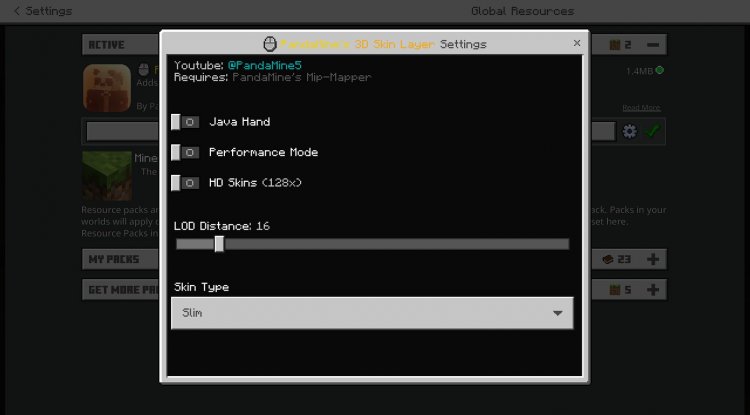
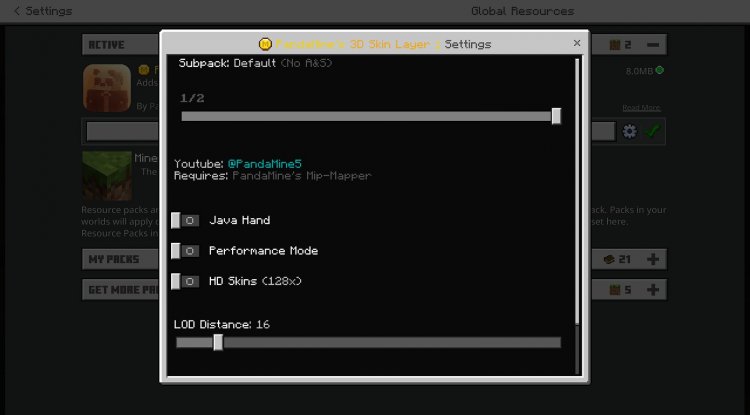
There's also a performance mode available if you're running on lower-end hardware or want to squeeze every last frame out of your device. Enabling this mode removes some visual effects and optimizations further, making the pack viable even on older smartphones and tablets.
Customization Options: Fine-Tune Your 3D Skin Experience
PandaMine's pack isn't just a one-size-fits-all solution. Several toggles and sliders let you personalize the experience to match your preferences and hardware capabilities.
One notable option is the level of detail distance slider, which controls when the 3D layered skin transitions to a simpler 2D appearance as you move away from your character. This is particularly useful in multiplayer settings where you might be looking at other players from various distances. You can adjust this threshold to find the sweet spot between visual fidelity and performance on your device.
There's also a Java Edition hand toggle if you prefer the classic appearance of hands from Java Edition instead of Bedrock's default. This is a small detail but shows how much thought Panda-Mine5 put into allowing players to customize their experience.
Perhaps most importantly, the pack includes a toggle to fix transparent skin visual bugs. If you use skins with transparent or partially-transparent sections (capes, see-through clothing layers, etc.), this toggle prevents visual glitches that can occur with certain skin configurations.
Mod Compatibility: Designed for Actions & Stuff and Beyond
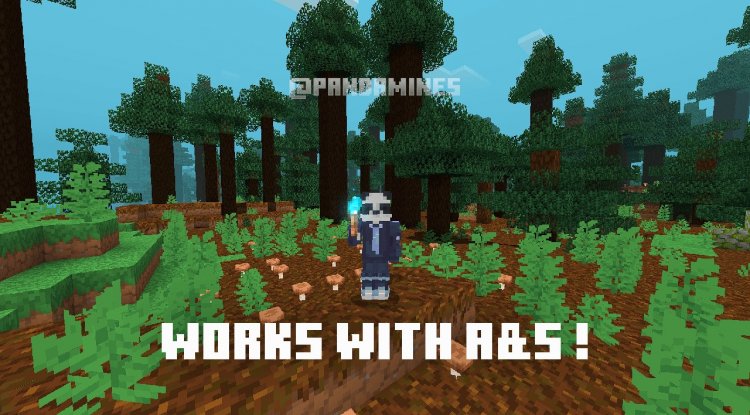
The Actions & Stuff mod is one of the most popular cosmetic mods in the Bedrock community, and PandaMine's 3D Skin Layer was specifically engineered to work alongside it. This compatibility isn't an afterthought—it's a core design feature. The pack maintains visual quality and performance even when Actions & Stuff is running, which is no small feat considering the additional visual complexity that mod introduces.
The pack also plays nicely with the Vibrant Visuals mod, another popular choice for players looking to enhance their visual experience. If you're using either of these mods, you can confidently install this texture pack knowing it will enhance rather than conflict with your setup.
Key Features at a Glance
- Converts flat 2D skins into three-dimensional layered appearance
- Supports both 64x and 128x resolution skins without conversion
- 40% performance improvement over previous versions
- Performance mode for lower-end devices
- Level of detail distance slider for customization
- Java Edition hand appearance toggle
- Transparent skin visual bug fix toggle
- Full compatibility with Actions & Stuff mod
- Works with Vibrant Visuals and other visual enhancement mods
- Invisible geometry optimization for smoother gameplay
How to Install PandaMine's 3D Skin Layer
Before installing this pack, you'll need to have PandaMine's Mip Mapper installed and active—this is a required dependency that the 3D Skin Layer pack relies on to function properly.
Once Mip Mapper is set up, installation is straightforward:
- Download the pack file (typically a .mcpack file)
- Open the file with Minecraft Bedrock Edition
- Select your world or create a new one
- Add the pack to your world's resource packs
- If using Actions & Stuff, ensure proper pack load order: Actions & Stuff should load before PandaMine's 3D Skin Layer
- Launch your world and enjoy your upgraded 3D skins
The pack integrates seamlessly with your existing Minecraft installation—no manual file manipulation required. All settings are accessible through Minecraft's standard options menu once the pack is active.
Frequently Asked Questions
Do I need to download this pack from a specific source?
Yes, Panda-Mine5 recommends using the official CurseForge link for the safest download and to support the creator. Downloading from unofficial third-party websites poses malware and virus risks, so stick with trusted sources.
Will this pack work with my favorite skins without modification?
Absolutely. The pack works with your existing 2D skins exactly as they are—no conversion or re-exporting required. Both 64x and 128x resolution skins are fully supported out of the box.
What happens if I'm running an older device that can't handle the performance cost?
The pack includes a dedicated performance mode that removes visual effects and optimizes further for older hardware. If performance mode still causes issues, you can disable individual toggles like the level of detail features to lighten the load further.
Can I modify or redistribute this pack?
No. Panda-Mine5 has made it clear that unauthorized modifications, redistribution, and monetization of this pack will result in DMCA enforcement and potential legal action. Always respect the creator's intellectual property rights and use the pack as intended.
What's Your Reaction?












![Patrix Resource Pack For 1.19 [32x→256x]](https://minecraftmodded.com/uploads/images/202210/image_750x415_6343b3ab59eff.jpg)


