Ultimate PvP Essentials Pack: Combat Texture Pack Review
Ultimate PvP Essentials Pack transforms Minecraft Bedrock's visuals for competitive combat. Custom armor, items, and UI for faster reaction times.
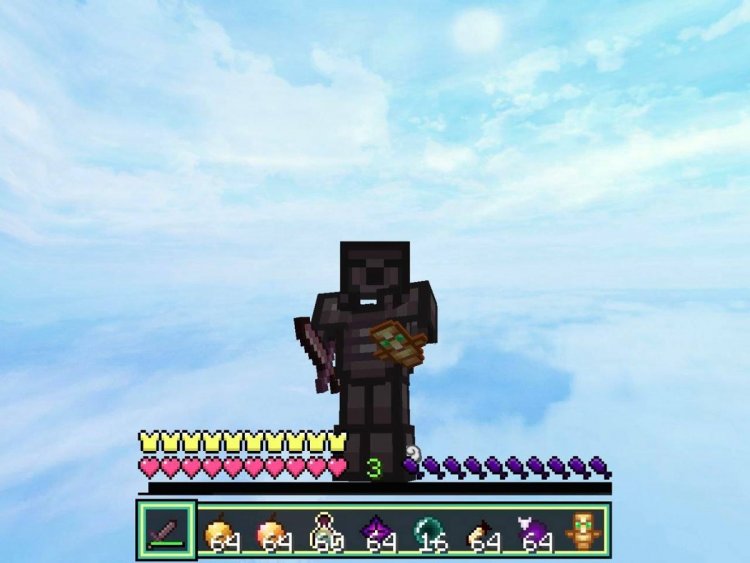
Created by Mcadd182719
Ultimate PvP Essentials Pack: The Competitive Edge You've Been Missing
The Ultimate PvP Essentials Pack is a texture pack for Minecraft Bedrock designed specifically to enhance player-versus-player combat through custom armor, item redesigns, and a modernized interface. Created by Mcadd182719, this pack strips away visual clutter and replaces key elements with sharper, clearer textures that give competitive players the millisecond advantage they need in heated battles.
If you've ever felt like a standard texture was slowing you down in a duel or making it harder to spot your opponent's gear at a glance, this pack addresses those pain points head-on. Let's break down what makes it worth adding to your Bedrock arsenal.
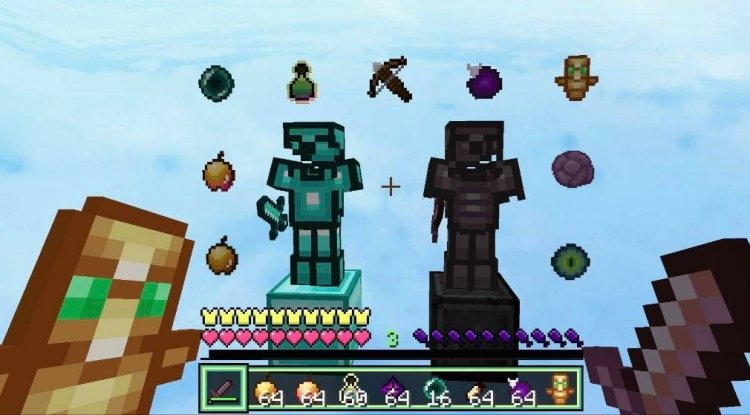
What Makes This Pack Different for Competitive Players
Most texture packs chase aesthetic appeal—they prioritize looking beautiful at any cost. The Ultimate PvP Essentials Pack takes the opposite approach. Every texture choice is driven by function. The creator understands that in PvP, visual clarity can literally win fights.
The pack's core philosophy revolves around optimized visibility during combat. When you're dueling someone and both players are moving rapidly, wearing different armor types, and throwing potions around, you need to process visual information instantly. This pack redesigns textures to be more distinct from one another, reducing the mental load of identifying what your opponent is carrying and what condition they're in.
Unlike bloated cosmetic packs that tank your FPS, this one maintains a performance-conscious design. You get visual enhancement without the stutter—critical for competitive play where frame consistency matters as much as texture clarity.
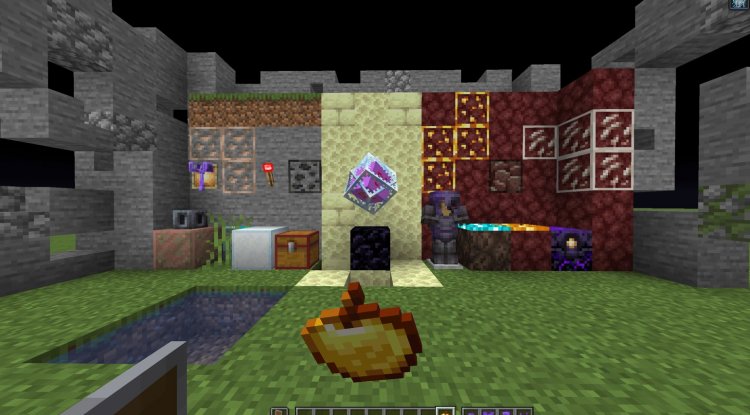
Custom Armor Textures That Actually Help You Read Combat
Armor textures are the centerpiece of this pack's redesign. Each armor type—diamond, netherite, iron, and more—receives a complete visual overhaul. The changes aren't arbitrary; they're designed to make armor instantly recognizable, even in chaotic combat scenarios where your opponent is mid-jump or partially obscured by particles.
The custom armor textures feature enhanced contrast and cleaner lines, making it easier to assess your opponent's defensive capabilities at a glance. In competitive survival or PvP server play, knowing whether someone is wearing full diamond or has mixed gear can inform your entire strategy. This pack removes ambiguity.
High visual quality is maintained throughout, so the armor doesn't look crude or out of place—it simply looks purposeful. The textures align with modern competitive gaming aesthetics, giving your character a polished edge.
Redesigned Items and Improved Combat Readability
Beyond armor, items across your hotbar and inventory receive the treatment. Swords, shields, bows, potions, and utility items all sport redesigned appearances. The goal: make item identification instantaneous.
When you're in rapid-fire PvP exchanges, you shouldn't have to pause and mentally catalog what's in your inventory. Items need to be visually distinct and immediately recognizable. A healing potion should look unmistakably different from a damage potion, and your primary weapon should stand out the moment you glance at your hotbar.
This pack achieves that clarity through thoughtful texture design that doesn't sacrifice the Minecraft aesthetic you know and love.
Modern Interface Styling for Competitive Play
The user interface often gets overlooked in texture packs, but for PvP players, it's crucial. The Ultimate PvP Essentials Pack modernizes UI elements—menus, buttons, health displays, and inventory screens—with cleaner, more contemporary styling.
A streamlined interface means less visual noise when you're navigating menus or checking your inventory mid-fight. The modern aesthetic also appeals to players coming from other competitive games, creating a more polished overall experience in Bedrock.
Performance-Conscious Design Without Visual Compromise
Here's where Mcadd182719 really shows their understanding of what competitive players need: this pack improves visuals while actually respecting your frame rate. The textures are optimized to render smoothly, even on mid-range devices.
You won't experience the FPS dips that plague some high-detail texture packs. For PvP, where smooth, consistent frame delivery directly impacts your ability to react and aim, this is non-negotiable. You get the visual advantage without sacrificing the performance advantage.
Ideal Use Cases: Where This Pack Shines
The Ultimate PvP Essentials Pack is built for specific scenarios:
- PvP servers—The primary use case. If you're playing on a competitive Bedrock PvP server, this pack gives you a real edge.
- Survival worlds with combat focus—Even in casual survival, having better combat clarity improves your experience and reaction times against hostile players.
- Dueling practice—If you're training 1v1 skills with friends or in competitive arenas, clearer visual feedback helps you analyze your fights.
- Creative modes with PvP mini-games—Custom maps and mini-games benefit hugely from the improved visual hierarchy.
Conversely, if you play purely for exploration, building, or relaxation, this pack's competitive focus might feel unnecessary. It's laser-targeted at PvP enthusiasts.
How to Install the Ultimate PvP Essentials Pack
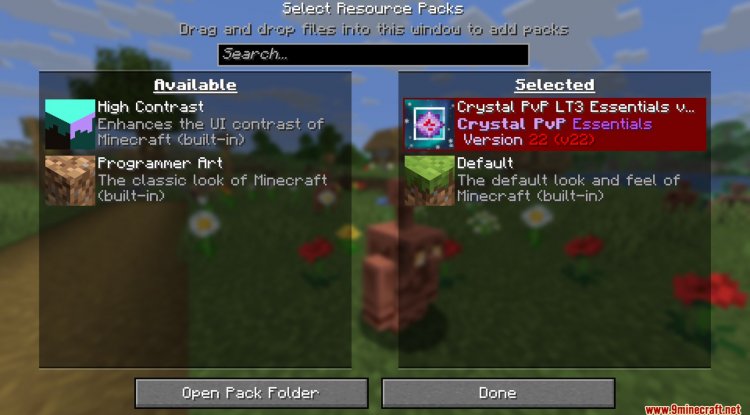
Installing texture packs on Minecraft Bedrock is straightforward. The Ultimate PvP Essentials Pack comes as an .mcpack file, which is Bedrock's native texture pack format.
On Windows 10/11 or Mobile: Download the .mcpack file and open it—Minecraft should recognize it and prompt you to import it. Accept, and the pack will appear in your resource packs list. Activate it in your world settings, and you're set.
On Console: You may need to transfer the file via a USB drive or cloud storage, depending on your platform. Check your console's specific Bedrock texture pack instructions.
Once activated, the textures apply immediately. You can layer it with other packs if desired, though it's designed to work standalone.
Frequently Asked Questions
Will this texture pack work on servers, or just single-player worlds?
It works on both. Since texture packs are client-side, your game client will display the custom textures regardless of what world you're playing in. Multiplayer servers will support it without any issue.
Does the pack change gameplay mechanics, or only visuals?
It's purely visual. The pack modifies textures and interface elements only—no gameplay mechanics are altered. Your armor defense values, item durability, and combat balance remain unchanged.
Is this pack compatible with other texture packs?
You can layer it with other packs in Bedrock's resource pack system, though layering may cause conflicts if multiple packs modify the same textures. It's designed as a standalone pack for best results.
Will the pack work on older devices or lower-end hardware?
Yes. The pack is specifically optimized for performance, so it should run smoothly even on mid-range devices. However, extremely low-end hardware might still experience minor impacts—as with any texture pack modification.
What's Your Reaction?












![Patrix Resource Pack For 1.19 [32x→256x]](https://minecraftmodded.com/uploads/images/202210/image_750x415_6343b3ab59eff.jpg)


