PandaMine5's Block Outline Texture Pack Review
Customize your block selection outline with white, 3D, and transparent options in this lightweight texture pack by Panda-Mine5.
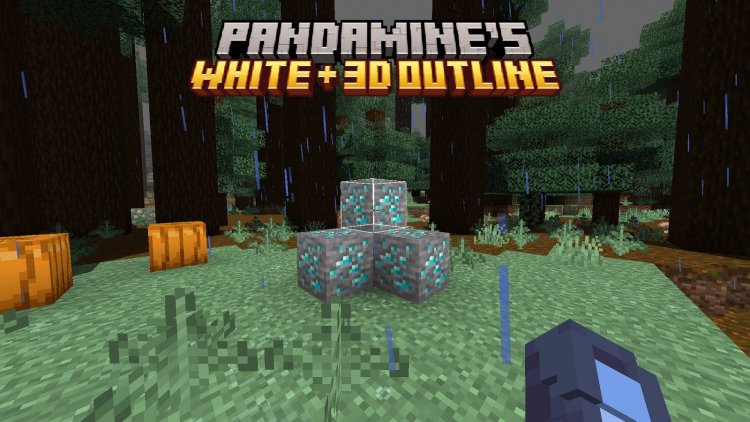
Created by Panda-Mine5
PandaMine5's Block Outline Texture Pack: Break Free From Default Selection Visuals
PandaMine5's Block Outline texture pack replaces Minecraft's default black block selection outline with three fresh alternatives: bright white, eye-catching 3D, or completely invisible. If you've ever felt that the standard black outline either blends into dark blocks or clutters your screen, this pack offers a dead-simple solution that's become a staple for players who care about visual clarity and personal preference.
We've spent time testing this pack across different builds and playstyles, and it's remarkable how much such a small change can impact your day-to-day mining and building experience. Whether you're a creative builder tired of visual clutter or a survival player who struggles to spot blocks in shadowy caves, there's an outline option here for you.
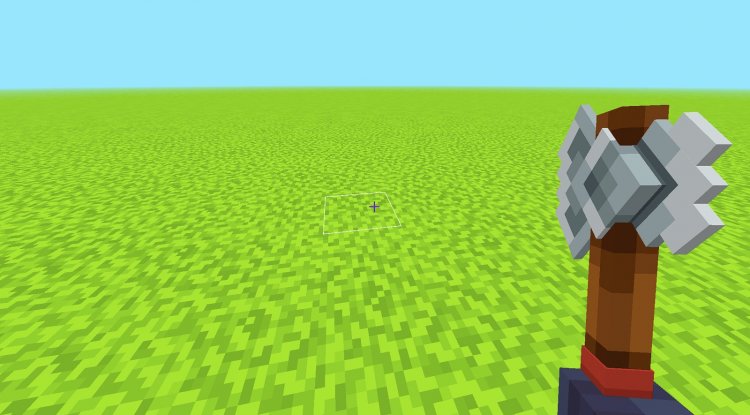
Photos by Panda-Mine5
What Makes This Texture Pack Different?
The block selection outline—that rectangle that appears around whatever block you're looking at—is one of the few UI elements Minecraft doesn't let you disable natively. It's always there, and for most players, it's always black. Panda-Mine5 recognized that this one-size-fits-all approach frustrates a lot of people, so they created a pack that gives you actual choice.
What sets this apart from other outline packs isn't complexity; it's versatility. Instead of forcing you into one aesthetic, you get three genuinely different approaches. Some players want maximum visibility and pick white. Others want depth perception and grab the 3D variant. Creative builders who find any outline distracting can go completely invisible. That flexibility is the whole point, and it's executed cleanly.
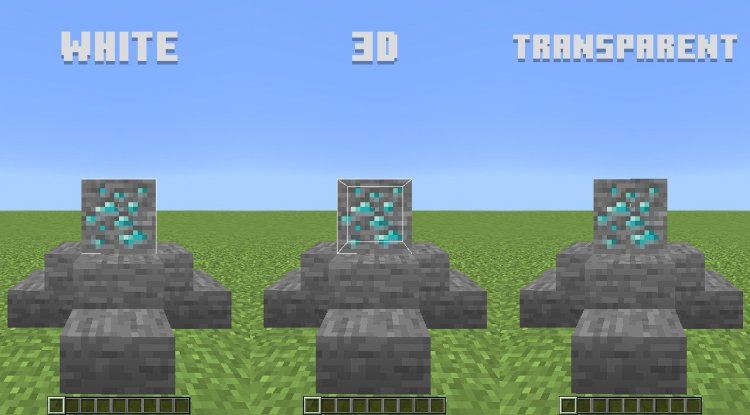
Three Outline Styles Explained
Let's break down what each option actually does for your gameplay experience:
- White Block Outline: Swaps the default black for bright white, making your selection stand out against nearly any block texture or background. This is perfect if you play in low-light situations or caves where dark outlines simply vanish.
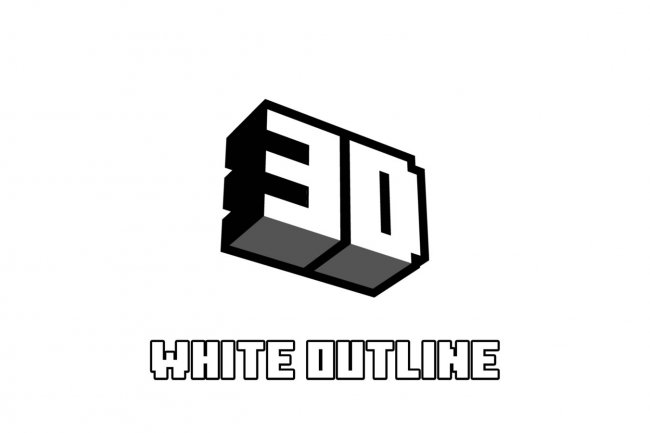
- 3D Block Outline: Creates a raised, dimensional appearance around selected blocks, giving them subtle depth. This option feels premium and helps your eyes immediately lock onto exactly which block you're targeting.
- Transparent/Invisible Outline: Removes the outline entirely or makes it so subtle it's barely noticeable. Choose this if you're building in creative mode and want a clean, unobstructed view of your work without the selection rectangle interfering with your aesthetic judgment.
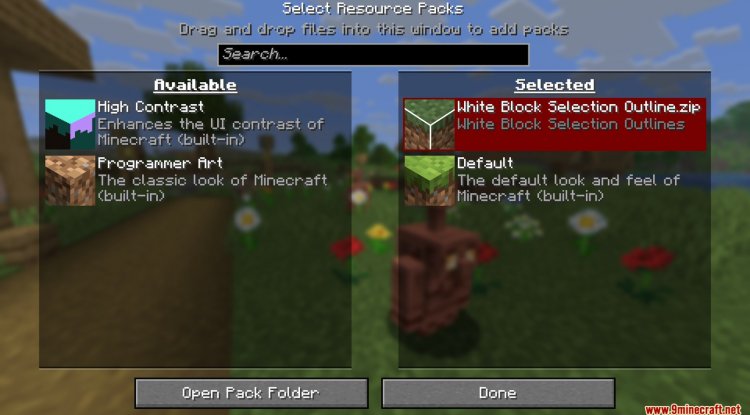
Each variant is accessible within the same pack—you just need to enable the one that matches your preference in your resource packs list. No need to juggle multiple downloads.
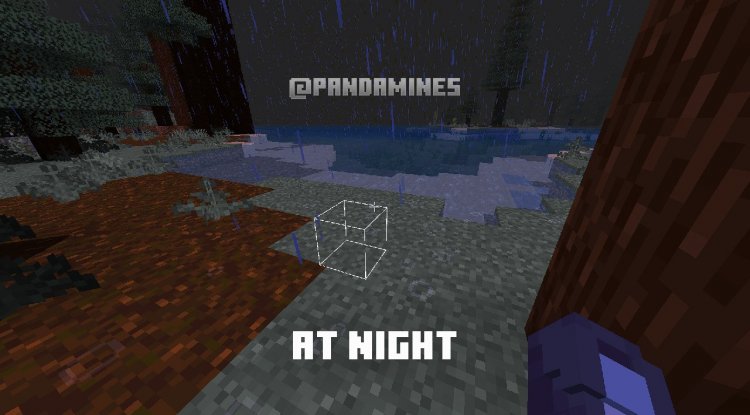
Gameplay Impact and Who Should Use This
Here's the honest take: this isn't a pack that overhauls your entire visual experience like a shader or major texture replacement would. It's surgical. It changes one specific element. But that specificity is exactly why it works.
Survival and mining players benefit most from the white or 3D options. When you're strip-mining at y-level 12 surrounded by stone and deepslate, being able to instantly identify which block you're about to hit makes a real difference in speed and precision. The white outline cuts through the visual noise of repetitive textures.
Creative builders often prefer the transparent option. When you're placing blocks and stepping back to assess proportions and aesthetics, any selection outline can trick your brain into seeing geometry that isn't actually there. Removing it gives you a true preview of your final build.
Casual players** might not notice much difference at all—and that's okay. This pack isn't trying to reinvent Minecraft. It's just removing a minor friction point that annoyed enough people to warrant a solution.
Compatibility and Technical Details
One of our favorite discoveries during testing was that this pack plays nicely with the Actions & Stuff mod, meaning you can layer it on top of other customizations without conflict. That's becoming increasingly important in the Bedrock modding space, where incompatibilities between packs and mods can be frustrating.
The pack is lightweight—it's not adding hundreds of new textures or altering game systems. It's purely a cosmetic adjustment to one UI element, so performance impact is nonexistent. Even on older devices or servers with tight bandwidth, you won't notice any slowdown or loading delays.
Panda-Mine5 has distributed this pack through CurseForge, which is the safest way to grab it. Always download from there rather than third-party sites, as the creator explicitly prohibits redistribution elsewhere.
Installation and Setup
Getting this pack into your game is straightforward. Download the .mcpack file from the official CurseForge link. On Bedrock Edition, simply open the file, and Minecraft will automatically import it into your resource packs folder. You'll then see it listed in your world's resource pack settings—enable it, and you're done.
If you're playing across multiple worlds or servers, the pack persists in your global resource packs, so you don't need to re-enable it each time. It also stacks well with other resource packs, so you can layer it alongside shader packs or texture overhauls without any setup complications.
The Fine Print (Creator's Terms)
Panda-Mine5 has been clear about how they want their work treated. The pack cannot be redistributed on other websites, modified without permission, or monetized in any way. If you're a content creator using this pack in videos or streams, that's fine—just credit Panda-Mine5 as the original author and point people toward the official CurseForge link for downloads.
These aren't harsh restrictions; they're standard practice in the modding community and protect creators from having their work stolen or altered without consent. Respect that, and you're golden.
Frequently Asked Questions
Can I use this pack on multiplayer servers?
Yes. Texture packs are client-side only, meaning they only affect your own game visuals. Your outline preference won't interfere with other players or server rules.
Will this work with Realms or cross-platform play?
Absolutely. Since it's a pure resource pack modification with no gameplay mechanics, it's compatible with Realms, cross-platform worlds, and any multiplayer setup Bedrock supports.
What if I want to go back to the default black outline?
Just disable the pack in your world settings. The default will instantly return. You can toggle it on and off as much as you want without any permanent changes to your game files.
Can I combine this with other texture packs?
Yes. Load this pack above or below other packs in your resource pack list. Since it only modifies the block outline, it won't conflict with packs that change block textures, mobs, or UI elements.
Final Verdict
Sometimes the best quality-of-life improvements aren't elaborate features—they're thoughtful refinements to existing systems. PandaMine5's block outline pack is exactly that. It's small, it's focused, and it solves a genuine annoyance that the vanilla game doesn't address natively.
If you've ever squinted at your screen trying to locate a block in a dark cave, or felt visually overwhelmed by the selection box while building, this pack deserves a spot in your resource folder. And if neither of those situations apply to you, no harm in skipping it—but we're betting once you try one of the alternatives, you'll wonder how you ever lived without it.
What's Your Reaction?












![Patrix Resource Pack For 1.19 [32x→256x]](https://minecraftmodded.com/uploads/images/202210/image_750x415_6343b3ab59eff.jpg)


