Best Shaders Minecraft 2026: Auren Visuals Review
Auren Visuals is a shader pack that adds warm colors and improved lighting to Minecraft PE. See if it's the best shader for your Bedrock experience.
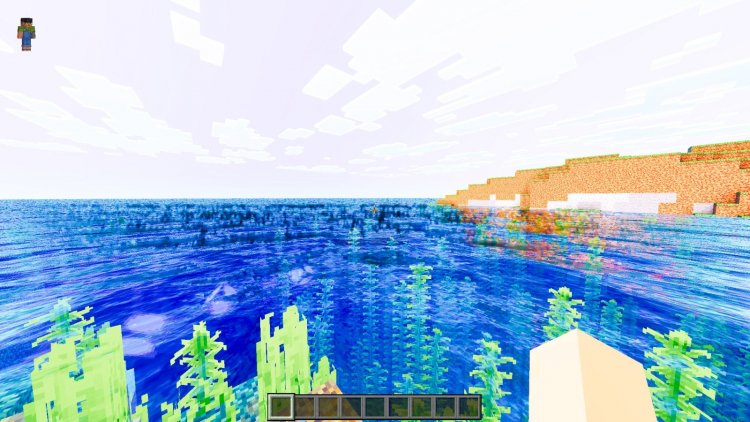
Created by Blocky Studio
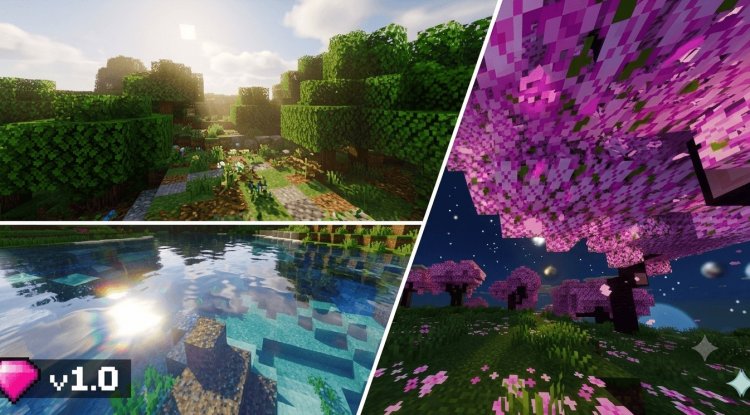
Auren Visuals is a shader modification created by Blocky Studio that rewrites how Minecraft's lighting and colors look. It's not a total overhaul that turns your game into something unrecognizable, but rather a focused upgrade that makes the world feel warmer, more saturated, and better lit than vanilla Minecraft.
If you play Minecraft Bedrock Edition or MCPE and want your game to look noticeably different without sacrificing performance or switching to Java Edition, this shader pack is worth testing. We spent time running it on different devices and playing through various biomes to see what actually changes, and here's what we found.
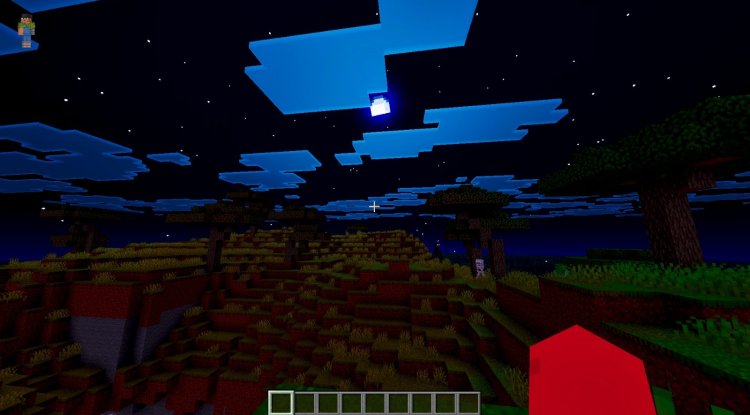
Photos by Blocky Studio
What Auren Visuals actually does
Shaders in Minecraft Bedrock work differently than they do in Java Edition. Instead of replacing the entire rendering pipeline, they layer visual effects on top of the game's existing graphics. Auren Visuals takes this approach and uses it to shift the overall mood of your world.
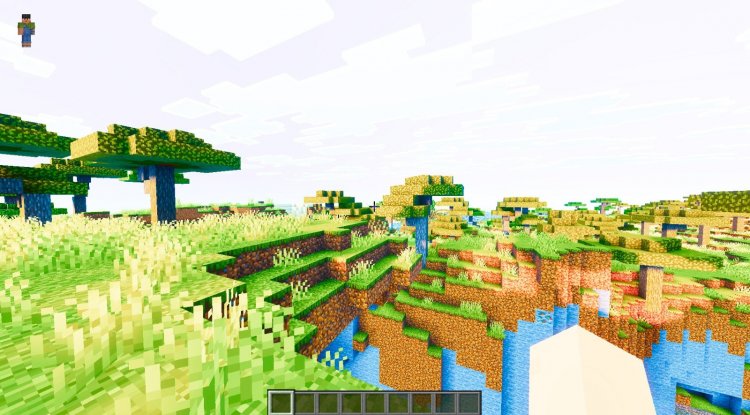
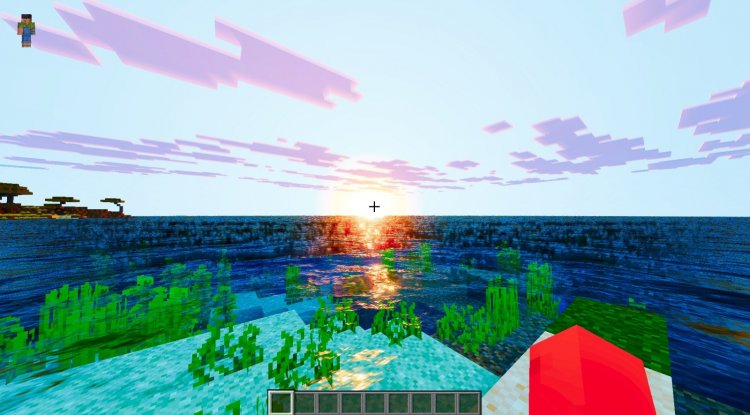
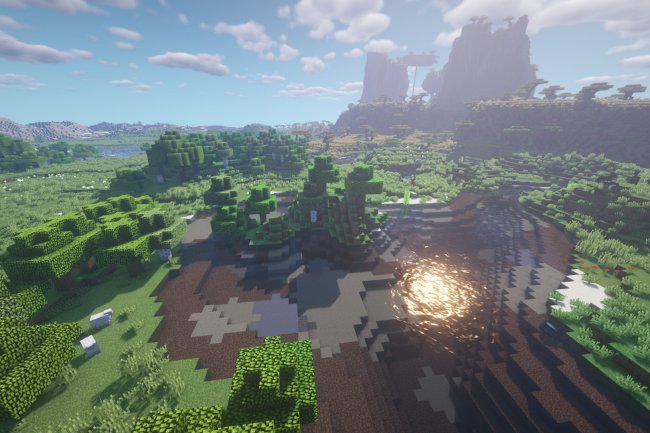
The core feature is a warmer color palette. Grass looks greener, wood tones are richer, and skin colors on players and mobs feel more natural. Sky colors shift toward golden yellows and peachy oranges during sunrise and sunset, rather than the flat oranges and purples of vanilla. Sand biomes gain a deeper, more golden hue.
Beyond color, the shader reworks how light behaves. Shadows become softer and less harsh. Lit blocks (torches, lanterns, glow stone) cast light that spreads farther and looks less clinical. Underwater environments benefit from this too, gaining a more atmospheric quality instead of the usual flat blue tint.
The saturation boost is deliberate and visible. If you've ever thought vanilla Minecraft looked a bit washed out, especially in forests or mushroom biomes, you'll notice the difference immediately. However, this isn't the hyper-saturated look you'd get from extreme resource packs. It's closer to what a color-corrected photo looks like compared to a screenshot with default white balance.
Performance impact on different devices
Shader performance varies wildly depending on your hardware. On newer mid-range phones and tablets, Auren Visuals runs without major issues. Frame rates stay playable for casual building and exploring. You might see a 5-10 FPS dip compared to vanilla Minecraft, depending on your device and render distance.
Older phones will feel the impact more. If your device already struggles to run Minecraft at 60 FPS on high settings, this shader pack will make that worse. Low-end hardware (phones from 2019 or earlier, some budget tablets) should test it first before committing.
One thing that helps: you can run Auren Visuals at lower render distances and still get the color and lighting benefits. The visual improvements scale reasonably well with distance draw, so if you're on a tight FPS budget, pulling down the render distance slider while keeping the shader active is a valid approach.
How it compares to other best shaders for Minecraft PE
The shader landscape for Bedrock in 2026 includes packs like ESBE 2G, Renewal, and various others. Most of them target realism or extreme visual polish. Auren Visuals sits in a different space. It doesn't try to make your Minecraft look photorealistic or add ray-tracing effects. Instead, it's a practical beautification layer.
Think of it as the equivalent of tweaking color and brightness sliders in photo editing. The blocks are still recognizable, the game still plays normally, but everything looks intentional instead of accidental. This makes it good for players who want their world to look better without relearning how the game looks or having to optimize heavily for performance.
If you're searching for the best shader packs minecraft 2026 and you find yourself torn between realistic packs and vanilla-style shaders, Auren Visuals leans toward the latter. It respects Minecraft's art direction while improving it.
Which devices and versions work best
Auren Visuals installs as a .mcpack file on Minecraft Bedrock Edition. This means it works on Windows 10, Windows 11, Nintendo Switch, PlayStation, Xbox, and mobile devices running Minecraft Bedrock (both iOS and Android, though iOS has fewer third-party shader options overall).
Installation is straightforward. Download the file, double-click or tap it, and Minecraft opens the shader import dialog. Select your world or create a new one with the shader applied. Unlike Java Edition shaders, Bedrock shaders pack directly into your world, so each world can have a different shader or none at all.
For the best experience, make sure your Minecraft is up to date. Older versions of Bedrock sometimes have compatibility issues with newer shader packs, even though most of them are designed to be backward-compatible.
Feature breakdown: what changes in your world
- Color saturation increases across all blocks, mobs, and the sky
- Lighting quality improves, with softer shadows and more natural falloff
- Warm color tones throughout, especially noticeable at sunrise and sunset
- Atmospheric rendering makes caves and underwater areas feel more immersive
- Overall visual presentation gets a gentle polish without major performance cost
How to install Auren Visuals on Minecraft Bedrock
Get the .mcpack file. Open Minecraft Bedrock Edition. Go to Settings, then Resource Packs or Behavior Packs (depending on how the shader is distributed). Select Import, find the file, and confirm. The shader will appear in your pack list.
Create a new world or apply it to an existing one. Open the world settings for that world and toggle the shader pack on in the graphics section. Load the world and let it compile for a moment. The visual changes will apply immediately.
Frequently asked questions about best shaders for Minecraft PE
Can you actually get shaders on Minecraft PE?
Yes, absolutely. Minecraft Bedrock Edition (which includes MCPE) supports shader packs through the .mcpack format. Install them the same way you install resource packs. Java Edition has more shader options, but Bedrock has a growing selection that works well on mobile and console.
Is Auren Visuals the most realistic shader for Minecraft PE?
No. Auren Visuals enhances color and lighting but keeps the game looking like Minecraft. Other packs prioritize photorealism or advanced effects. If pure realism is your goal, you'd want a different shader. This one is about making Minecraft prettier while staying true to its style.
Which is the best shader for Minecraft PE if I have an older phone?
Auren Visuals is lighter than many alternatives, but if your phone is from 2018 or earlier, even this might hit your frame rate. Try it with a lower render distance. Alternatively, consider lighter visual options like simple color-correction packs before jumping to full shaders.
Will Auren Visuals work on my console or Windows 10?
Yes. Since it's a Bedrock shader pack, it works on any platform running Minecraft Bedrock Edition, including Xbox, PlayStation, Nintendo Switch, Windows PC, and mobile. Install and apply it the same way on all platforms.
What's Your Reaction?













![Patrix Resource Pack For 1.19 [32x→256x]](https://minecraftmodded.com/uploads/images/202210/image_750x415_6343b3ab59eff.jpg)


