Fast Better Grass Texture Pack: Make Grass Grow Faster MCPE
Fast Better Grass applies grass textures to all block sides in Minecraft Bedrock. Discover how this texture pack changes your grass appearance with 3 style options.
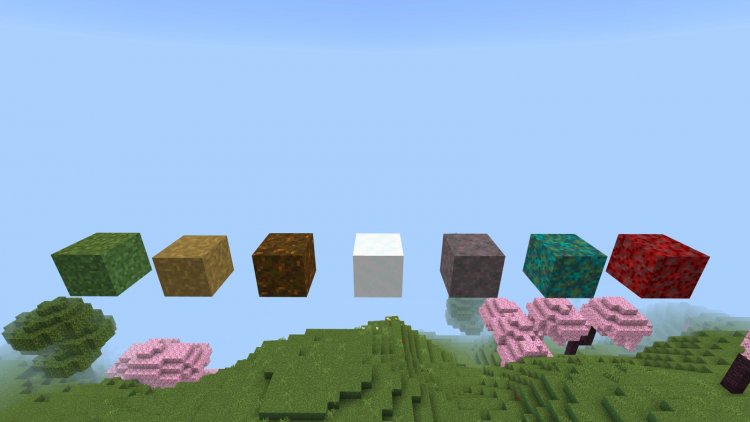
Created by HoneyStudios
Fast Better Grass Texture Pack: The OptiFine Better Grass Experience for Minecraft Bedrock
Fast Better Grass is a texture pack for Minecraft Bedrock that transforms how grass-related blocks appear by applying grass textures to every exposed side—not just the top. Created by HoneyStudios, this pack faithfully recreates OptiFine's iconic Better Grass feature, giving your MCPE world a more cohesive and visually polished look without requiring mods or external dependencies.
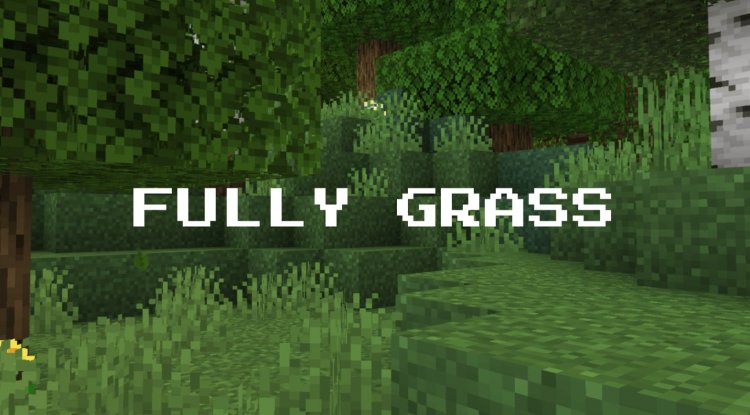
What Makes This Texture Pack Different: Better Grass for Bedrock Edition
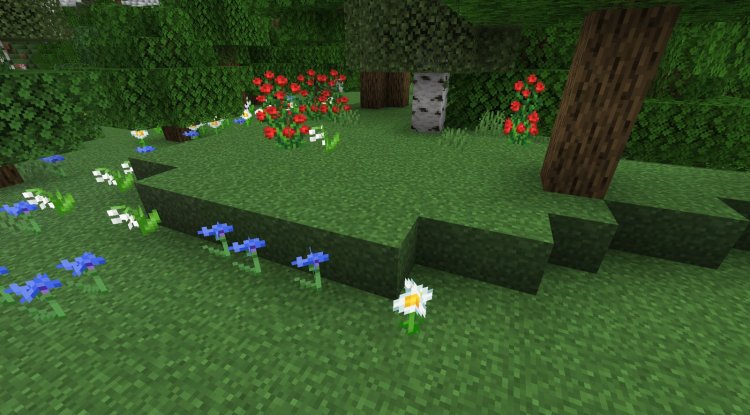
If you've played Minecraft Java Edition with OptiFine, you've probably noticed how much better grass blocks look when they're textured on all sides. The standard Bedrock Edition leaves grass blocks with bare dirt sides, creating an awkward, incomplete appearance. Fast Better Grass solves this problem by applying the grass texture to the sides of grass blocks, snowy grass blocks, dirt paths, podzol, mycelium, and all nylium variants.
What sets this pack apart is its simplicity and compatibility. Unlike some texture packs that require multiple dependencies or conflict with other visual mods, Fast Better Grass uses only vanilla block models. This means it plays nicely with almost everything else you've installed and won't slow down your device.
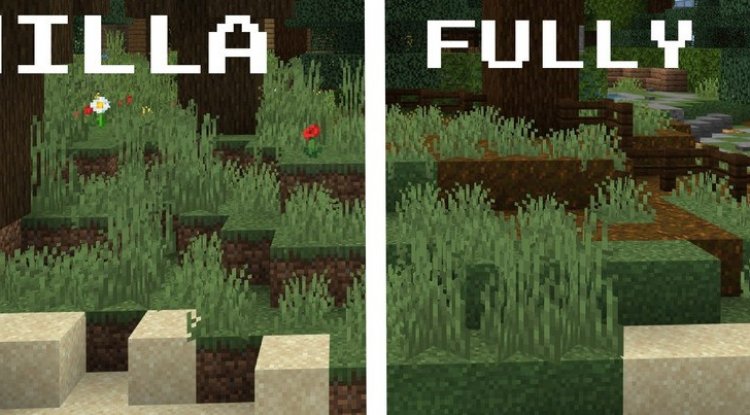
Photos by HoneyStudios
How Fast Does Grass Growth Change With This Pack?
Here's an important clarification: Fast Better Grass doesn't actually speed up how fast grass grows in Minecraft—that's controlled by game mechanics, not textures. What it does is make grass look better and more complete across all block surfaces. If you're searching for "what makes grass grow faster in minecraft" or "how to speed up grass growth minecraft," you'll need to look at gameplay mechanics like bone meal or specific biome conditions. However, when grass does grow in your world, it'll look significantly more polished with this pack applied.
The visual upgrade is immediate and noticeable. Instead of seeing raw dirt when you look at grass blocks from the side, you get a seamless grass appearance that makes your terrain feel more natural and finished.
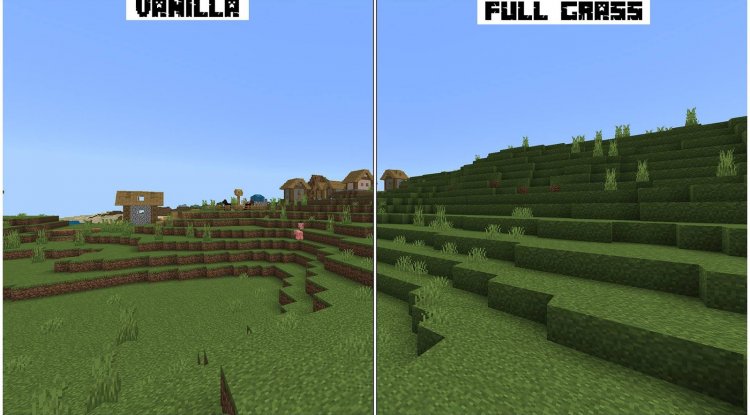
Three Visual Styles to Match Your Aesthetic
One of the standout features of Fast Better Grass is the inclusion of three distinct visual style options, so you can customize how your grass looks:
- Default Style: Matches vanilla Minecraft colors perfectly, giving you the improved Better Grass appearance without any color shift
- Bloomy Style: Features bright, saturated greens that make your grass pop with vibrant energy—great if you want a more stylized look
- Autumn Style: Applies warm golden tones to your grass, perfect for creating a cozy, seasonal aesthetic or building in autumn-themed areas
This flexibility means you're not locked into one visual direction. You can switch between styles depending on your current project or mood, and since the pack is compatible with other texture packs, you can layer it with grass texture modifications you've already installed.
Complete Block Coverage: Which Grass Blocks Get the Treatment
Fast Better Grass applies its texturing system to a comprehensive list of grass-related blocks, ensuring visual consistency across your entire world. The pack modifies:
- Standard grass blocks
- Snowy grass blocks (great for tundra and mountain builds)
- Dirt paths
- Podzol blocks
- Mycelium (perfect if you've got a mushroom biome setup)
- All nylium variants (crimson nylium, warped nylium, and any future additions)
This comprehensive approach means you won't encounter any awkward texture inconsistencies as you move between different biomes or block types. Everything ties together seamlessly.
Technical Details: Why Fast Better Grass Works So Well
The pack achieves its magic through clever use of custom vanilla block models—no external assets or mod dependencies required. This lightweight approach means faster better grass texture pack mcpe performance remains stable even on lower-end devices. You won't experience framerate drops or loading delays from adding this pack to your world.
Compatibility is a major strength here. Since it relies only on vanilla mechanics, Fast Better Grass plays well with shader packs, other texture packs, and resource pack combinations. You can stack this on top of your existing visual modifications without worrying about conflicts or overwrites.
The pack requires Minecraft Bedrock Edition version 1.16.0 or higher, which covers virtually all modern MCPE installations. Whether you're playing on mobile, tablet, or console, this pack should work seamlessly.
Installation Guide: Adding Fast Better Grass to Your World
Installing Fast Better Grass is straightforward. The pack comes as an .mcpack file, which Minecraft Bedrock automatically recognizes and handles. Simply download the file, and your device will prompt you to open it with Minecraft. Tap the import button, and the texture pack is added to your resource packs list.
Once imported, navigate to your world's resource packs settings and activate Fast Better Grass. If you're using multiple texture packs, positioning matters—place this one after any other grass-related textures in your stack to ensure proper application. Your world will reload with the new textures applied immediately.
If you ever want to remove it, simply deactivate the pack from your resource packs menu. Your world data remains completely unaffected.
Frequently Asked Questions About Fast Better Grass
Does this pack work on all Minecraft Bedrock platforms?
Yes, Fast Better Grass is compatible with all Bedrock Edition platforms (Windows 10/11, mobile, Nintendo Switch, PlayStation, and Xbox) as long as you're running version 1.16.0 or later. Performance is optimized across all devices.
Can I use Fast Better Grass with other texture packs?
Absolutely. The pack is specifically designed for compatibility with other texture packs and resource modifications. You can layer it with your existing textures, though you may want to experiment with the stacking order to get your preferred appearance.
What's the difference between the three style options?
Default matches vanilla colors exactly, Bloomy offers brighter saturated greens for a more vibrant world, and Autumn provides warm golden tones perfect for seasonal or cozy builds. You can only have one style active at a time, so choose based on your current project aesthetic.
Will this pack affect my game performance or cause lag?
No. Fast Better Grass uses only vanilla block models with no external dependencies, meaning it has virtually no performance impact. Even on lower-end devices, you shouldn't notice any framerate drops or loading delays.
What's Your Reaction?












![Patrix Resource Pack For 1.19 [32x→256x]](https://minecraftmodded.com/uploads/images/202210/image_750x415_6343b3ab59eff.jpg)


