Better Rain+ Texture Pack: Customize Minecraft Bedrock Rain
Transform rainfall in Minecraft Bedrock with Better Rain+ texture pack. Choose from multiple rain styles including transparent, blue, and realistic variants.
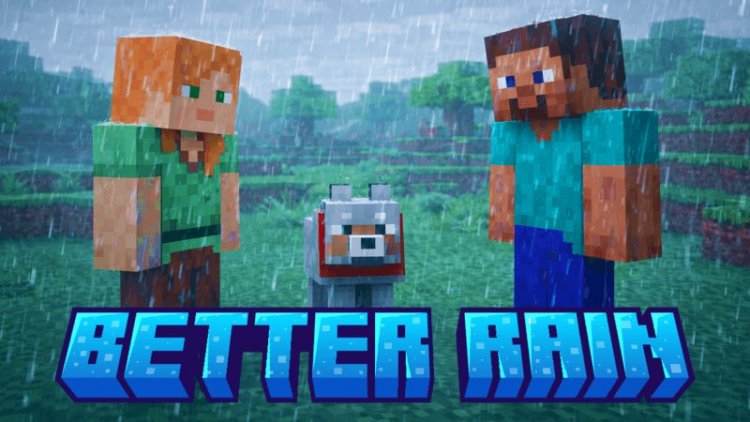
Created by Bedrock Studio 1
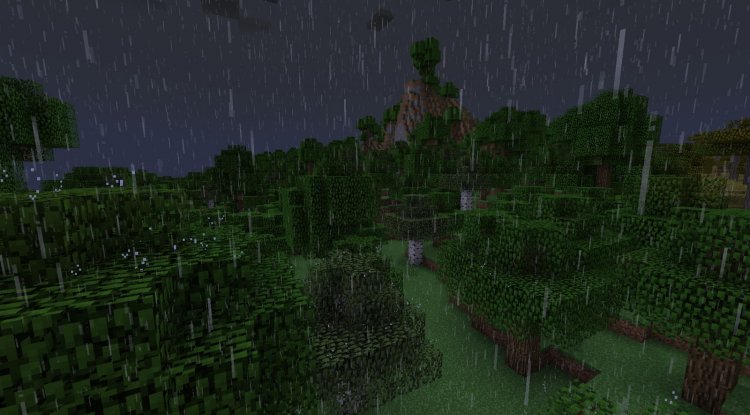
Better Rain+ Texture Pack: A Hands-On Look at Minecraft's Most Customizable Rainfall
Better Rain+ is a texture pack created by Bedrock Studio 1 that completely transforms how rain appears and behaves in Minecraft Bedrock and MCPE. Rather than forcing you to endure the vanilla rain that can obscure your view and distract from exploration or building, this pack gives you control over rainfall aesthetics with multiple visual variants to choose from.
If you've ever found yourself squinting through a downpour in Minecraft or simply wished the rain looked more polished, this texture pack is worth your attention. Let's dive into what makes it special and whether it deserves a spot in your mod folder.
What Is Better Rain+ and Why Does It Matter?
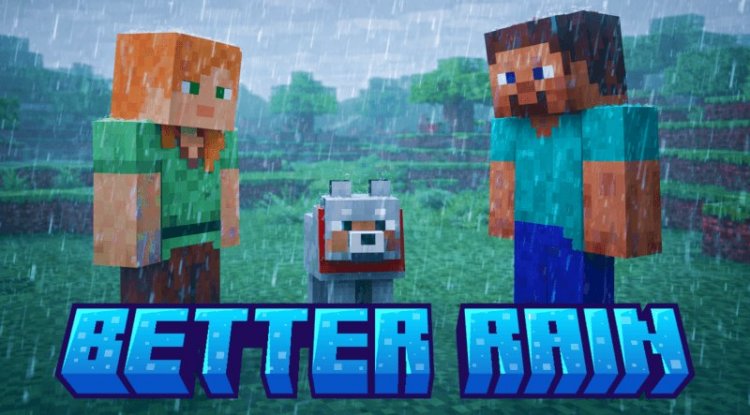
At its core, Better Rain+ solves a problem many players don't even realize they have: terrible rain visibility. The default Minecraft rain particle effect, while functional, can be aggressively distracting during gameplay. It obscures your view, makes it harder to see terrain details, and doesn't particularly look impressive compared to what modern texture packs achieve in other areas.
This texture pack takes a different approach. Instead of accepting vanilla's limitations, Bedrock Studio 1 designed Better Rain+ to let you replace the entire rain visual with something more refined. The pack works with Minecraft Bedrock Edition and Pocket Edition (MCPE), making it accessible whether you're playing on Windows 10/11, Xbox, Nintendo Switch, or mobile devices.
What sets this apart from other rain modifications is the philosophy behind it: reduce visual disturbance without sacrificing the feeling of rainfall. Many players don't want to disable rain entirely, but they do want it to feel less intrusive.
Better Rain Minecraft Bedrock: Meet the Multiple Rain Variants
Better Rain+ includes several distinct rain style options, each designed for different preferences and playstyles:
- Default Variant: A subtle improvement over vanilla that maintains familiarity while enhancing visual clarity
- Transparent Variant: Significantly reduces rain particle opacity, letting you see through rainfall with minimal obstruction—perfect for builders and explorers who prioritize visibility
- Blue Variant: Adds a cool-toned aesthetic to rainfall, giving rain a more stylized appearance that works especially well with fantasy or modern shader setups
- Realistic Variant: Aims for a more natural rainfall appearance, with adjusted particle behavior that mimics how real rain looks and behaves
The genius of this approach is flexibility. You're not locked into one interpretation of what rain should look like. Launch the pack, choose your preferred variant, and swap whenever your mood changes. Playing a survival world where visibility matters? Use transparent. Building an atmospheric build? Try realistic. Want something visually striking? The blue variant delivers.
Better Rain Texture Pack MCPE: Installation and Compatibility
One of Better Rain+'s biggest strengths is how straightforward it is to get running. This pack requires no experimental features to be enabled, which means it works immediately on any Minecraft Bedrock world without fiddling with beta settings or experimental toggles. It also doesn't include player.json modifications, making it compatible with virtually every other texture pack and mod you might be running.
This compatibility-first design means you can layer Better Rain+ on top of your favorite resource packs without conflicts. Whether you're using a HD texture pack, a shader, or other visual mods, Better Rain+ plays nicely with the ecosystem.
Future-Proofing and Community-Driven Development
Bedrock Studio 1 has plans to expand Better Rain+ with additional subpacks in future updates. This signals that the pack isn't a one-off project—it's actively maintained and evolving based on what players actually want.
The creator actively engages with the community through Discord, accepting both feature requests and collaboration inquiries. If you have an idea for a new rain style or think something could be improved, there's a direct line to the development team. This level of accessibility is rare in the texture pack community and speaks to a creator who genuinely cares about their work's reception.
The pack artwork itself was generated using AI, a transparent choice that reflects modern creative tools while focusing the core effort on the functional design of the rain particles themselves.
Who Should Try Better Rain+ Texture Pack?
Builders and architects should prioritize this pack. If you're spending hours placing blocks and need maximum visibility, the transparent variant is a game-changer. No more squinting through rain while trying to align your builds.
Exploration enthusiasts will appreciate how the transparent and default variants let you navigate landscapes without losing sight of what you're heading toward. Caving, mining, or traversing terrain becomes less of a visibility struggle.
Atmospheric players who value immersion can lean into the realistic variant, creating a more cinematic rainfall experience, especially when paired with shaders or other visual enhancement packs.
Shader users often find that vanilla rain particles clash with their carefully-tuned lighting. Better Rain+ variants integrate more elegantly with shader environments, particularly the blue and realistic options.
Honestly, if you've ever thought "I wish rain didn't look like this in Minecraft," this pack is for you. It's not a fundamental gameplay change, but it's the kind of quality-of-life improvement that makes countless hours of play feel more polished.
How to Install Better Rain+ for Minecraft
Installing Better Rain+ follows the standard texture pack process for Bedrock Edition:
- Download the Better Rain+ .mcpack file
- Open the file (your device will recognize it as a Minecraft resource pack)
- Minecraft will automatically import it and add it to your resource pack list
- Open any world, go to Settings → Resource Packs, and activate Better Rain+
- Move it above any conflicting packs in the priority list (usually not necessary, but check if rain looks wrong)
- Save and enjoy your new rain style
If you want to switch between variants, simply deactivate the pack, replace it with a different variant version, and reactivate. The process takes seconds.
Frequently Asked Questions About Better Rain Texture Pack
Does Better Rain+ work with Java Edition?
No, this is specifically designed for Bedrock and MCPE. Java Edition uses different texture systems and would require a completely separate resource pack. However, Java players have their own rain mods and texture options available in the community.
Will this texture pack break my existing mods or packs?
Unlikely. Better Rain+ doesn't modify player data or core game mechanics—it only changes how rain particles are rendered. Since it avoids player.json modifications, compatibility issues are minimal.
Can I use Better Rain+ on multiplayer servers?
Yes, texture packs are client-side only. You can use Better Rain+ on any server or realm without affecting other players or violating server rules.
What's the difference between the rain variants?
Transparent reduces opacity for maximum visibility, blue adds a stylized cool tone, realistic aims for natural rainfall appearance, and default provides a subtle improvement over vanilla while staying familiar.
How often is Better Rain+ updated?
The creator actively maintains the pack through Discord and has plans for future subpacks. Check their Discord channel for the latest updates and to suggest features.
What's Your Reaction?












![Patrix Resource Pack For 1.19 [32x→256x]](https://minecraftmodded.com/uploads/images/202210/image_750x415_6343b3ab59eff.jpg)


