Full Brightness Texture Pack for Minecraft Bedrock
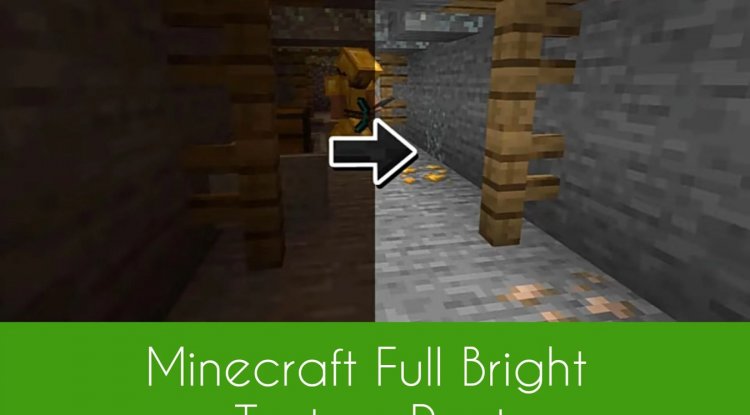
Full Brightness by AS Pro 97 is a texture pack that brightens dark caves, mines, and the Nether in Minecraft Bedrock Edition for better visibility.
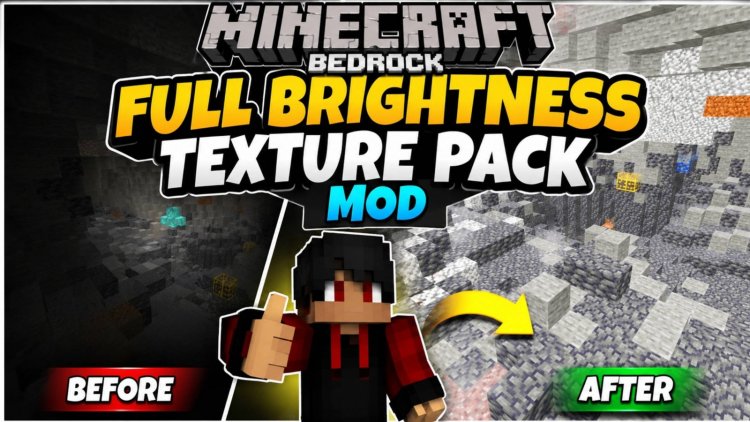
Created by AS Pro 97
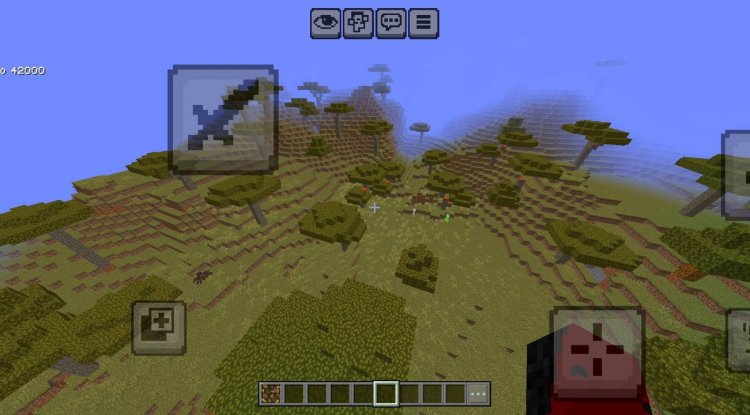
Photos by AS Pro 97
What Is Full Brightness and Why You Should Try It
Full Brightness by AS Pro 97 is a texture pack designed specifically for Minecraft Bedrock Edition that solves one of the game's most persistent frustrations: exploring dark underground environments. If you've ever found yourself squinting at your screen while caving, mining in the dark, or navigating the gloomy Nether, this pack transforms those dimly-lit experiences into genuinely playable conditions without resorting to cheats or commands.
Unlike shader-heavy solutions or game-breaking brightness modifications, Full Brightness works within Bedrock's native texture system to intelligently brighten dark areas while maintaining the game's aesthetic integrity. It's the kind of quality-of-life improvement that shouldn't feel revolutionary, yet makes your exploration sessions measurably more enjoyable.
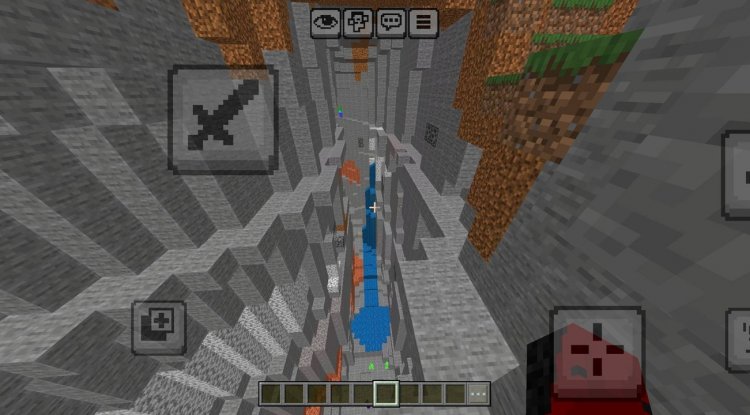
How Full Brightness Changes Your Mining Experience
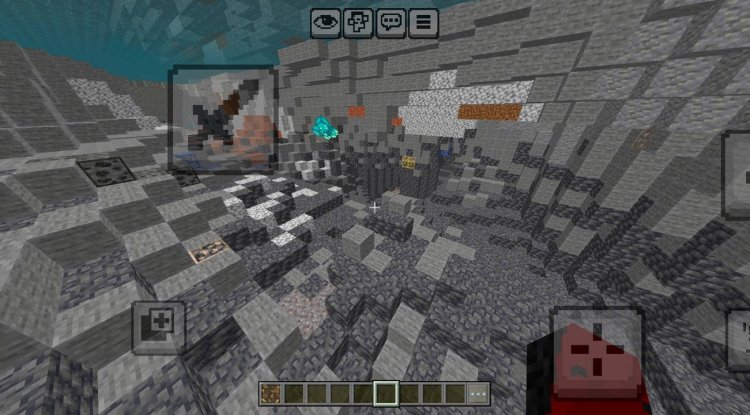
Mining is arguably where this pack shines the brightest—literally. When you're deep underground searching for diamonds or exploring sprawling cave systems, the default Minecraft lighting can make it genuinely difficult to spot valuable ore blocks or navigate safely. Full Brightness eliminates the guesswork by ensuring cave interiors, mineshafts, and underground caverns are consistently visible without torches serving as your only lifeline.
This doesn't mean the pack removes all darkness or turns the game into a fluorescent nightmare. Instead, it raises the ambient light in naturally dark biomes and structures, making ores easier to identify at a glance and reducing the tedium of placing torches every few blocks. For players who enjoy the survival experience but are tired of the visibility penalty underground, this is a game-changer.
The Nether particularly benefits from this treatment. The dimension's already-oppressive aesthetic becomes far less punishing when you can actually see creeping mobs approaching from reasonable distances. Fortress raiding and lava lake navigation feel less like fumbling in the dark and more like actual exploration.
Compatibility Across Bedrock Platforms
One of Full Brightness's greatest strengths is its universal compatibility. Whether you're playing on Android, iOS, Windows, or any other Bedrock-compatible device, this pack applies consistently. The texture files are optimized to work seamlessly across the fragmented Bedrock ecosystem, so you won't encounter the platform-specific glitches that plague some community packs.
This broad compatibility makes it an excellent choice if you switch between devices or play with friends on different platforms. Your visibility improvements travel with you regardless of hardware, ensuring a consistent experience whether you're caving on your phone during lunch or putting in serious mining hours on PC.
Lightweight Performance and Easy Installation
Performance-conscious players often avoid texture packs out of concern for frame rates and storage space. Full Brightness dismisses those worries with a minimal file size that won't bloat your device or tank your FPS. This isn't a massive 4K overhaul or detailed retexture; it's a surgical modification focused purely on brightness adjustments, which means faster loading times and negligible performance impact.
The pack's straightforward application process means you're not dealing with complicated file structures or compatibility patches. AS Pro 97 designed this with accessibility in mind—installation is a standard .mcpack process that works like any other Bedrock texture pack, no specialized knowledge required.
Key Features at a Glance
- Brightens caves, mines, and the Nether — Underground exploration is immediately more visible and navigable
- Optimized for mining activities — Ore blocks and valuable resources stand out clearly against stone
- Minimal file footprint — No performance penalty or excessive storage consumption
- Cross-platform support — Works identically on Android, iOS, Windows, and other Bedrock devices
- Native Bedrock integration — Functions within the game's standard texture system without modifications or hacks
- Simple installation process — Standard .mcpack format, applies in seconds
Who Should Use Full Brightness?
This pack is ideal for several player archetypes. First, serious miners and caving enthusiasts will appreciate the efficiency gains—less time squinting, more time acquiring resources. Second, players with visual accessibility needs or sensitivity to dark environments will find this tremendously helpful. Third, anyone playing on mobile devices, where screen glare and brightness limitations can make dark areas genuinely difficult to see, will benefit immediately.
Interestingly, Full Brightness also appeals to creative builders who spend time underground but want to work with decent visibility. If you've ever tried to construct anything in a deep cave system while battling low light levels, you'll understand the appeal.
Even speedrunners and challenge-mode players sometimes use packs like this—the consistency and fairness of having equal visibility across all players can be important for competitive play.
How to Install Full Brightness on Bedrock
Installing Full Brightness follows the standard Bedrock texture pack workflow. Download the .mcpack file and open it with Minecraft, which automatically imports it into your resource pack folder. From the main menu, navigate to Settings, then Resource Packs, find Full Brightness in your available packs list, and toggle it active. Your world will immediately reflect the brightness adjustments on your next load.
If you're playing on multiple platforms, download the pack on each device where you want to use it. Since it's designed with cross-platform compatibility in mind, the results will be consistent regardless of which device you're on. You can stack Full Brightness with other packs if desired, though texture pack order matters—position Full Brightness below any packs that modify underground block textures to avoid conflicts.
Frequently Asked Questions About Full Brightness
Will Full Brightness work with other texture packs?
Yes, you can use Full Brightness alongside other texture packs. If you're combining packs, the order matters—place Full Brightness lower in your resource pack list than packs that modify block textures to prevent visual conflicts. Test your specific combination to ensure compatibility.
Does this pack affect performance or frame rate?
No. Full Brightness is specifically designed with a minimal file size and straightforward adjustments that don't impact performance. You won't see FPS drops or increased battery drain on mobile devices.
Can I use Full Brightness in existing worlds?
Absolutely. Activate the pack before loading any world—Bedrock Edition will apply the texture changes retroactively to previously explored areas. No world regeneration or updates required.
Is Full Brightness considered cheating in multiplayer?
Texture packs are generally accepted on most servers, but check your specific server's rules. Some hardcore survival communities prohibit all visibility-enhancing packs, while others allow them freely. It's always worth confirming before joining multiplayer worlds.
What's Your Reaction?













![Patrix Resource Pack For 1.19 [32x→256x]](https://minecraftmodded.com/uploads/images/202210/image_750x415_6343b3ab59eff.jpg)


