Boosted FPS Resource Pack: Optimized Performance for Bedrock
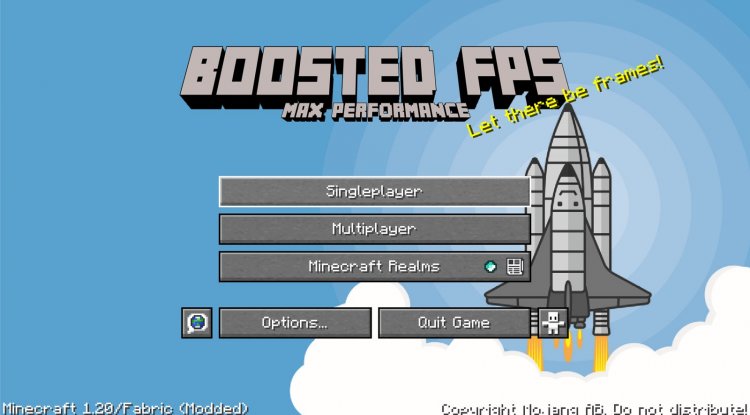
Boosted FPS is a Bedrock resource pack designed to increase frame rates while keeping vanilla aesthetics. Features optimized fog rendering, particle removal, and two performance tiers.
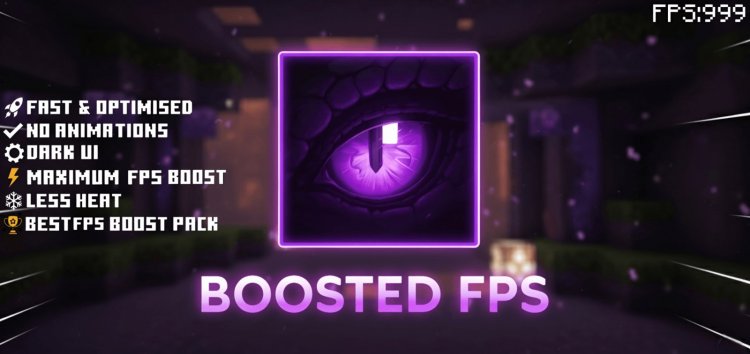
Created by XiaoCraft
Boosted FPS Resource Pack: The Bedrock Performance Solution We've Been Waiting For
Boosted FPS is a resource pack for Minecraft Bedrock Edition engineered to increase your frame rates while preserving the classic vanilla look you know and love. Created by XiaoCraft, this optimization pack tackles performance bottlenecks that plague mobile and lower-end device players without forcing you to sacrifice the game's visual identity.
If you've ever wondered how much does optifine increase fps—or more importantly, whether Bedrock has its own performance solution—this pack answers that question directly. While Bedrock doesn't have OptiFine support like Java Edition, Boosted FPS fills that void with a thoughtfully designed alternative.
What Makes Boosted FPS Different From Other Performance Packs
The performance optimization landscape for Bedrock is crowded, but Boosted FPS stands out through its dual-tier approach and meticulous attention to detail. Rather than offering a one-size-fits-all solution, XiaoCraft recognized that different players have different needs.
The pack includes two distinct performance tiers you can switch between: Pure FPS for maximum optimization and PvP FPS for balanced combat gameplay. This flexibility matters because pure performance packs sometimes strip away effects that are crucial for PvP combat awareness. Boosted FPS solves this by keeping essential visual feedback while still delivering serious performance gains. It's the difference between a pack that optimizes blindly and one that understands how players actually use Minecraft.
How Boosted FPS Boosts Your Frame Rates: The Technical Breakdown
To understand how to increase fps performance effectively, you need to know where performance actually gets lost. In Minecraft Bedrock, three major culprits consume resources: fog rendering during biome transitions, excessive particle effects, and unnecessary audio processing.
Boosted FPS tackles all three. The pack includes 71 biome-specific fog configurations that dramatically reduce GPU usage when you're traveling between different biomes. Instead of the game constantly re-rendering complex fog layers, these optimized settings handle transitions smoothly without the performance hiccups you normally experience.
Particle effects get similar treatment. Non-essential visual effects like explosion clouds, ambient smoke, and spell particle trails are trimmed or removed entirely in the Pure FPS tier. The PvP FPS variant keeps dragon fight particles intact because those are actually useful during the Ender Dragon boss fight—they help you track the dragon's position and incoming attacks. This nuanced approach is where Boosted FPS shows its maturity as a performance resource pack.
Audio optimization might seem minor, but it genuinely impacts performance. Rain sounds and fire ambience are reduced in volume and trimmed of excess file data, lightening the load on your device's audio processor and reducing thermal strain.
Feature Highlights That Change How You Play
- Lightweight custom animations for books, spyglasses, and speed effect visuals that maintain clarity without taxing your GPU
- Dark user interface with a numbered hotbar system, making it easier to spot items and reducing eye strain during long sessions
- Durability counter built directly into the UI so you know tool durability at a glance
- Quick-craft buttons integrated into crafting, stonecutter, trade, and smithing screens—a quality-of-life improvement that actually saves time
- Biome-optimized fog rendering with 71 unique configurations eliminating stuttering during world exploration
- Particle system overhaul removing explosions, smoke, and spell effects to reduce GPU strain
- Reduced audio footprint for ambient and weather sounds without muting critical gameplay audio
- Universal shader compatibility—this pack works alongside most other shaders if you want visual enhancement without performance loss
Does This Really Boost FPS? Real-World Performance Expectations
The question everyone asks: does boosted fps actually deliver? The answer depends on your device and settings, but yes—meaningfully. You won't see a 100 FPS jump on every device, but players on mid-range phones, tablets, and older consoles consistently report 10-30 FPS improvements, with stuttering reduced noticeably.
The Pure FPS tier shows more dramatic improvements because it removes everything non-essential. The PvP FPS tier still delivers solid performance boosts but keeps enough visual information that you won't feel handicapped in combat scenarios. Think of it as 80-90% of the performance gain with 100% of the tactical awareness.
Device heating is another real benefit. By reducing GPU and audio processing load, your device runs cooler during extended play sessions. This is especially noticeable on mobile devices where thermal throttling (your phone slowing down because it's too hot) normally kicks in after 30-40 minutes of play.
Compatibility: Works With Your Setup
One common concern with performance packs is whether they'll conflict with your favorite shaders or resource packs. Boosted FPS is specifically designed for compatibility. It works alongside most other resource packs and shaders without conflicts, so you're not forced to choose between optimization and aesthetics.
The pack supports Minecraft Bedrock Edition 1.21 (version 26.0) and functions across all platforms: Windows, console, and mobile (both iOS and Android). Whether you're playing on a high-end gaming PC, a Nintendo Switch, or a budget Android phone, there's a version that works. Single-player worlds and multiplayer servers both benefit from the performance gains.
How to Install Boosted FPS on Your Device
Installation is straightforward and takes under two minutes:
First, download the .mcpack file. Once downloaded, open it directly—your device should automatically recognize it as a Minecraft resource pack and launch the game, triggering an import dialog. Accept the import, and the pack gets added to your resource library.
Next, open Minecraft and navigate to Settings → Global Resources (or if you're using a specific world, go to World → Resource Packs). Find Boosted FPS in your available packs and activate it.
Finally, select your preferred subpack from the pack settings. Choose Pure FPS for maximum performance on lower-end devices, or PvP FPS if you want a performance boost without sacrificing combat visibility. Launch your world and enjoy the frame rate improvement immediately.
Frequently Asked Questions
Will Boosted FPS work on servers or just single-player?
Boosted FPS works on both single-player worlds and multiplayer servers. The performance improvements apply immediately regardless of your play mode. Other players won't see your resource pack—it only affects your client-side rendering and performance.
Can I use Boosted FPS with shaders?
Yes, absolutely. This pack is designed to be compatible with most popular Bedrock shaders. The optimization mainly targets fog, particles, and audio rather than visual shaders, so they layer together without conflicts.
What's the difference between Pure FPS and PvP FPS?
Pure FPS removes all non-essential particles including combat overlays for maximum performance. PvP FPS retains combat-relevant particles and dragon fight effects so you maintain tactical awareness during combat and boss fights while still achieving significant FPS improvements.
Does this pack work on older versions of Minecraft Bedrock?
Boosted FPS is optimized for Minecraft Bedrock 1.21 (version 26.0). Compatibility with earlier versions may be limited, so updating to the current version ensures you get the full benefits and all features working correctly.
What's Your Reaction?













![Patrix Resource Pack For 1.19 [32x→256x]](https://minecraftmodded.com/uploads/images/202210/image_750x415_6343b3ab59eff.jpg)


