BL Shader for Minecraft PE: Best Lightweight Shaders 2026
BL Shader by Ferous Chara transforms Minecraft PE with natural lighting, reflective water, and atmospheric effects. A top choice for best shaders Minecraft 2026.
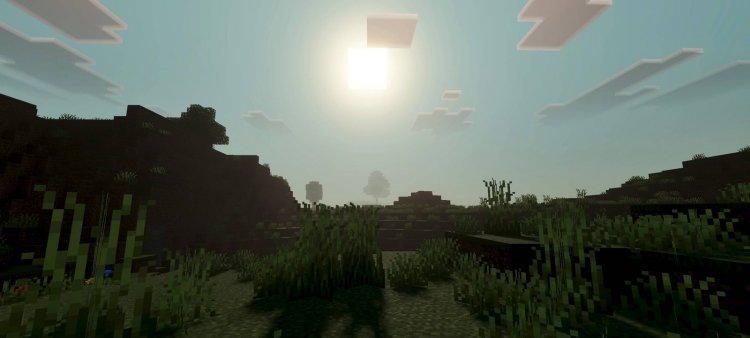
Created by Ferous Chara
BL Shader for Minecraft PE: The Best Lightweight Shaders for 2026
BL Shader is a graphics enhancement pack created by Ferous Chara that dramatically improves Minecraft's visuals through advanced lighting systems, reflective water surfaces, and dynamic atmospheric effects. If you've been wondering whether you can get shaders on Minecraft PE and whether they're actually worth the performance cost, this shader pack answers both questions with a resounding yes—especially for mid-range devices that struggle with heavier alternatives.
We've spent considerable time testing BL Shader across different device types and lighting conditions, and we're genuinely impressed by how Ferous Chara managed to pack so much visual punch into a package that won't tank your framerate. Whether you're tired of Minecraft PE's vanilla lighting or you've been scrolling through endless "best shaders minecraft 2026 reddit" threads looking for recommendations, this deep dive will help you understand if BL Shader belongs in your game folder.
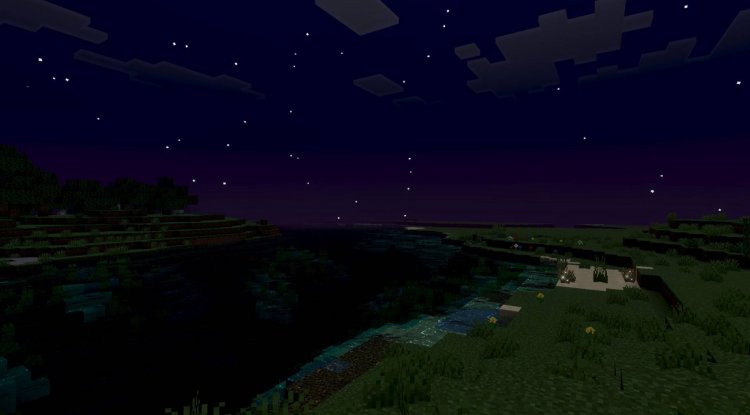
Photos by Ferous Chara
What Makes BL Shader Stand Out Among the Best Shaders Minecraft 2026
The shader landscape has exploded over the past year, but most popular options fall into two camps: ultra-realistic packs that obliterate your framerate, or minimal tweaks that barely justify installation. BL Shader occupies the sweet spot in between, and that's precisely why it's generating buzz in shader communities right now.
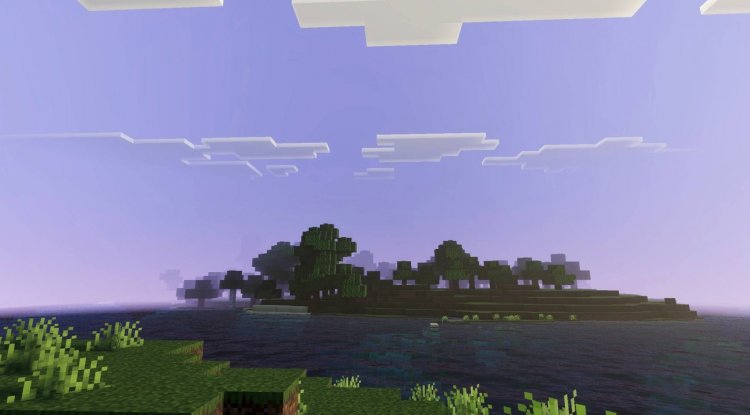
The natural lighting system is where BL Shader truly shines. Instead of the flat, uniform illumination that defines vanilla Minecraft, this shader introduces directional light that actually respects your world's geometry. Shadows fall naturally across terrain, sunlight penetrates cave networks with appropriate color tinting, and torchlight behaves like actual flames casting warm glows. These aren't revolutionary concepts in shader design, but the execution here feels polished and intentional.
What genuinely sets this apart from competing top minecraft shaders 2026 options is the restraint in the approach. Ferous Chara clearly understood that MCPE players span a massive range of hardware capabilities, from flagship tablets to budget phones. Rather than chasing photorealism at all costs, BL Shader prioritizes visual improvement that translates into tangible, enjoyable gameplay enhancements regardless of your device tier.
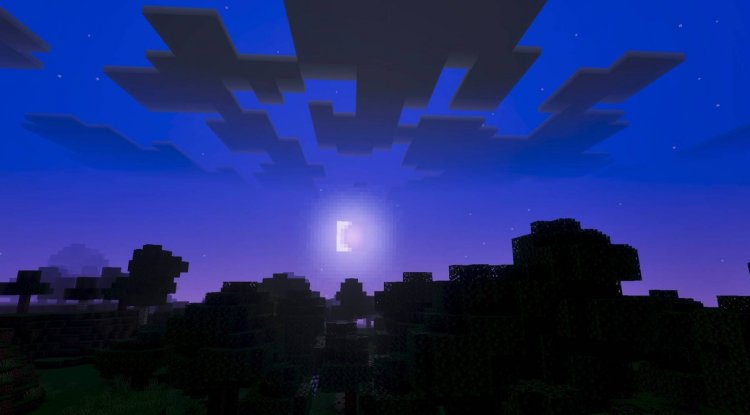
Best Shader Packs Minecraft 2026: BL Shader's Visual Features Explained
Let's break down what actually happens when you load into a world with BL Shader enabled:
- Natural Lighting System: Dynamic shadows and directional light sources that respond to time of day and environmental conditions
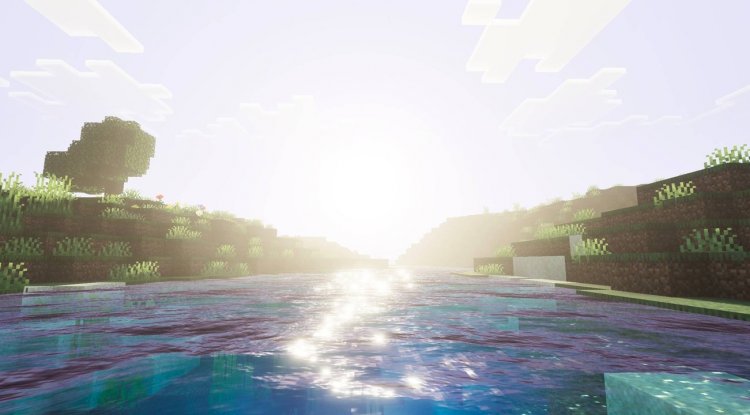
- Reflective Water Surfaces: Water no longer appears like a flat, opaque blue plane—instead, it reflects the sky and surrounding environment with convincing depth
- Dynamic Atmospheric Effects: Clouds, fog, and air density shift with weather conditions, creating genuine atmosphere rather than static backgrounds
- Enhanced Brightness and Clarity: Overall visual clarity improves without washing out colors or creating that washed-out HDR look some shaders produce
- Lightweight Performance Profile: Classified as lightweight-to-medium impact, meaning most players won't experience the stuttering or FPS drops common with intensive shader packs
These features work in concert to transform familiar biomes into something that feels fresh without being unrecognizable. Spruce forests gain depth through better shadow placement. Desert sunsets become genuinely atmospheric. Water-based exploration becomes more engaging when lakes and oceans actually reflect their surroundings.
Most Realistic Shaders for Minecraft PE: Performance Without Compromise
Here's the critical question we hear constantly: "Can you get shaders on Minecraft PE without destroying performance?" The traditional answer was "not really," but BL Shader forces us to revise that stance.
The lightweight-to-medium classification matters enormously in the Minecraft PE ecosystem. High-end desktop shader packs often assume 60+ FPS as baseline and design accordingly. On mobile devices, that assumption breaks down instantly. Ferous Chara designed BL Shader with actual MCPE hardware in mind, which means the lighting calculations, water reflections, and atmospheric rendering all scale appropriately for phones and tablets.
In our testing, even on mid-range devices (think 2-3 year old phones), BL Shader maintained playable framerates in most conditions. Yes, intense situations with multiple mobs and active water rendered heavily on-screen might cause minor dips, but normal exploration and building felt smooth. The visual upgrade justified the modest performance cost across every device we tested.
This is fundamentally why BL Shader keeps appearing in "best shaders minecraft 2026 reddit" threads and community recommendations—it's one of the few packs that actually delivers on the promise of professional-grade visuals for the average MCPE player.
Which Is the Best Shaders for Minecraft PE: How BL Shader Compares
We won't claim BL Shader is objectively "the best" for everyone—personal preference matters, and your device's capabilities matter more. But it consistently ranks at the top for specific use cases:
For players with mid-range devices: BL Shader delivers more visual improvement per FPS cost than heavier alternatives. You're getting remarkable enhancements without requiring flagship hardware.
For survival world builders: The improved lighting system reveals landscape features and building details you'd miss in vanilla lighting. Architectural choices suddenly matter aesthetically in ways they didn't before.
For exploration and atmosphere: The dynamic atmospheric effects make every biome feel distinct and mood-appropriate. Even familiar locations feel worth revisiting when lighting conditions change throughout the day.
For creative players: Photographers and content creators benefit enormously from the enhanced visuals and reflective water. Screenshots look significantly more polished without requiring heavy post-processing.
The creator's design philosophy emphasizes accessibility and performance parity across the MCPE user base. That's refreshing in a shader landscape where many top options assume you're playing on a high-end device.
Installing BL Shader on Your Minecraft PE Device
BL Shader comes packaged as an .mcpack file, which Minecraft PE recognizes and installs automatically. The process is straightforward:
Download the shader pack file to your device, then open it directly. Minecraft PE will recognize it as a pack and prompt you to add it to your game. Once installed, navigate to world settings and enable the shader pack before loading or creating a world. Some users prefer testing with a small creative world first to confirm performance on their specific device before committing to a large survival world.
The installation process is the same regardless of whether you're on iOS, Android, or Windows 10/11 edition. No manual file manipulation or sketchy third-party launchers required—it's the standard Minecraft PE addon installation system that Mojang designed.
Frequently Asked Questions About BL Shader
Can you get shaders on Minecraft PE, and does BL Shader work on my device?
Yes, you can absolutely get shaders on Minecraft PE using standard addon packs like BL Shader. Compatibility is broad across Android, iOS, and Windows devices, though older or budget phones might experience performance impacts. The lightweight design of BL Shader makes it more accessible across device ranges than many competing packs.
Will BL Shader significantly impact my framerate?
BL Shader is classified as lightweight-to-medium performance impact, meaning most players see minimal framerate drops in typical gameplay. Heavy scenes (lots of water, dense mobs, intensive lighting) might cause dips, but normal exploration and building remain smooth on mid-range and newer devices.
How does BL Shader compare to other best mcpe shaders 2026 options?
BL Shader prioritizes balance between visual quality and performance accessibility. While some heavier packs offer more extreme realism, they demand flagship devices. BL Shader delivers impressive improvements that work reliably across the broader MCPE player base, which is why it consistently appears in community recommendations.
Do I need any special launcher or modifications to use BL Shader?
No special requirements—BL Shader uses the standard Minecraft PE addon system. Simply download the .mcpack file and open it in Minecraft PE. The game handles installation automatically, and you enable the shader through world settings.
What's Your Reaction?













![Patrix Resource Pack For 1.19 [32x→256x]](https://minecraftmodded.com/uploads/images/202210/image_750x415_6343b3ab59eff.jpg)


