Bloomy Dynamic Lights: Best MCPE Addon for Glowing Effects
Bloomy Dynamic Lights adds glowing halos and dynamic lighting to torches and lanterns in Minecraft Bedrock. Enhance your nighttime exploration with immersive light effects.
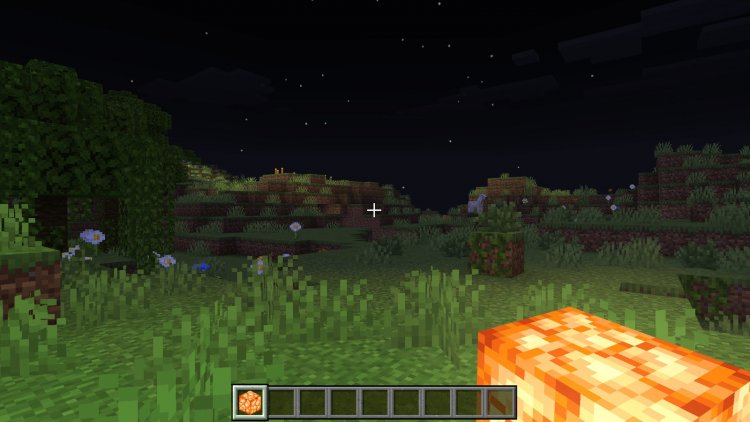
Created by FoxyFall
Bloomy Dynamic Lights: The Best MCPE Addon for Immersive Lighting Effects
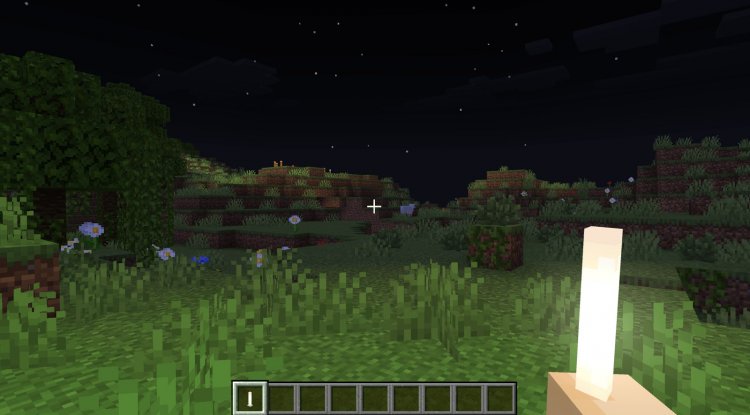
Bloomy Dynamic Lights is a Minecraft Bedrock addon that adds glowing halos and dynamic lighting effects around light-emitting items and blocks. Created by FoxyFall, this addon transforms how light sources behave in your world, casting soft bloom glows and realistic dynamic light that follows you as you explore. If you've ever wanted your torches and lanterns to feel less like floating point lights and more like actual illumination sources, this addon delivers exactly that experience.
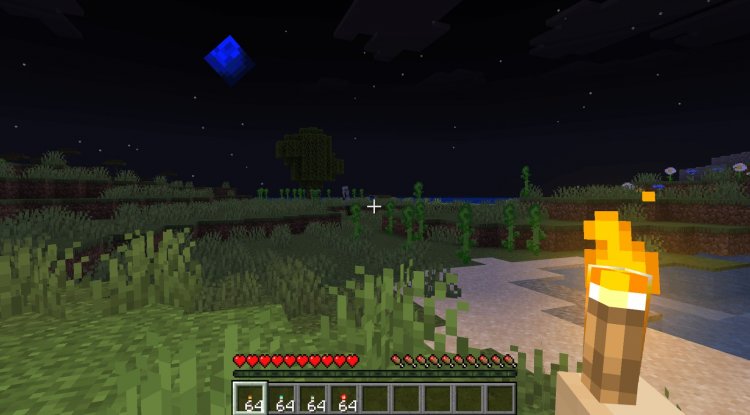
Photos by FoxyFall
Why Bloomy Dynamic Lights Stands Out Among Best Minecraft Addons 2026
When evaluating the best mcpe addons currently available, visual immersion addons occupy a unique space. They don't change gameplay mechanics or add new content—instead, they refine how existing elements look and feel. Bloomy Dynamic Lights does this exceptionally well. The addon combines two complementary visual features: a soft bloom glow that surrounds light-emitting blocks (making them feel warm and inviting) and dynamic lighting that actually illuminates your surroundings as you carry torches or lanterns.
What makes this addon genuinely useful rather than purely cosmetic is its impact on gameplay atmosphere. Nighttime exploration in vanilla Minecraft can feel sterile—you place torches, they emit light in a rigid radius, and you move on. With Bloomy Dynamic Lights, that same torch becomes a visual anchor point. The bloom effect draws your eye to light sources, making it easier to navigate caves without feeling like you're relying on HUD overlays. During multiplayer sessions, this subtle visual feedback helps you and other players stay oriented without breaking immersion.
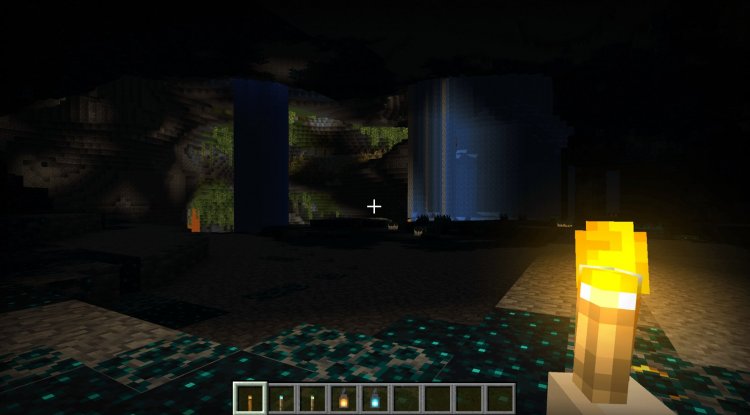
Comprehensive Light Source Support and Performance Optimization
The addon's feature set is thoughtfully comprehensive. Rather than limiting itself to basic torches, Bloomy Dynamic Lights supports an impressive array of light-emitting blocks and items:
- Standard torches and soul torches
- Lanterns (both regular and soul variants)
- Jack o'lanterns
- Sea lanterns
- Shromlights
- Froglights
- Glowstone blocks
- Campfires
- Magma blocks
- Sea pickles
This broad compatibility means the addon enhances lighting throughout your world, from underground cave systems to dark ocean biomes. Performance remains solid even with multiple light sources active, making it viable for both survival gameplay and larger multiplayer servers. FoxyFall clearly optimized the addon with real-world usage in mind rather than sacrificing frame rates for visual spectacle.
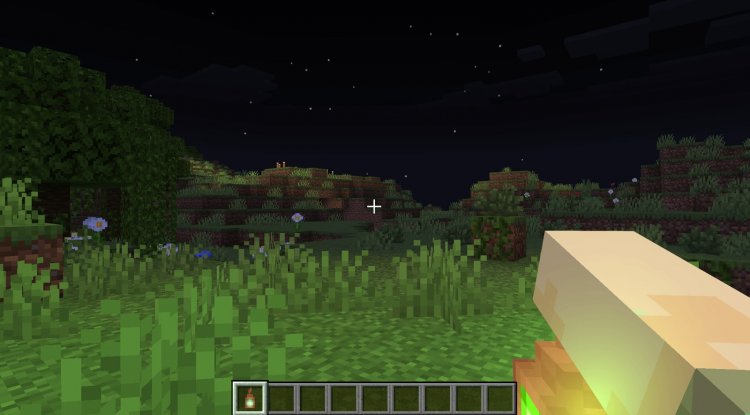
The Offhand Torch Mechanic: A Gameplay Quality-of-Life Upgrade
Beyond visual effects, Bloomy Dynamic Lights introduces a practical gameplay feature: the ability to hold torches in your offhand while keeping your main hand free. This might sound minor, but it's genuinely transformative for survival players. Previously, lighting up a dark area required either constantly swapping items or committing your main hand to a torch, limiting your ability to mine or place blocks simultaneously.
The implementation uses a crouch mechanic to activate offhand torch functionality, meaning it integrates naturally into existing Minecraft controls. Hold a torch in your offhand, crouch, and the dynamic lighting follows you without disrupting your primary hand's activity. This quality-of-life improvement makes spelunking and nighttime building significantly more fluid.
Understanding the Technical Setup: Behavior Pack and Resource Pack Requirements
Like many of the best minecraft addons, Bloomy Dynamic Lights requires both a behavior pack and resource pack working in tandem. The resource pack handles the visual bloom textures and particle effects you see, while the behavior pack manages the underlying scripts that handle temporary light block creation and management. This dual-pack structure is why you'll need to enable experimental gameplay features during setup.
The addon targets Minecraft Bedrock 1.21, ensuring compatibility with the latest features and fixes. For multiplayer scenarios, it's important that all players have the resource pack enabled to experience consistent particle effects. Without it, other players will see light sources but miss the full bloom visual impact, creating a slightly fragmented experience. In singleplayer, you control everything, so installation is more straightforward.
Best MCPE Addons for Different Playstyles
Bloomy Dynamic Lights appeals to several player archetypes within the Minecraft Bedrock community. For survival players, the offhand torch feature and improved visibility make extended mining sessions more enjoyable. For builders, the bloom effects add atmospheric depth to nighttime builds and create visually compelling screenshots. For multiplayer servers, the addon enhances shared world aesthetics without requiring heavy server-side modifications. For explorers, the dynamic lighting makes cave systems and ocean biomes feel less repetitive and more atmospheric.
Essentially, if you spend meaningful time in darkness—whether by choice during exploration or by necessity during mining—Bloomy Dynamic Lights improves that experience tangibly. It sits comfortably alongside other immersion-focused addons rather than competing with content or balance-altering ones.
How to Install Bloomy Dynamic Lights
Installing Bloomy Dynamic Lights requires careful attention to the dual-pack structure. First, download both the Behavior Pack and Resource Pack files. On mobile devices, these typically download to your device's default download folder. On Windows, you can place them directly into your com.mojang folders.
For mobile users: After downloading, open each .mcpack file in turn. Minecraft will recognize and import them automatically into the correct directories.
For Windows users: Navigate to Users/[YourUsername]/AppData/Local/Packages/Microsoft.MinecraftUWP/LocalState/games/com.mojang. Create two folders if they don't exist: behavior_packs and resource_packs. Place the behavior pack files in the behavior_packs folder and resource pack files in the resource_packs folder.
Once files are placed, launch Minecraft and create a new world (or edit existing world settings). Under "Add-ons," enable the Bloomy Dynamic Lights behavior pack and resource pack. Critically, navigate to "Experiments" and enable both "Experimental Gameplay" and any scripting/GameTest framework options your version requires. Both packs must be enabled for the addon to function properly.
Frequently Asked Questions
Does Bloomy Dynamic Lights work in multiplayer worlds?
Yes, the addon works in both singleplayer and multiplayer modes. For the best experience, ensure all players have the resource pack enabled so everyone sees consistent particle effects and bloom visuals.
Will this addon hurt my performance or FPS?
The addon is optimized for performance and suitable for survival and multiplayer gameplay without significant frame rate impacts. Performance depends on your device specifications and how many light sources are active simultaneously.
Can I use Bloomy Dynamic Lights with other visual addons?
Compatibility depends on whether other addons modify the same blocks or use overlapping scripts. Generally, addons that don't touch light sources or particle effects will coexist without issue, but test in a backup world before committing to a full world.
What Minecraft versions does this addon support?
Bloomy Dynamic Lights is designed for Minecraft Bedrock 1.21. Compatibility with future versions depends on whether Mojang changes how light blocks or experimental scripting features function.
What's Your Reaction?














![Patrix Resource Pack For 1.19 [32x→256x]](https://minecraftmodded.com/uploads/images/202210/image_750x415_6343b3ab59eff.jpg)

