Health Bars Combat UI Addon: Best MCPE Addons 2026
Health Bars addon adds pixel-art combat UI to Minecraft Bedrock. See mob health in real-time with Terraria, Classic, or RPG styles. Fully customizable.
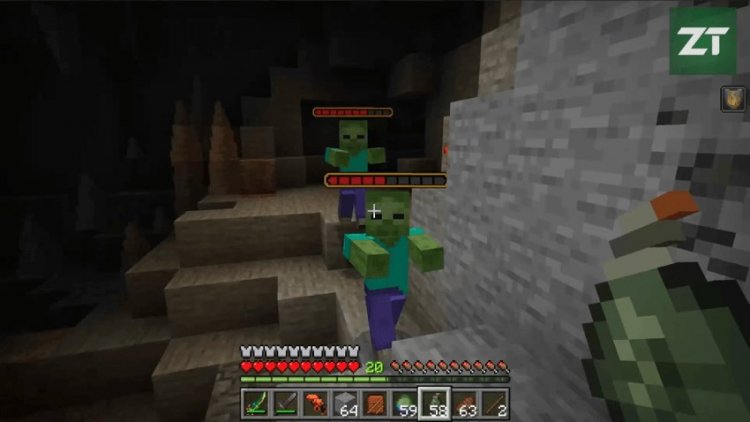
Created by ZeroTeam
Health Bars Combat UI: A Must-Have Addon for Minecraft Bedrock Combat
The Health Bars Combat UI addon is a lightweight cosmetic enhancement that displays pixel-art health bars above mobs during combat in Minecraft Bedrock Edition. Created by ZeroTeam, this addon transforms how you experience mob encounters by giving you instant visual feedback on enemy health without cluttering your screen or affecting gameplay balance.
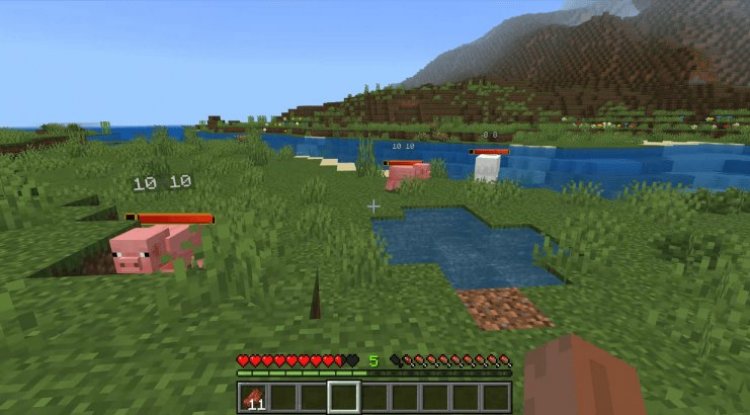
Photos by ZeroTeam
Why Health Bars Matter in Minecraft Combat
Combat in vanilla Minecraft is intentionally stripped-down—there's no UI telling you how much longer a creeper will last or when that skeleton is nearly finished. While this minimalist design works fine, it creates a gap between what you're doing (dealing damage) and what you're seeing (particles and knockback). Health Bars fills that gap elegantly.
Whether you're a server administrator managing PvP worlds, a modded player who loves RPG mechanics, or simply someone tired of guessing when a boss is about to die, this addon brings the quality-of-life improvement that many players have wanted since Bedrock's launch. It's the kind of feature that feels essential once you've experienced it.
Three Distinct Visual Styles for Every Playstyle
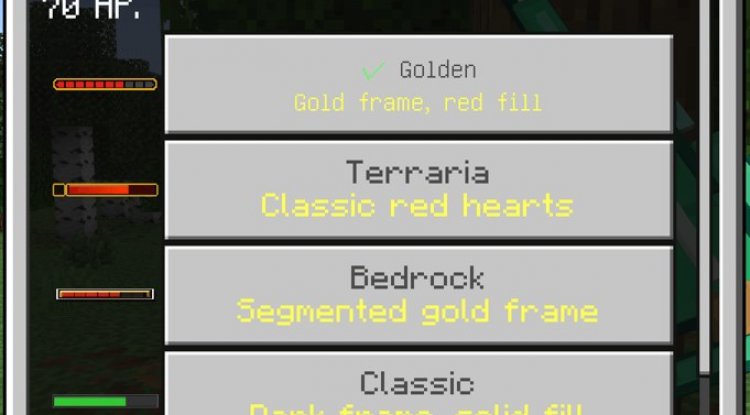
One of Health Bars' strongest features is its flexibility. The addon ships with three thematically different visual styles, each designed to match different aesthetic preferences:
- Terraria style – Draws inspiration from the popular 2D sandbox, fitting perfectly if you run Terraria-themed worlds or prefer that retro-RPG vibe
- Classic style – A clean, minimalist bar design that doesn't distract from Minecraft's natural visuals
- RPG style – A more elaborate health display with decorative elements, ideal for adventure maps and narrative-driven servers
All three render as smooth pixel art above mobs, positioned so they don't block your view of the actual entity. You can switch between styles anytime through the in-game settings menu without reinstalling anything.
Customization That Respects Your Preferences
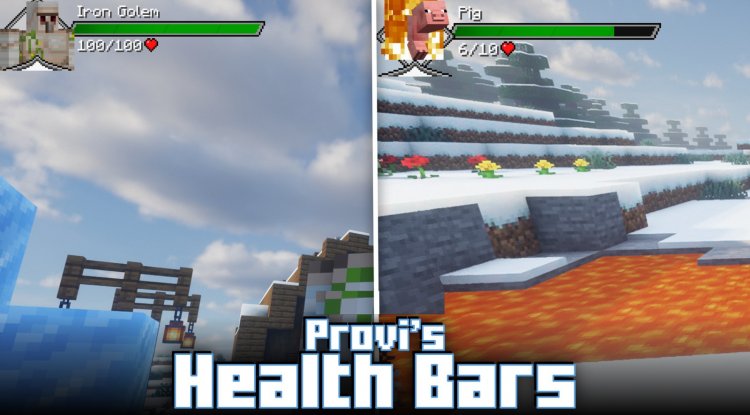
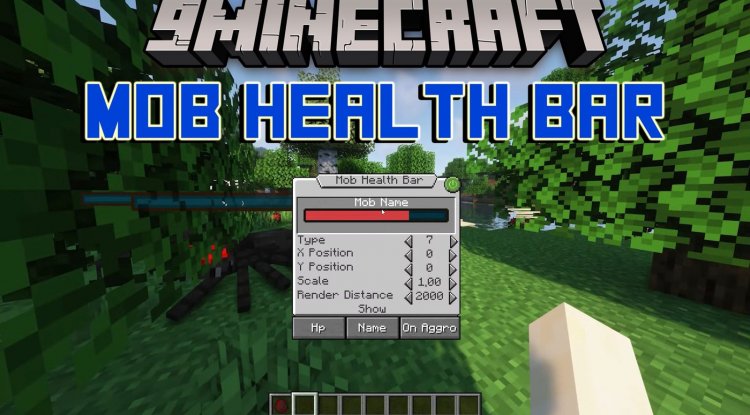
Health Bars doesn't impose a one-size-fits-all experience. The addon includes an intuitive in-game settings menu (accessible via /hb, /health-bars, /ztp:health-bars, or /ztp:hb) where you can fine-tune behavior without operator permissions required.
Want to see numerical HP values alongside the bars? Toggle that on. Prefer bars to fade away after combat ends? Set a custom delay in temporary mode. Need bars to always stay visible for reference? Switch to always-visible mode. Should player health bars clutter your multiplayer experience? They're disabled by default—you can enable them per-world if needed.
All settings are saved per-world, so your survival realm keeps its preferences separate from your creative testing world. This level of control is rare in cosmetic addons and shows ZeroTeam's attention to user experience.
Best MCPE Addons 2026: Why Health Bars Stands Out
When evaluating the best Minecraft addons for Bedrock Edition in 2026, Health Bars excels because it solves a real problem without creating new ones. It's purely cosmetic—it doesn't modify mob behavior, change damage values, alter health pools, or affect loot drops. This means it works on vanilla servers, realm-friendly worlds, and pure survival playthroughs without triggering any unintended consequences.
The addon is also genuinely lightweight. Built using behavior and resource packs with no external dependencies, it runs smoothly even on lower-end devices. You won't notice performance impact, and the file size is minimal compared to total world data.
For content creators and server owners, Health Bars is a game-changer. It makes combat encounters visibly more engaging for viewers and players, adds professional polish to adventure maps, and works seamlessly with other popular addons—including compatibility notes for the separate Damage Numbers addon if you want both.
Core Features & Highlights
- Real-time health bar updates as mobs take damage
- Three distinct visual styles: Terraria, Classic, and RPG
- Optional numerical HP display (current/max health)
- Player health bars (disabled by default, toggleable per-world)
- Temporary mode with configurable fade delay
- Always-visible persistent mode
- In-game command-based settings menu
- Per-world configuration storage
- No operator permissions needed to access settings
- Zero impact on combat balance or game balance
How to Install Health Bars Addon
Installation is straightforward for any .mcaddon file. Download the addon, then:
- Open the .mcaddon file—your device will prompt you to open it in Minecraft
- Minecraft will automatically import both the Behavior Pack and Resource Pack
- Create a new world or open an existing one in world settings
- Under "Packs," activate both the Health Bars Behavior Pack and Resource Pack
- Load the world and use
/hbto open the settings menu
That's it. No additional configuration needed. The addon works immediately.
Frequently Asked Questions
Will Health Bars work on multiplayer servers and realms?
Yes, as long as the server or realm has the addon installed and activated. It's pure client-side visual enhancement compatible with vanilla gameplay rules.
Can I use Health Bars alongside other addons?
Absolutely. Health Bars is designed to be modular. It's confirmed compatible with other addons, including the Damage Numbers addon if you want both mods running together.
Does enabling player health bars affect PvP balance?
No. Player bars are cosmetic only—they don't provide mechanical advantages, just visual information. You can toggle them on or off per-world based on your preference.
What happens if I want to change styles later?
Just open the settings menu with /hb and switch styles anytime. Your choice saves automatically for that world, so you never lose your preference.
What's Your Reaction?












![Patrix Resource Pack For 1.19 [32x→256x]](https://minecraftmodded.com/uploads/images/202210/image_750x415_6343b3ab59eff.jpg)


