Dynamic Light+ Addon: Real-Time Lighting for Minecraft Bedrock
Dynamic Light+ addon enables torches, lanterns, and glowing items to emit real-time light when held or placed. Download for Minecraft PE and Bedrock now.
Created by Howard Addon
Dynamic Light+ Addon: Real-Time Lighting for Minecraft Bedrock
Dynamic Light+ is an addon that enables held and placed light-emitting items to illuminate their surroundings in real-time, transforming how torches, lanterns, and glowing items interact with the world around you. Created by Howard Addon, this enhancement brings a layer of visual immersion that vanilla Minecraft Bedrock Edition simply doesn't offer out of the box.
If you've ever held a torch while exploring a cave and wished it actually lit up the darkness ahead of you, or placed a lantern on your nightstand expecting it to glow, this addon is designed specifically for that experience. It's a seemingly small quality-of-life improvement that fundamentally changes how you interact with light sources in survival mode and creative builds alike.
What Makes Dynamic Light Minecraft Addons Game-Changing?
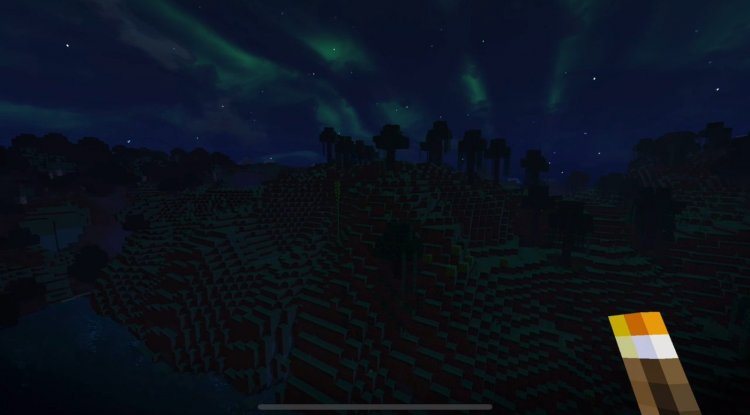
Vanilla Minecraft Bedrock treats placed torches and held light sources as static decorations—they look nice, but they don't actually cast light dynamically based on their position relative to you. This creates a disconnect between visual expectation and mechanical reality. A dynamic light minecraft addon like this one closes that gap.
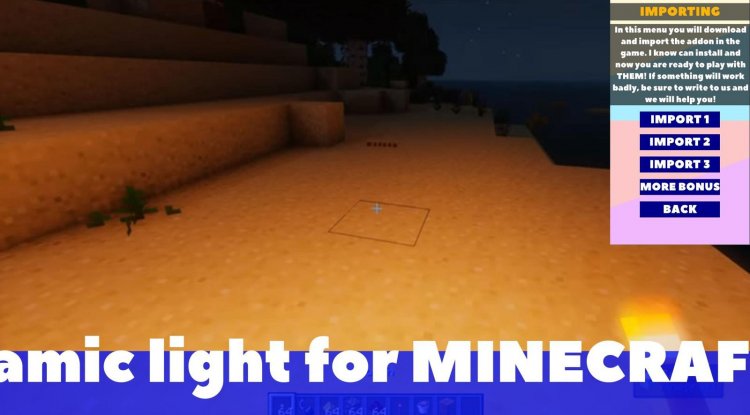
The immediate benefit is immersion. When you're exploring a dark cave system with a torch in your main hand, that torch now casts a realistic cone of light ahead of you. The same applies when you're building—place a lantern on your crafting station, and it illuminates the workspace. These aren't massive mechanical changes, but they make the game feel more responsive and alive.
For builders, the implications are even more interesting. Nighttime builds suddenly become more functional because your light sources actually work as intended. You can place torches in architectural designs and trust that they'll create the ambiance you're visualizing.
Core Features: More Than Just Torches
While torches and lanterns are the headline feature, Dynamic Light+ goes deeper. Here's what this dynamic light minecraft bedrock addon actually brings to the table:
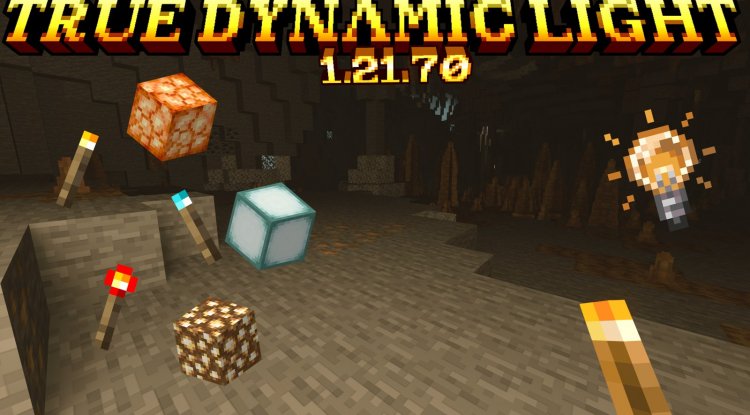
- Torches, lanterns, and glowing items emit light when held in your main hand or placed on the ground
- Ender Eye grants a Night Vision effect when held, letting you see in the dark without needing potions
- Nether Star grants special effects when held, adding utility to one of Minecraft's most prestigious items
- Off-hand support for torch placement, redstone torch placement, soul torch placement, and totem placement
- Effects from special items like Ender Eye and Nether Star persist for an extended duration, even after you stop holding them
- Seamless integration with both main hand and off-hand slots for maximum flexibility
The off-hand features deserve special mention. Being able to hold a torch in your off-hand while mining with a pickaxe in your main hand is exactly how players naturally expect Minecraft to work. The fact that this addon enables that speaks to how intuitive the design is.
Dynamic Light Minecraft PE: Tailored for Pocket Edition Players
Mobile players often feel like they're getting a diminished Minecraft experience compared to Java or Bedrock on console. A dynamic light addon mcpe like this one is a way to close that gap. The addon is specifically optimized for Minecraft Pocket Edition's performance constraints while still delivering the visual enhancement that makes exploration more engaging.
For MCPE players in particular, this addon makes caves and underground mining feel more like an adventure. Instead of relying entirely on your mental map of where torches are placed, you actually get visual feedback about what's ahead of you in the darkness.
How Dynamic Light Works With Resource Packs
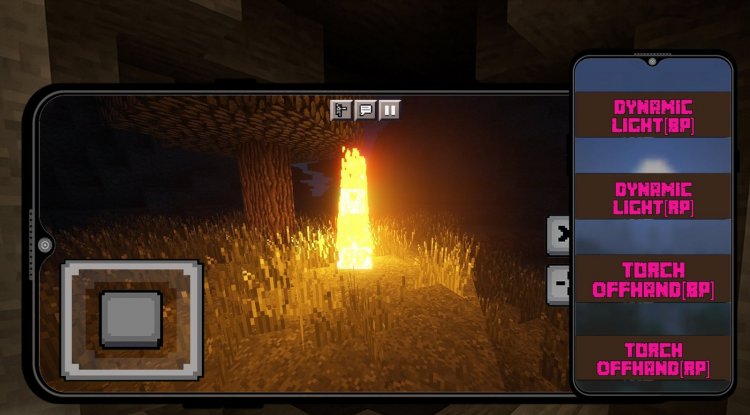
One important technical detail: to unlock the full potential of Dynamic Light+, you'll need to download a companion resource pack separately. This is where the off-hand features—like holding torches or totems in your secondary hand—become fully functional.
This two-part approach is common in Minecraft Bedrock addons. The behavior pack (the addon itself) handles the mechanics and effects, while the resource pack ensures the visuals and off-hand interactions work correctly. It's a bit more setup than a single-file mod, but it's straightforward once you understand the system.
Who Should Use This Dynamic Light Minecraft Addon?
This addon has a surprisingly wide appeal:
Survival mode players benefit immediately from better lighting while exploring. Your torch actually does what you expect it to do.
Builders and architects can design lighting schemes knowing that decorative torches and lanterns will functionally illuminate their spaces.
Cave explorers and dungeon divers get the immersion boost of seeing danger ahead because your held light actually illuminates the path forward.
Redstone engineers might appreciate the special interactions with items like the Nether Star, which opens up creative possibilities for themed lighting systems.
Players frustrated with vanilla limitations will find this addon addresses one of Bedrock Edition's most obvious missing features compared to Java's shader-based dynamic lighting.
How to Install Dynamic Light+ for Minecraft Bedrock
Installation is straightforward, though it involves two components:
- Download the addon file from a trusted source. The .mcpack file format is standard for Bedrock addons.
- Download the resource pack separately if you want full off-hand functionality.
- Open the addon file from your device's file manager or downloads folder. Minecraft will automatically recognize it and prompt you to import it.
- Import the resource pack the same way.
- Create or open a world and enable both the addon and resource pack in the world settings under "Behavior Packs" and "Resource Packs."
- Save and load your world. Dynamic Light+ should now be active.
No restart of Minecraft is required for most effects, though reloading the world ensures everything activates properly.
Frequently Asked Questions About Dynamic Light Minecraft Addons
Will Dynamic Light+ work with my existing survival world?
Yes. You can add this addon to any existing world without breaking it. Simply enable the addon and resource pack in your world settings, and the effects activate immediately.
Does this addon work on Minecraft Java Edition?
No. Dynamic Light+ is specifically designed for Minecraft Bedrock and Pocket Edition. Java players should look into shader packs or mods like Canvas or Sodium for dynamic lighting effects.
Will using this addon affect my FPS or performance?
The addon is optimized to have minimal performance impact, though holding multiple light sources simultaneously might cause minor FPS dips on older devices. Most modern phones and tablets handle it without issue.
Can I use this addon alongside other addons and resource packs?
Absolutely. Dynamic Light+ is designed to play well with other addons. Just make sure there aren't conflicting packs that modify the same items or effects. Most quality-of-life addons layer on top of each other without problems.
What's Your Reaction?













![Patrix Resource Pack For 1.19 [32x→256x]](https://minecraftmodded.com/uploads/images/202210/image_750x415_6343b3ab59eff.jpg)


