LUCA Eye Shader: Anime + Realism for Minecraft Bedrock
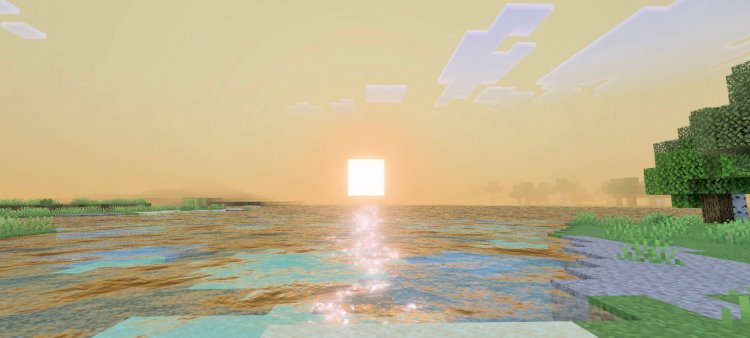
LUCA Eye blends anime and realistic visuals in this stunning Bedrock shader. Vibrant skies, soft shadows, and balanced cinematics await.
Created by zephyrcraft
LUCA Eye is a hybrid shader for Minecraft Bedrock that merges anime-inspired aesthetics with realistic lighting and shadow systems. Created by zephyrcraft (originally credited to block_craft_addons), this shader transforms how your world looks without sacrificing performance or the core Minecraft visual identity.
What Makes LUCA Eye Different From Other Shaders
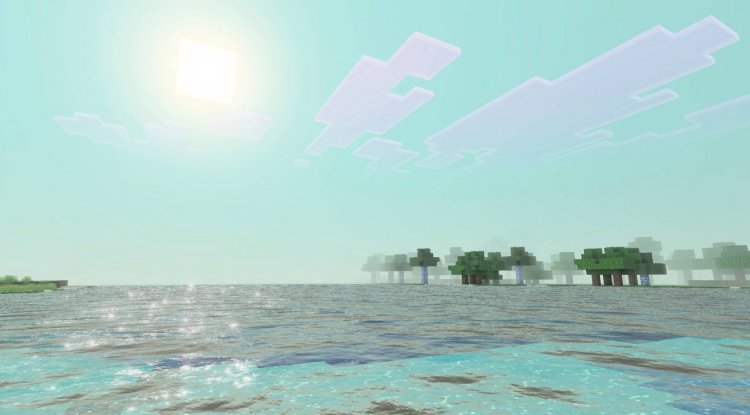
Most Bedrock shaders commit fully to one visual direction—either hyper-realistic ray-traced lighting, or heavily stylized cartoon effects. LUCA Eye refuses to choose. Instead, it intelligently blends both approaches, giving you vibrant anime-colored blocks alongside natural, cinematic lighting behaviors. The result feels like someone took a Studio Ghibli concept and rendered it through Minecraft's engine.
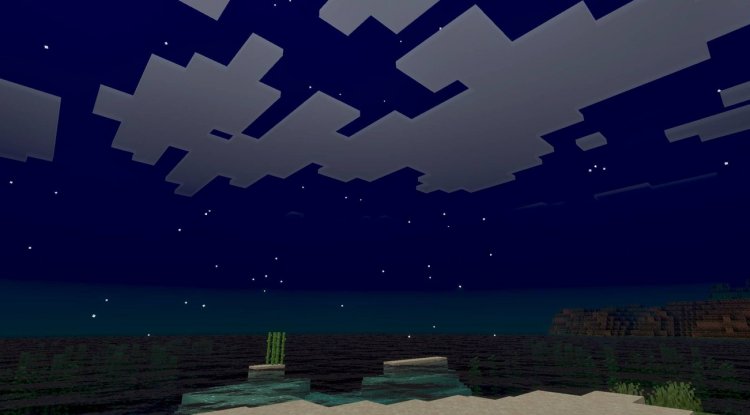
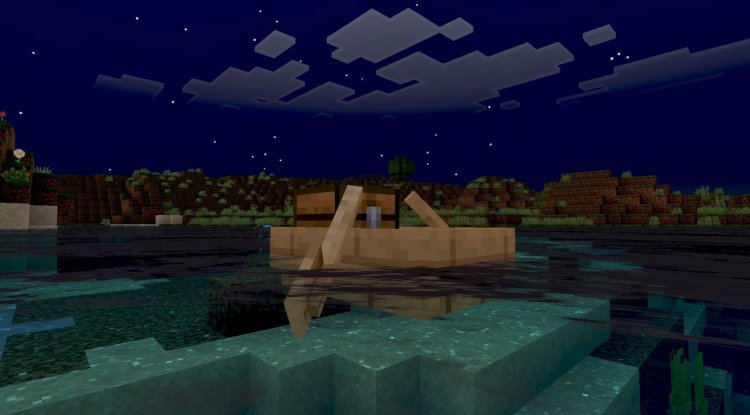
The shader maintains contrast balance, so your anime-bright colors don't clash with realistic shadow gradients. Daytime scenes feel magical without becoming washed out. Nighttime worlds get moody shadows that still let you see what you're doing. It's this middle ground that makes LUCA Eye special—you're not sacrificing visibility or atmosphere for visual flair.
Visual Features That Make LUCA Eye Stand Out
- Stylized colors paired with natural lighting – Blocks retain vibrant hues while responding realistically to light sources
- Vibrant sky rendering – Sunsets, sunrises, and clear skies burst with color without looking artificial
- Soft and detailed shadow systems – Shadows enhance depth and mood rather than creating harsh black areas
- Balanced cinematic-to-anime ratio – Neither effect overwhelms the other; they work together seamlessly
- All-hours performance – Runs smoothly from dawn to dusk without stuttering or lag spikes
- Vibrant visual mode toggle – Adjust intensity to suit your preference or device capabilities
- Optimized for stability – Built to work reliably across different Bedrock devices
Who Should Try LUCA Eye
If you've ever wanted your Minecraft world to feel like a living anime but didn't want to lose that satisfying Minecraft gameplay feel, LUCA Eye is made for you. Creative builders will appreciate how it makes their structures look like concept art. Survival players benefit from the balanced lighting—you can navigate caves without squinting or getting lost in shadows. Cinematic content creators get built-in visual storytelling through the shader's color grading and shadow depth.
The shader also works well for players who find pure realistic shaders too demanding on their device. LUCA Eye's optimization means you can get stunning visuals without running into performance walls that force you to reduce render distance or lower settings.
How Lighting and Shadows Work in LUCA Eye
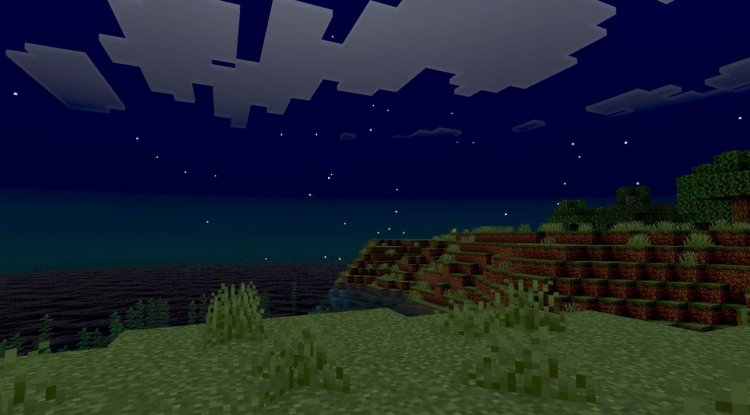
The shadow system is where LUCA Eye really flexes. Instead of harsh, pixelated shadows under blocks, you get soft gradients that make everything feel naturally lit. During the day, sunlight creates subtle shadows that guide your eye through the landscape. As the sun sets, these shadows deepen into rich purples and blues, giving nighttime scenes an almost dreamlike quality.
Water reflects the sky beautifully, clouds look volumetric and full, and even cave lighting feels intentional rather than flat. The shader adapts to different lighting conditions—no more sudden brightness changes when you move from sunlight to shadow. This consistency is what sells the "anime meets realism" concept; your brain accepts it as a valid art style rather than a technical compromise.
Performance and Compatibility on Bedrock
Bedrock shaders have a reputation for being either gorgeous but laggy, or performant but bland. LUCA Eye achieves both—it looks stunning without demanding top-tier hardware. The optimization means it runs on mid-range devices and still delivers that cinematic punch.
Compatibility is solid across Bedrock editions. Whether you're on Windows 10/11, mobile, or console, LUCA Eye should work without requiring extensive tweaking. The vibrant visual mode can be toggled based on your device's performance, so you're not locked into one look.
How to Install LUCA Eye on Your Bedrock World
Installing LUCA Eye is straightforward. Download the .mcpack file, and depending on your device, either double-click it (Windows) or open it with Minecraft (mobile/console). The file will import into your Bedrock launcher automatically.
Once imported, create a new world or open an existing one. In the world settings, add LUCA Eye as your active shader—it'll appear in your resource and behavior pack lists. After applying it, load into your world and look for the vibrant visual setting in your game options. Enable this setting to fully activate the shader's anime-realistic blend. Without it toggled on, you'll miss out on the color intensity that makes LUCA Eye special.
If you experience performance drops, try reducing your render distance or enabling lower shader options in the world settings. Most modern devices handle it at default settings, but optimization depends on your specific hardware.
Frequently Asked Questions About LUCA Eye
Will LUCA Eye work on older Bedrock devices?
LUCA Eye is optimized for stability across devices, but very old hardware might struggle. If you experience lag, lowering render distance or disabling the vibrant visual mode can help improve frame rates.
Can I use LUCA Eye with other texture packs?
Yes, LUCA Eye works alongside texture packs. The shader handles lighting and effects, while texture packs handle block textures. You can layer them for customized visuals, though compatibility depends on whether your texture pack uses features the shader supports.
How do I contact the creator if I want custom work?
Zephyrcraft (the creator) accepts custom addon requests via Discord. Check the shader's official documentation or social channels for the Discord link and contact information.
What's the difference between the vibrant visual mode on and off?
With vibrant visual mode enabled, colors become more saturated and the anime aesthetic is stronger. Disabling it reduces intensity slightly, which can help with performance or if you prefer a more restrained look. Both modes maintain the shader's core blend of anime and realistic lighting.
What's Your Reaction?













![Patrix Resource Pack For 1.19 [32x→256x]](https://minecraftmodded.com/uploads/images/202210/image_750x415_6343b3ab59eff.jpg)


