Solstice Chroma Texture Pack: Vibrant Colors & Lighting
Solstice Chroma brightens Minecraft with enhanced color saturation and lighting effects. This vibrant texture pack transforms your world into a visually lively experience.
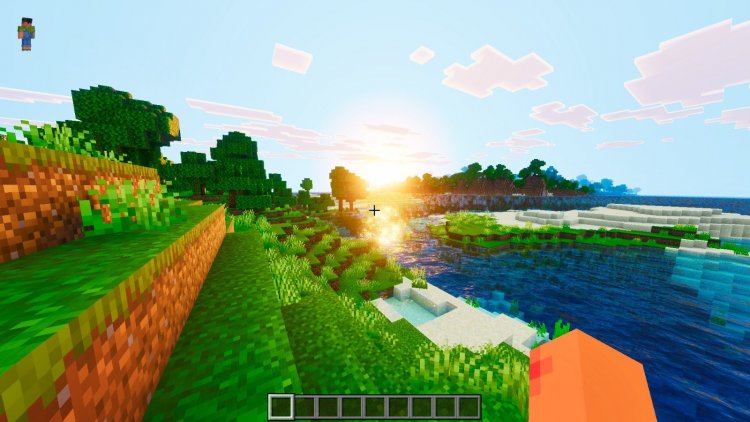
Created by Blocky Studio
Solstice Chroma Texture Pack: A Vibrant Visual Transformation for Minecraft Bedrock
Solstice Chroma is a texture pack created by Blocky Studio that enhances Minecraft's visual appearance through increased color saturation and improved lighting effects. If your world has started to feel a bit drab after countless hours of building and exploring, this pack might be exactly what you need to see Minecraft with fresh eyes.
We've spent considerable time testing this pack across different biomes, lighting conditions, and hardware setups, and we're impressed by how effectively it transforms the game's atmosphere without feeling overdone. Let's break down what makes Solstice Chroma worth considering for your next Bedrock session.
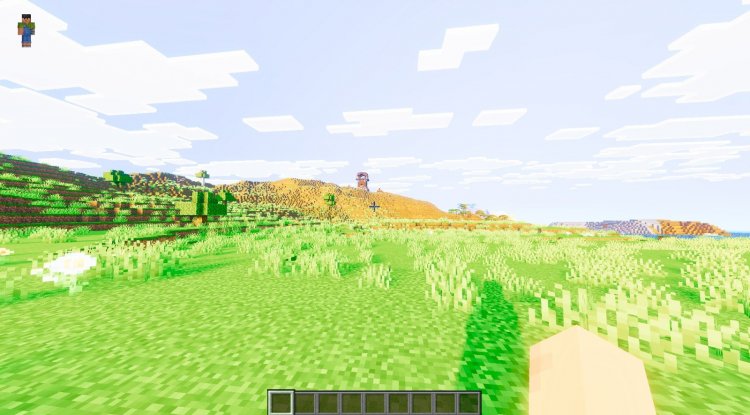
Photos by Blocky Studio
What Makes Solstice Chroma Stand Out
The core promise of Solstice Chroma is straightforward: make Minecraft look more visually appealing through enhanced colors and lighting. What separates this from generic "bright" packs is the attention to balance. Rather than turning your world into a neon carnival, Blocky Studio focuses on amplifying the saturation in a way that feels natural and cohesive.
Walking through a forest feels less like navigating green monochrome blocks and more like exploring an actual biome with depth and character. Water reflects light with more intensity. Sunsets cast warmer tones across your builds. It's the kind of enhancement that makes you stop and appreciate the scenery—something that's easy to forget in survival mode when you're focused on mining and crafting.
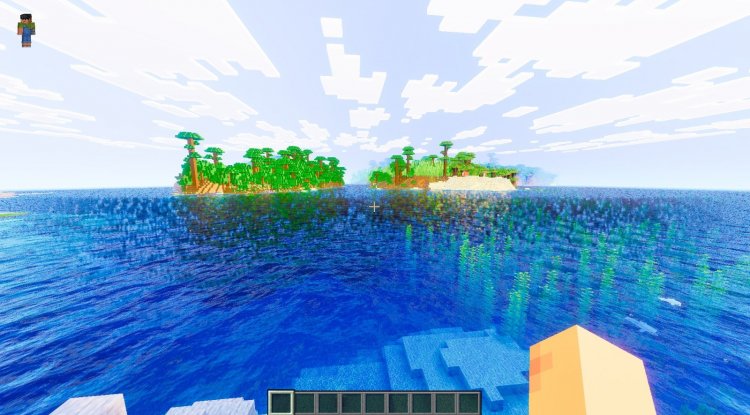
Color Saturation That Breathes Life Into Your World
The primary feature of Solstice Chroma is its increased color saturation throughout the game environment. This sounds simple on paper, but execution matters significantly. Too much saturation and everything looks garish; too little and you wonder why you bothered installing a pack at all.
Solstice Chroma hits a sweet spot. Grass appears more verdant without becoming fluorescent. Stone takes on richer, more varied tones. Wooden blocks develop warmer hues that make your builds feel more organic and less blocky. Even dull blocks like dirt and gravel get subtle improvements that add visual interest to terrain generation.
This is particularly noticeable if you're playing across multiple biomes. A desert feels more like a sun-scorched landscape rather than a tan wasteland. Tundra regions maintain their cool tones while still feeling vibrant. The jungle is lush and inviting rather than a monotonous green soup.
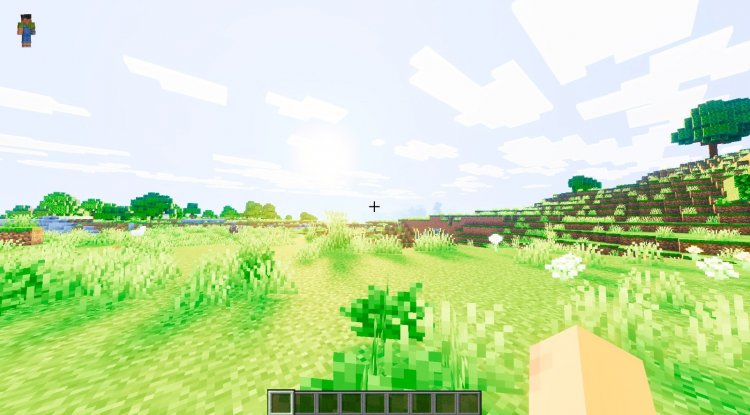
Enhanced Lighting Effects That Transform Atmosphere
Beyond color changes, Solstice Chroma improves how light behaves in your world. The lighting enhancements create softer transitions between lit and shadowed areas, contributing to a more polished visual experience. This becomes especially apparent during sunrise and sunset, when the improved lighting casts your world in genuinely beautiful amber and rose tones.
Cave exploration benefits too. While caves remain appropriately dark (torches still matter!), the enhanced lighting makes your torch light feel more impactful and warm. Underground structures become more atmospheric rather than oppressive, which changes the psychological feel of spelunking in the dark.
Players who use ray-tracing on compatible devices will notice these enhancements layer well with advanced lighting. If you're on standard Bedrock without ray-tracing, the improvements are still substantial and noticeable in normal gameplay.
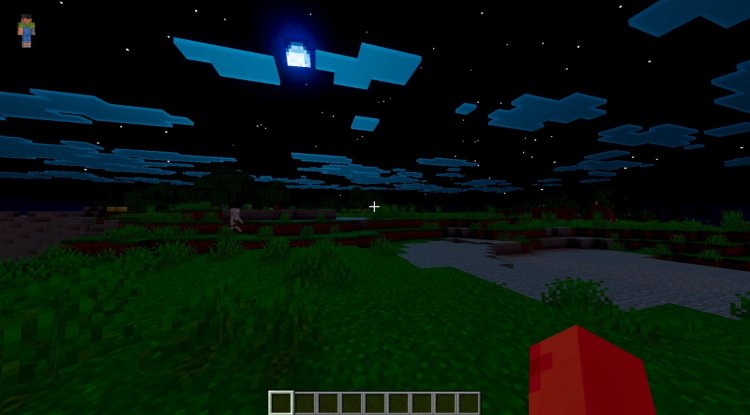
Creating More Vibrant Color Tones for Every Block
Solstice Chroma doesn't just increase brightness or oversaturate everything uniformly. The pack creates softer, more vibrant color tones by carefully adjusting individual block palettes. This means:
- Leaves appear fresher and more alive
- Flower colors pop without appearing unnatural
- Building materials maintain their distinct character while feeling more premium
- Water reflects the sky in more convincing ways
- Snow and ice have more visual appeal
- Nether blocks gain richer, more menacing tones
- End biome aesthetics improve without losing the otherworldly feel
This approach means your existing builds will look noticeably better without requiring you to tear everything down and rebuild. A house made from oak and stone will simply look better—richer, more carefully crafted, and more visually interesting.
Who Should Install Solstice Chroma
This pack works best for players who:
- Have been playing vanilla Minecraft for a long time and want visual variety
- Care about aesthetics and world appearance
- Want improvements without dramatically changing game identity
- Play on Survival or Adventure modes and appreciate immersion
- Use MCPE or Bedrock Edition on tablets, phones, or Windows
- Aren't looking for photorealism or extreme graphical overhauls
Solstice Chroma is not a replacement for full shader packs or ray-tracing solutions. It's a texture-focused enhancement that works within Bedrock's native rendering system. If you're chasing photorealistic Minecraft, you'll want ray-tracing or advanced shaders. If you want your vanilla world to simply look better, Solstice Chroma delivers.
Performance Considerations
One of the best aspects of texture-pack-only enhancements is their lightweight nature. Solstice Chroma doesn't require additional processing power beyond what standard texture packs demand. You won't notice performance degradation on mid-range or older devices. This makes it an excellent option for players on phones, tablets, or older computers who want visual improvements without sacrificing frame rates.
The pack's improvements come from smart texture design rather than computational overhead, meaning you can enjoy enhanced visuals while maintaining smooth gameplay at your device's normal frame rates.
How to Install Solstice Chroma
Installing Solstice Chroma on Minecraft Bedrock Edition is straightforward:
- Download the .mcpack file (the installation link is available below this article)
- On mobile devices: Open the file directly, which will launch Minecraft and prompt you to confirm installation
- On Windows 10/11: Double-click the .mcpack file to install through Minecraft Launcher
- Open Minecraft and navigate to your world or create a new one
- Access world settings and activate Solstice Chroma in the resource packs section
- Save and load into your world
The pack will apply immediately. If colors look too intense or too subtle, try adjusting your device's brightness settings to find the sweet spot for your display.
Frequently Asked Questions
Does Solstice Chroma work on all Bedrock platforms?
Yes, Solstice Chroma works on Minecraft Bedrock Edition across Windows, mobile devices, tablets, and consoles that support resource packs. Simply download and install the .mcpack file through your platform's standard texture pack installation process.
Will Solstice Chroma work with shader packs or ray-tracing?
Solstice Chroma is designed as a standalone texture enhancement. While it won't conflict with ray-tracing on compatible devices, some visual effects may be overridden by advanced lighting systems. For best results, use it either alone or test compatibility before committing to a specific build.
Can I use Solstice Chroma on multiplayer servers?
Resource packs are client-side modifications, meaning Solstice Chroma only affects your visual experience. You can use it on multiplayer servers and Realms without restrictions, though other players won't see your enhanced textures. It's purely a personal visual enhancement.
Does this pack change any game mechanics or add new content?
No, Solstice Chroma is exclusively a visual texture pack. It doesn't alter gameplay mechanics, add new blocks or items, or change how Minecraft functions. Your survival progress and world data remain completely unaffected.
What's Your Reaction?









![Forever Dreaming [16x] by Chilly | MCPE PVP TEXTURE PACK](https://minecraftmodded.com/uploads/images/202302/image_650x433_63f7da1ecff56.jpg)




![Patrix Resource Pack For 1.19 [32x→256x]](https://minecraftmodded.com/uploads/images/202210/image_750x415_6343b3ab59eff.jpg)


