Spectre v2 Texture Pack: X-Ray Glow Effects for All Entities
Spectre v2 adds glowing effects to entities for better visibility in dark areas. Six subpacks let you customize which mobs, players, blocks, and items glow.
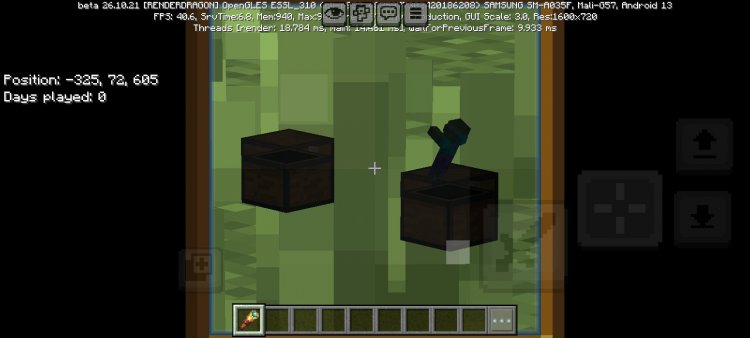
Created by Asterx
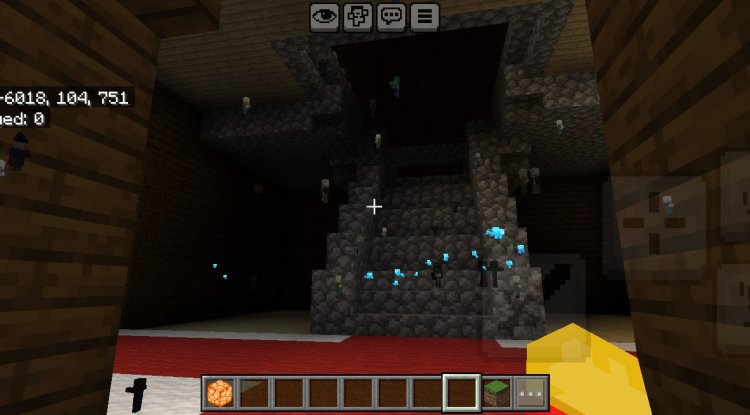
Photos by Asterx
What Is Spectre v2?
Spectre v2 is a texture pack that adds glowing visual effects to entities throughout your Minecraft world, making it dramatically easier to spot mobs, players, items, and blocks in dark locations or when they're hidden from plain sight. Created by Asterx, this pack transforms how you interact with your environment by making almost everything that matters glow with a distinctive, easy-to-track luminescence.
If you've ever found yourself squinting at a cave, unable to locate a specific mob or wondering where your teammate went in a dimly lit area, Spectre v2 solves that problem instantly. It's not an x-ray in the traditional sense—it doesn't reveal blocks through walls—but it does make entities stand out so clearly that finding what you're looking for becomes second nature.
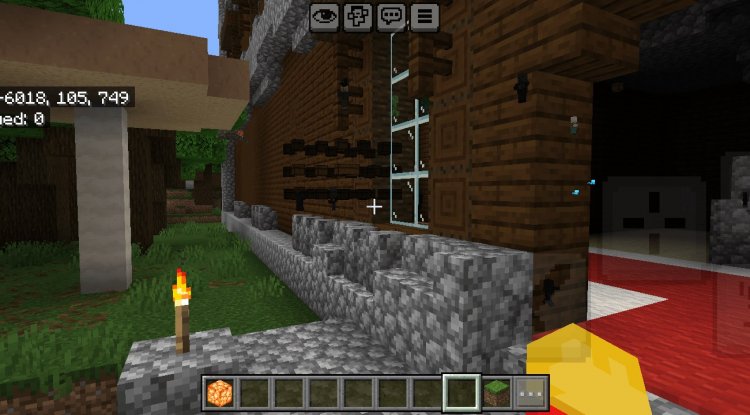
Why Spectre v2 Changes Your Gameplay Experience
Texture packs usually focus on making Minecraft look prettier. Spectre v2 does something different: it fundamentally improves functionality while keeping vanilla aesthetics intact. The glow effects aren't garish or unrealistic—they're precisely tuned to enhance visibility without overwhelming your visual experience.
This pack shines in specific scenarios. PvP players benefit from instantly locating enemies in low-light combat situations. Survival players can quickly identify hostile mobs in cave systems, making mining safer and more efficient. Content creators love this pack because it eliminates the frustrating "Where is that mob?" moment during recording sessions. Even casual players appreciate the quality-of-life improvement when hunting for specific drops or managing their storage areas.
The genius of Spectre v2 is that you don't have to use it everywhere. You can toggle it on when you need better entity visibility and off when you want the vanilla look. It's pure practicality wrapped in elegant design.
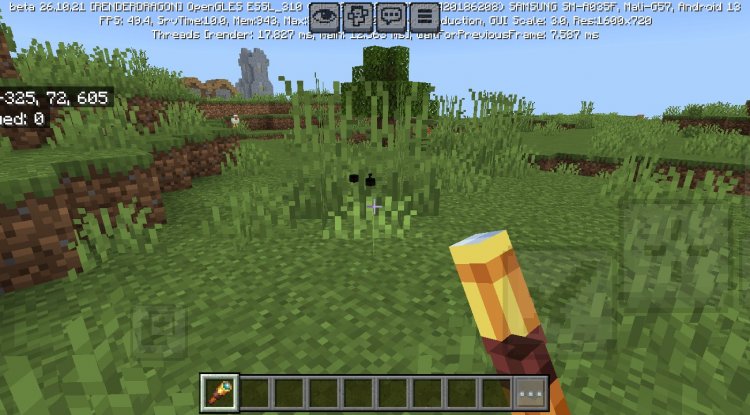
Six Subpacks: Choose Your Perfect Configuration
Instead of a one-size-fits-all approach, Spectre v2 offers six distinct subpack variations. Each subpack highlights different entity categories, giving you surgical precision over what glows and what doesn't.
- Mix Subpack: The all-in-one option that glows every entity in the game while maintaining full vanilla texture compatibility. Perfect if you want maximum visibility everywhere.
- Vanilla Subpack: Uses only original Minecraft textures with glow effects applied. Great for purists who don't want to stray from classic Minecraft visuals.
- Entity Subpack: Shows glow effects on all mobs and creatures, but with limited visibility configurations. A balanced middle ground.
- Player Subpack: Displays only players and their worn armor with glow effects. Ideal for multiplayer servers where finding teammates matters most.
- Block Subpack: Highlights the blocks you actually care about—chests, shulkers, beds, cushions, signs, enchanting tables, shields, pistons, spyglasses, tridents, leash knots, minecarts, boats, and bells. Essential for anyone managing storage or building contraptions.
- Illager Subpack: Shows only hostile illager variants—pillagers, ravagers, evokers, vindicators, and witches. Perfect for players focusing on raid defense or hunting these specific mobs.
The beauty here is flexibility. You switch between subpacks through in-game pack settings, so you can experiment without reinstalling anything. Found that the Entity subpack works better for your playstyle than the Mix version? Change it in seconds.
Feature Highlights
- Six customizable subpacks targeting different entity categories
- Glow effects enhance visibility without breaking immersion
- Compatible with vanilla textures and other resource packs
- Access pack settings via the gear icon after activation
- Switch subpacks on-the-fly without reinstalling
- Licensed for video creation and content distribution
- Available with local and global resource pack settings
- Designed specifically for Minecraft Bedrock and MCPE
Compatibility Notes and Limitations
Spectre v2 isn't without quirks, and understanding these limitations matters before installing.
The pack struggles when combined with other entity-modifying texture packs because they'll conflict over the same files. You can layer multiple packs, but the topmost one in your load order takes priority, potentially canceling out Spectre's effects. If you're already using several fancy texture packs, you might need to disable some to get Spectre working properly.
Some entities in Minecraft lack proper render controllers, which limits how well Spectre can affect them. The Normal subpack, in particular, can't deliver full glow effects due to these technical constraints. If you're expecting every single entity to glow brilliantly, you'll want to use the Mix or Entity subpack instead.
One important note: monetizing downloads of this pack is strictly prohibited. Use it personally, stream with it, create videos with it (just credit Asterx), but don't try selling it. The creator has been clear about protecting their work.
How to Install Spectre v2
Getting Spectre v2 running takes just a few steps.
First, download the pack file from CurseForge—you'll find multiple versions under the Files tab, so grab the one that matches your Minecraft version. If your download comes as a ZIP file containing grouped mod variations, you'll need to extract it using your device's built-in archive application before proceeding.
Once extracted, you have a .mcpack file. Simply open it, and Minecraft will automatically import it into your resource packs folder. Launch Minecraft, go to Settings, navigate to Resource Packs, and find Spectre v2 in your available packs list. Activate it.
After activation, you'll see a gear icon next to the pack name. Click it to access pack settings, where you can switch between the six subpacks. Choose whichever configuration suits your current goals, then close settings. The changes take effect immediately.
If you want to adjust which subpack you're using later, just revisit those same pack settings. No reinstalling required.
FAQ
Can I use Spectre v2 with other texture packs?
Yes, but carefully. Multiple entity-modifying packs conflict because they edit the same files. You can stack packs, but the topmost one in your resource pack list takes priority. If Spectre v2 stops glowing after adding another pack, move Spectre higher in your load order or remove the conflicting pack.
Will Spectre v2 work for PvP and finding other players?
Absolutely. The Player subpack specifically highlights players and their armor with glow effects, making them impossible to miss in multiplayer scenarios. Even the Mix subpack glows all entities, including other players, giving you a massive PvP advantage.
Can I stream or create videos with this pack?
Yes, Asterx explicitly allows video creation and distribution, provided you credit them properly. This makes Spectre v2 ideal for YouTubers and streamers who want better entity visibility for their content.
Why doesn't the Normal subpack have glow effects?
The Normal subpack suffers from technical limitations—some entities lack the render controllers needed to display glow effects properly. If you want full glow functionality, use the Mix, Entity, or Block subpack instead.
How do I get support if something isn't working?
Asterx offers support through multiple channels: CurseForge comments, MCPEDL comment sections, YouTube, or their Discord server. If you encounter issues, reach out through whichever platform you're most comfortable with.
What's Your Reaction?












![Patrix Resource Pack For 1.19 [32x→256x]](https://minecraftmodded.com/uploads/images/202210/image_750x415_6343b3ab59eff.jpg)


