Terrain Generator Addon for Minecraft Bedrock: Custom World Building
A terrain generation addon for Minecraft Bedrock that creates natural landscapes via command. Customize biomes, water, trees, and more with reproducible seeds.
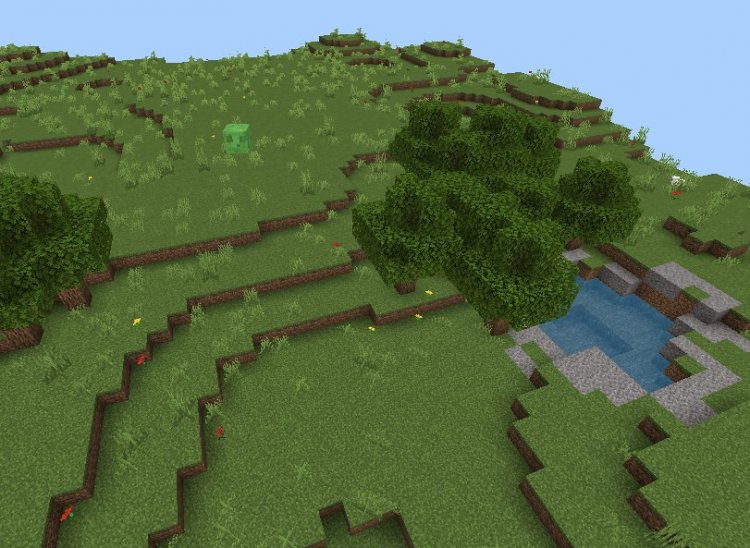
Created by hippox1
Building an entire custom world from scratch in Minecraft Bedrock can feel overwhelming. The Terrain Generator addon tackles this by letting you create natural landscapes on demand using a simple command. Instead of manually placing thousands of blocks or relying on limited default generation, you get precise control over biome types, water placement, tree density, and even reproducibility through seed values.
Created by hippox1, this addon works in version 1.26.0 and later and requires only operator permissions to use. There are no experimental features to toggle on, making setup straightforward. If you want to skip the tedious early-game terrain work or build custom maps with specific landscape layouts, this addon cuts that time dramatically.
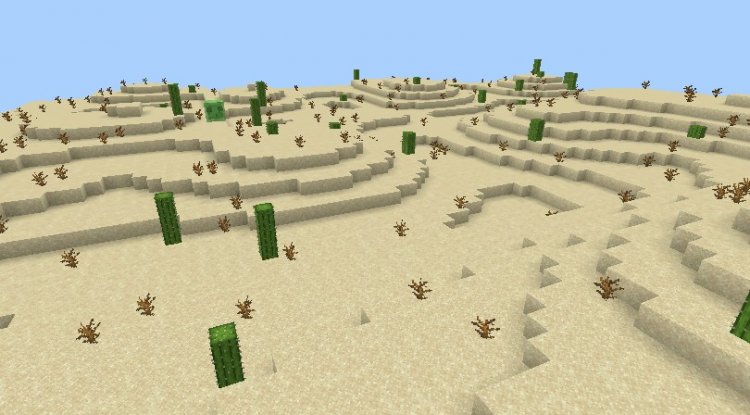
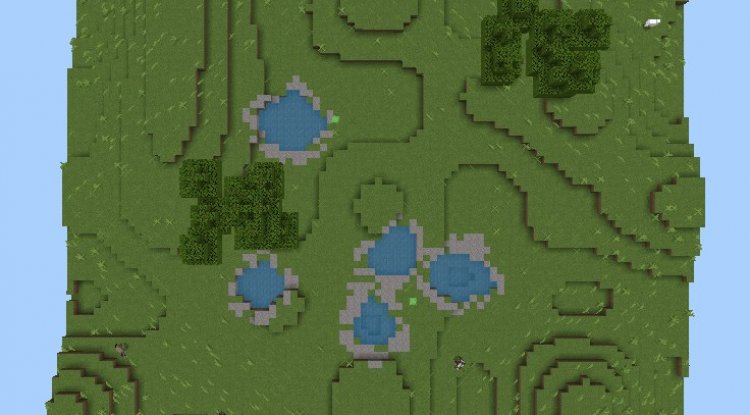
Photos by hippox1
What the terrain generator addon actually does
At its core, this addon adds one command: /generate. Run it with the right parameters, and it fills a chosen region with terrain matching your specifications. You define two corner positions (a "from" and "to" coordinate), pick a biome type, and the addon handles the rest.
The command respects your other settings too. You can tell it whether to add water pools, how many trees to plant, and how fast to work. Unlike manually digging or using WorldEdit, this generates *natural-looking* terrain. Plains don't look like flat featureless voids. Deserts generate with appropriate spacing and elevation changes. The Void option clears areas entirely, which is useful if you want a blank canvas or need to reset a region.
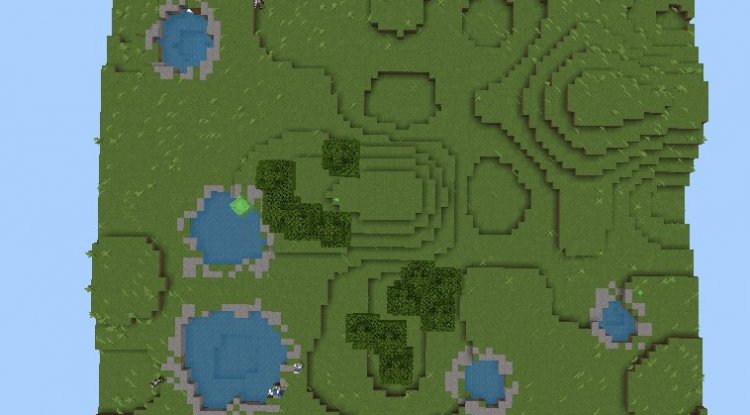
Three biome types and what each one brings
You're not limited to one landscape style. The addon includes three biome templates:
- Plains. Generates grassy, rolling terrain. Good for meadows, farmland, or open building areas. Water pools and trees spawn naturally across the region.
- Desert. Creates sandy, arid landscapes with sparse vegetation. Useful for Egyptian-themed builds, wasteland maps, or survival challenges in harsh biomes.
- Void. Clears all terrain, leaving a flat, empty space. This is handy when you need to wipe an area or start from absolute zero without digging manually for hours.
Each biome respects your water and tree customization settings, so a Plains region can be treeless and dry if you want it that way.
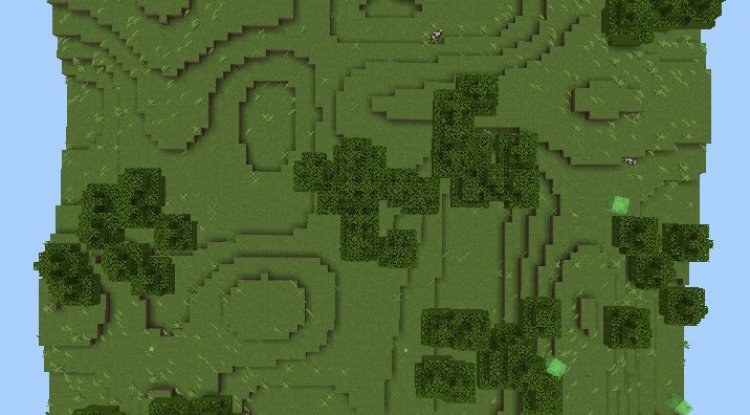
Controlling water, trees, and generation speed
The real power is in the parameters. By default, the addon generates terrain with reasonable water pools and tree coverage. But you can override these.
For water features, you can set values from 0 (no water at all) up to 10 (maximum pool density), or use -1 to let the addon decide. Trees work the same way. If you're building a desert fortress and don't want a single tree, set tree batches to 0. Creating a dense forest? Crank it to 10.
Generation speed offers three modes: low, normal, and fast. Faster generation stresses your device more but finishes quicker. If you're on older hardware or a phone, low speed is more stable. On a console or high-end device, fast mode won't cause lag spikes.
Using seeds for repeatable terrain
One of the coolest features is seed support. Feed the addon a seed number, and it generates the exact same terrain layout every single time you use those coordinates and parameters. This matters for multiplayer servers, map testing, or if you want to rebuild a region identically after clearing it.
Same seed, same biome type, same water and tree settings, same coordinates. The terrain will be identical. Different seed or different parameters? The layout changes, even in the same spot. This gives you full creative control over reproducibility.
Important things to know before you generate
Terrain generation happens in loaded chunks. If you're trying to generate in an area your client hasn't loaded yet, parts of it might look incomplete. Make sure the region is loaded by either standing near it or using a ticking area. You can also increase your simulation distance in world settings to load more chunks around you automatically.
The addon will overwrite existing terrain if you generate in the same area twice with different settings. There's no undo button built in, so if you care about what's there, make a backup or generate in a test region first.
Only players with operator status can run the /generate command. If you're on a multiplayer server, the host decides who can use it. This prevents random players from reshaping your map without permission.
How to install the terrain generation addon
Download the addon file and open it. Your device will prompt you to add it to Minecraft. Accept the prompt and it installs into your resource packs or behavior packs folder, depending on your platform. Open Minecraft, create or load a world, and add the addon in the world's pack settings. Make sure the addon is toggled on. You don't need experimental features enabled.
Once enabled, enter a world as an operator and type a /generate command. If the syntax is correct, terrain starts building immediately. You'll see chunks updating in real time.
Frequently asked questions
Can I use this terrain generator addon on MCPE and Bedrock servers?
Yes. The addon works on Minecraft Pocket Edition, Windows 10/11, and console versions. On servers, only operators can execute the /generate command, so the admin controls who has access.
What's the best terrain generation addon for Minecraft Bedrock if I want customizable worlds?
This addon is strong if you want biome variety and seed-based reproducibility. The three biome templates and parameter control give you flexibility without overwhelming complexity. If you need dozens of biome types or height maps, you might want terrain generation plugins for Java, but for Bedrock's addon ecosystem, this covers most custom worldbuilding needs.
Can I combine this addon with other world generator mods or plugins?
This is a standalone addon. It can coexist with other behavior pack addons, but if two addons try to modify terrain generation in overlapping ways, conflicts can occur. Test in a separate world first if you're stacking multiple terrain-altering addons.
How do I clear terrain if I made a mistake with the addon?
Use the Void biome option to clear a region, then regenerate with your correct settings. Alternatively, restore from a backup if you saved before the unwanted generation.
What's Your Reaction?














![Patrix Resource Pack For 1.19 [32x→256x]](https://minecraftmodded.com/uploads/images/202210/image_750x415_6343b3ab59eff.jpg)

