Aspro97 600 Subs Texture Pack: PvP Gaming Enhancement
Discover the Aspro97 600 Subs texture pack for Minecraft Bedrock. Boost FPS, enhance PvP visuals, and get custom item designs for competitive gameplay.
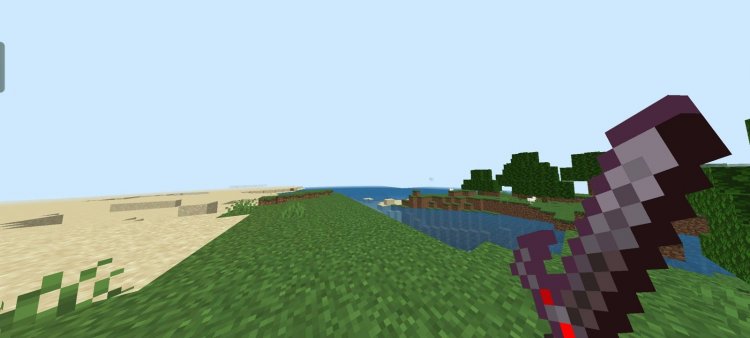
Created by AS Pro 97
Aspro97 600 Subs Texture Pack: The PvP Player's Visual Upgrade
The Aspro97 600 Subs texture pack is a competitive-focused texture pack for Minecraft Bedrock Edition designed to sharpen your player-versus-player experience. Created by AS Pro 97 to celebrate reaching 600 channel subscribers, this pack transforms your visual environment to prioritize combat clarity, frame rate performance, and streamlined aesthetics—making it an excellent choice for anyone serious about competitive Minecraft.
If you're grinding ranked matches in BedWars, dominating SkyWars lobbies, or just want a visual edge in Survival PvP battles, this texture pack delivers tangible gameplay improvements beyond flashy cosmetics. Let's break down what makes it stand out in the crowded texture pack ecosystem.
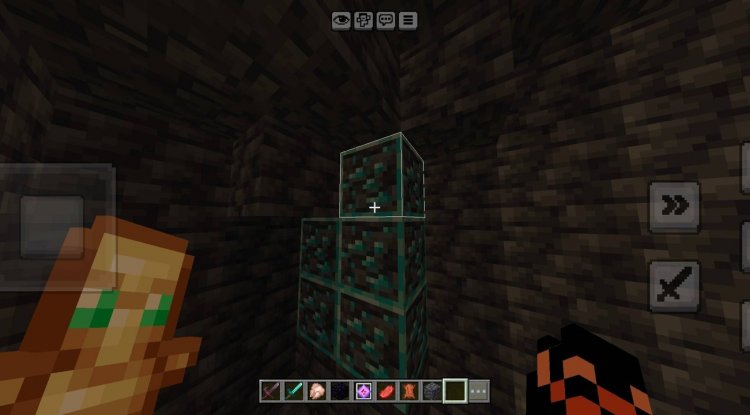
Photos by AS Pro 97
Why Performance Matters in Competitive Minecraft
Every frame counts when you're in a heated fight. The Aspro97 600 Subs pack prioritizes modified textures specifically engineered to improve frame rates without sacrificing the core Minecraft experience. This isn't about stripping the game down to a blocky mess—it's about intelligent optimization.
When you're facing multiple opponents or playing on busier servers, frame rate drops are your worst enemy. A texture pack that helps your device render more efficiently means smoother combat, faster reaction times, and fewer lag-induced deaths. On mid-range devices—tablets, budget phones, or older computers—this optimization approach can be the difference between winning and losing a match.
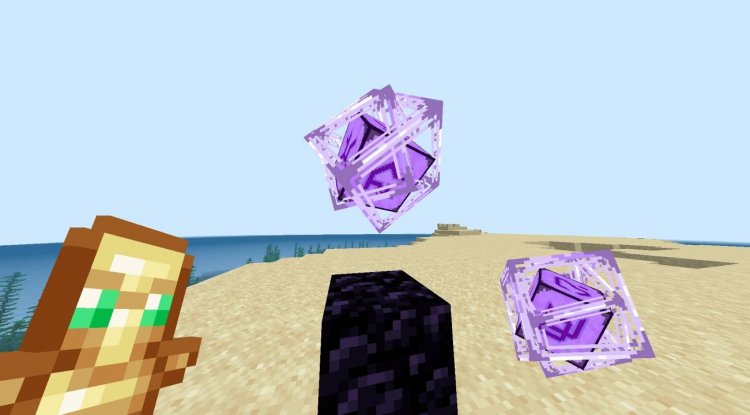
Redesigned Interface for Combat Clarity
One of the standout features of this pack is its redesigned user interface. The simplified visual design removes clutter from your screen, giving you better sight lines during fights and reducing visual noise that can distract from tracking opponents.
Whether you're managing your hotbar during a BedWars rush, checking your inventory mid-SkyWars combat, or negotiating terrain in Survival, a cleaner interface means faster decision-making. The custom UI also uses a color-focused aesthetic that makes important elements—like health indicators and item counts—more immediately readable at a glance.
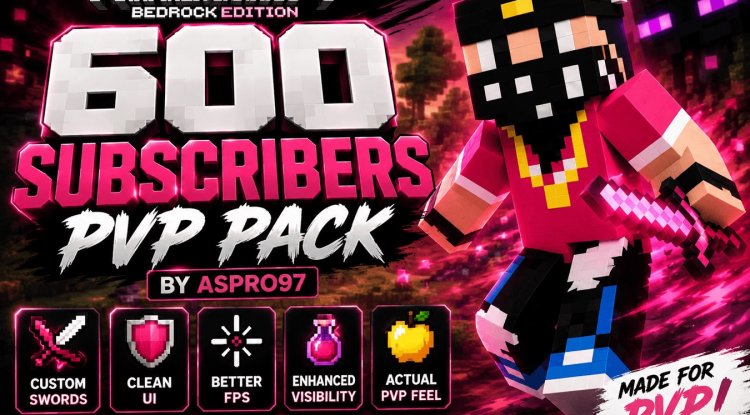
Custom Item Textures for Enhanced Combat Vision
The pack's custom appearances for swords and other weapons create enhanced visual distinction during combat encounters. This goes beyond aesthetics: clearer item differentiation helps you instantly recognize what weapon you're holding, what your opponent is wielding, and what resources you've picked up.
In fast-paced modes like SkyWars, this split-second recognition can prevent crucial mistakes. You won't waste time figuring out if you grabbed a diamond or iron sword. The color-focused approach means these distinctions are immediate and intuitive, even when you're moving at full speed.
Perfect for Multiple Game Modes
This texture pack wasn't built for a single playstyle. AS Pro 97 designed it with versatility in mind, making it equally effective across PvP arenas, SkyWars, BedWars, and traditional Survival mode PvP.
In BedWars, the improved visibility helps you spot enemy teams and defend your bed more effectively. In SkyWars, the frame rate boost keeps you competitive during chaotic final circles. In Survival mode, the cleaner textures and UI make resource management and combat less visually taxing during long sessions. Even casual arena battles benefit from the visual clarity.
A Celebration of Community
This pack was created to commemorate a milestone: 600 channel subscribers. That origin story matters because it means AS Pro 97 built this with the community's actual feedback in mind, not as a generic texture pack dropped into the void. It's purpose-built for competitive players who wanted a tangible tool to improve their gameplay experience.
Key Features & Highlights
- Modified textures optimized for improved frame rates on Bedrock Edition
- Simplified, redesigned user interface for reduced visual clutter
- Custom sword and item textures with enhanced visual distinction
- Color-focused aesthetic for immediate combat clarity
- Compatible with PvP arenas, SkyWars, BedWars, and Survival modes
- Lightweight performance impact despite visual improvements
- Designed for competitive and casual players alike
How to Install the Aspro97 600 Subs Texture Pack
Installing this texture pack on Minecraft Bedrock Edition is straightforward:
- Download the .mcpack file to your device
- Open the file—it will automatically launch Minecraft Bedrock Edition
- Select "Import" when prompted to add the pack to your resource packs
- Create or open a world, then navigate to Settings > Resource Packs
- Find the Aspro97 600 Subs pack in your available packs and toggle it on
- Confirm your selection and load your world
The pack will apply immediately. You may notice the interface changes right away, and frame rate improvements should be noticeable within your first few fights. If you use other texture packs, you can stack them by enabling multiple packs in order—the Aspro97 pack will layer with others if needed.
Frequently Asked Questions
Will this texture pack work on servers and multiplayer realms?
Yes. Since it's a client-side texture pack, it only affects your visual experience. Other players won't see your textures, and servers won't restrict it. You can use it in any Bedrock multiplayer environment.
Does the frame rate improvement work on all devices?
The optimization is most noticeable on mid-range and lower-end devices. High-end devices may see minimal frame rate gains since they already handle default textures efficiently, but you'll still benefit from the visual clarity and UI improvements.
Can I combine this with other texture packs?
Absolutely. Bedrock Edition allows you to stack multiple packs—just enable them in your preferred order in the Resource Packs menu. Lower packs in the list will be overridden by higher ones if they modify the same textures.
Is this pack updated for the latest Minecraft Bedrock versions?
The pack is compatible with the latest versions of Minecraft Bedrock Edition. Always check for updates from the original creator if you're using it after major game updates, though texture packs are generally forward-compatible.
What's Your Reaction?













![Patrix Resource Pack For 1.19 [32x→256x]](https://minecraftmodded.com/uploads/images/202210/image_750x415_6343b3ab59eff.jpg)


