Best Minecraft Addons 2026: VCMC Proximity Voice Chat
VCMC is a proximity-based voice chat addon for Minecraft Bedrock that lets players hear each other based on distance. Install the companion app and addon to enable spatial audio, group channels, and moderation tools.
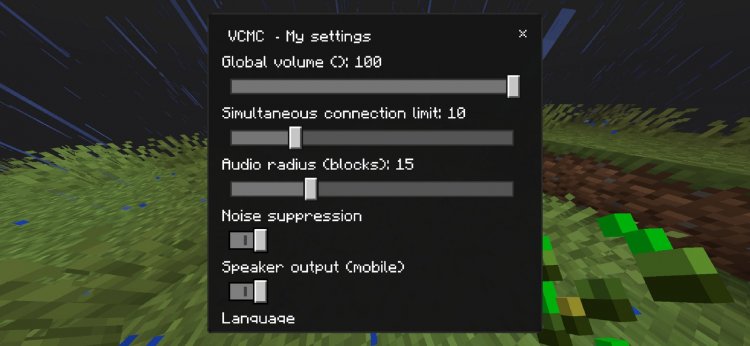
Created by NaruAntoic
VCMC is a proximity-based voice chat system for Minecraft Bedrock that splits audio handling between a companion app and an in-game addon. Instead of Bedrock's native limitation (no direct microphone access for addons), VCMC uses a separate application to manage your voice while the addon tracks player positions and syncs who can hear whom based on distance.
If you've played survival servers and wished for Discord without alt-tabbing, or wanted immersive squad communication in vanilla-style gameplay, this addon changes how multiplayer feels. Many co-op survival players find it useful.
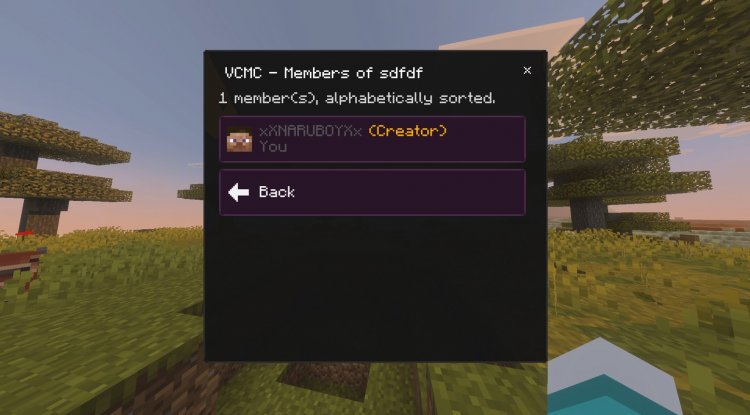
Photos by NaruAntoic
How proximity voice chat works in VCMC
The core mechanic is straightforward: players only hear each other when they're close enough. Walk away from a friend and their voice fades. The distance threshold adjusts based on game settings and dimension, so the Nether might have different rules than the Overworld. If you're in a private group channel together, distance doesn't matter. You always hear group members regardless of where they are.
This feels natural compared to constant Discord streams. Imagine exploring a cave system and only hearing teammates when you're in the same chamber. Getting separated feels risky. It rewards sticking together and makes base camps feel like actual gathering spaces instead of just marker points on a map.

Features and what VCMC actually does
- Distance-based audio: voice fades as players move apart
- Private and global group channels with password locks
- Individual volume sliders for each player
- Voice effects and environmental sound adjustments
- Global megaphone for server-wide announcements
- Full moderation controls for admins and staff
- Voice recording stored in the companion app library
- Integration with scoreboards, maps, and command blocks
- Admin muting and hidden staff-only channels
The moderation tools are thorough. Server admins can mute individual players, lock channels, create private staff groups, and review recordings later. For servers running longer than a few days, these controls matter. You don't want spam or toxic players ruining the vibe, and VCMC gives you the tools to stop that.
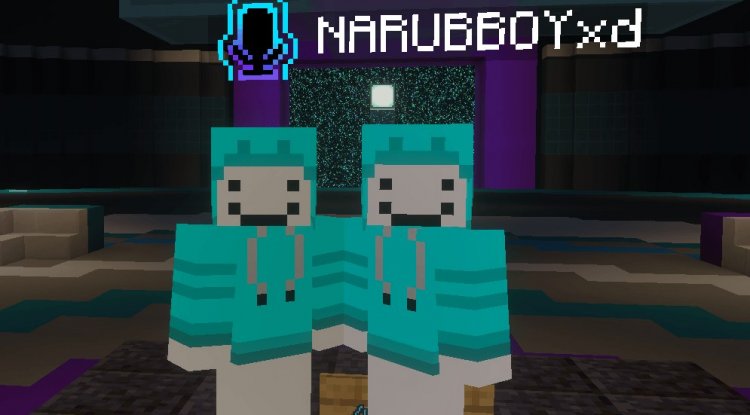
VCMC vs. Discord: why proximity voice chat changes gameplay
Discord is always-on and distance-agnostic. VCMC is contextual. You lose the ability to whisper to your distant friend instantly, but you gain atmosphere. A mob attack in a cave system becomes chaotic because you can't hear your teammate on the other side of the ravine, just like real survival should feel.
For roleplaying servers or creative worlds, this makes a difference. NPCs staying in character works better when you're not hearing out-of-character commentary from someone across the map. For casual survival groups, it's less critical but still nice for immersion.
The downside is that you need the companion app running alongside Minecraft. That's an extra window or app on your phone or desktop. If your group is only 2-3 people, Discord might still be simpler. VCMC works well on larger servers where spatial audio reduces confusion and adds roleplay depth.
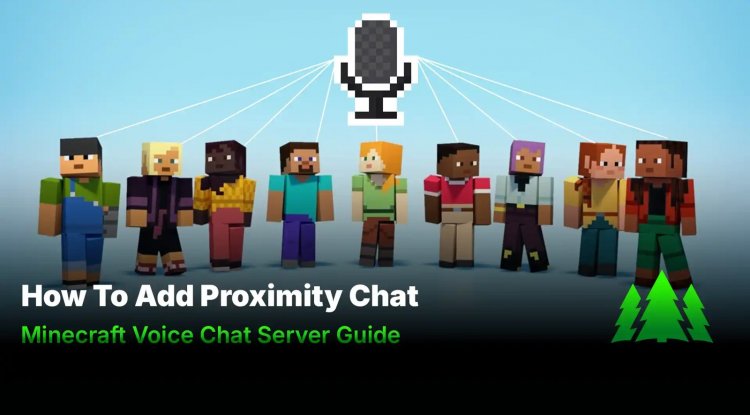
Setting up VCMC on Bedrock servers and friend worlds
Installation is split between the addon files and the companion app. The world owner or server admin installs the behavior pack and resource pack from the addon file. Then each player downloads the VCMC app for their device. Android, iOS, Windows, or the web version all work. When you launch the world, you get a verification code that you enter into the app to link your account.
For dedicated servers, you'll need to enable Experimental APIs and grant @minecraft/server-net permissions, unless you're on Aternos, which handles this. Friend's worlds need WebSockets turned on. Guests joining someone else's world don't have to install the addon themselves. The host handles it.
Here's the catch: if you jump between devices or browsers, you might need to verify again. It's a minor friction point, but it's a security feature so randoms can't just hop into your voice channels.
Performance and who should try VCMC
The addon itself is lightweight. The companion app handles the heavy lifting, so Minecraft Bedrock on lower-end devices stays smooth. Voice quality depends on your internet and the app's settings, not on your FPS.
VCMC works best for survival servers with 5+ players, roleplay communities, and groups that already use custom maps or command blocks. It integrates with those systems. It's overkill for two-player co-op where Discord is faster. It's not useful for singleplayer.
Also worth noting: this is a community project built by NaruAntoic. It's not affiliated with Mojang or Microsoft, and the source code lives on GitHub. That means it's independent, which is good for creative freedom but means no official support. The GitHub also has all the latest releases if the addon page goes down.
Installing VCMC: step by step
Download the addon file and import it into Minecraft Bedrock. The game will prompt you to activate the behavior and resource packs. Download the VCMC companion app for your device from the official source. Launch your world or server, find your verification code in the chat or UI, and enter it into the app. Invite friends to do the same. Test by walking away from someone and listening for the fade-out.
If you're setting up a dedicated server, enable Experimental APIs in the server properties file first, then add the addon's permissions. For friend's worlds, toggle WebSockets in the world settings before guests join.
Common questions about VCMC
Can I use VCMC on crossplay servers with Java players?
No. VCMC is Bedrock-only because the addon format and companion app architecture don't port to Java Edition. Java servers would need a completely different setup.
What if I don't want to use the companion app?
You can't. Bedrock addons don't have native microphone access, so the companion app is required. This is a platform limitation, not a design choice. Discord or in-game text chat are your alternatives.
Is VCMC safe for kids or communities?
The moderation tools (muting, channel locks, staff groups) make it manageable. Recordings are stored locally in the app, not uploaded to servers, so privacy is better than Discord. Still, any voice chat requires trusted players or active admin oversight.
Why do I need to verify my account every time I switch devices?
It's a security measure to prevent account hijacking. Each device or browser is treated as a new login, similar to two-factor authentication. It's annoying once, but it protects your channel access.
What's Your Reaction?













![Patrix Resource Pack For 1.19 [32x→256x]](https://minecraftmodded.com/uploads/images/202210/image_750x415_6343b3ab59eff.jpg)


