YSZ Crosshair Indicator Texture Pack for MCPE
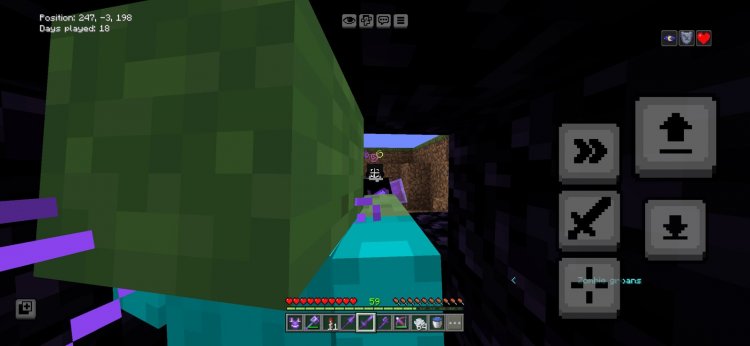
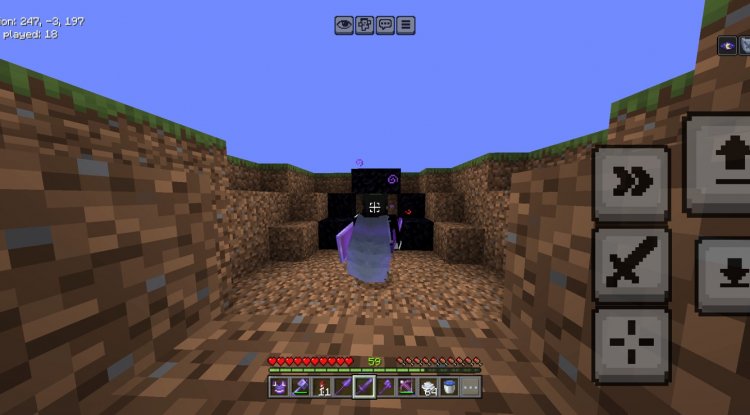
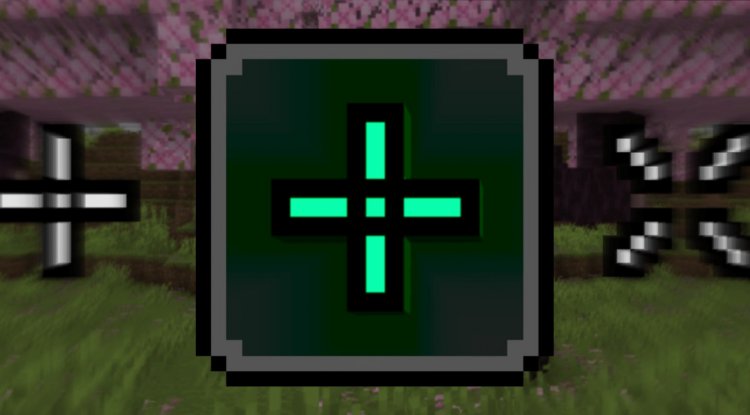
YSZ Crosshair Indicator changes your crosshair when targeting mobs or players. Perfect for PvP servers and multiplayer combat in Minecraft Bedrock.
Created by Yeszio
YSZ Crosshair Indicator: A Smart Targeting Texture Pack for Minecraft Bedrock
The YSZ Crosshair Indicator is a lightweight texture pack that dynamically changes your crosshair appearance whenever you aim at mobs, players, or other interactive entities. Created by Yeszio, this pack transforms a basic HUD element into a tactical awareness tool that benefits both casual and competitive Minecraft Bedrock players.
Photos by Yeszio
What Makes This Texture Pack Different
At its core, the YSZ Crosshair Indicator solves a simple but meaningful problem in Minecraft multiplayer gameplay: knowing exactly when your reticle is locked onto something that matters. Rather than guessing whether you're actually aimed at a target, this pack provides instant visual feedback through crosshair changes. The concept is borrowed from competitive gaming, where precision matters, and it works surprisingly well in the blocky world of Minecraft.
The pack itself is minimal in scope—it doesn't overhaul your entire visual experience or conflict with other cosmetic modifications. This makes it an excellent companion to shaders, custom skins, or other texture packs you might already be using. The focus is purely functional: help you identify targets faster during intense moments.
Entity Targeting Across Multiple Mob Types
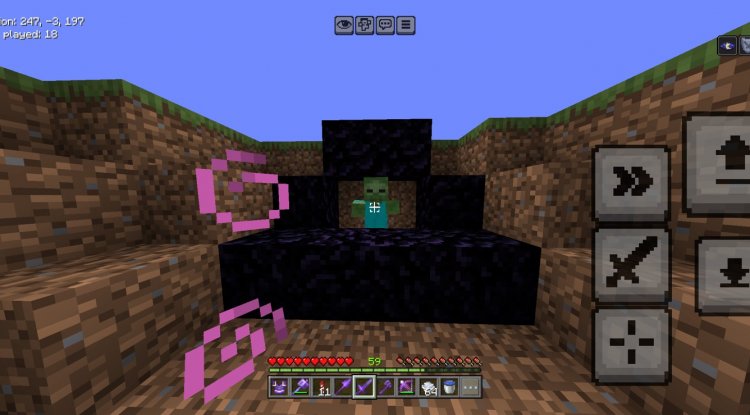
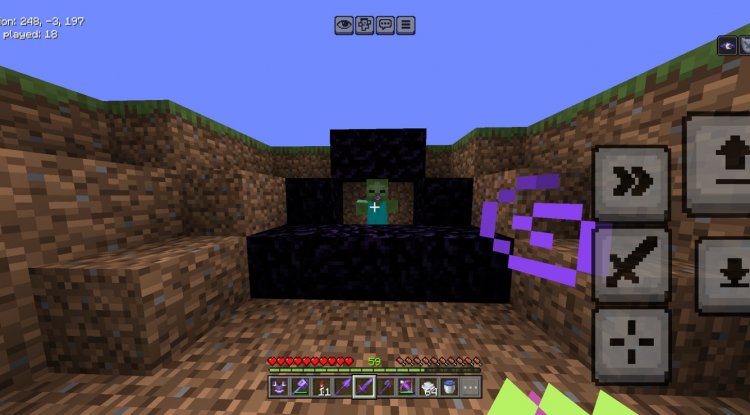
What impressed us during testing was the breadth of entity recognition. The crosshair indicator responds to a diverse range of targets, including players in multiplayer sessions, hostile mobs like zombies, passive mobs such as sheep, and presumably other interactive entities. This versatility means the pack remains useful whether you're raiding a dungeon solo, farming mobs, or engaged in PvP combat on a server.
The visual change happens in real-time as your camera pans across entities within interaction range. There's no delay or stuttering—just clean, instant feedback. For players accustomed to crosshair mechanics in shooters or action games, this familiar UX element feels natural in Minecraft's context.
Built for PvP Servers and Competitive Multiplayer
If you frequent PvP-focused servers or play in competitive multiplayer worlds, the YSZ Crosshair Indicator addresses a genuine gameplay advantage: reaction time and target awareness. When every millisecond counts in combat, having a visual confirmation that your opponent is in your reticle can make the difference between landing a hit and missing. The pack transforms a quality-of-life improvement into a subtle competitive edge.
Beyond raw combat, this pack also enhances the overall feel of multiplayer interaction. Knowing when you're aimed at a teammate, for instance, can prevent friendly-fire incidents or help coordinate group actions more smoothly. Server administrators running PvP rulesets often appreciate texture packs like this because they reward player skill rather than introducing unfair advantages.
Key Features and Highlights
- Dynamic Crosshair Changes — Crosshair visually transforms when aiming at mobs or players
- Wide Entity Compatibility — Works with players, zombies, sheep, and various other entity types
- Lightweight Design — Minimal file size and negligible performance impact
- Real-Time Feedback — Instant visual response with no lag or delay
- Multiplayer-Friendly — Especially effective on PvP and survival servers
- Non-Invasive — Compatible with other texture packs and shader mods
Installation and Verification Notes
Before installing the YSZ Crosshair Indicator, take a moment to verify the pack's authenticity. The creator, Yeszio, notes that file mismatches can occasionally occur in upload history, so it's worth confirming a few details:
First, check that the downloaded file's icon matches what you see on CurseForge or MCPEDL. This visual match is your first confirmation that you have the correct version. Second, after extracting or preparing the pack for installation, look for a credits.md file within the package. This file serves as a verification marker and credit attribution to Yannnim, whose original code forms the foundation of this pack.
Once verified, installation is straightforward. On Android or iOS, use a file manager to import the .mcpack file directly into Minecraft, or use the in-game resource pack menu. On console devices, download through the Marketplace or linked content management. Enable the pack in your world or server settings, and you're ready to go.
How to Install YSZ Crosshair Indicator
For Mobile (Android/iOS): Download the .mcpack file, open it with Minecraft Bedrock Edition, and confirm the import when prompted. The game will automatically add it to your resource packs list.
For Windows 10/11: Download the file, navigate to your Minecraft folder (usually in AppData\Local\Packages), and place it in the resource_packs directory. Restart Minecraft and enable it in settings.
For Console: If available through your platform's marketplace or linked account system, install directly. Otherwise, transfer via USB or cloud storage if your console supports file management.
Before Installation: Verify the pack icon matches official sources and confirm the presence of a credits.md file to ensure authenticity.
Frequently Asked Questions
Does this texture pack work with all Minecraft Bedrock versions?
The pack is designed for Minecraft Bedrock Edition (MCPE, Windows 10/11, console). Ensure your game is updated to a recent version for best compatibility. If you experience issues, check that you're using the latest YSZ version.
Will this pack work alongside shaders and other texture packs?
Yes. Because it only modifies the crosshair texture, it's highly compatible with shaders and cosmetic packs. However, if another pack also changes crosshair textures, only one will take effect—prioritize the one you use most.
Can server administrators restrict this pack on their servers?
Most multiplayer servers allow client-side texture packs since they don't affect server files. However, some competitive servers have strict cosmetic policies. Always check your server's rules before assuming it's allowed, though this pack's non-cheating nature makes it widely accepted.
What if the crosshair doesn't change when I aim at entities?
Verify the pack is enabled in your active world or server settings. If it's enabled but not working, ensure the downloaded file is authentic (matches the official icon) and contains the credits.md file. Reinstall or contact support if issues persist.
What's Your Reaction?












![Patrix Resource Pack For 1.19 [32x→256x]](https://minecraftmodded.com/uploads/images/202210/image_750x415_6343b3ab59eff.jpg)


