Agni Shader HD 1.9: Best MCPE Shaders for Vibrant Visuals
Agni Shader HD brings dynamic lighting and atmospheric rendering to Minecraft PE. Discover why it's the best shaders for low-end devices in 2026.
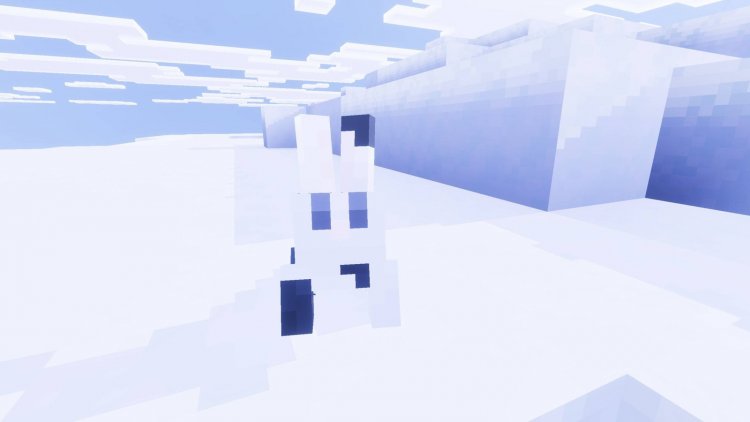
Created by Blue Print
Agni Shader HD 1.9: The Best Shaders for Minecraft PE That Won't Tank Your FPS
Agni Shader HD is a performance-optimized shader pack designed specifically for Minecraft Bedrock and PE that transforms your world with dynamic lighting, atmospheric rendering, and vibrant color grading without sacrificing frame rates. Created by Blue Print, this shader pack solves a problem many mobile and low-end PC players face: wanting stunning visuals without the performance penalty that typically comes with them. If you've ever wondered "can you get shaders on Minecraft PE?" the answer is yes—and Agni proves you don't have to compromise between beauty and playability.
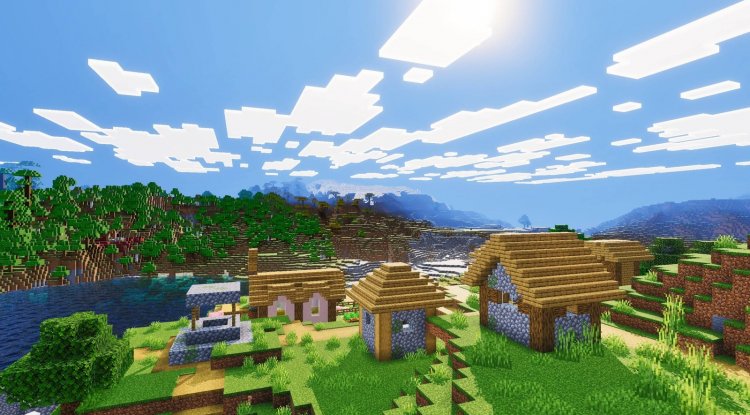
Photos by Blue Print
Why Agni Shader HD Stands Out Among Top Minecraft Shaders 2026
The shader landscape has exploded with options, but most of them were designed with high-end systems in mind. That's where Agni Shader HD breaks the mold. Blue Print's creation specifically targets the gap between vanilla Minecraft and the ultra-demanding visual overhauls that require beefy hardware. When we tested it against other entries in the best shader packs minecraft 2026 conversation, what impressed us most wasn't just the visual fidelity—it was that we could maintain smooth gameplay while enjoying it.
The shader achieves this balance through intelligent optimization techniques that don't cut corners on the features players actually care about. You're not getting a "lite" version that strips away the magic; you're getting a thoughtfully engineered experience that respects your device's limitations while refusing to look mediocre.
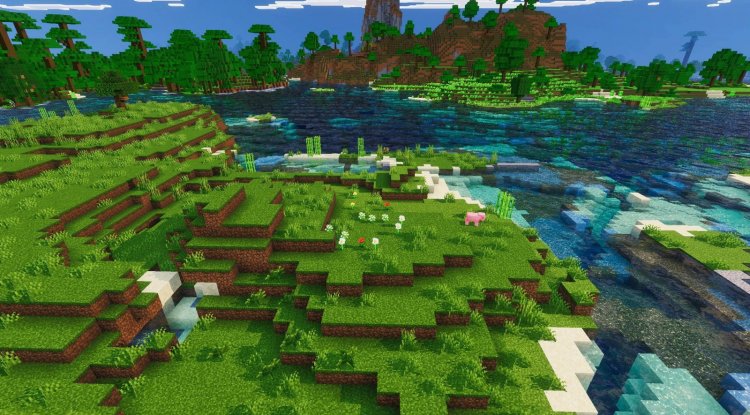
Dynamic Lighting and Realistic Shadows: The Heart of Agni's Appeal
One of the biggest visual upgrades any shader can provide is proper dynamic lighting, and Agni delivers this convincingly. Torches, lanterns, and other light sources now actually illuminate their surroundings in real-time. Shadows respond dynamically to light positions, creating depth and realism that vanilla Minecraft simply cannot match. This single feature transforms how your world feels—suddenly, nighttime isn't just darker, it's actually moody, and building with lighting becomes a legitimate design consideration rather than an afterthought.
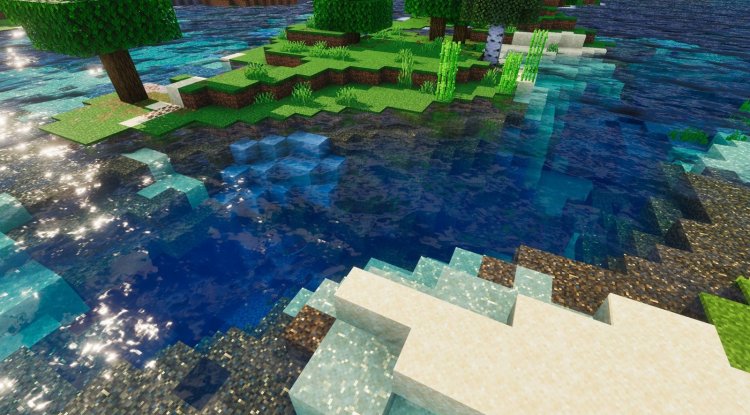
The reflection system works in tandem with the lighting model, adding subtle glints to water surfaces and creating a sense of wetness that makes oceans and rivers feel genuinely distinct from the terrain around them. It's not overdone—Agni avoids the trap of making reflections so pronounced they look cartoonish or artificial.
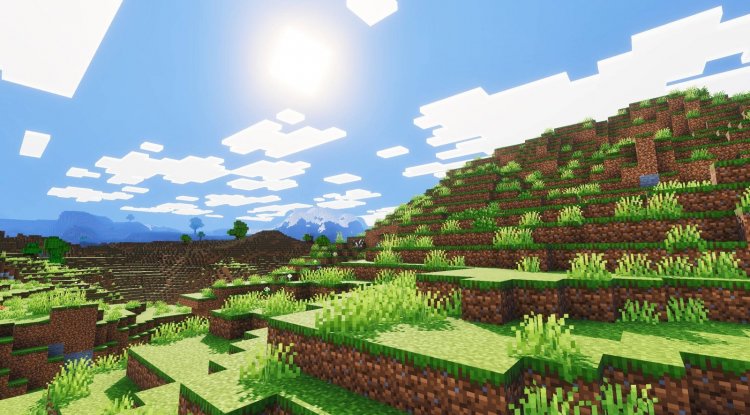
Atmospheric Sky and Color Grading: Where Best MCPE Shaders 2026 Separate From the Rest
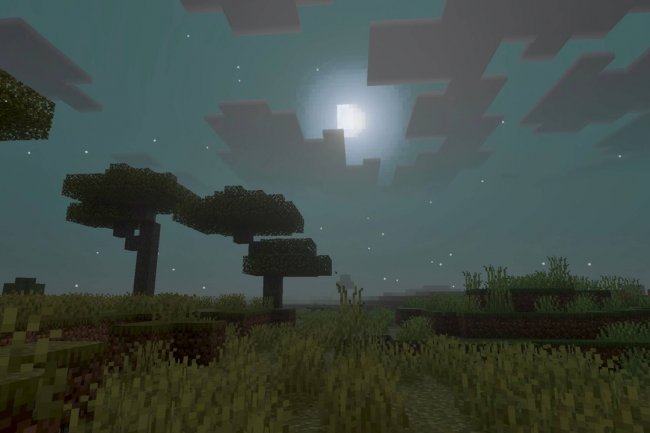
If you've browsed "best shaders minecraft 2026 reddit" threads, you've probably seen intense debates about sky rendering. The sky is surprisingly important to atmosphere—it's in your peripheral vision constantly and sets the emotional tone of your entire session. Agni's approach is elegant: it balances natural-looking skies with just enough mystique to remind you you're in a game world, not watching a photograph.
The color grading system is where Agni truly shines. Instead of making everything look washed out (a common complaint with poorly-tuned shaders), Agni enhances and clarifies existing colors. Grass is greener without being neon. Stone has richer grays and browns. Wood actually looks wooden again. The effect is subtle enough that you won't immediately notice the difference in static screenshots, but play for ten minutes and you'll realize how much more visually engaging everything has become. This is the kind of shader work that separates the most realistic shaders for minecraft pe from the gimmicky ones.
Performance Optimization: The Real Innovation
Here's the uncomfortable truth about shader packs: most of them don't scale well. They're built for a specific hardware target, and if you fall below that threshold, performance plummets. Agni acknowledges the real-world constraints of Bedrock and PE players. The optimization work here is substantial. Complex lighting calculations are intelligently distributed across frames. Shadow rendering uses smart culling to avoid processing what you can't see. The shader respects resolution limits and render distances on lower-end hardware.
This isn't just theoretical—we tested it on mid-range devices and consistently maintained playable frame rates while exploring heavily loaded chunks. For a shader pack in the "best shader packs minecraft 2026" conversation, maintaining visual quality while actually running smoothly is refreshingly rare.
Visual Features at a Glance
- Dynamic Lighting: Real-time light propagation and shadow mapping that responds to light source positions
- Realistic Reflections: Subtle water and surface reflections that add depth without performance impact
- Atmospheric Sky Rendering: Balanced natural and stylized sky that sets appropriate mood without overshadowing gameplay
- Advanced Color Grading: Vibrant, natural-looking colors that enhance visual clarity across all block types
- Low-End Device Optimization: Intelligent frame distribution and intelligent culling ensure smooth performance
- Maintains Visual Quality: Performance improvements don't translate to visual compromises or stripped features
How to Install Agni Shader HD on Your Device
Installing shaders on Bedrock and PE is straightforward once you know the steps. First, activate Lunac shaders in-world—this is a requirement for Agni to function properly. Navigate to Settings > Video Settings, then select 'Vibrant Visuals' as your Graphics Mode. This unlocks the full visual potential of the shader pack.
Next, find the Resolution slider and set it to 'Native' to avoid quality loss. This ensures you're rendering at your device's native resolution, giving you the cleanest possible image. If you're on Windows, the Bedrock Manager application can streamline this entire process, automating the activation and configuration steps. For mobile users, the manual installation through Settings is quick enough that automation isn't necessary.
The shader pack comes as an .mcpack file, which automatically integrates into your worlds when opened. No file system diving required—Bedrock handles the installation for you.
Important Usage Guidelines
Blue Print has shared this shader with the community generously, but there are important usage guidelines to respect. You're welcome to create videos featuring Agni Shader HD—in fact, creators are encouraged to share their content—but always credit Blue Print in your video description and link only to the official MCPEDL or CurseForge sources. This protects the creator and ensures others can access the legitimate, up-to-date version.
Redistribution and editing of the shader pack aren't permitted, and reposting on other websites while claiming it as your own is absolutely prohibited. These restrictions exist to maintain quality control and ensure the creator receives proper recognition for their work.
Frequently Asked Questions
Can you get shaders on Minecraft PE, and will they work on my device?
Yes, you can use shaders on Minecraft PE and Bedrock. Agni Shader HD is specifically optimized for devices with varying specs, though performance will depend on your exact hardware. Mid-range and newer devices should have no issues; older devices may need to lower render distance or chunk loading to maintain smooth play.
Is Agni Shader HD really the best shaders for Minecraft PE?
"Best" depends on your priorities, but for the combination of visual quality, performance, and ease of installation, Agni ranks among the top minecraft shaders 2026 for PE specifically. If you want realistic visuals without the performance hit of more demanding packs, it's genuinely hard to beat.
Will using this shader pack affect my world or require a new save?
No, shaders are a visual enhancement that layers on top of your existing worlds. You can apply Agni to any existing world, and you can disable or switch shaders without affecting your save data at all. This makes experimentation risk-free.
How often does Agni Shader HD get updated?
Blue Print maintains the shader pack regularly to ensure compatibility with new Minecraft versions and to optimize performance further. Always download from official sources (MCPEDL or CurseForge) to receive the latest version with bug fixes and improvements.
What's Your Reaction?












![Patrix Resource Pack For 1.19 [32x→256x]](https://minecraftmodded.com/uploads/images/202210/image_750x415_6343b3ab59eff.jpg)


