Pokemon Mary UI Inventory Texture Pack for MCPE
Transform your Minecraft Bedrock inventory with Pokemon Mary UI, a themed texture pack that replaces the default interface with Pokemon-inspired design elements.
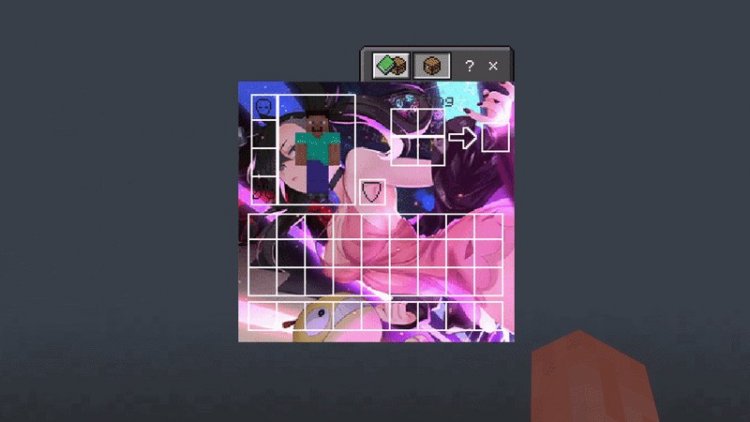
Created by NOC-777
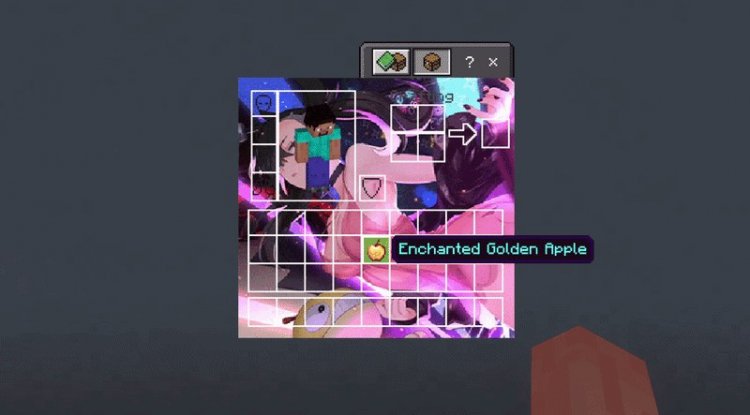
Photos by NOC-777
What Is Pokemon Mary UI Inventory?
Pokemon Mary UI Inventory is a texture pack designed by NOC-777 that completely reimagines your Minecraft Bedrock inventory screen with a Pokemon-inspired aesthetic. Instead of the standard gray-and-purple interface, this pack swaps out UI elements for designs that blend the beloved Pokemon franchise into your survival experience.
If you've ever wanted to feel like you're managing a trainer's bag while playing Minecraft, this texture pack delivers exactly that vibe—without affecting your actual gameplay mechanics or requiring any complicated mods.
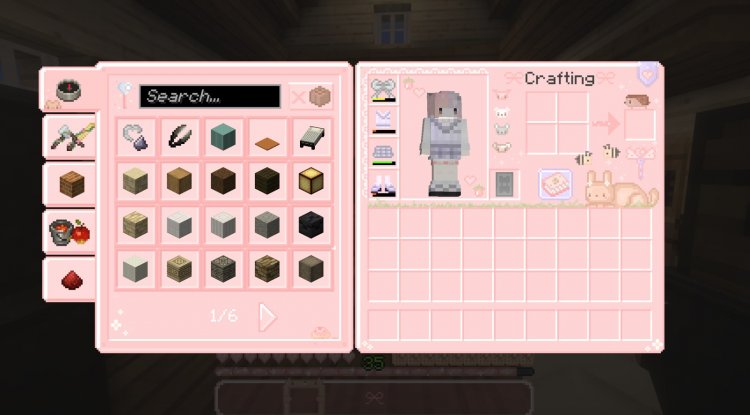
Why Your Inventory Deserves a Pokemon Makeover
Let's be honest: the default Minecraft inventory interface works, but it's been the same for years. For players who grew up with Pokemon or just love the franchise, every time you open your inventory, you're met with the same utilitarian design. Pokemon Mary UI changes that moment into something special.
What makes this pack interesting is its focus on a single, high-impact element: your UI. Rather than overhauling textures for every block and mob (which can feel overwhelming), this pack concentrates on the interface you see dozens of times per play session. It's the kind of small customization that actually changes how the game feels without demanding a complete visual overhaul.
Whether you're a casual player who wants a fun aesthetic twist or someone building a Pokemon-themed world, this texture pack bridges the gap between vanilla Minecraft and immersive theming in a non-intrusive way.
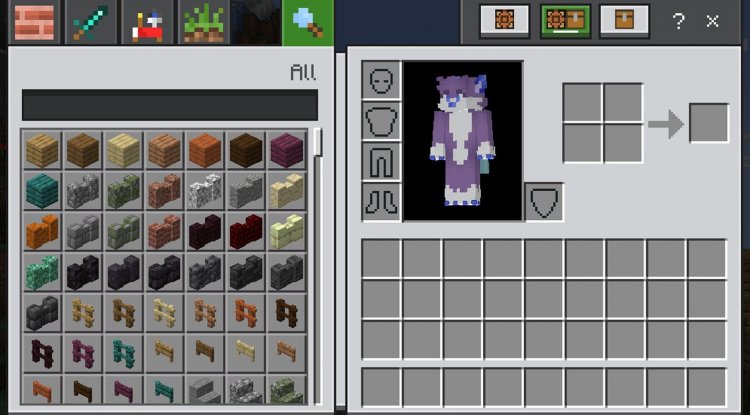
Visual Features and Design Elements
- Reimagined Inventory Screen – The main inventory layout gets a complete Pokemon-themed facelift
- Pokemon-Inspired UI Styling – Buttons, slots, and interface elements adopt Pokemon visual language
- White Edition Variant – A lighter color scheme option for players who prefer a brighter aesthetic
- Seamless Integration – Works within Bedrock without replacing core gameplay mechanics
- Easy Customization – Choose between the standard and white variants depending on your preference
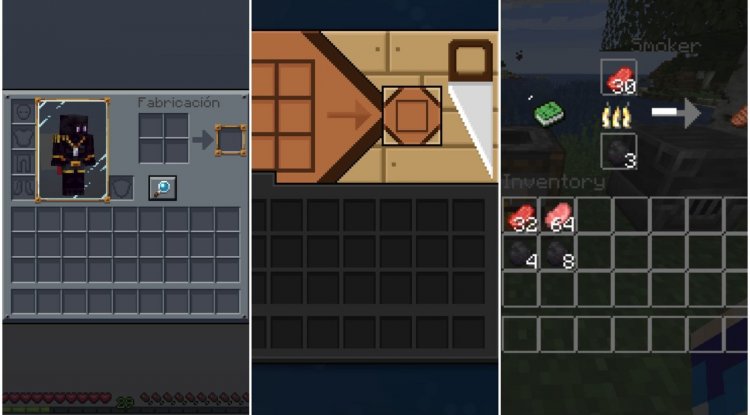
Standard vs. White Edition: Which One Fits Your Style?
One of the nicest touches in this texture pack is the inclusion of multiple variants. The standard edition delivers the classic Pokemon aesthetic with richer colors and darker tones, pulling inspiration from official Pokemon game interfaces. This version works beautifully for players who want that authentic, saturated Pokemon feel.
The white edition takes the same design language but applies a lighter, more minimalist color palette. If you prefer cleaner interfaces or play in bright environments where light UI elements are easier to read, this variant might be your pick. Both versions maintain the Pokemon theming—it's really about which visual direction speaks to you.
You can experiment with both and see which feels right for your playstyle. Since they're included in the same pack, there's no need to juggle multiple downloads.
Who Should Install This Pack?
This texture pack isn't for everyone—and that's okay. It's specifically made for:
Pokemon Fans who want their Minecraft experience to reflect their interests. If you're building a Pokemon-themed world or just enjoy the franchise, seeing those design elements every time you manage your inventory reinforces the theme.
Aesthetic-Focused Players who care about how their game looks but don't want major gameplay changes. This pack is purely cosmetic; your survival mode, creative mode, or multiplayer experience plays exactly the same.
UI Customization Enthusiasts who collect texture packs specifically for interface elements. Some players love curating their exact visual experience, and this pack is a solid option for that crowd.
Casual Minecraft Players who want a low-stakes way to freshen up their experience. Installing a texture pack is way simpler than learning to play with comprehensive mods, and this one delivers immediate visual gratification.
How to Install Pokemon Mary UI Inventory
Installing texture packs in Minecraft Bedrock Edition is straightforward. Pokemon Mary UI comes as a .mcpack file, which is the standard format for Bedrock texture packs.
On Mobile Devices (iOS/Android): Download the pack, then open it. Minecraft Bedrock will automatically detect it and prompt you to import it into your world. Select which world you want to apply it to, and you're done.
On Windows 10/11: Download the .mcpack file and open it directly. The Minecraft launcher will recognize it and add it to your resource packs. You can then activate it in your world settings.
On Console (Xbox/Switch): If you're playing on console, you may need to upload the pack to Realms or use a file manager, depending on your platform. Check your specific console's Bedrock documentation for exact steps.
Once activated, the inventory screen updates immediately. You don't need to restart your world or restart the game—just open your inventory and enjoy the Pokemon aesthetic.
Frequently Asked Questions
Will this texture pack affect my gameplay performance?
No. Texture packs only modify visual elements; they don't impact frame rates, loading times, or game mechanics. You'll see no performance difference whether you use Pokemon Mary UI or vanilla textures.
Can I use this pack on multiplayer servers?
Yes, texture packs are client-side, meaning only you see the Pokemon interface. Other players see their own UI (unless they've also installed the pack). It won't cause any conflicts on multiplayer servers or Realms.
Does this pack work with other texture packs?
Texture packs can conflict if they modify the same files. To use Pokemon Mary UI alongside another pack, you'd typically need to prioritize one. However, since this pack focuses specifically on UI elements, it might work well layered with packs that focus on block/mob textures—experiment to see what works best for your setup.
What if I don't like the Pokemon Mary UI style?
You can disable it anytime in your world settings by unchecking the resource pack. Minecraft will revert to the default interface immediately. No permanent changes are made to your world files.
What's Your Reaction?












![Patrix Resource Pack For 1.19 [32x→256x]](https://minecraftmodded.com/uploads/images/202210/image_750x415_6343b3ab59eff.jpg)


