SmooTea Shader for MCPE Low End Devices
SmooTea Shader is a low end shader for MCPE that improves lighting shadows and water while keeping the game smooth and playable on weaker devices
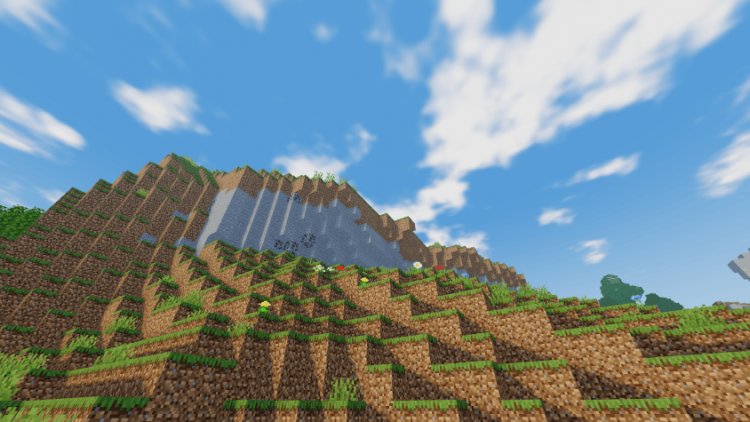
Minecraft Pocket Edition is fun but sometimes the graphics feel a bit plain. Shaders can change that. One shader that works well for low end devices is the SmooTea Shader. It is made for players who want better visuals without making their phone or tablet lag. If your device is older or not very powerful, this shader is a good choice.
The SmooTea Shader improves lighting in a smooth and subtle way. Sunlight looks warmer and shadows are softer. Nights feel darker but you can still see where you are going. This makes exploring the world feel more real and immersive. You start noticing more details around you even if your device cannot handle high end shaders.
Water is also improved with the SmooTea Shader. Rivers, lakes, and oceans look clearer and more natural. There are small reflections that move with the waves. Swimming and boating feel nicer because the water looks more realistic. Even with a low end device you get this effect without lagging the game.
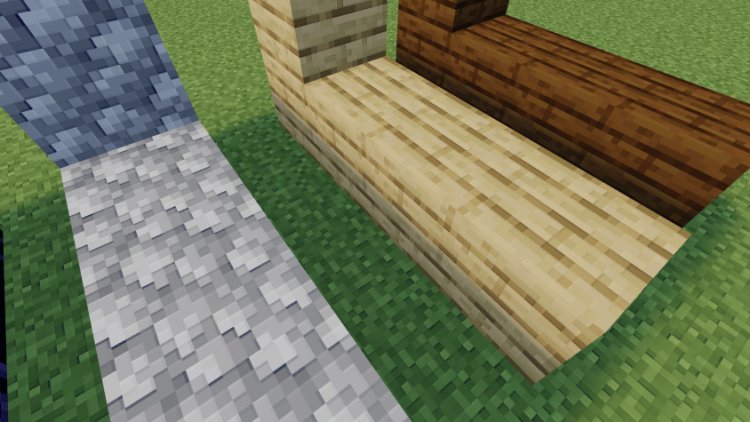
Shadows in this shader are simple but effective. Trees, buildings, and mountains cast soft shadows that move with the sun. They are not as detailed as high end shaders but they still make the world look less flat. Shadows help builds and landscapes feel more alive without using too much processing power.
One reason many players like the SmooTea Shader is that it is balanced for performance. Some shaders look amazing but cause the game to run slowly. This shader is made to run well on low end devices. Most phones and tablets can use it without crashing. You can enjoy better graphics while keeping the game smooth.
Colors are also slightly improved. Grass looks a bit greener, skies are brighter, and sunsets are softer. These changes make the world look nicer without changing the Minecraft style. Everything still feels like the game you know but with small improvements that make playing more enjoyable.
The SmooTea Shader also improves weather slightly. Rain looks more natural and clouds feel softer in the sky. This gives the game a little more atmosphere. These details may seem small but they make the world feel more alive and dynamic even on weaker devices.
Installing the SmooTea Shader is usually easy. You can download it as a shader pack and import it into Minecraft Pocket Edition. Once it is enabled in settings you can adjust options if needed. Turning off some effects can make it even smoother for very old devices. This makes it a good option for many types of players.
This shader is good for both survival and creative players. In survival mode the lighting and shadows make exploring more fun. Caves, forests, and mountains feel different. In creative mode your builds look better with soft shadows and improved water. Screenshots and videos also look nicer when using this shader.
Many players like using shaders to make Minecraft feel fresh again. The SmooTea Shader does not change gameplay. It only makes the game look better on low end devices. This is perfect for players who cannot run heavy shaders but still want improved graphics.
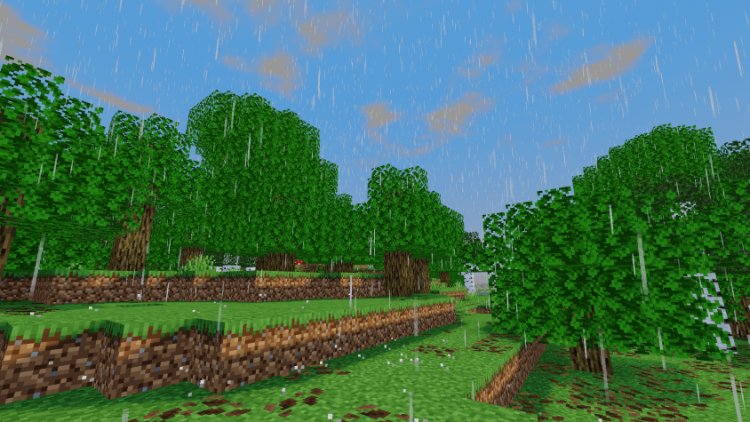
The SmooTea Shader also works well with most texture packs. Even simple or default textures look better when using this shader. It improves the visual experience without needing a strong device. Players who like classic Minecraft can still enjoy it with this shader.
Overall the SmooTea Shader is a good choice for MCPE players with low end devices. It improves lighting, water, shadows, and colors in a smooth way. It makes the world feel more alive without slowing down the game. It is easy to install and works on most phones and tablets.
If your Minecraft Pocket Edition looks a bit plain or your device struggles with high end shaders, the SmooTea Shader is worth trying. It makes everyday gameplay more enjoyable. Walking through forests, swimming in rivers, or building in creative mode feels better. This shader shows that you can get good graphics on a low end device without sacrificing performance.
In the end shaders are about what you like. Some players want realistic graphics while others prefer simple visuals. The SmooTea Shader gives a smooth and natural look for low end devices. It improves the game without making it hard to play. Many MCPE players find it one of the best options for weaker devices.
What's Your Reaction?









![Patrix Resource Pack For 1.19 [32x→256x]](https://minecraftmodded.com/uploads/images/202210/image_750x415_6343b3ab59eff.jpg)


